
Aryn Local Server
БесплатноНе проверенEnables processing PDFs via Aryn's API, typically used with a filesystem MCP server for file management.

Описание
Enables processing PDFs via Aryn's API, typically used with a filesystem MCP server for file management.
README
Installation
Prerequisites
- Python 3.12 or higher. Install it here
- uv - Fast Python package installer and resolver
- An Aryn API key. You can create an account and receive a key for free here
- This MCP server works best in combination with a file system MCP server (see installation instructions below)
- An MCP server client like Claude Desktop (Recommended) or Claude Code
Filesystem MCP
The Aryn MCP server requires absolute file paths to pdfs you want processed as inputs, so it works best when paired with an MCP server that can automatically manage files on your computer. Here is how to install one for Claude Desktop:
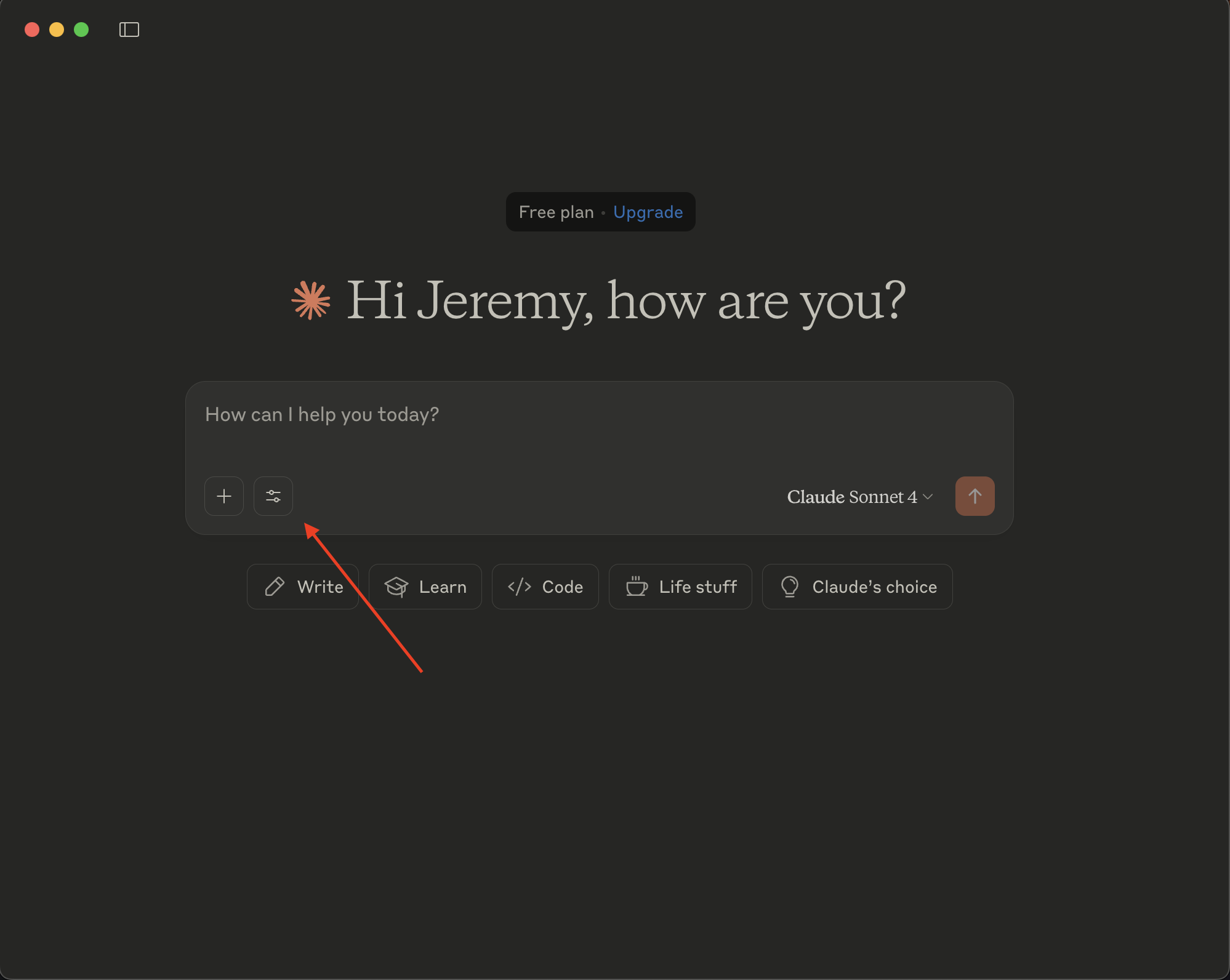
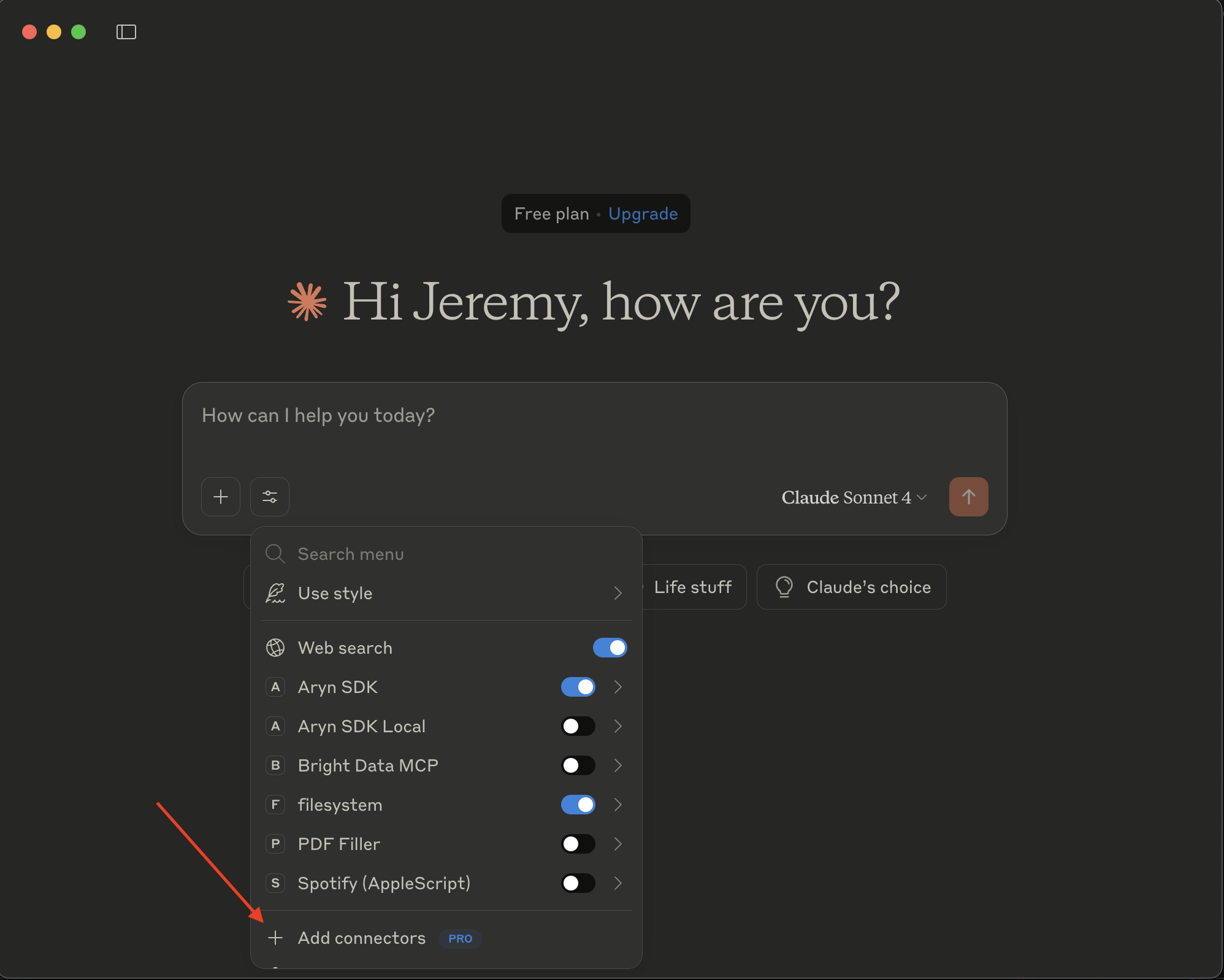
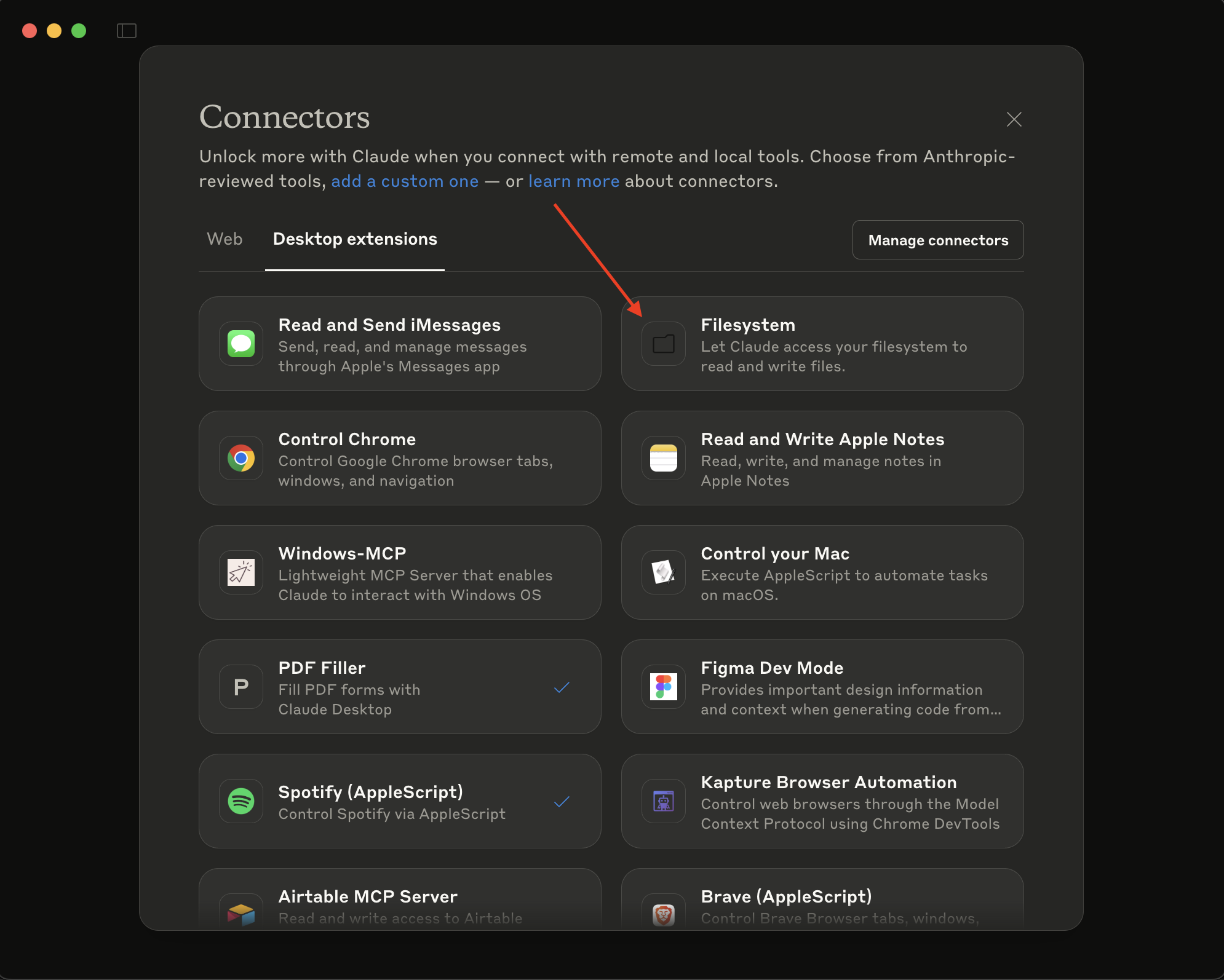
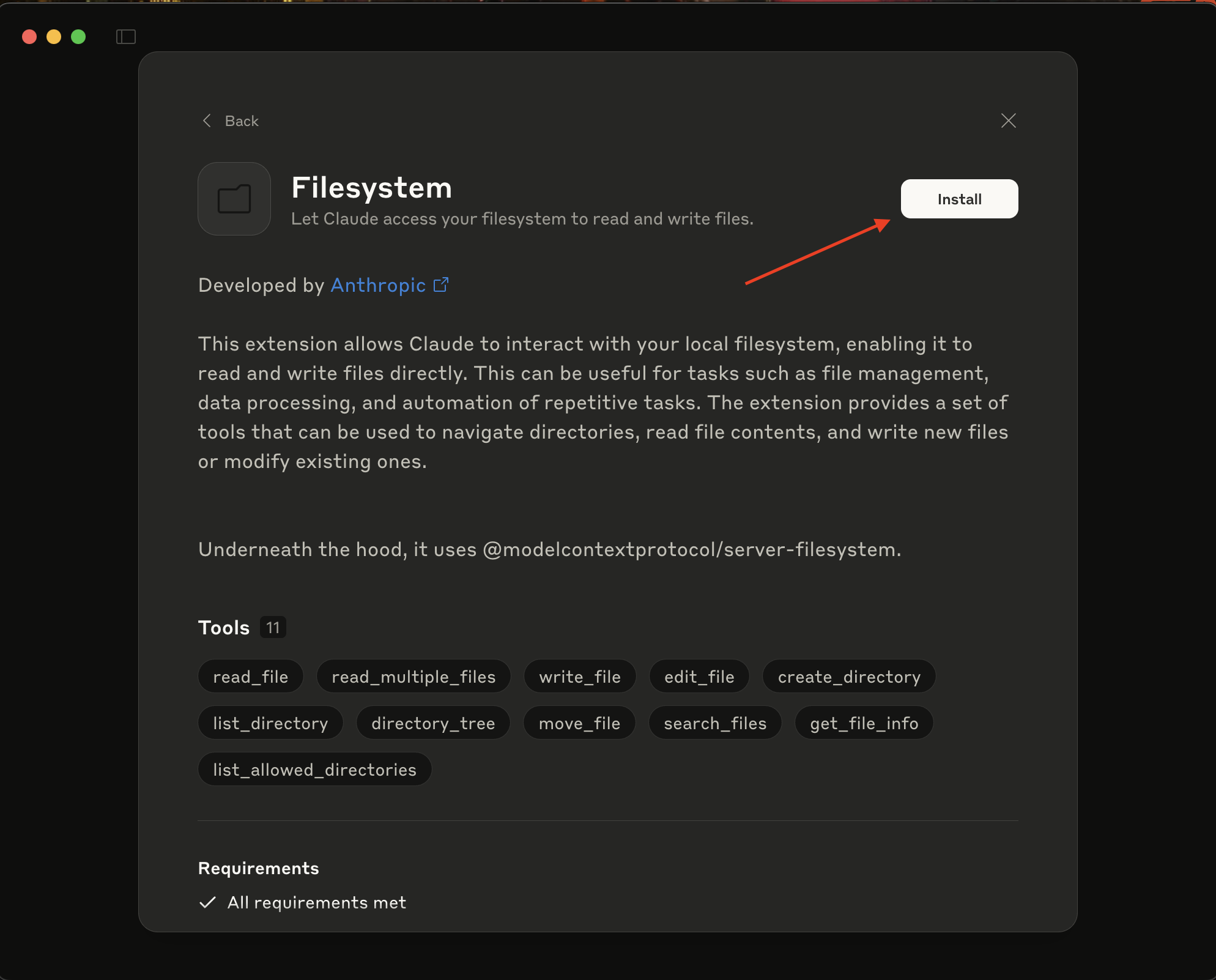
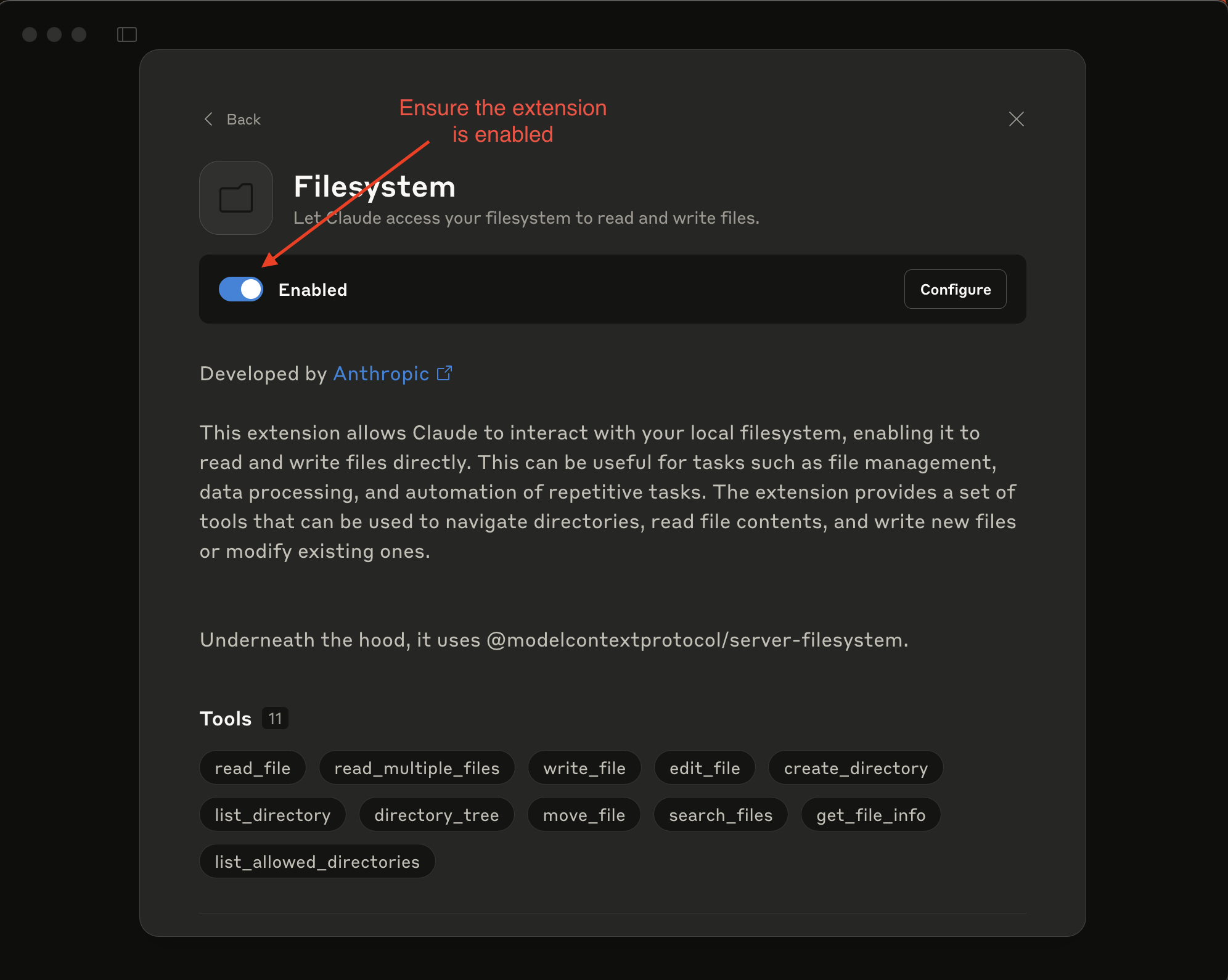
More documentation for the filesystem MCP server can be found here.
One-Click Install for Claude Desktop (Claude Desktop only)
Instead of manually installing this MCP server, Claude Desktop allows for an easy one-click extension:
Download the extension: Retrieve the provided .dxt file from this repository, or download it for macos here and linux here.
Find the .dxt extension: Navigate to the folder where the file was downloaded and double click to install. Follow the installation steps when prompted
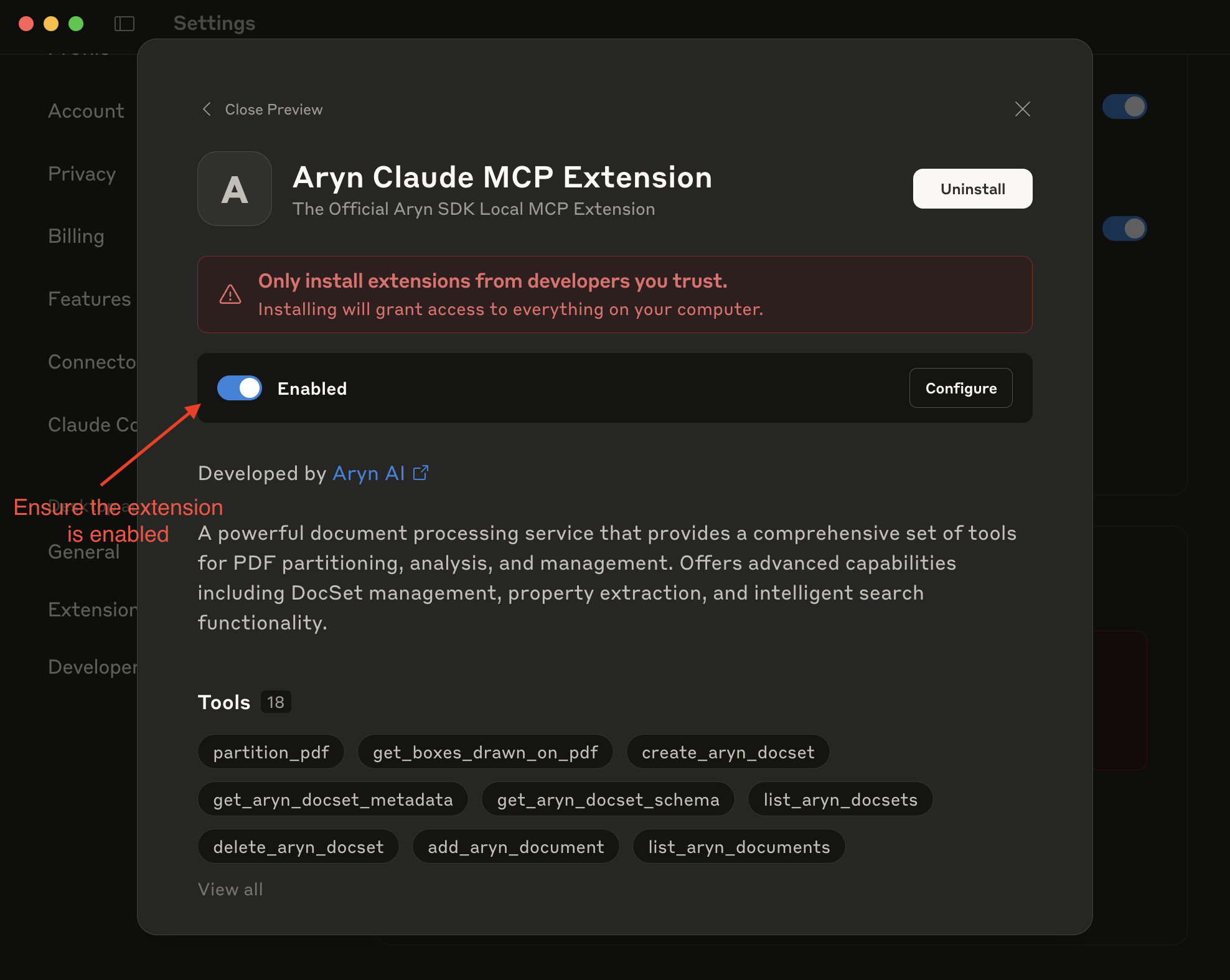
Restart Claude Desktop
Now you're ready to go!
For more details, refer to the Claude Desktop Extensions documentation.
Manual Installation
If you're manually installing this MCP server, you need to install uv first, which provides the uvx command. Install it here.
After installation, you'll have access to both uv and uvx commands. The uvx command is what you'll use to run this MCP server.
Next, add the following configuration to your MCP client config file
{
  "mcpServers": {
    "Aryn Local MCP Server": {
      "command": "uvx",
      "args": [
        "aryn-mcp-server"
      ],
      "env": {
        "ARYN_API_KEY": "YOUR_ARYN_API_KEY",
        "ARYN_MCP_OUTPUT_DIR": "<full path to directory where files will get saved (ie Users/username/Downloads)>"
      }
    }
  }
}
For client specific config implementation, see below:
Troubleshooting
If you encounter spawn uvx ENOENT errors:
Verify uv installation: Run
which uvxin your terminal to find the correct pathUse the full path to uv: Replace
"command": "uvx"with"command": "<full path to uvx>"
If you encounter file permissions errors, ensure that the path is expanded out and passed, MCP client tend to treat them as literal directory names. For specific issues:
Input Directory: Ensure that the filesystem connector has access to the directory, and it is read accessible.
Output Directory: Ensure that the directory is write accessible.
Установка Aryn Local Server
У этого сервера нет опубликованного пакета — он собирается из исходников. Открой репозиторий и следуй инструкции в README.
▸ github.com/aryn-ai/mcp-serverFAQ
Aryn Local Server MCP бесплатный?
Да, Aryn Local Server MCP бесплатный — установка в пару кликов через Unyly без оплаты.
Нужен ли API-ключ для Aryn Local Server?
Нет, Aryn Local Server работает без API-ключей и переменных окружения.
Aryn Local Server — hosted или self-hosted?
Self-hosted: сервер запускается локально на твоей машине командой из раздела установки.
Как установить Aryn Local Server в Claude Desktop, Claude Code или Cursor?
Открой Aryn Local Server на unyly.org, выбери вкладку своего клиента (Claude Desktop, Claude Code, Cursor) и нажми Install — конфиг сгенерируется автоматически, без правки JSON.
Похожие MCP
GitHub
PRs, issues, code search, CI status
 автор: GitHub
Filesystem
Secure file operations with configurable access controls.
Memory
Knowledge graph-based persistent memory system.
Template MCP Server
A CLI tool to create a new Model Context Protocol server project with TypeScript support, dual transport options, and an extensible structure
 автор: mcpdotdirect
Compare Aryn Local Server with
Не уверен что выбрать?
Найди свой стек за 60 секунд
Автор?
Embed-бейдж для README
Похожее
Все в категории development