
Azure Adf
БесплатноНе проверенAn MCP server that exposes Azure Data Factory operations as tools any LLM can call — trigger pipelines, monitor runs, inspect datasets, and get factory health s

Описание
An MCP server that exposes Azure Data Factory operations as tools any LLM can call — trigger pipelines, monitor runs, inspect datasets, and get factory health summaries through natural language.
README
An MCP (Model Context Protocol) server that exposes Azure Data Factory operations as tools any LLM can call — trigger pipelines, monitor runs, inspect datasets, and get factory health summaries through natural language.
Demo
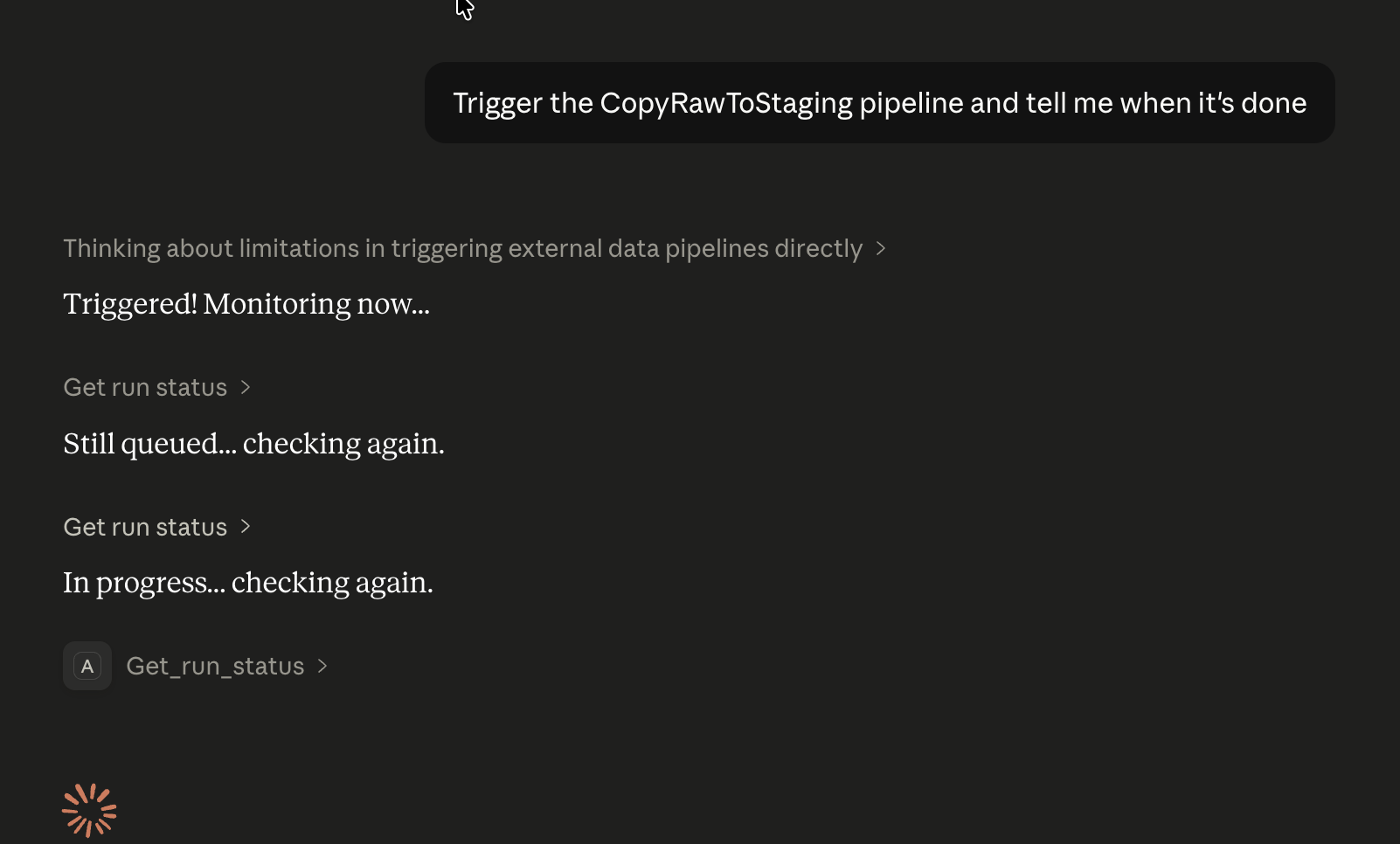
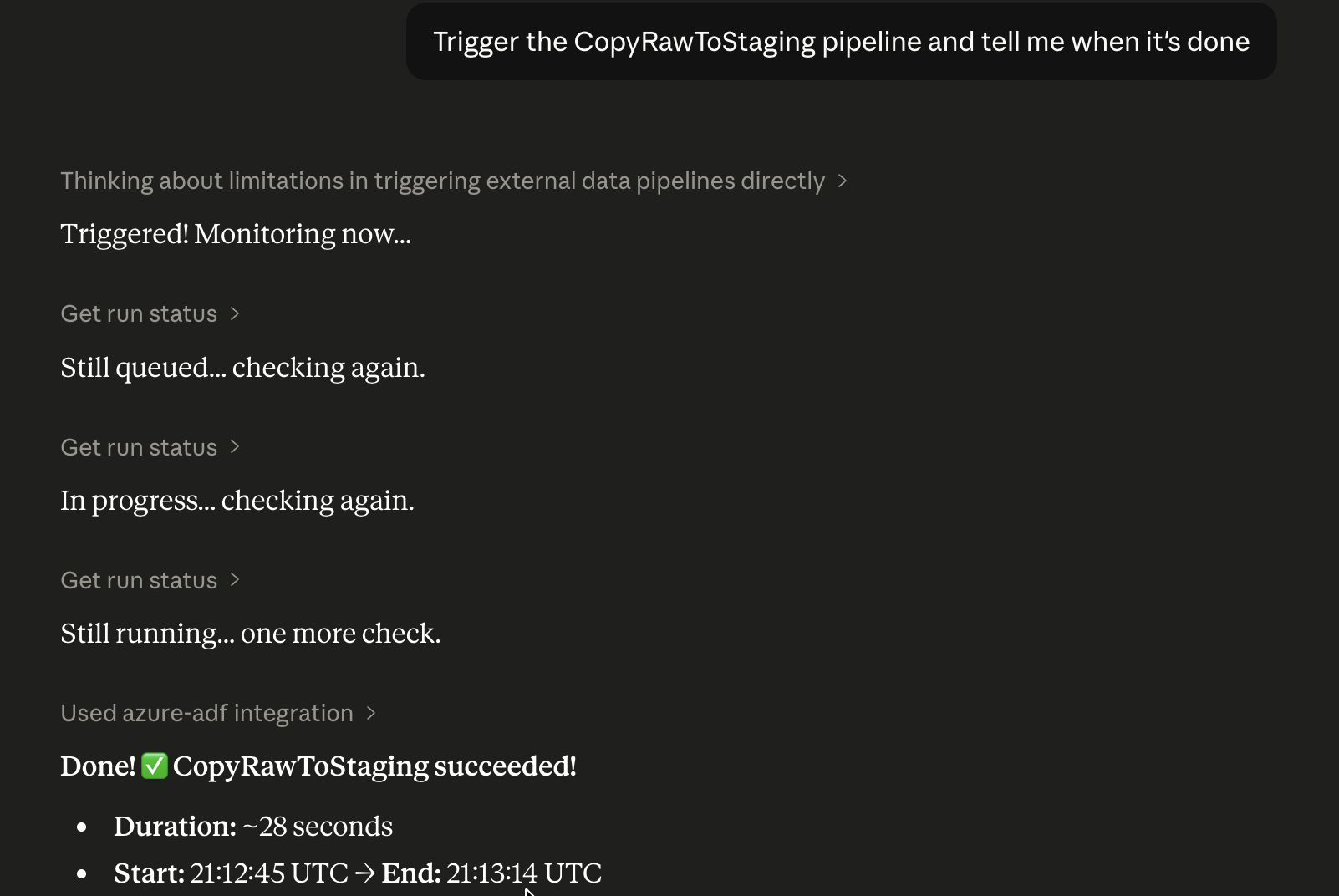
"Trigger the CopyRawToStaging pipeline and tell me when it's done."
Claude calls trigger_pipeline, gets back a run ID, polls get_run_status, and reports back — all without leaving the chat.
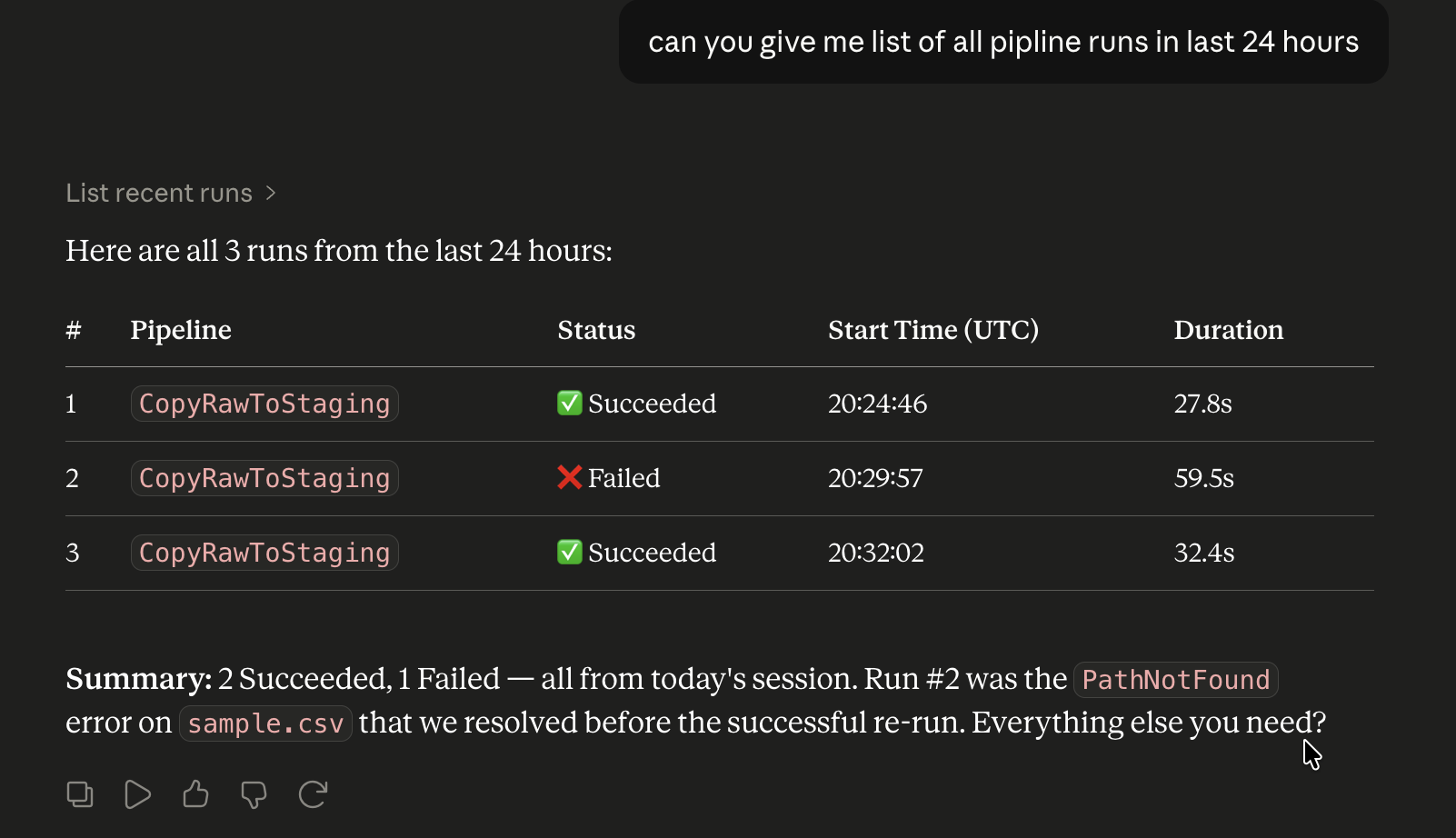
"can you give me list of all pipline runs in last 24 hours."
Tools Exposed
Pipelines
| Tool | Description |
|---|---|
list_pipelines |
All pipelines with activity breakdown |
get_pipeline_definition |
Full definition of a pipeline — activities, parameters, variables, and dependency chain |
create_pipeline |
Create a new empty pipeline (add activities in ADF Studio afterwards) |
trigger_pipeline |
Start a named pipeline run |
get_run_status |
Poll a run by ID |
list_recent_runs |
Recent runs with status summary (filterable by pipeline and time window) |
list_activity_runs |
Individual activity results within a run — pinpoint which activity failed and why |
cancel_run |
Cancel an in-progress run |
Triggers / Schedules
| Tool | Description |
|---|---|
list_triggers |
All triggers with runtime state and linked pipelines |
get_trigger_status |
Current state and configuration of a specific trigger |
create_schedule_trigger |
Create a recurring schedule trigger (Minute / Hour / Day / Week / Month) |
start_trigger |
Activate a trigger so it starts firing on its schedule |
stop_trigger |
Deactivate a trigger |
Datasets & Linked Services
| Tool | Description |
|---|---|
list_datasets |
All datasets and their linked services |
list_linked_services |
All storage/DB/API connections |
Factory
| Tool | Description |
|---|---|
get_factory_summary |
High-level factory health overview |
Requirements
- Python 3.9+
- An Azure subscription with a Data Factory instance
- Azure CLI installed and authenticated
- Claude Desktop (or any MCP-compatible client)
Setup
1. Clone and install
git clone https://github.com/nachiketap11/azure-adf-mcp
cd azure-adf-mcp

python3 -m venv .venv
source .venv/bin/activate        # Windows: .venv\Scripts\activate

pip install -r requirements.txt
2. Configure environment
cp .env.example .env
Edit .env with your values:
AZURE_SUBSCRIPTION_ID=your-subscription-id
AZURE_RESOURCE_GROUP=your-resource-group
AZURE_FACTORY_NAME=your-factory-name
3. Authenticate
az login
The server uses DefaultAzureCredential — Azure CLI login is all you need locally.
4. Test the server
python3 src/server.py
You should see: Starting Azure ADF MCP Server...
Connect to Claude Desktop
Add to ~/Library/Application Support/Claude/claude_desktop_config.json (macOS) or %APPDATA%\Claude\claude_desktop_config.json (Windows):
{
  "mcpServers": {
    "azure-adf": {
      "command": "/absolute/path/to/.venv/bin/python3",
      "args": ["/absolute/path/to/azure-adf-mcp/src/server.py"],
      "env": {
        "AZURE_SUBSCRIPTION_ID": "your-subscription-id",
        "AZURE_RESOURCE_GROUP": "your-resource-group",
        "AZURE_FACTORY_NAME": "your-factory-name"
      }
    }
  }
}
Restart Claude Desktop. You should see the 🔨 icon in the chat input bar with azure-adf tools listed.
Project Structure
azure-adf-mcp/
├── src/
│   ├── server.py           # MCP server — tool definitions + routing
│   └── azure_client.py     # Azure SDK wrapper with clean JSON outputs
├── .env.example
├── requirements.txt
└── README.md
Extending This Project
- Wrap with FastAPI to expose as an HTTP MCP server for remote deployment
- Add Pytest fixtures with mocked Azure SDK responses for CI
- Deploy to Azure Container Apps for persistent hosting
Auth Reference
DefaultAzureCredential tries credentials in this order:
- Environment variables (
AZURE_CLIENT_ID/AZURE_TENANT_ID/AZURE_CLIENT_SECRET) - Workload identity (AKS)
- Managed identity
- Azure CLI (
az login) ← recommended for local development - VS Code credentials
License
MIT
Установка Azure Adf
У этого сервера нет опубликованного пакета — он собирается из исходников. Открой репозиторий и следуй инструкции в README.
▸ github.com/nachiketap11/azure-adf-mcpFAQ
Azure Adf MCP бесплатный?
Да, Azure Adf MCP бесплатный — установка в пару кликов через Unyly без оплаты.
Нужен ли API-ключ для Azure Adf?
Нет, Azure Adf работает без API-ключей и переменных окружения.
Azure Adf — hosted или self-hosted?
Self-hosted: сервер запускается локально на твоей машине командой из раздела установки.
Как установить Azure Adf в Claude Desktop, Claude Code или Cursor?
Открой Azure Adf на unyly.org, выбери вкладку своего клиента (Claude Desktop, Claude Code, Cursor) и нажми Install — конфиг сгенерируется автоматически, без правки JSON.
Похожие MCP
Fetch
Web content fetching and conversion for efficient LLM usage.
AWS KB Retrieval
Retrieval from AWS Knowledge Base using Bedrock Agent Runtime.
 автор: modelcontextprotocol
Spring AI MCP Server
Provides auto-configuration for setting up an MCP server in Spring Boot applications.
llm-analysis-assistant
A very streamlined mcp client that supports calling and monitoring stdio/sse/streamableHttp, and can also view request responses through the /logs page. It also
 автор: xuzexin-hz
Compare Azure Adf with
Не уверен что выбрать?
Найди свой стек за 60 секунд
Автор?
Embed-бейдж для README
Похожее
Все в категории ai