
Beehiiv
БесплатноНе проверенAn MCP server that integrates with the Beehiiv newsletter platform to retrieve subscriber information with filtering, pagination, and optional expanded data.

Описание
An MCP server that integrates with the Beehiiv newsletter platform to retrieve subscriber information with filtering, pagination, and optional expanded data.
README

A Model Context Protocol (MCP) server for integrating with the Beehiiv newsletter platform. This MCP provides tools to interact with the Beehiiv API, allowing you to retrieve subscriber information and manage your newsletter operations programmatically.
🚀 Features
- Get Subscribers: Retrieve subscriber data with advanced filtering and pagination
- TypeScript Support: Full TypeScript implementation with proper error handling
- Environment Configuration: Secure API key and publication ID management
- Comprehensive Filtering: Support for status, tier, email, and custom field filtering
- Pagination Support: Cursor-based pagination for efficient data retrieval
🛠️ Quick Start
Prerequisites
- Node.js 18.0.0 or higher
- A Beehiiv account with API access
- Your Beehiiv API key and Publication ID
Installation
Install in Claude Desktop
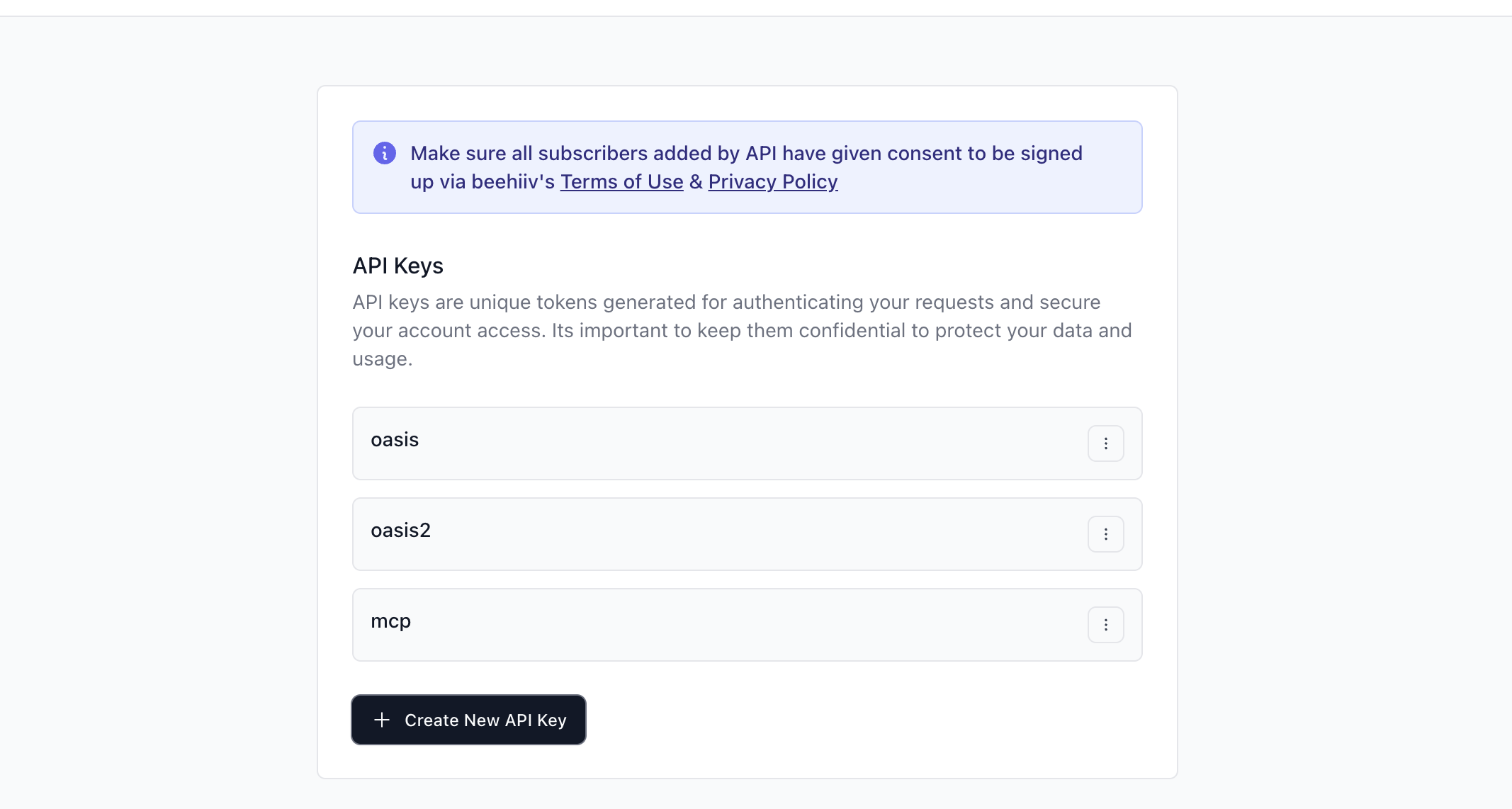
Prepare your Beehiiv credentials
- You will need your Beehiiv API key and your Publication ID.
- In Beehiiv, go to Settings → Integrations to create or view your API key.
Upload the MCP bundle to Claude Desktop
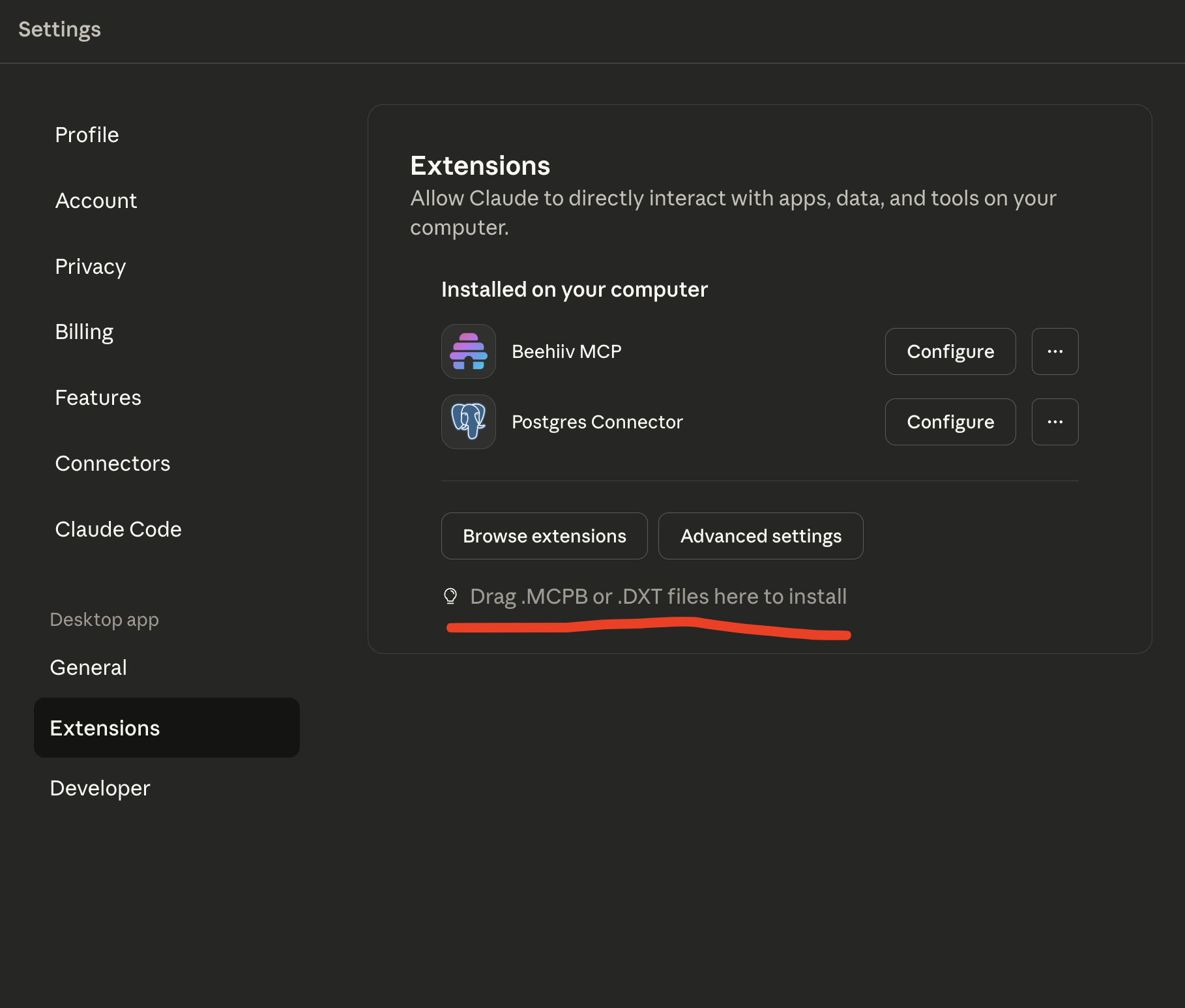
- Open the Claude Desktop app.
- Navigate to Settings → Extensions.
- Drag-and-drop the bundle file beehiiv-mcp.mcpb, or go to Advanced settings → Install extension and select the same file from the project root.
Configure environment variables for the extension
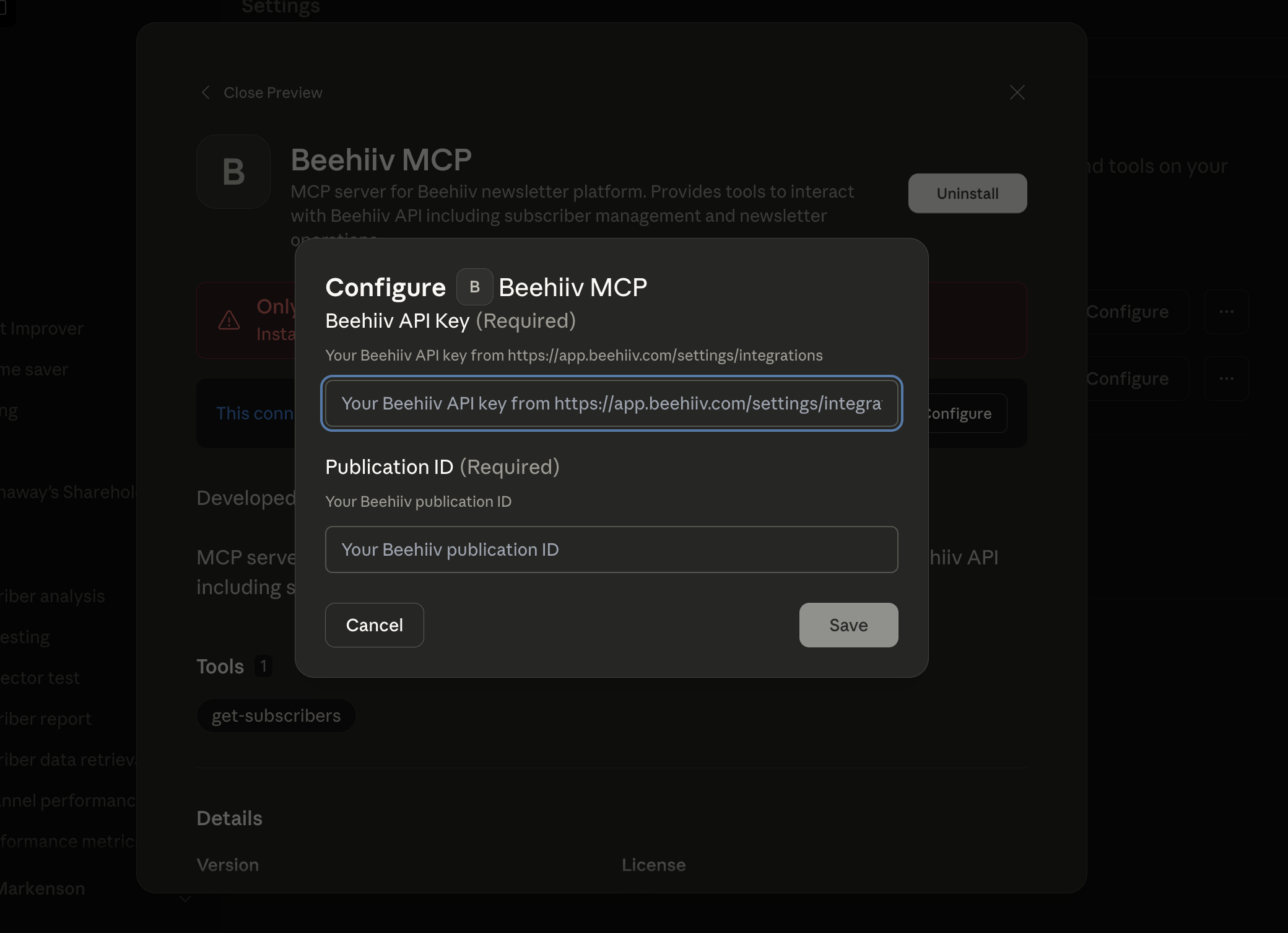
- In the extension configuration screen, add the required variables:
BEEHIIV_API_KEY: your Beehiiv API keyBEEHIIV_PUBLICATION_ID: your Beehiiv publication ID
- Save the configuration.
- In the extension configuration screen, add the required variables:
Use it in Claude Desktop app
- Open a chat and ask something like: "Use the Beehiiv MCP to fetch subscribers".
- You can also verify tools are available via the Extensions view.
Note: The MCP bundle file is included at the repository root as beehiiv-mcp.mcpb. If you build from source, you can continue to use the JSON-based configuration below as an alternative to the bundle.
Testing Your MCP Server
Using MCP Inspector
BEEHIIV_API_KEY=your_api_key BEEHIIV_PUBLICATION_ID=your_pub_id npx @modelcontextprotocol/inspector ./src/server.ts
Integrating with Claude Desktop
Add this configuration to your Claude Desktop config file:
macOS: ~/Library/Application Support/Claude/claude_desktop_config.json
Windows: %APPDATA%/Claude/claude_desktop_config.json
{
  "mcpServers": {
    "beehiiv": {
      "command": "node",
      "args": ["/path/to/beehiiv-mcp/src/server.ts"],
      "env": {
        "BEEHIIV_API_KEY": "your_beehiiv_api_key_here",
        "BEEHIIV_PUBLICATION_ID": "your_publication_id_here"
      }
    }
  }
}
🔧 Available Tools
get-subscribers
Retrieve subscribers from your Beehiiv publication with comprehensive filtering and pagination options.
Parameters:
limit(optional): Number of results to return (1-100, default 10)cursor(optional): Pagination cursor for retrieving next pagestatus(optional): Filter by subscription statustier(optional): Filter by subscription tieremail(optional): Exact email match filterexpand(optional): Array of fields to expand (premium tiers, referrals, stats, custom fields)order_by(optional): Sort field (defaults to 'created')direction(optional): Sort direction ('asc' or 'desc')
Example Usage:
// Get first 20 subscribers
await getSubscribers({ limit: 20 });

// Get active subscribers only
await getSubscribers({ status: "active", limit: 50 });

// Get subscribers with expanded data
await getSubscribers({
  expand: ["stats", "custom_fields"],
  limit: 10
});

// Paginate through results
await getSubscribers({
  cursor: "next_page_cursor_here",
  limit: 25
});
📁 Project Structure
beehiiv-mcp/
├── src/
│   └── server.ts          # Main MCP server with Beehiiv integration
├── .env                   # Environment variables template
├── .env.local            # Your actual environment variables (create this)
├── .gitignore            # Git ignore rules
├── LICENSE               # MIT license
├── README.md             # This documentation
├── manifest.json         # MCP manifest configuration
├── package.json          # Node.js package configuration
├── server.json           # MCP server configuration
└── tsconfig.json         # TypeScript configuration
🔒 Environment Variables
Configure these required environment variables in .env.local:
# Required: Your Beehiiv API key
# Get this from: https://app.beehiiv.com/settings/integrations
BEEHIIV_API_KEY=your_beehiiv_api_key_here

# Required: Your Beehiiv publication ID
# You can find this in your Beehiiv dashboard URL or API responses
BEEHIIV_PUBLICATION_ID=your_publication_id_here
📝 Available Scripts
npm start- Start the MCP servernpm run dev- Start with hot reload for developmentnpm run build- Build the TypeScript project
🧪 Testing
Manual Testing with MCP Inspector
BEEHIIV_API_KEY=your_api_key BEEHIIV_PUBLICATION_ID=your_pub_id npx @modelcontextprotocol/inspector ./src/server.ts
Integration Testing
Test your MCP by integrating it with Claude Desktop using the configuration mentioned in the Quick Start section.
🔍 API Reference
This MCP integrates with the Beehiiv API v2. Specifically:
- Endpoint:
GET /v2/publications/{publicationId}/subscriptions - Authentication: Bearer token (your API key)
- Documentation: Beehiiv Subscriptions API
📚 Documentation Links
🤝 Contributing
- Fork the repository
- Create your feature branch (
git checkout -b feature/amazing-feature) - Commit your changes (
git commit -m 'Add some amazing feature') - Push to the branch (
git push origin feature/amazing-feature) - Open a Pull Request
📄 License
This project is licensed under the MIT License - see the LICENSE file for details.
🆘 Support
If you encounter any issues:
- Check that your
BEEHIIV_API_KEYandBEEHIIV_PUBLICATION_IDare correctly set - Verify your API key has the necessary permissions in Beehiiv
- Review the Beehiiv API documentation
- Open an issue in this repository
🎯 Future Enhancements
Potential additions to this MCP:
- Create/update subscriber tools
- Newsletter management tools
- Analytics and reporting tools
- Webhook management
- Campaign creation and sending
Happy newsletter managing! 📧
Установка Beehiiv
У этого сервера нет опубликованного пакета — он собирается из исходников. Открой репозиторий и следуй инструкции в README.
▸ github.com/martymarkenson/beehiiv-mcpFAQ
Beehiiv MCP бесплатный?
Да, Beehiiv MCP бесплатный — установка в пару кликов через Unyly без оплаты.
Нужен ли API-ключ для Beehiiv?
Нет, Beehiiv работает без API-ключей и переменных окружения.
Beehiiv — hosted или self-hosted?
Доступен hosted-вариант: Unyly запускает сервер в облаке, локальная установка не обязательна.
Как установить Beehiiv в Claude Desktop, Claude Code или Cursor?
Открой Beehiiv на unyly.org, выбери вкладку своего клиента (Claude Desktop, Claude Code, Cursor) и нажми Install — конфиг сгенерируется автоматически, без правки JSON.
Похожие MCP
GitHub
PRs, issues, code search, CI status
 автор: GitHub
Filesystem
Secure file operations with configurable access controls.
Memory
Knowledge graph-based persistent memory system.
Template MCP Server
A CLI tool to create a new Model Context Protocol server project with TypeScript support, dual transport options, and an extensible structure
 автор: mcpdotdirect
Compare Beehiiv with
Не уверен что выбрать?
Найди свой стек за 60 секунд
Автор?
Embed-бейдж для README
Похожее
Все в категории development