
Bifrost Gateway
БесплатноНе проверенEnterprise-grade dynamic MCP proxy that eliminates token bloat by lazy-loading tool schemas based on semantic intent, enabling efficient orchestration of multip

Описание
Enterprise-grade dynamic MCP proxy that eliminates token bloat by lazy-loading tool schemas based on semantic intent, enabling efficient orchestration of multiple backend tools from a single endpoint.
README
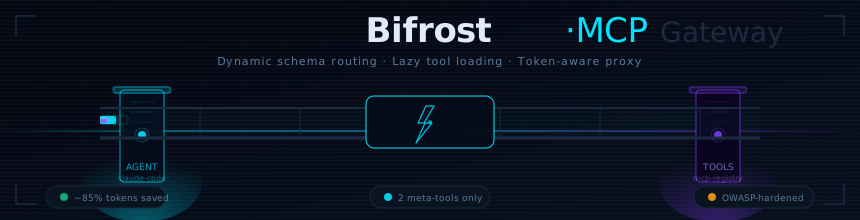










⚡ Bifrost-MCP Gateway
Enterprise-grade Dynamic MCP Proxy — eliminates Token Bloat & Schema Stuffer Fatigue in Agentic AI pipelines by lazy-loading tool schemas on semantic intent.
The Problem
When coding agents like Claude Code, Cursor, or Gemini CLI connect to multiple MCP servers, every single tool schema (names, descriptions, JSON argument definitions) gets dumped into the model's context window on every single turn. Teams running 20+ servers routinely waste 50,000–100,000 tokens per turn just reading tool catalogs before processing the actual query.
Bifrost eliminates this by acting as a semantic proxy between your client and your backend tools.
Architecture
[Claude Code / Gemini CLI]
        │  Single endpoint — only 2 meta-tools registered
        ▼
 ┌─────────────────────┐
 │   Bifrost Gateway   │  ◄── Semantic intent router
 │    (FastAPI 0.115)  │       Lazy-loads schemas on demand
 └──────────┬──────────┘
            │
     /mcp/tools/resolve  ←── intent keyword
            │
   ┌────────┼─────────┬────────────┐
   ▼        ▼         ▼            ▼
[Filesystem] [DB] [GitHub API] [Slack/CI/CD…]
How It Works
| Phase | What Happens | Token Cost |
|---|---|---|
| 1. Bootstrap | Gateway registers 2 meta-tools with the agent | ~200 tokens |
| 2. On-Demand | Agent fires request_tool_schemas("github") → only GitHub schemas injected |
~150 tokens |
| 3. Orchestrate | Agent pushes a multi-step Python block via execute_orchestration_script |
0 round-trips |
| Naive approach | All 20+ raw schemas dumped every turn | ~8,000+ tokens |
Typical savings: 70–90% context reduction per turn.
Quickstart
1. Install
python3 -m venv venv
source venv/bin/activate
pip install -r requirements.txt
2. Run
python gateway.py
# Gateway live at http://127.0.0.1:8000
# Dashboard at  http://127.0.0.1:8000/
# API docs at   http://127.0.0.1:8000/docs
3. Connect your MCP client
Point Claude Code or any MCP-compatible agent to:
http://127.0.0.1:8000/mcp/init
The agent receives only 2 meta-tools instead of your full registry.
API Reference
| Method | Path | Description |
|---|---|---|
GET |
/mcp/init |
Bootstrap handshake — returns compressed catalog + 2 meta-tools |
POST |
/mcp/tools/resolve |
Lazy-load full schemas matching an intent keyword |
POST |
/mcp/tools/orchestrate |
Execute a sandboxed Python script client-side |
GET |
/mcp/registry |
List all registered tools |
POST |
/mcp/registry/add |
Register a new tool at runtime |
DELETE |
/mcp/registry/{name} |
Remove a tool |
GET |
/analytics |
Live gateway metrics |
GET |
/health |
Health probe |
Example: On-Demand Schema Resolution
curl -X POST http://127.0.0.1:8000/mcp/tools/resolve \
  -H "Content-Type: application/json" \
  -d '{"user_intent": "github pull request"}'
Response:
{
  "intent": "github pull request",
  "matched_tools": [
    {
      "name": "create_github_pull_request",
      "description": "Creates a new pull request...",
      "input_schema": { ... }
    }
  ],
  "match_count": 1,
  "token_audit": {
    "full_registry_tokens": 2100,
    "hydrated_tokens": 180,
    "tokens_saved": 1920,
    "reduction_pct": 91.4
  }
}
Example: Orchestration Script
curl -X POST http://127.0.0.1:8000/mcp/tools/orchestrate \
  -H "Content-Type: application/json" \
  -d '{"script": "import json\nresult={\"status\":\"ok\"}\nprint(json.dumps(result))"}'
Adding Tools to the Registry
Edit config.json and restart, or POST at runtime:
curl -X POST http://127.0.0.1:8000/mcp/registry/add \
  -H "Content-Type: application/json" \
  -d '{
    "name": "search_vector_store",
    "category": "RAG",
    "description": "Semantic search over the enterprise knowledge base.",
    "schema": {
      "type": "object",
      "properties": {
        "query":   {"type": "string"},
        "top_k":   {"type": "integer"}
      },
      "required": ["query"]
    }
  }'
Security Model (OWASP Agentic Top 10 Mitigations)
The orchestration endpoint enforces a multi-layer security filter before executing any script:
| Forbidden Pattern | Why |
|---|---|
rm -rf |
Filesystem destruction |
os.system() |
Raw shell execution |
subprocess.Popen() |
Arbitrary process spawning |
shutil.rmtree() |
Directory removal |
eval() / exec() |
Dynamic code injection |
__import__() |
Runtime import hijacking |
socket. |
Network exfiltration |
ctypes |
Native memory access |
open(..., 'w') |
Filesystem writes |
importlib |
Module system abuse |
Scripts also run with a 15-second hard timeout to prevent agent hang-loops.
Running Tests
pip install pytest httpx
pytest tests/ -v
Project Structure
bifrost-mcp/
├── gateway.py          # Core FastAPI application
├── config.json         # Tool registry (20 enterprise tools)
├── requirements.txt    # Minimal dependencies
├── static/
│   └── index.html      # Live monitoring dashboard
└── tests/
    └── test_gateway.py # Full test suite
Tech Stack
| Layer | Technology | Rationale |
|---|---|---|
| Backend | Python 3.10+ / FastAPI | Async, minimal, zero-overhead |
| Matching | Keyword tokenization | No vector DB — instant startup |
| Orchestration | Python subprocess (sandboxed) | Zero external runtime |
| Dashboard | Vanilla HTML/CSS/JS | Zero build step, instant load |
| Deployment | Single python gateway.py |
Frictionless, no Docker needed |
Roadmap
- Semantic vector matching (optional
sentence-transformersmode) - Per-client token budgets & rate limiting
- Streaming SSE event bus for real-time dashboard
- Docker + Kubernetes manifests
- OAuth2 / API key authentication layer
- Plugin interface for custom tool backends
Установка Bifrost Gateway
У этого сервера нет опубликованного пакета — он собирается из исходников. Открой репозиторий и следуй инструкции в README.
▸ github.com/david-spies/Bifrost-MCP-GatewayFAQ
Bifrost Gateway MCP бесплатный?
Да, Bifrost Gateway MCP бесплатный — установка в пару кликов через Unyly без оплаты.
Нужен ли API-ключ для Bifrost Gateway?
Нет, Bifrost Gateway работает без API-ключей и переменных окружения.
Bifrost Gateway — hosted или self-hosted?
Доступен hosted-вариант: Unyly запускает сервер в облаке, локальная установка не обязательна.
Как установить Bifrost Gateway в Claude Desktop, Claude Code или Cursor?
Открой Bifrost Gateway на unyly.org, выбери вкладку своего клиента (Claude Desktop, Claude Code, Cursor) и нажми Install — конфиг сгенерируется автоматически, без правки JSON.
Похожие MCP
GitHub
PRs, issues, code search, CI status
 автор: GitHub
Filesystem
Secure file operations with configurable access controls.
Memory
Knowledge graph-based persistent memory system.
Template MCP Server
A CLI tool to create a new Model Context Protocol server project with TypeScript support, dual transport options, and an extensible structure
 автор: mcpdotdirect
Compare Bifrost Gateway with
Не уверен что выбрать?
Найди свой стек за 60 секунд
Автор?
Embed-бейдж для README
Похожее
Все в категории development