loading…
/ru
Весь каталог
 автор: modelcontextprotocol
 автор: xuzexin-hz
Blender Bridge
БесплатноНе проверенEnables remote control of Blender via the Model Context Protocol, allowing users to execute Python scripts, query scene data, and generate 3D models from images

Описание
Enables remote control of Blender via the Model Context Protocol, allowing users to execute Python scripts, query scene data, and generate 3D models from images. It provides a bridge for AI clients to interact directly with Blender's internal environment and automate 3D content creation.
README
Python 3.10+ MCP Compatible Blender 4.2+ License: MIT
AI-powered Blender control via Model Context Protocol (MCP)
Send images to create 3D models with matching colors, execute Python scripts, and control Blender remotely through Antigravity or any MCP-compatible AI client.
✨ Features
| Feature | Description |
|---|---|
| 🖼️ Image to 3D | Extract dominant colors from images and create 3D models with matching materials |
| 🐍 Script Execution | Run any Blender Python code remotely through MCP |
| 📊 Scene Query | Get detailed information about objects, materials, and collections |
| ⚡ Real-time Updates | Receive live progress status during script execution |
| 🔒 Thread-safe | Robust architecture with guaranteed responses and no deadlocks |
🏗️ Architecture
┌─────────────────────┐       MCP/stdio       ┌─────────────────────────┐
│     Antigravity     │◄─────────────────────►│  antigravity_blender_   │
│   (or any MCP AI)   │                       │  server.py              │
└─────────────────────┘                       └───────────┬─────────────┘
                                                          │
                                                          │ TCP Socket
                                                          │ (port 8081)
                                                          ▼
                                              ┌─────────────────────────┐
                                              │   blender_server.py     │
                                              │  (runs inside Blender)  │
                                              └─────────────────────────┘
📦 Installation
Prerequisites
- Python 3.10+
- Blender 4.2+ (with full path accessible)
- pip (Python package manager)
Quick Install
# Clone the repository
git clone https://github.com/MITHRAN-BALACHANDER/Blender-MCP-antigravity.git
cd Blender-MCP-antigravity

# Create virtual environment (recommended)
python -m venv venv
.\venv\Scripts\activate      # Windows
source venv/bin/activate     # Linux/Mac

# Install dependencies
pip install -r requirements.txt
Install as Package (Optional)
pip install -e .
🔌 Antigravity Integration
Add the following to your Antigravity MCP server configuration:
Option A: Direct Path
{
  "mcpServers": {
    "blender": {
      "command": "python",
      "args": ["C:/path/to/Blender-MCP-antigravity/antigravity_blender_server.py"],
      "env": {}
    }
  }
}
Option B: Using Virtual Environment
{
  "mcpServers": {
    "blender": {
      "command": "C:/path/to/Blender-MCP-antigravity/venv/Scripts/python.exe",
      "args": ["C:/path/to/Blender-MCP-antigravity/antigravity_blender_server.py"],
      "env": {}
    }
  }
}
Note: Replace
C:/path/to/with your actual installation path.
🚀 Quick Start
Step 1: Start Blender Server
# Navigate to project directory
cd Blender-MCP-antigravity

# Start Blender with the socket server
# Windows (use full path if 'blender' is not in PATH)
"C:\Program Files\Blender Foundation\Blender 4.2\blender.exe" --background --python blender_server.py

# Linux/Mac
blender --background --python blender_server.py
Expected output:
==================================================
[BlenderMCP] Server running on 127.0.0.1:8081
[BlenderMCP] Waiting for connections...
==================================================
Step 2: Connect Antigravity
Once Blender is running, Antigravity will automatically connect via the MCP configuration.
Step 3: Create 3D Content
Ask Antigravity to create 3D content:
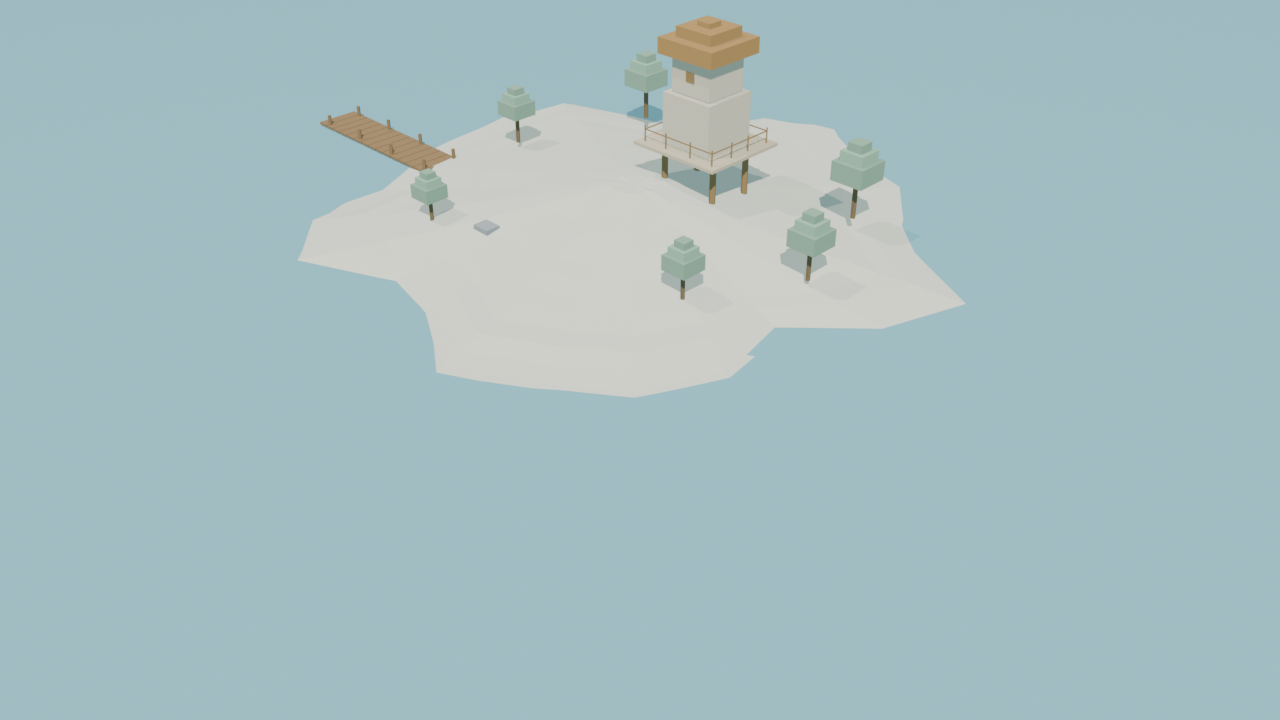
"Create a low-poly island scene in Blender"
"Create a 3D model from this image" (with attached image)
🛠️ MCP Tools Reference
image_to_3d_model
Create a 3D model with colors extracted from an image.
| Parameter | Type | Required | Default | Description |
|---|---|---|---|---|
image_data |
string | ✅ | - | Base64-encoded image |
model_type |
string | ❌ | "cube" |
Shape: cube, sphere, cylinder |
model_name |
string | ❌ | "ImageModel" |
Name for the object |
Response:
{
  "status": "ok",
  "colors": ["#3A7D8C", "#D4C4A0", "#4A6E4A"],
  "object_name": "ImageModel"
}
blender_exec
Execute Python code inside Blender.
| Parameter | Type | Required | Description |
|---|---|---|---|
script |
string | ✅ | Python code to execute |
Script Requirements:
- ✅ Define and call a
main()function - ✅ Use
send_status("message")for progress updates - ✅ Use
bpy.data.*APIs (notbpy.ops.*) - ❌ No infinite loops or blocking operations
Example:
import bpy

def main():
    send_status("Creating cube...")
    mesh = bpy.data.meshes.new("Cube")
    obj = bpy.data.objects.new("Cube", mesh)
    bpy.context.collection.objects.link(obj)

    import bmesh
    bm = bmesh.new()
    bmesh.ops.create_cube(bm, size=2.0)
    bm.to_mesh(mesh)
    bm.free()

    send_status("Done!")

main()
get_blender_scene
Query the current Blender scene.
Response:
{
  "objects": [
    {"name": "Cube", "type": "MESH"},
    {"name": "Camera", "type": "CAMERA"}
  ],
  "meshes": ["Cube"],
  "materials": ["Material"],
  "collections": ["Collection"]
}
📁 Project Structure
Blender-MCP-antigravity/
├── antigravity_blender_server.py   # MCP server (AI client interface)
├── blender_server.py               # TCP server (runs in Blender)
├── antigravity_blender_addon.py    # Blender UI addon (optional)
├── run_via_bridge.py               # Standalone script runner
├── generate_island.py              # Example: procedural island
├── create_island_from_image.py     # Example: island from reference
├── requirements.txt                # Dependencies
├── pyproject.toml                  # Package config
└── README.md
🔧 Troubleshooting
Connection Refused
# Ensure Blender is running with the server
"C:\Program Files\Blender Foundation\Blender 4.2\blender.exe" --background --python blender_server.py

# Check if port 8081 is in use
netstat -an | findstr 8081   # Windows
lsof -i :8081                # Linux/Mac
Timeout Errors
- Check Blender's console for Python errors
- Ensure
main()is called at the end of your script - Add
send_status()calls for long operations - Avoid blocking calls or infinite loops
Port Already in Use
# Kill existing Blender processes
taskkill /F /IM blender.exe     # Windows
pkill blender                    # Linux/Mac
🎯 Examples
Run the Island Generator
# Activate venv first
.\venv\Scripts\activate

# Run example script
python run_via_bridge.py generate_island.py
Interactive Mode (View Output)
# Start Blender with GUI
"C:\Program Files\Blender Foundation\Blender 4.2\blender.exe" --python blender_server.py

# Then run scripts via bridge
python run_via_bridge.py your_script.py
🤝 Contributing
Contributions are welcome!
- Fork the repository
- Create a feature branch:
git checkout -b feature/amazing-feature - Commit changes:
git commit -m 'Add amazing feature' - Push:
git push origin feature/amazing-feature - Open a Pull Request
📄 License
MIT License - see LICENSE for details.
🔗 Links
- Repository: github.com/MITHRAN-BALACHANDER/Blender-MCP-antigravity
- Blender: blender.org
- MCP Protocol: modelcontextprotocol.io
- Antigravity: antigravity.dev
Made with Mithran Balachander
Как установить
Выполни в терминале:
claude mcp add blender-mcp-bridge -- npx Похожие MCP
Fetch
Web content fetching and conversion for efficient LLM usage.
автор: Community
1
AWS KB Retrieval
Retrieval from AWS Knowledge Base using Bedrock Agent Runtime.
автор: modelcontextprotocolSpring AI MCP Server
Provides auto-configuration for setting up an MCP server in Spring Boot applications.
автор: Community
llm-analysis-assistant
A very streamlined mcp client that supports calling and monitoring stdio/sse/streamableHttp, and can also view request responses through the /logs page. It also
автор: xuzexin-hzCompare Blender Bridge with
Не уверен что выбрать?
Найди свой стек за 60 секунд
Автор?
Embed-бейдж для README
Похожее
Все в категории ai