
Brahe
БесплатноНе проверенExposes the astrodynamics capabilities of the Brahe library enabling language models to perform space situational awareness and astrodynamics calculations.

Описание
Exposes the astrodynamics capabilities of the Brahe library enabling language models to perform space situational awareness and astrodynamics calculations.
README


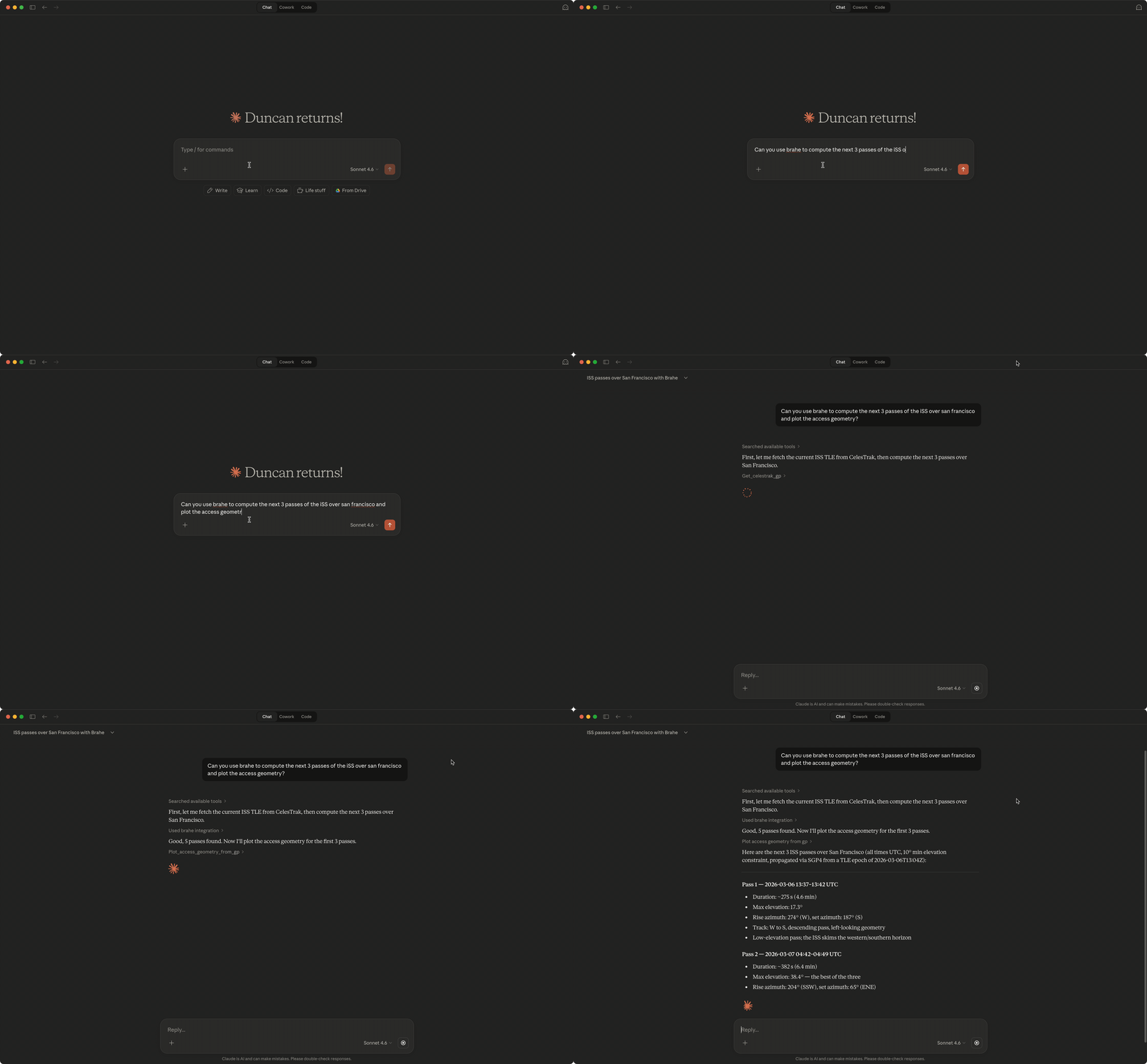
This project provides a Model Context Protocol (MCP) server that exposes the astrodynamics capabilities of the Brahe library enabling language models to get smarter about astrodynamics and space situational awareness.
Installation
uv tool install brahe-mcp
or
pip install brahe-mcp
Then configure your MCP client to use the installed tool:
{
  "mcpServers": {
    "brahe": {
      "command": "brahe-mcp"
    }
  }
}
The MCP configuration location depends on your client. For popular tools you can find it here:
| Client | Config Location |
|---|---|
| Claude Desktop (macOS) | ~/Library/Application Support/Claude/claude_desktop_config.json |
| Claude Desktop (Windows) | %APPDATA%\Claude\claude_desktop_config.json |
| Claude Code | .claude/settings.json (project-level or global) |
| Gemini CLI | ~/.gemini/settings.json |
| OpenAI Codex CLI | ~/.codex/config.toml (see below) |
[!NOTE]
ChatGPT Desktop does not support local stdio MCP servers — it requires remote HTTPS endpoints
OpenAI Codex CLI
Codex CLI stores MCP configuration in TOML format at ~/.codex/config.toml (or project-scoped .codex/config.toml):
[mcp_servers.brahe]
command = "brahe-mcp"
args = []
You can also add it via the CLI:
codex mcp add brahe -- brahe-mcp
To include SpaceTrack credentials:
codex mcp add brahe --env [email protected] --env SPACETRACK_PASS=your-password -- brahe-mcp
SpaceTrack Configuration
The SpaceTrack tools require a Space-Track.org account. Add your credentials via the env key in the server config:
{
  "mcpServers": {
    "brahe": {
      "command": "brahe-mcp",
      "env": {
        "SPACETRACK_USER": "[email protected]",
        "SPACETRACK_PASS": "your-password"
      }
    }
  }
}
[!NOTE]
Claude Desktop does not expand shell variables like${SPACETRACK_USER}— you must put the actual values in the config. Claude Code inherits your shell environment, so you can alternatively set the variables in~/.zshrcand omit theenvblock.
Without these variables, the CelesTrak tools will still work normally — only the SpaceTrack tools will return an error prompting you to set the credentials.
Local Setup
To run the server from a local clone (useful for development or testing before installing):
git clone https://github.com/duncaneddy/brahe-mcp.git
cd brahe-mcp
uv sync --group dev
Then configure your MCP client to launch the server via uv run. Add the following to your MCP settings file:
{
  "mcpServers": {
    "brahe": {
      "command": "uv",
      "args": ["run", "--directory", "/path/to/brahe-mcp", "brahe-mcp"]
    }
  }
}
Replace /path/to/brahe-mcp with the absolute path to your local clone.
Development
uv sync --group dev
uv run pytest tests/
Установка Brahe
У этого сервера нет опубликованного пакета — он собирается из исходников. Открой репозиторий и следуй инструкции в README.
▸ github.com/duncaneddy/brahe-mcpFAQ
Brahe MCP бесплатный?
Да, Brahe MCP бесплатный — установка в пару кликов через Unyly без оплаты.
Нужен ли API-ключ для Brahe?
Нет, Brahe работает без API-ключей и переменных окружения.
Brahe — hosted или self-hosted?
Self-hosted: сервер запускается локально на твоей машине командой из раздела установки.
Как установить Brahe в Claude Desktop, Claude Code или Cursor?
Открой Brahe на unyly.org, выбери вкладку своего клиента (Claude Desktop, Claude Code, Cursor) и нажми Install — конфиг сгенерируется автоматически, без правки JSON.
Похожие MCP
GitHub
PRs, issues, code search, CI status
 автор: GitHub
Filesystem
Secure file operations with configurable access controls.
Memory
Knowledge graph-based persistent memory system.
Template MCP Server
A CLI tool to create a new Model Context Protocol server project with TypeScript support, dual transport options, and an extensible structure
 автор: mcpdotdirect
Compare Brahe with
Не уверен что выбрать?
Найди свой стек за 60 секунд
Автор?
Embed-бейдж для README
Похожее
Все в категории development