
Browserbash
БесплатноНе проверенPlain-English browser tests for AI agents: real Chrome, deterministic verdicts. Free, no API keys.

Описание
Plain-English browser tests for AI agents: real Chrome, deterministic verdicts. Free, no API keys.
README
Plain-English browser automation. No selectors. Free and open-source.
npm version npm downloads license Node
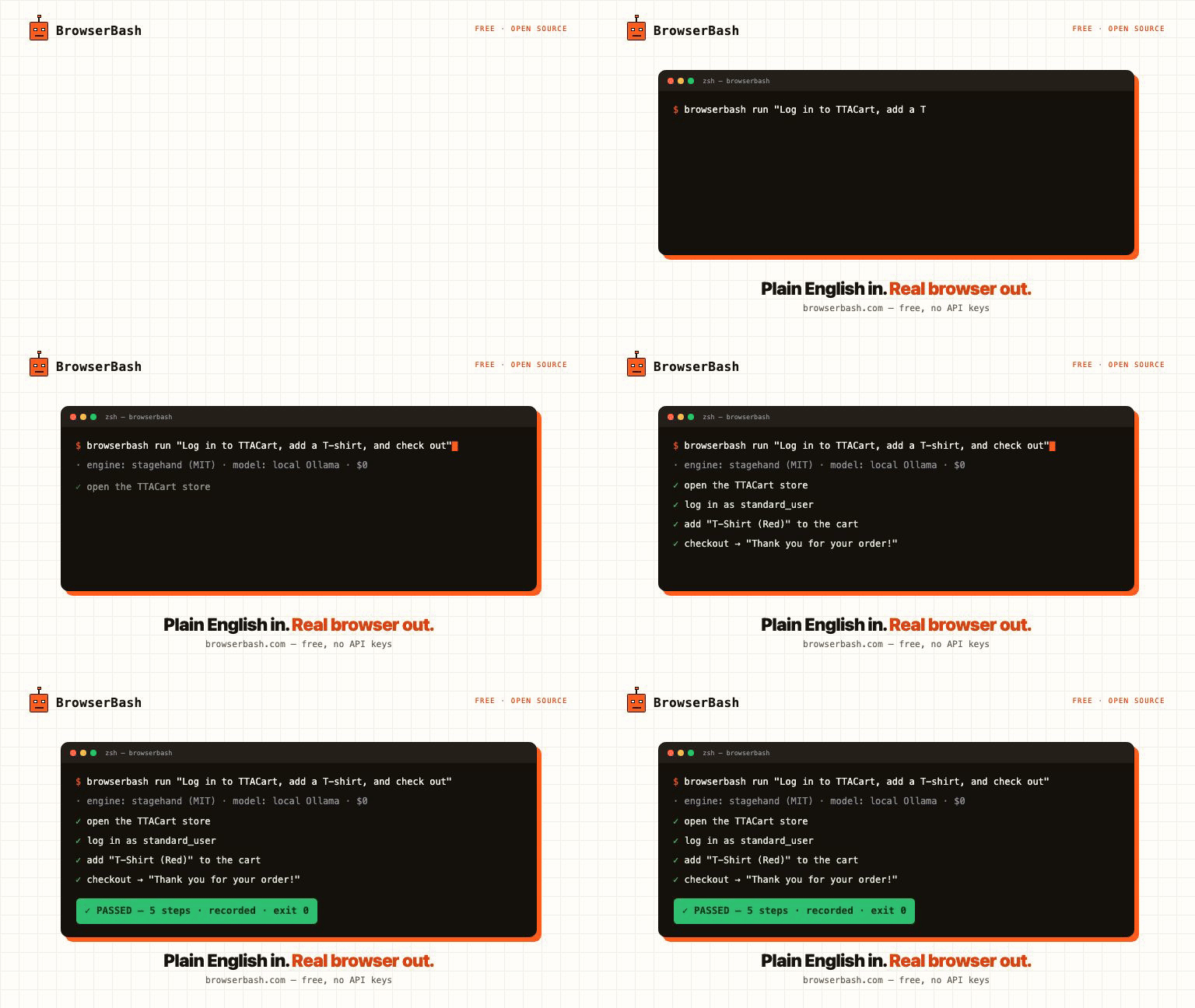
You write a plain-English objective. An AI agent drives a real Chrome browser step by step — no selectors, no scripts. Ollama-first, so it runs on free local models with no API keys and nothing ever leaves your machine.
npm install -g browserbash-cli
browserbash run "Open news.ycombinator.com and store the top story title as 'top_story'"
Website · Docs / Learn · Tutorials · npm
Both layers are swappable: the engine interprets the English, the provider runs the browser.
Engines (who interprets the English)
| Engine | What it is | License |
|---|---|---|
stagehand (default) |
Stagehand — open-source AI browser automation framework by Browserbase. act/extract/observe/agent primitives, self-healing, supports Anthropic/OpenAI/Google models. | MIT |
builtin |
In-repo Anthropic tool-use loop driving Playwright. Used automatically for grids Stagehand can't attach to (LambdaTest, BrowserStack). | Apache-2.0 |
Providers (where the browser runs)
| Provider | Where the browser runs | Engine | Auth |
|---|---|---|---|
local (default) |
Chromium/Chrome on this machine | stagehand or builtin | none |
cdp |
Any Chrome DevTools Protocol endpoint (your grid, docker, Playwright MCP-managed browser) | stagehand or builtin | none |
browserbase |
Browserbase cloud browsers | stagehand only | BROWSERBASE_API_KEY / BROWSERBASE_PROJECT_ID |
lambdatest |
LambdaTest / TestMu AI cloud grid | builtin (auto) | LT_USERNAME / LT_ACCESS_KEY |
browserstack |
BrowserStack Automate cloud grid | builtin (auto) | BROWSERSTACK_USERNAME / BROWSERSTACK_ACCESS_KEY |
LLM backends (who does the thinking) — open source first
Default model is auto, resolved in this order:
- Ollama running locally →
ollama/<OLLAMA_MODEL or first installed model>— free, open source, no keys ANTHROPIC_API_KEYset →claude-opus-4-8OPENAI_API_KEYset →openai/gpt-4.1- otherwise: error with setup guidance
| Backend | Model flag | Needs |
|---|---|---|
| Ollama — local, free, OSS (preferred) | auto or ollama/<model> e.g. ollama/qwen3 |
Ollama running; OLLAMA_BASE_URL to override http://localhost:11434/v1, OLLAMA_MODEL to pin auto-detection. Same flag works for any OpenAI-compatible server (vLLM, LM Studio, llama.cpp). |
| Anthropic | claude-opus-4-8 |
ANTHROPIC_API_KEY |
| OpenAI / Google | openai/gpt-4.1, google/gemini-2.5-flash |
provider key (Stagehand engine) |
| OpenRouter — hundreds of models, one key | openrouter/<vendor>/<model> e.g. openrouter/anthropic/claude-sonnet-4-6, openrouter/meta-llama/llama-3.3-70b-instruct |
OPENROUTER_API_KEY (https://openrouter.ai/keys); override endpoint with OPENROUTER_BASE_URL |
| Anthropic-compatible gateway | claude-* + ANTHROPIC_BASE_URL |
builtin engine routes through any Anthropic-compatible endpoint (e.g. a LiteLLM proxy fronting local models) |
Fully free / open-source stack (the default)
ollama pull qwen3                 # or any tool-capable local model
browserbash run "Open https://example.com and store the heading as 'h1'"
Stagehand engine (MIT) + local Chromium + Ollama (MIT) — zero cloud cost, no API keys. Tip: small models (≤8B) are flaky on multi-step objectives; Qwen3 / Llama 3.3 70B class works best.
Note: cloud-grid providers (lambdatest, browserstack) use the builtin engine, which speaks the Anthropic API — pair them with ANTHROPIC_API_KEY or an ANTHROPIC_BASE_URL gateway.
Install
npm install
npm run build
npm link        # exposes the `browserbash` command
Requires Node ≥ 18 and Google Chrome stable (for the local provider).
Quick start
export ANTHROPIC_API_KEY=sk-ant-...

# One-shot objective, local browser, Stagehand engine (default)
browserbash run "Open https://news.ycombinator.com and store the top story title as 'top_story'"

# Browserbase cloud (Stagehand native)
export BROWSERBASE_API_KEY=... BROWSERBASE_PROJECT_ID=...
browserbash run "..." --provider browserbase

# Cloud grid (auto-switches to builtin engine)
export LT_USERNAME=... LT_ACCESS_KEY=...
browserbash run "..." --provider lambdatest --headless

# Attach to an existing browser (CDP / Playwright MCP)
browserbash run "..." --cdp-endpoint ws://localhost:9222/devtools/browser/<id>

# Force the builtin engine
browserbash run "..." --engine builtin
Agent mode (for AI coding tools & CI)
--agent switches stdout to NDJSON — one JSON object per line, stable schema:
browserbash run "<objective>" --agent --headless --timeout 120
- Progress events:
{"type":"step","step":1,"status":"passed","action":"navigate","remark":"...","cached":false} - Terminal event:
{"type":"run_end","status":"passed|failed|error|timeout","summary":"...","final_state":{...},"duration_ms":...,"provider":"local","cache":"hit|miss|off","tokens_in":...,"tokens_out":...,"test_url":"..."}
Exit codes: 0 passed · 1 failed · 2 error · 3 timeout. cached, cache, tokens_in/tokens_out are additive fields (present when relevant), so existing consumers are unaffected.
Full agent integration guide: docs/agents.md.
MCP server (agents consume BrowserBash natively)
BrowserBash is a validation layer for AI agents: your coding agent builds a feature, BrowserBash proves it works in a real browser. One line plugs it into any MCP host:
claude mcp add browserbash -- browserbash mcp     # Claude Code
# Cursor / Windsurf / Zed / Codex: command "browserbash", args ["mcp"]
Tools exposed: run_objective (one plain-English objective), run_test_file (a *_test.md), run_suite (a folder, parallel). Each returns the structured verdict JSON: status, summary, final_state, assertions, cost_usd, duration_ms. A failed test is a successful validation, so the tool call succeeds and the agent reads the verdict. No extra dependencies, stdio only, nothing leaves your machine.
Dashboards
Every run is kept in a private on-disk store (~/.browserbash/runs, secrets masked, capped at 200). Two ways to see them:
Local dashboard — free, no account, fully local:
browserbash dashboard                 # serve http://localhost:4477 and open it
browserbash run "..." --record --dashboard   # run, then open the dashboard on this run
browserbash dashboard --clear         # wipe the local store
Left panel lists your runs; the main pane shows the verdict, extracted values and the recording — with --record you get a screenshot plus a session video (stagehand engine, video needs ffmpeg, bundled) or a native Playwright trace you can open at trace.playwright.dev (builtin engine). Nothing leaves your machine.
Cloud dashboard — optional, opt-in per run: a hosted dashboard at browserbash.com/dashboard with run history across machines and shareable per-run pages.
browserbash connect --key bb_...      # one-time, key from browserbash.com/dashboard
browserbash run "..." --record --upload   # push THIS run (verdict + recording) to the cloud
Without --upload nothing is sent to the cloud. BrowserBash is free and open source; cloud runs are kept 15 days.
Replay cache (warm runs skip the model)
A green run records the actions it took. The next identical run replays them with zero model calls, and the agent only steps back in when the page actually changed. Steady-state suites run at close to script speed and cost.
browserbash testmd run ./checkout_test.md            # run 1: records the journal
browserbash testmd run ./checkout_test.md            # run 2: replays, no model
browserbash testmd run ./checkout_test.md --no-cache      # ignore the cache for this run
browserbash testmd run ./checkout_test.md --refresh-cache # wipe this test's entry, re-record
run_end.cache reports hit / miss / off. On by default; config set cache.enabled false to disable, cache.dir to relocate (default .browserbash/cache, gitignored by init). Secrets never enter the cache: values arrive through the variables channel (Stagehand) or are re-templatized to {{name}} tokens (builtin), and any cached action that types a secret is origin-pinned — replaying it on a different origin fails closed. Builtin journals are also HMAC-signed with a per-machine key (~/.browserbash/cache.key); an edited or foreign journal is ignored and simply re-recorded. CI fleets that want to share committed caches can set the same BROWSERBASH_CACHE_KEY (64 hex chars) on every runner.
Parallel suites (run-all)
Run a whole folder of *_test.md files at once with memory-aware scheduling:
browserbash run-all .browserbash/tests --concurrency 8 --junit out/junit.xml
- Concurrency is auto-derived from CPU and free memory (
min(requested, cpus, floor((mem - 2GB) / budget))), so big suites do not thrash the machine. Override with--concurrency, tune the estimate with--memory-budget <mb>. A hard watchdog also kills any test whose whole process tree (Node + Chromium) exceeds--memory-cap <mb>(default 2x the budget,0disables); the test is reported as an infra error with atest_killevent, and retried per--retries. - Each test runs as an isolated child process with its own
Result.md; a failure never leaks state to the next test. --retries <n>retries infra errors only (not real failures),--max-failures <n>stops early,--stagger <ms>softens burst load.- Outputs: a merged NDJSON stream (
--events, add--agentto also stream on stdout), JUnit XML (--junit), and aRunAll-Result.mdwith a flaky column. - Run history in
.browserbash/memory/history.jsonorders the next run (previously-failed first, then slowest first) and flags flaky tests.--no-memoryopts out. - Sharding:
--shard 2/4runs a deterministic slice, computed on sorted discovery order so parallel CI machines agree without coordination. - Viewport matrix:
--matrix-viewport 1280x720,390x844runs every test once per viewport; cells are labeled in events, JUnit and results. Single runs take--viewport WxHtoo. - Budgets:
--budget-usd 2.50(or--budget-tokens) stops launching new tests once estimated spend crosses the budget; the rest are reportedskippedand the suite exits2. Spend lands inRunAll-Result.mdand JUnit<properties>. - Webhooks:
--notify <url>POSTs the suite verdict when it ends (Slack URLs get Slack formatting). - Exit code:
0all passed ·1any failed ·2infra error or budget stop ·3suite timeout.
Cheap-model routing
Plan on a strong model, execute on a cheap one, escalate back automatically after a failed step:
browserbash run "..." --model claude-opus-4-8 --model-exec claude-haiku-4-5
run_end reports tokens_in / tokens_out (builtin engine) so you can see what a run costs, plus a cost_usd estimate from a bundled per-model price table (override at ~/.browserbash/pricing.json; unknown models get no estimate rather than a wrong one). Set persistently with config set routing.executionModel <id>.
Test files (*_test.md)
Committable, reviewable Markdown tests:
# Login flow

- Open {{base_url}}/login
- Type {{username}} into the email field
- Type {{password}} into the password field and press Enter
- Verify the dashboard heading is visible
- Store the logged-in user name as 'user_name'
browserbash testmd run ./.browserbash/tests/login_test.md --provider browserstack
Composition via @import ./helpers/login.md (steps are spliced in place). After every run a Result.md is written next to the test file.
testmd v2: assertions and API steps that never lie
Add version: 2 frontmatter and steps execute ONE AT A TIME against a single browser session, with two deterministic step types that never touch a model:
---
version: 2
auth: staging
---
# Checkout with seeded data

- POST {{base_url}}/api/seed with body {"sku": "tshirt-red"}
- Expect status 201, store $.order.id as 'order_id'
- Open {{base_url}}/cart
- Click the checkout button
- Verify the URL contains 'checkout'
- Verify the 'Thank you for your order!' heading is visible
- Verify stored 'order_id' equals '{{expected_id}}'
- API steps (
GET/POST/PUT/DELETE/PATCH url [with body {...}]+Expect status N[, store $.path as 'name']) run as plain HTTP: seed data, then verify through the UI. Stored values feed{{variables}}in later steps. Verifysteps compile to real Playwright checks (URL contains, title is/contains, text visible,'name' button|link|headingvisible, element counts, stored equals). A pass means the condition held; a fail comes with expected vs actual evidence inrun_end.assertionsand theResult.mdassertion table. Verify lines outside the grammar still run, agent-judged and flaggedjudged: true.- Consecutive plain-English steps run as grouped agent blocks on the same page, so login state and navigation carry through.
- v1 files (no frontmatter) behave exactly as before. v2 currently drives the builtin engine (needs
ANTHROPIC_API_KEYor anANTHROPIC_BASE_URLgateway).
Variables
{{key}} placeholders are substituted in objectives and test steps. Load order (highest priority last):
- Global:
~/.browserbash/variables/*.json - Project:
./.browserbash/variables/*.json --variables-file <path>--variables '<json>'
Mark sensitive values {"value": "...", "secret": true} — they are masked as ***** in all logs and NDJSON output.
Saved logins (browserbash auth)
Real suites live behind a login. Log in once, reuse the session everywhere:
browserbash auth save staging --url https://app.example.com/login   # log in, press Enter
browserbash run "Open the dashboard and store the balance as 'balance'" --auth staging
browserbash run-all .browserbash/tests --auth staging               # every test, no re-login
browserbash auth list && browserbash auth delete staging
Sessions are Playwright storageState files in ~/.browserbash/auth/ (mode 0600, they hold live credentials). Test files can pin their own profile with auth: staging frontmatter. A profile whose saved origins do not cover the target URL prints a warning instead of silently doing nothing.
Author tests without writing them
# Record: click through the flow once in a real browser, get a test file
browserbash record https://app.example.com --out .browserbash/tests/checkout_test.md

# Import: convert an existing Playwright suite to plain English
browserbash import ./e2e --out-dir .browserbash/imported
record captures clicks, typing and navigation (password values never leave the page; the generated step reads Type {{password}} into ...). import translates common Playwright calls deterministically and writes everything it could NOT translate to IMPORT-REPORT.md instead of guessing. Both outputs are starting points to review, not gospel.
Monitoring (browserbash monitor)
The same tests double as production checks:
browserbash monitor .browserbash/tests/checkout_test.md --every 10m \
  --notify https://hooks.slack.com/services/T0/B0/xyz
Alerts fire on pass<->fail STATE CHANGES only, both directions, never on every green run. Slack webhook URLs get Slack formatting; any other URL receives the raw JSON payload. With the replay cache warm, a monitor makes zero model calls until the page actually changes.
Configuration
browserbash init                          # scaffold ./.browserbash/
browserbash config show
browserbash config set defaultProvider lambdatest
browserbash providers                     # list providers
browserbash login --provider lambdatest --username "$USER" --access-key "$KEY"
browserbash whoami
Precedence: flags > env vars > ~/.browserbash/config.json defaults.
CI recipe (GitHub Actions)
- run: npm ci && npm run build
- run: |
    node dist/index.js login --provider lambdatest --username "$LT_USERNAME" --access-key "$LT_ACCESS_KEY"
    node dist/index.js testmd run .browserbash/tests/smoke_test.md --agent --headless --timeout 180
  env:
    ANTHROPIC_API_KEY: ${{ secrets.ANTHROPIC_API_KEY }}
    LT_USERNAME: ${{ secrets.LT_USERNAME }}
    LT_ACCESS_KEY: ${{ secrets.LT_ACCESS_KEY }}
The process exit code is the test verdict — no output parsing needed.
Or use the official GitHub Action (PR verdict comment, artifacts, sharded matrix jobs, budget stop):
- uses: PramodDutta/browserbash@main
  with:
    tests: .browserbash/tests
    budget-usd: '2.00'
  env:
    ANTHROPIC_API_KEY: ${{ secrets.ANTHROPIC_API_KEY }}
Full guide: docs/github-action.md.
Architecture
src/
├── index.ts            # CLI (commander): run, testmd, run-all, monitor, auth, record, import, mcp, ...
├── runner.ts           # engine routing + provider session + replay cache + vendor status reporting
├── engine/
│   ├── stagehand.ts    # default engine: Stagehand agent (stagehand.dev, MIT) — LOCAL / cdpUrl / Browserbase
│   ├── agent.ts        # builtin engine: Anthropic tool-use loop (manual loop → NDJSON step events)
│   ├── tools.ts        # builtin browser tools: navigate, snapshot, click, type_text, wait_for, extract, done
│   ├── assertions.ts   # deterministic Verify grammar + executor (no model in the loop)
│   ├── replay.ts       # builtin replay-first cache: replay recorded actions, origin-pinned
│   └── routing.ts      # per-model thinking config + cheap-exec model routing
├── providers/          # vendor abstraction — add a new vendor by implementing BrowserProvider
│   ├── types.ts        # BrowserProvider / ProviderSession + context options (auth, viewport)
│   ├── local.ts        # system Chrome
│   ├── cdp.ts          # attach to any CDP endpoint (incl. Playwright MCP browsers)
│   ├── lambdatest.ts   # LambdaTest/TestMu grid + setTestStatus reporting
│   └── browserstack.ts # BrowserStack Automate grid + setSessionStatus reporting
├── orchestrator/       # run-all: memory-aware scheduler + child-process suite runner
│   ├── scheduler.ts    # concurrency formula, admission watermark, shard/matrix, JUnit
│   └── run-all.ts      # spawn children, aggregate NDJSON, verdicts, retries, budgets
├── mcp/server.ts       # MCP stdio server: run_objective / run_test_file / run_suite
├── testmd/             # parser (@import, frontmatter), v1 runner, v2 per-step runner + API steps
├── import/playwright.ts# heuristic Playwright spec -> *_test.md converter
├── record/             # interactive recorder: capture script + events -> English steps
├── monitor.ts          # interval checks, state-change alerts
├── auth-store.ts       # saved storageState profiles (~/.browserbash/auth)
├── pricing.ts          # cost_usd estimates (overridable price table)
├── notify.ts           # webhook payloads (Slack autodetect)
├── cache-store.ts      # builtin action-journal cache (re-templatized, origin-pinned, HMAC-signed)
├── memory-store.ts     # run history: ordering + flaky report
├── config.ts           # ~/.browserbash/config.json + credential resolution
├── variables.ts        # {{var}} substitution, secrets masking
└── output.ts           # NDJSON / human reporter
Adding a vendor = one file implementing BrowserProvider (connect() returning a Playwright Browser/Page) + one registry line in providers/index.ts.
License
Apache-2.0
Установить Browserbash в Claude Desktop, Claude Code, Cursor
unyly install browserbashСтавит в Claude Desktop, Claude Code, Cursor и VS Code — сам разбирается с npx, uvx и сборкой из исходников.
Впервые? Поставь CLI: curl -fsSL https://unyly.org/install | sh
Или настроить вручную
Выполни в терминале:
claude mcp add browserbash -- npx -y browserbash-cliFAQ
Browserbash MCP бесплатный?
Да, Browserbash MCP бесплатный — установка в пару кликов через Unyly без оплаты.
Нужен ли API-ключ для Browserbash?
Нет, Browserbash работает без API-ключей и переменных окружения.
Browserbash — hosted или self-hosted?
Self-hosted: сервер запускается локально на твоей машине командой из раздела установки.
Как установить Browserbash в Claude Desktop, Claude Code или Cursor?
Открой Browserbash на unyly.org, выбери вкладку своего клиента (Claude Desktop, Claude Code, Cursor) и нажми Install — конфиг сгенерируется автоматически, без правки JSON.
Похожие MCP
Playwright
Browser automation, scraping, screenshots
 автор: Microsoft
Puppeteer
Browser automation and web scraping.
 автор: modelcontextprotocol
opentabs-dev/opentabs
Plugin-based MCP server + Chrome extension that gives AI agents access to web applications through the user's authenticated browser session. 100+ plugins with a
 автор: opentabs-dev
robhunter/agentdeals
1,500+ developer infrastructure deals, free tiers, and startup programs across 54 categories. Search deals, compare vendors, plan stacks, and track pricing chan
 автор: robhunter
Compare Browserbash with
Не уверен что выбрать?
Найди свой стек за 60 секунд
Автор?
Embed-бейдж для README
Похожее
Все в категории browse