
chatmcp/mcp-server-chatsum
БесплатноНе проверенQuery and summarize your chat messages with AI prompts.

Описание
Query and summarize your chat messages with AI prompts.
README
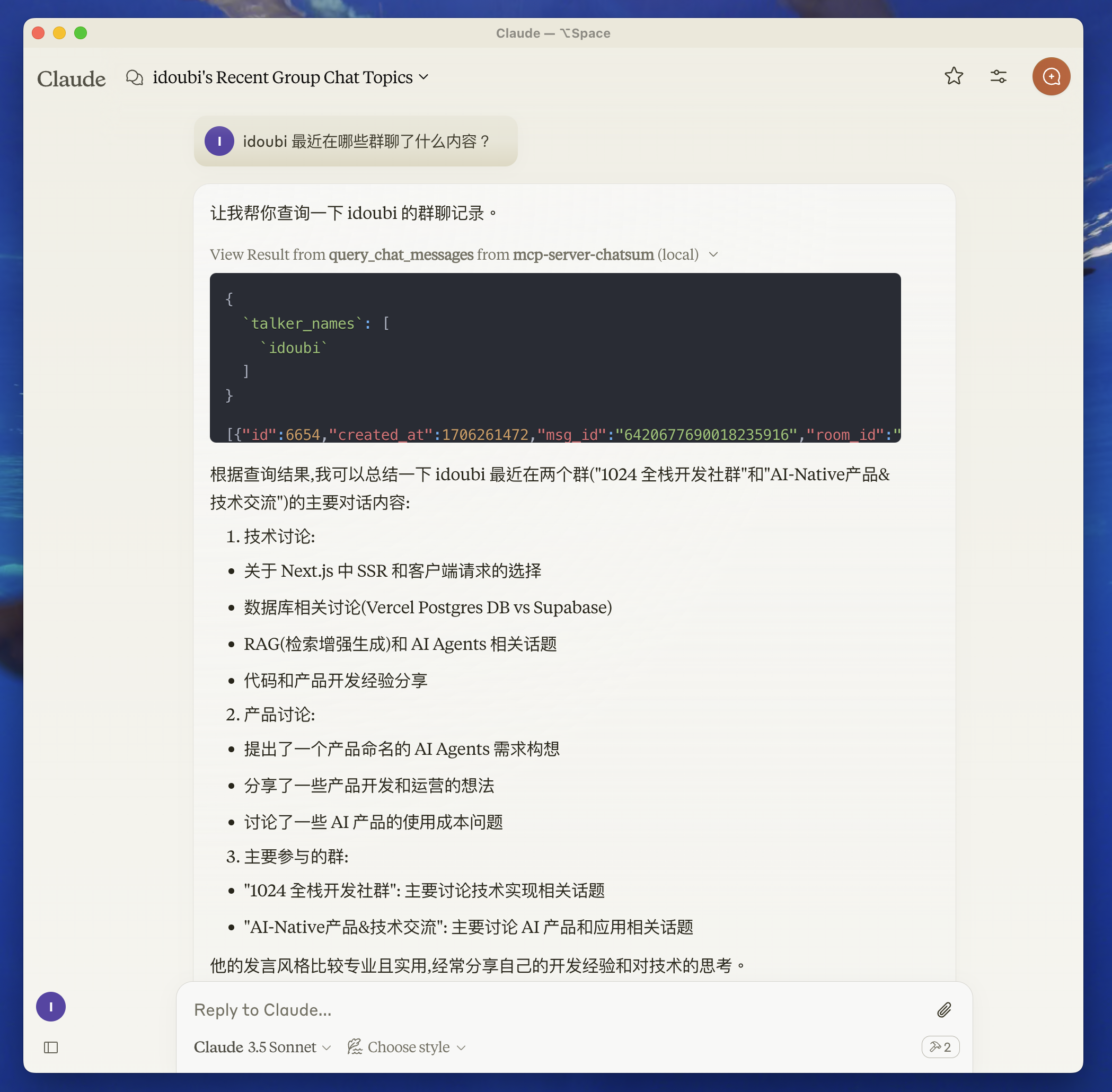
This MCP Server is used to summarize your chat messages.
Before you start
move to chatbot directory, follow the README to setup the chat database.
start chatbot to save your chat messages.
Features
Resources
Tools
query_chat_messages- Query chat messages- Query chat messages with given parameters
- Summarize chat messages based on the query prompt
Prompts
Development
- Set up environment variables:
create .env file in the root directory, and set your chat database path.
CHAT_DB_PATH=path-to/chatbot/data/chat.db
- Install dependencies:
pnpm install
Build the server:
pnpm build
For development with auto-rebuild:
pnpm watch
Installation
To use with Claude Desktop, add the server config:
On MacOS: ~/Library/Application Support/Claude/claude_desktop_config.json
On Windows: %APPDATA%/Claude/claude_desktop_config.json
{
  "mcpServers": {
    "mcp-server-chatsum": {
      "command": "path-to/bin/node",
      "args": ["path-to/mcp-server-chatsum/build/index.js"],
      "env": {
        "CHAT_DB_PATH": "path-to/mcp-server-chatsum/chatbot/data/chat.db"
      }
    }
  }
}
Debugging
Since MCP servers communicate over stdio, debugging can be challenging. We recommend using the MCP Inspector, which is available as a package script:
pnpm inspector
The Inspector will provide a URL to access debugging tools in your browser.
Community
About the author
Установка chatmcp/mcp-server-chatsum
У этого сервера нет опубликованного пакета — он собирается из исходников. Открой репозиторий и следуй инструкции в README.
▸ github.com/chatmcp/mcp-server-chatsumFAQ
chatmcp/mcp-server-chatsum MCP бесплатный?
Да, chatmcp/mcp-server-chatsum MCP бесплатный — установка в пару кликов через Unyly без оплаты.
Нужен ли API-ключ для chatmcp/mcp-server-chatsum?
Нет, chatmcp/mcp-server-chatsum работает без API-ключей и переменных окружения.
chatmcp/mcp-server-chatsum — hosted или self-hosted?
Self-hosted: сервер запускается локально на твоей машине командой из раздела установки.
Как установить chatmcp/mcp-server-chatsum в Claude Desktop, Claude Code или Cursor?
Открой chatmcp/mcp-server-chatsum на unyly.org, выбери вкладку своего клиента (Claude Desktop, Claude Code, Cursor) и нажми Install — конфиг сгенерируется автоматически, без правки JSON.
Похожие MCP
Gmail
Read, send and search emails from Claude
 автор: Google
Slack
Send, search and summarize Slack messages
 автор: Slack
Runbear
No-code MCP client for team chat platforms, such as Slack, Microsoft Teams, and Discord.
Discord Server
A community discord server dedicated to MCP by [Frank Fiegel](https://github.com/punkpeye)
Compare chatmcp/mcp-server-chatsum with
Не уверен что выбрать?
Найди свой стек за 60 секунд
Автор?
Embed-бейдж для README
Похожее
Все в категории communication