
Claude C2
БесплатноНе проверенEnables natural language command and control of remote systems across multiple platforms through Claude AI using the Model Context Protocol.

Описание
Enables natural language command and control of remote systems across multiple platforms through Claude AI using the Model Context Protocol.
README
Claude C2
AI-Powered Command & Control Framework
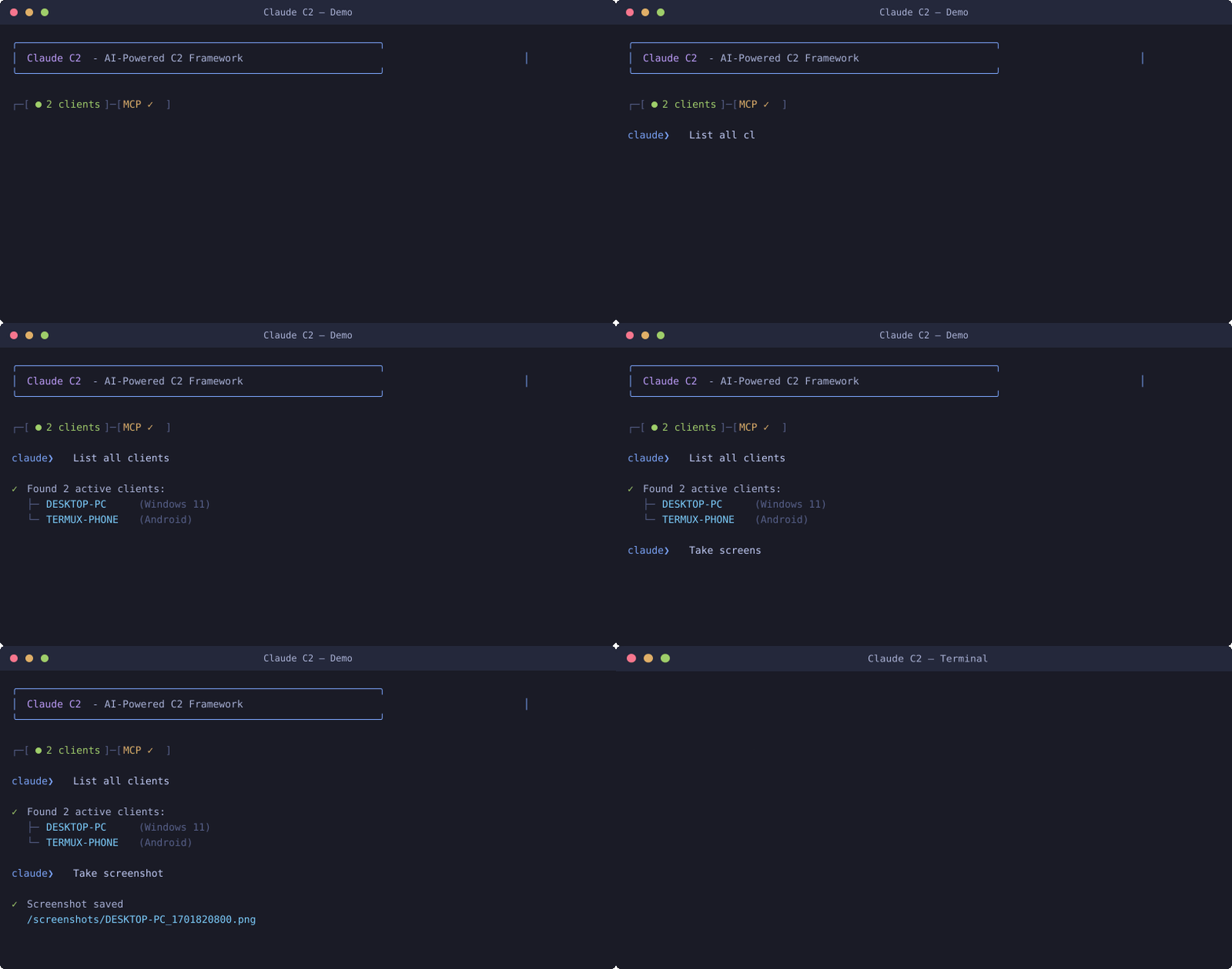
Natural language control of remote systems through Claude AI and Model Context Protocol
Overview · Architecture · Installation · Deployment · Documentation
Overview
Claude C2 is a command and control framework that integrates with Anthropic's Model Context Protocol (MCP), enabling operators to manage remote systems through natural language conversations with Claude AI.
Rather than memorizing command syntax across different operating systems, operators communicate intent in plain English. The AI interprets requests, selects appropriate targets, executes the necessary commands, and returns formatted results.
Operator:  "Show me all connected systems"
Claude:    [Queries client manager, returns formatted list with OS, hostname, IP, user context]

Operator:  "Capture the screen on the Windows workstation"
Claude:    [Identifies target, executes screenshot, saves to server, confirms completion]

Operator:  "Search for configuration files containing credentials"
Claude:    [Runs recursive search with appropriate OS commands, returns matching paths]
Key Characteristics
| Feature | Description |
|---|---|
| Natural Language Interface | Communicate with targets through conversational English |
| Cross-Platform | Unified control across Windows, Linux, macOS, and Android |
| Adaptive Execution | AI automatically translates intent to OS-specific commands |
| Minimal Footprint | Agents use native scripting tools with no additional binaries |
| Encrypted Transport | TLS-secured WebSocket connections with OAuth 2.0 authentication |
| Auto-Recovery | Agents automatically reconnect on connection loss |
Architecture
┌────────────────────────────────────────────────────────────────────────────┐
│                                                                            │
│                           CLAUDE C2 ARCHITECTURE                           │
│                                                                            │
├────────────────────────────────────────────────────────────────────────────┤
│                                                                            │
│    ┌──────────────┐         ┌──────────────┐         ┌──────────────┐     │
│    │              │         │              │         │              │     │
│    │   OPERATOR   │   MCP   │   COMMAND    │   WSS   │    TARGET    │     │
│    │              │◄───────►│              │◄───────►│              │     │
│    │  Claude.ai   │   SSE   │    SERVER    │  JSON   │    AGENTS    │     │
│    │              │         │              │         │              │     │
│    └──────────────┘         └──────────────┘         └──────────────┘     │
│                                                                            │
│         │                         │                         │             │
│         │  Natural language       │  Command routing        │  Shell      │
│         │  requests/responses     │  Client management      │  execution  │
│         │  via Claude AI          │  OAuth + TLS            │  Results    │
│         │                         │                         │             │
│                                                                            │
└────────────────────────────────────────────────────────────────────────────┘
Communication Flow:
- Operator interacts with Claude AI through claude.ai interface
- Claude connects to C2 server via MCP (Model Context Protocol) over SSE
- Server maintains persistent WebSocket connections to all deployed agents
- Commands are routed to appropriate agents based on operator intent
- Agents execute commands using native OS tools and return results
- Claude formats and presents results to operator
Installation
Prerequisites
- Node.js 18 or higher
- Valid SSL certificate (Let's Encrypt recommended)
- Domain name pointing to server
- Network access on ports 443, 3101, 3102
Server Setup
# Clone repository
git clone https://github.com/0xyg3n/claude-c2.git
cd claude-c2

# Install dependencies
npm install

# Configure environment
cp .env.example .env
Edit .env with your configuration:
DOMAIN=your-domain.com
MCP_PORT=3101
WS_PORT=3102
OAUTH_CLIENT_ID=your-client-id
OAUTH_CLIENT_SECRET=your-client-secret
SSL_CERT_PATH=/path/to/cert.pem
SSL_KEY_PATH=/path/to/key.pem
# Start server
npm start
Claude.ai Integration
Configure MCP connector in Claude.ai settings:
| Parameter | Value |
|---|---|
| Server URL | https://your-domain.com/mcp/sse |
| Authentication | OAuth 2.0 |
| Client ID | Value from .env |
| Client Secret | Value from .env |
Deployment
Deploy agents to target systems using platform-specific one-liners:
| Platform | Deployment Command |
|---|---|
| Windows | |
| Linux | |
| macOS | |
| Android | |
Agents operate in memory without persistence by default. Connection resilience is built-in with automatic reconnection on network interruption.
Usage Examples
| Request | Action |
|---|---|
"List all connected clients" |
Display all active agents with system information |
"Execute whoami on target" |
Run command and return output |
"Take a screenshot" |
Capture display and save to server |
"Find all PDF documents" |
Recursive filesystem search |
"Show network configuration" |
Execute ipconfig/ifconfig based on OS |
"List running processes" |
Display process list with details |
"Open URL on Android device" |
Launch browser with specified URL |
When a single agent is connected, Claude automatically selects it. With multiple agents, specify the target by name or identifier.
Demonstrated Platforms
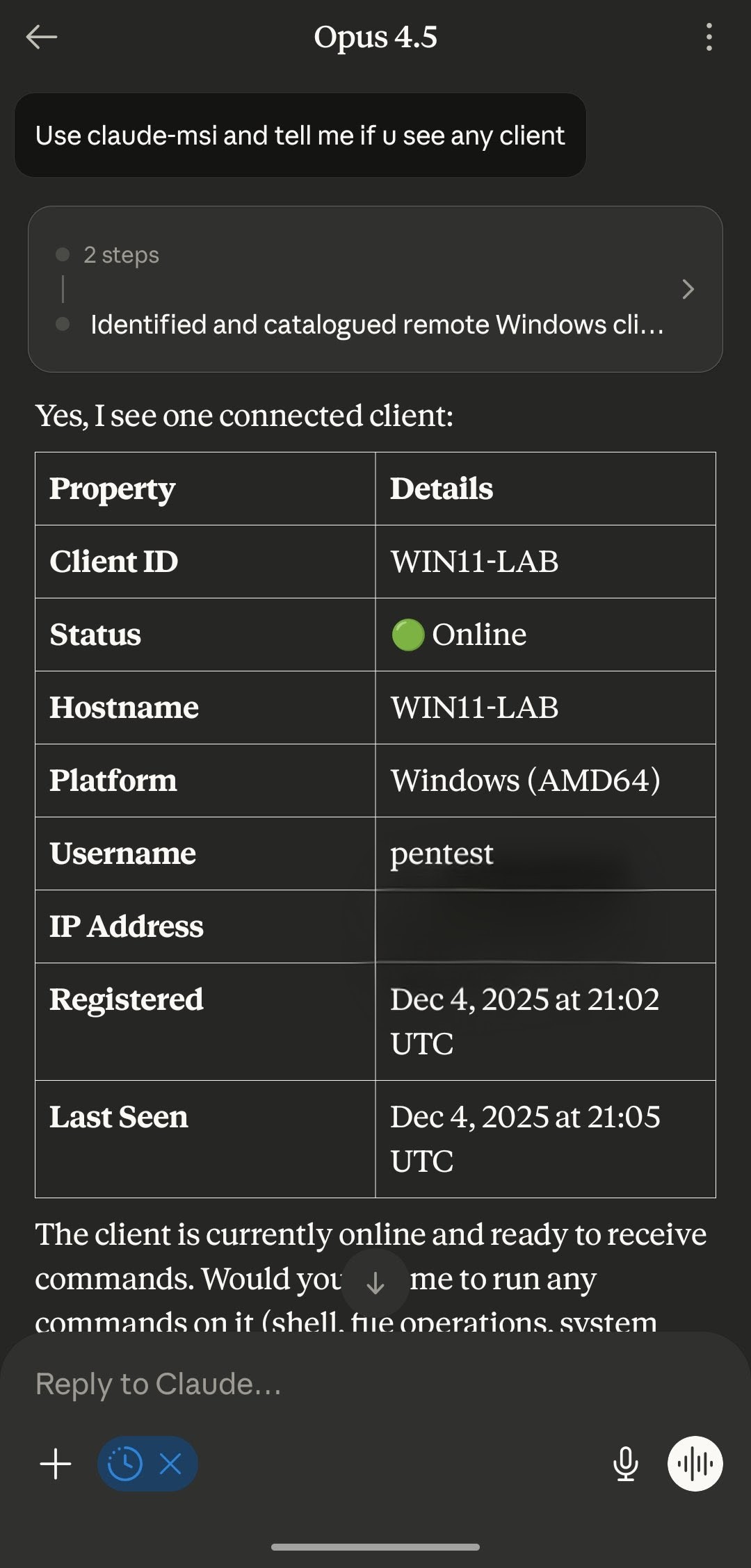
| Windows 11 | Android (Termux) |
|---|---|
 |
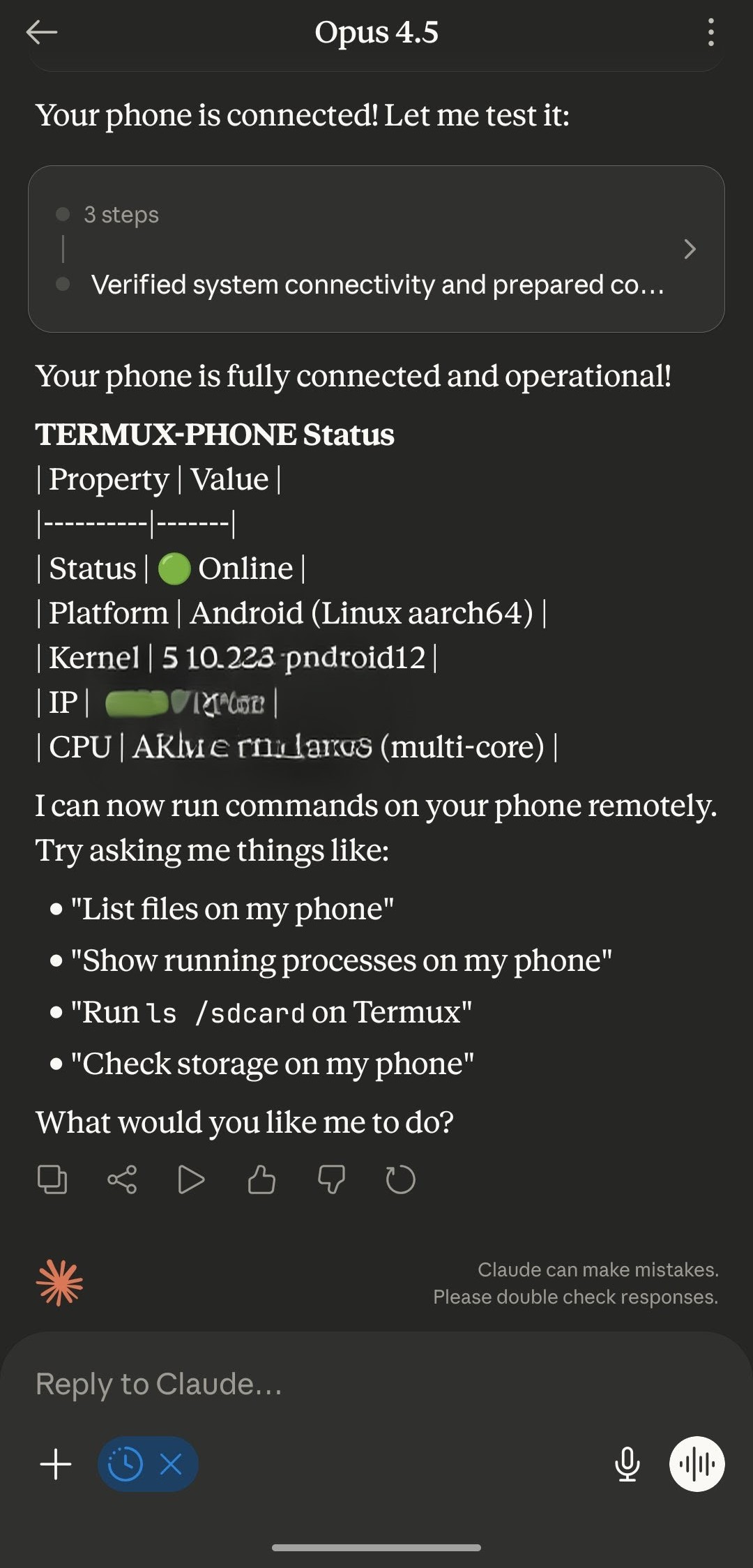 |
| Full agent functionality | Termux environment with API access |
Documentation
| Document | Description |
|---|---|
| Integration Guide | Claude.ai configuration and API setup |
| Android Operations | Termux-specific features and Termux:API |
Legal Notice
This software is provided strictly for authorized security testing, educational research, and legitimate penetration testing engagements. By using this software, you acknowledge and agree to the following:
This tool is intended exclusively for:
|
Claude C2 — Built on Anthropic's Model Context Protocol
Установка Claude C2
У этого сервера нет опубликованного пакета — он собирается из исходников. Открой репозиторий и следуй инструкции в README.
▸ github.com/0xyg3n/claude-c2FAQ
Claude C2 MCP бесплатный?
Да, Claude C2 MCP бесплатный — установка в пару кликов через Unyly без оплаты.
Нужен ли API-ключ для Claude C2?
Нет, Claude C2 работает без API-ключей и переменных окружения.
Claude C2 — hosted или self-hosted?
Доступен hosted-вариант: Unyly запускает сервер в облаке, локальная установка не обязательна.
Как установить Claude C2 в Claude Desktop, Claude Code или Cursor?
Открой Claude C2 на unyly.org, выбери вкладку своего клиента (Claude Desktop, Claude Code, Cursor) и нажми Install — конфиг сгенерируется автоматически, без правки JSON.
Похожие MCP
Fetch
Web content fetching and conversion for efficient LLM usage.
AWS KB Retrieval
Retrieval from AWS Knowledge Base using Bedrock Agent Runtime.
 автор: modelcontextprotocol
Spring AI MCP Server
Provides auto-configuration for setting up an MCP server in Spring Boot applications.
llm-analysis-assistant
A very streamlined mcp client that supports calling and monitoring stdio/sse/streamableHttp, and can also view request responses through the /logs page. It also
 автор: xuzexin-hz
Compare Claude C2 with
Не уверен что выбрать?
Найди свой стек за 60 секунд
Автор?
Embed-бейдж для README
Похожее
Все в категории ai