
Clopen
БесплатноНе проверенAll-in-one web workspace for AI coding agents — Claude Code, OpenCode, Codex, Copilot, and Qwen Code — with chat, terminal, git, browser preview, database clien

Описание
All-in-one web workspace for AI coding agents — Claude Code, OpenCode, Codex, Copilot, and Qwen Code — with chat, terminal, git, browser preview, database client, checkpoints, and real-time collaboration
README

Clopen
Build more. Switch less.
All-in-one workspace for AI coding agents


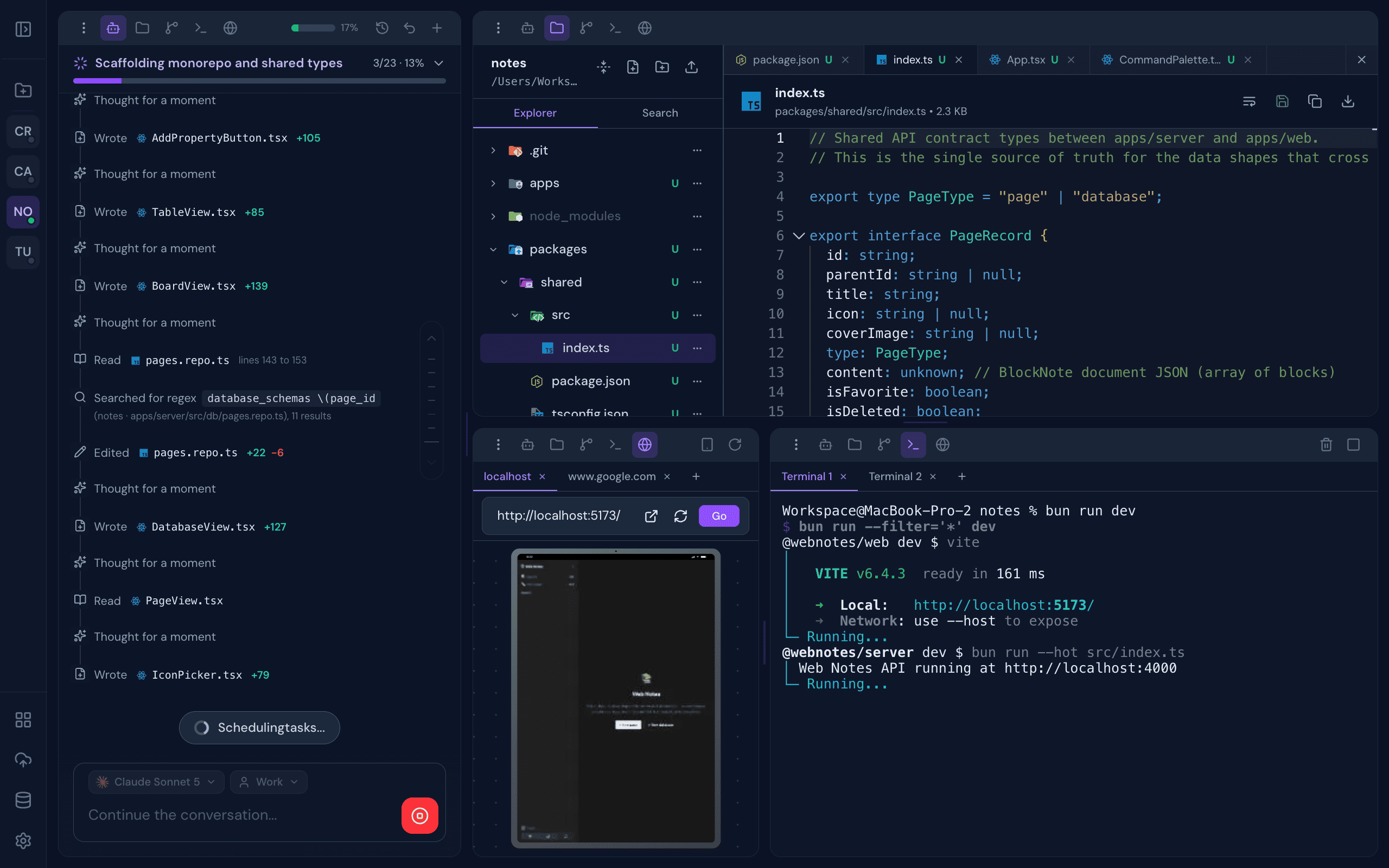
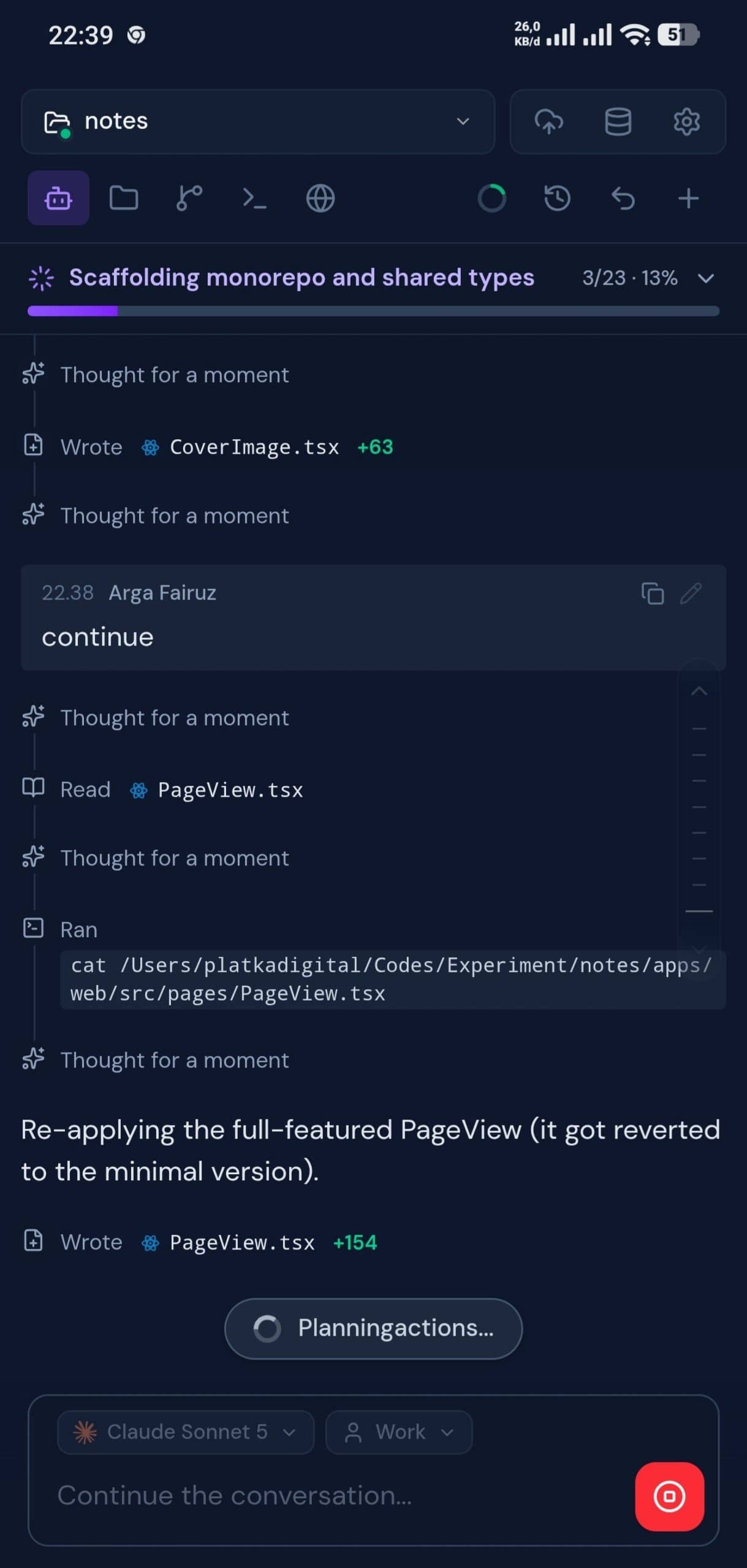
All-in-one workspace for AI coding agents — Claude Code, OpenCode, Codex, Copilot, and Qwen Code. Chat, terminal, git, browser preview, database client, and real-time collaboration — plus Skills, Subagents, Commands, and MCP connectors to extend every engine.
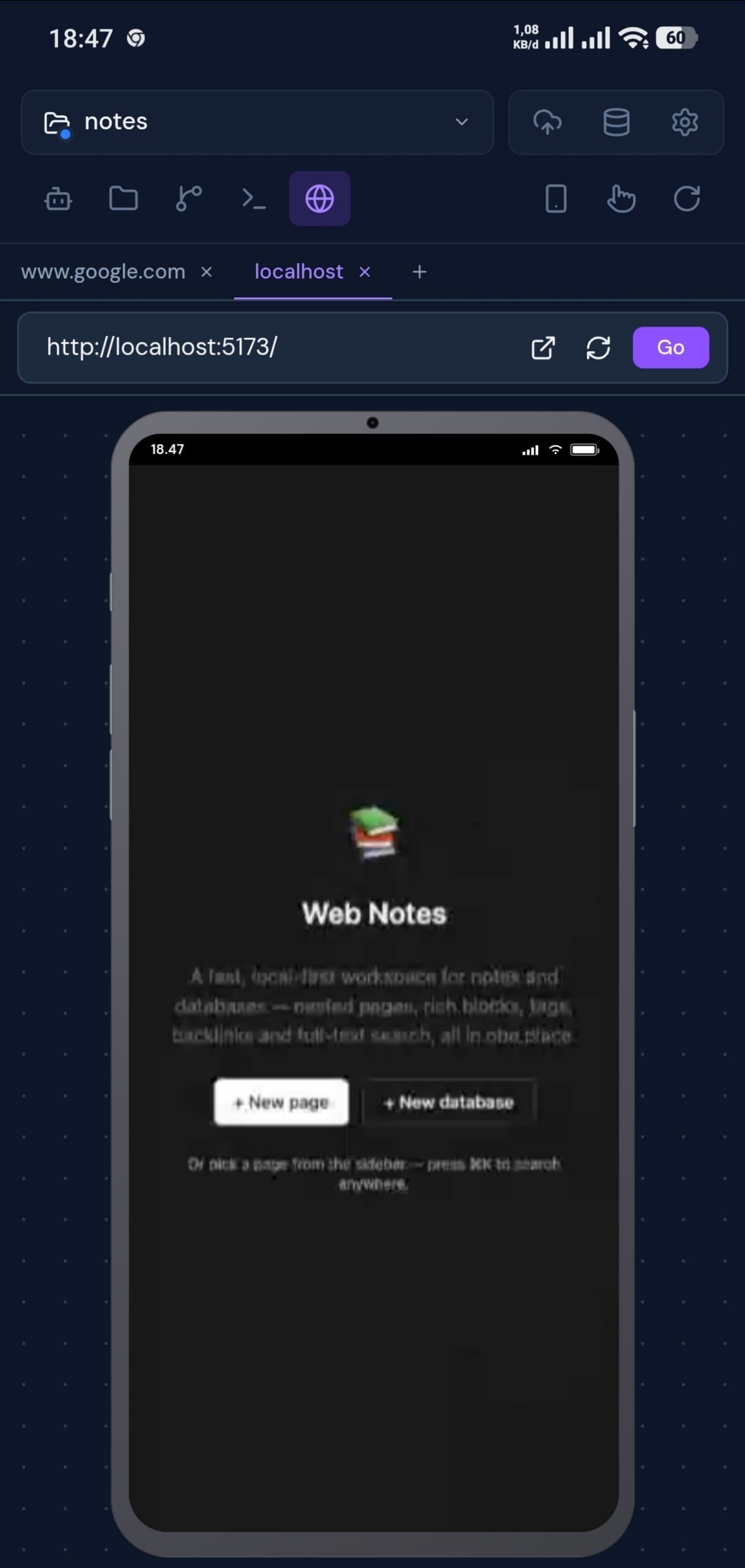
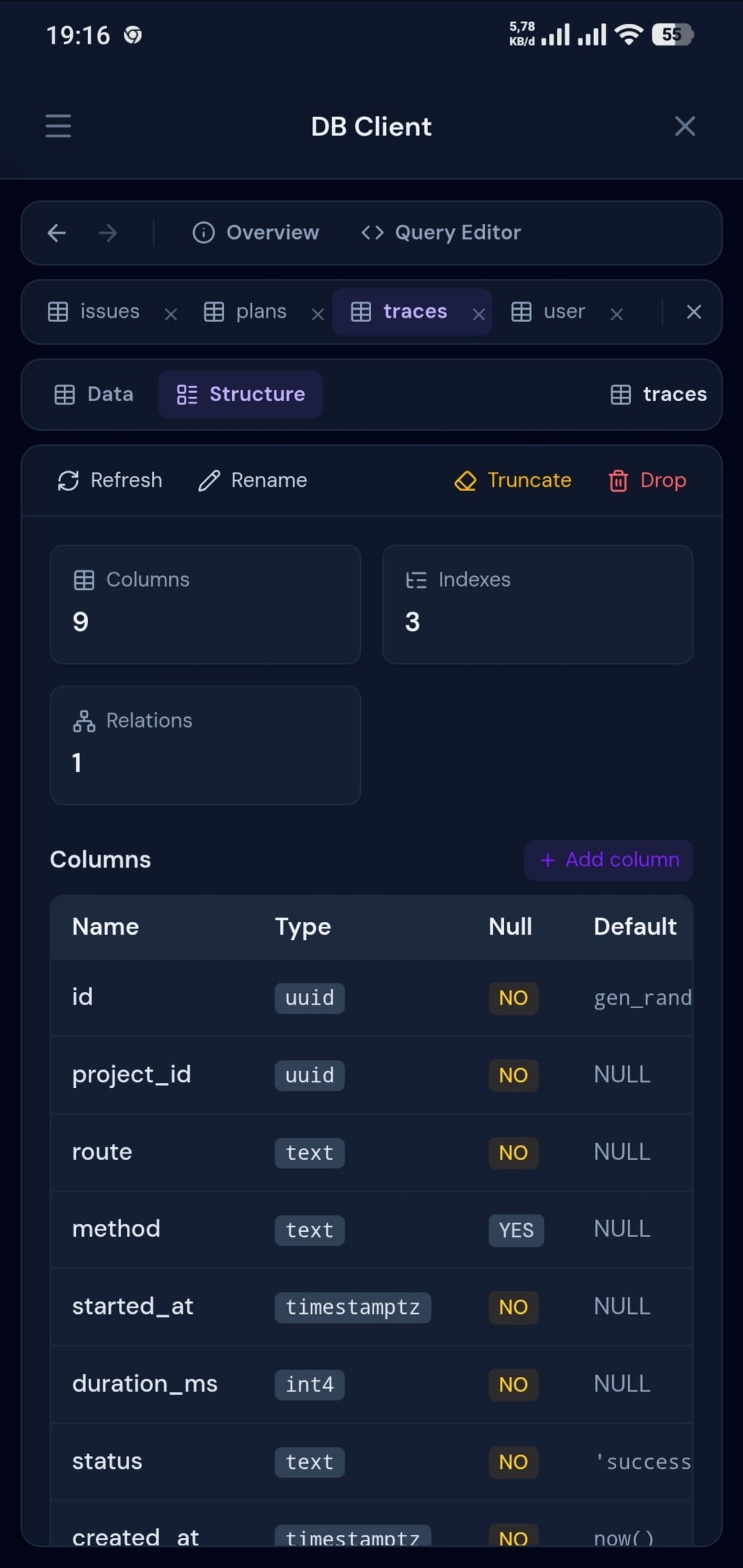
Screenshots
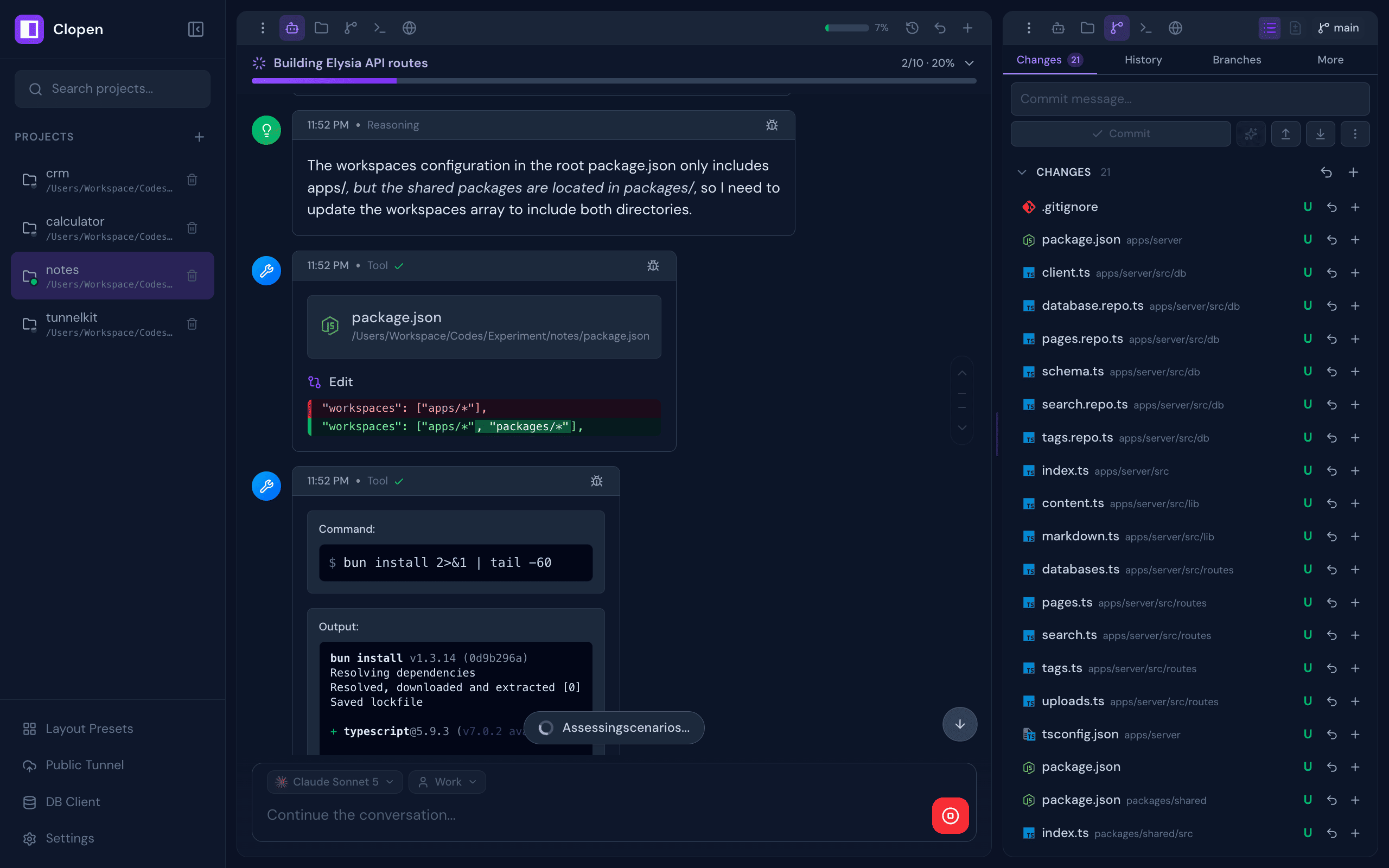
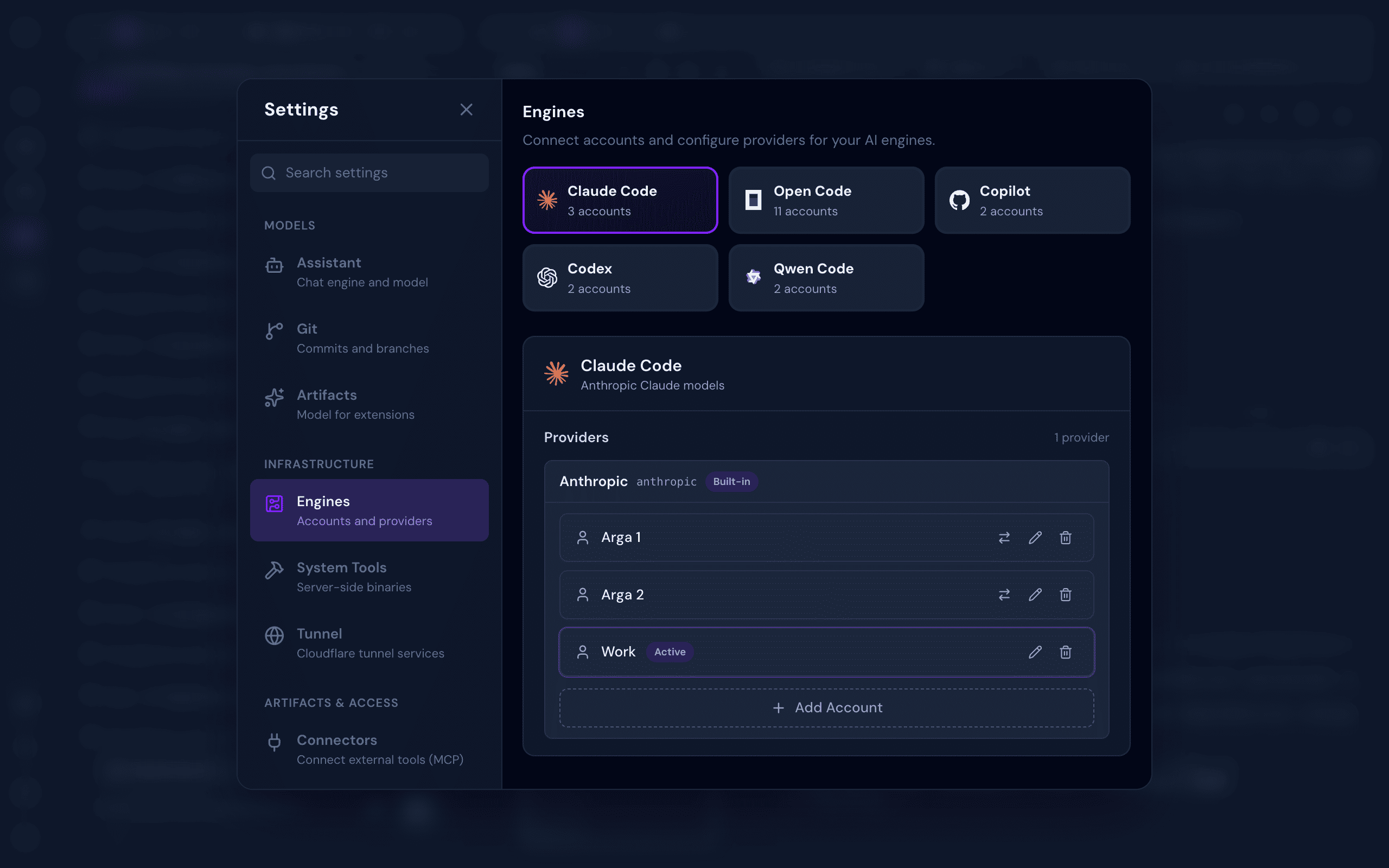
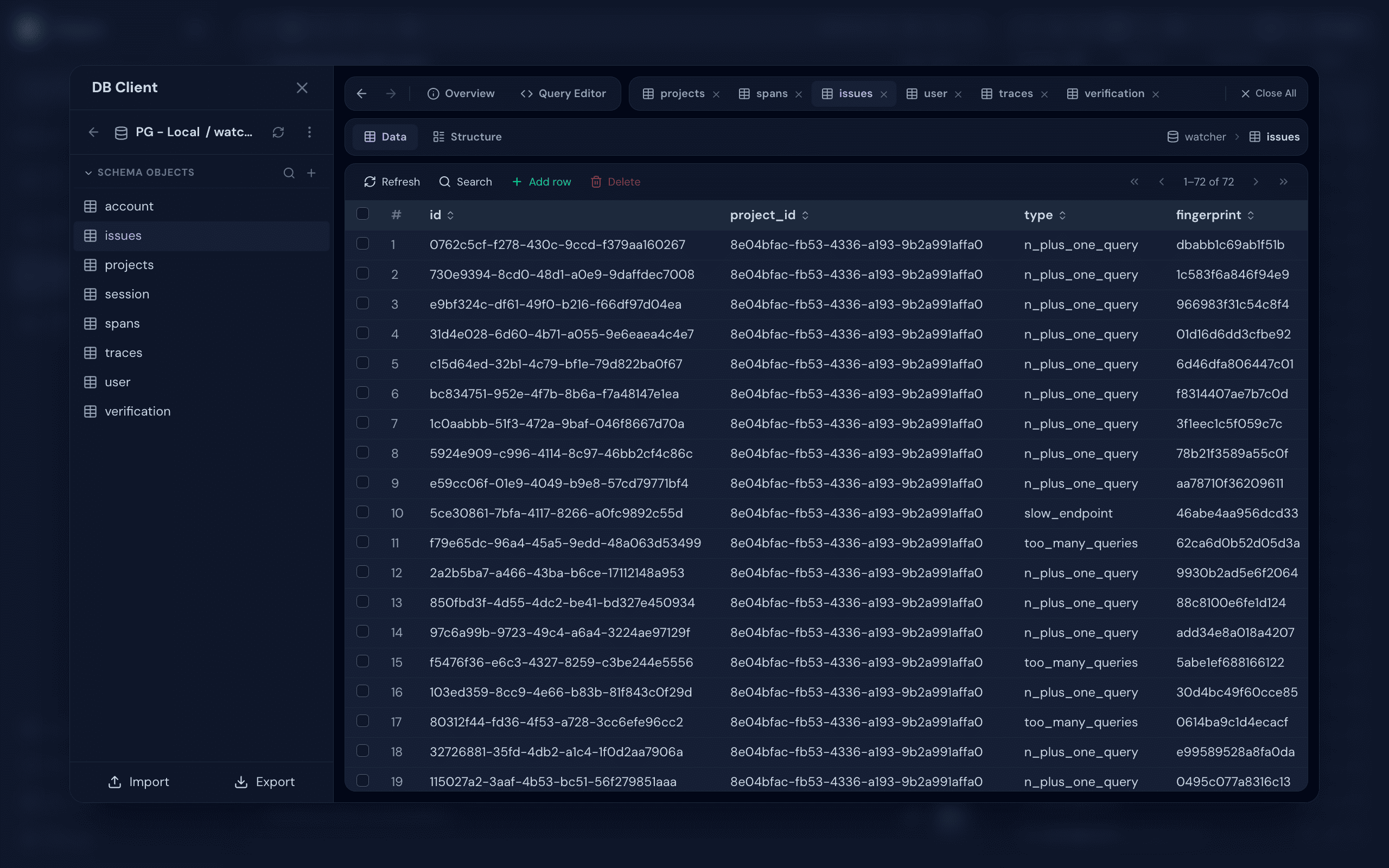
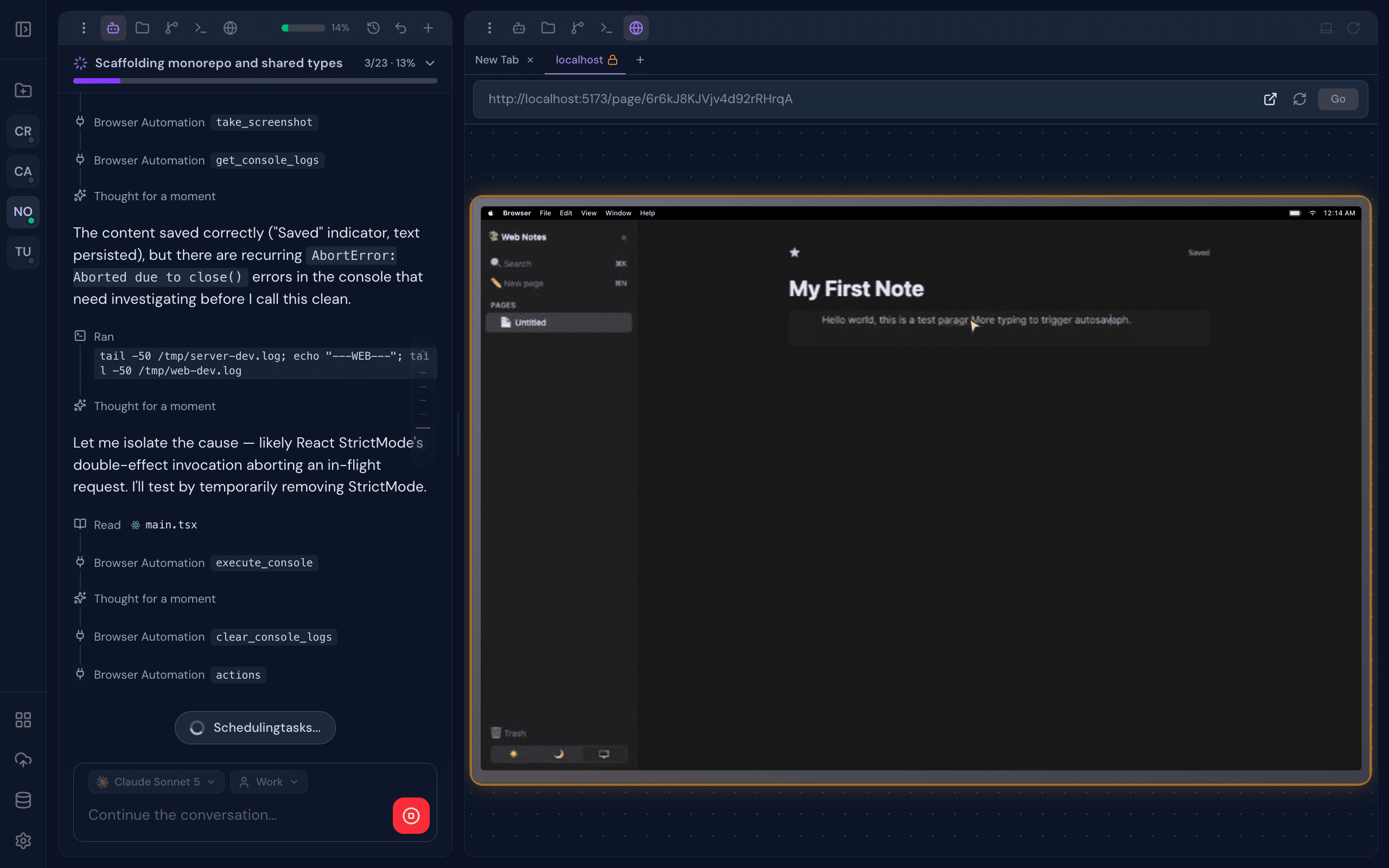
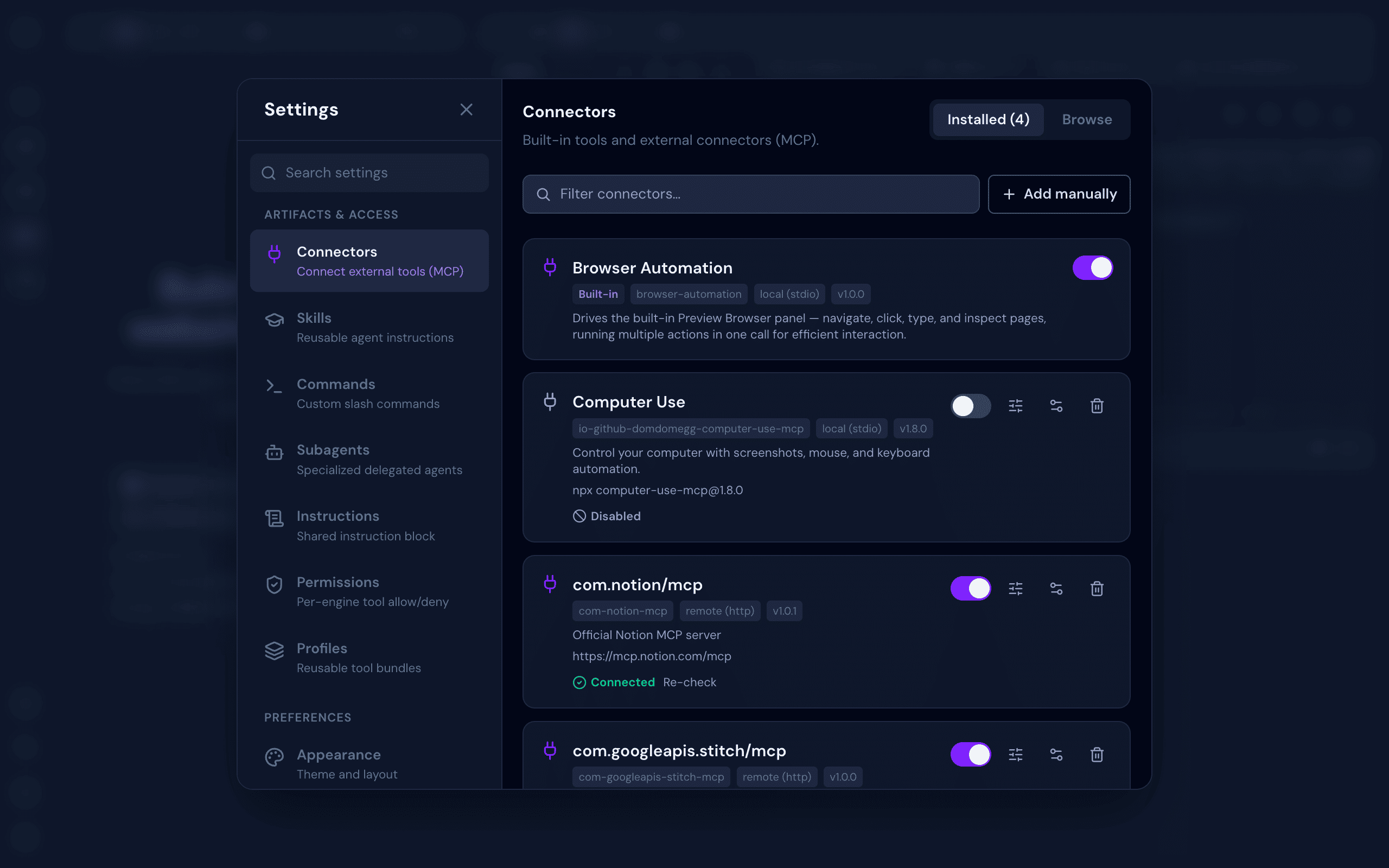
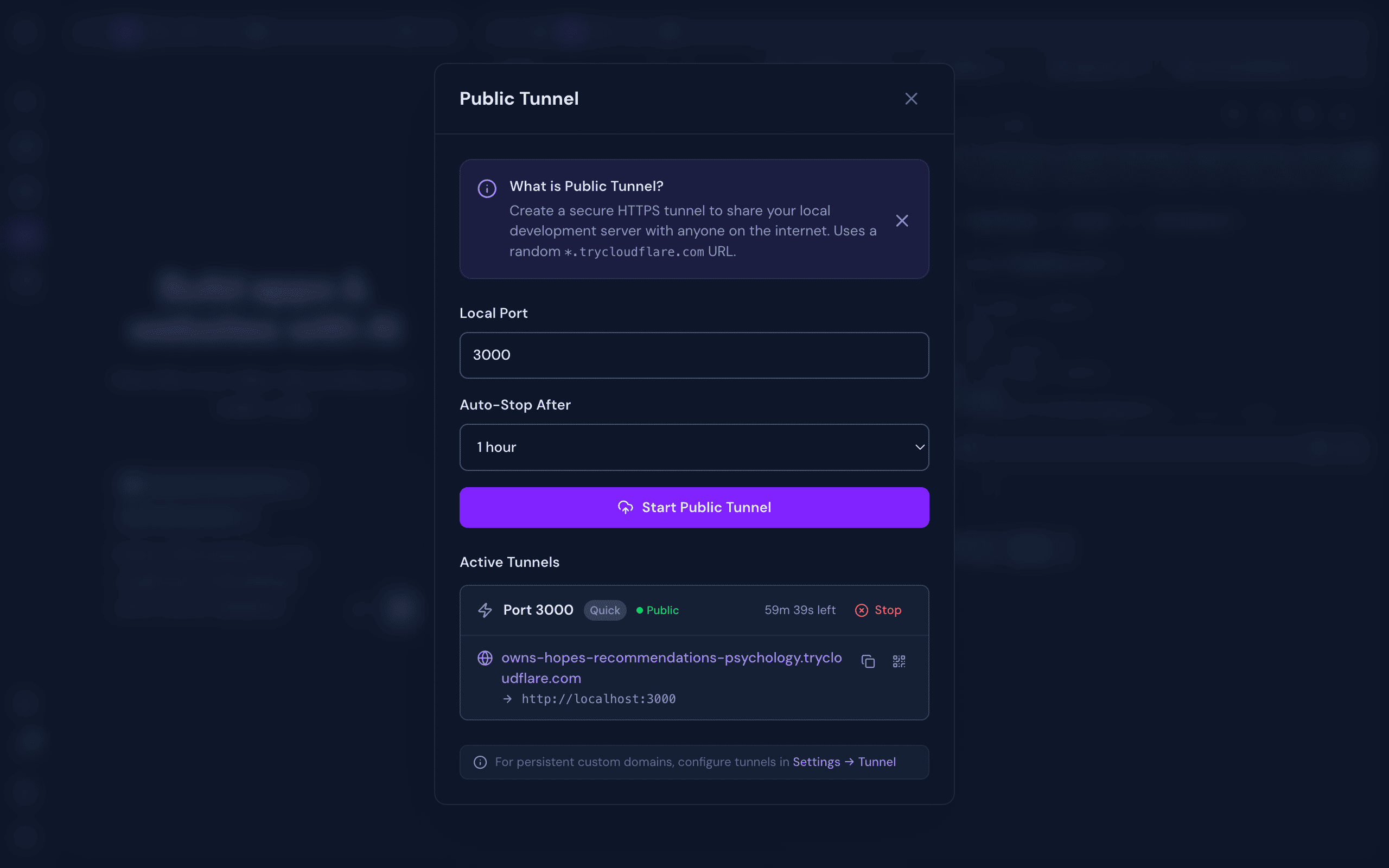
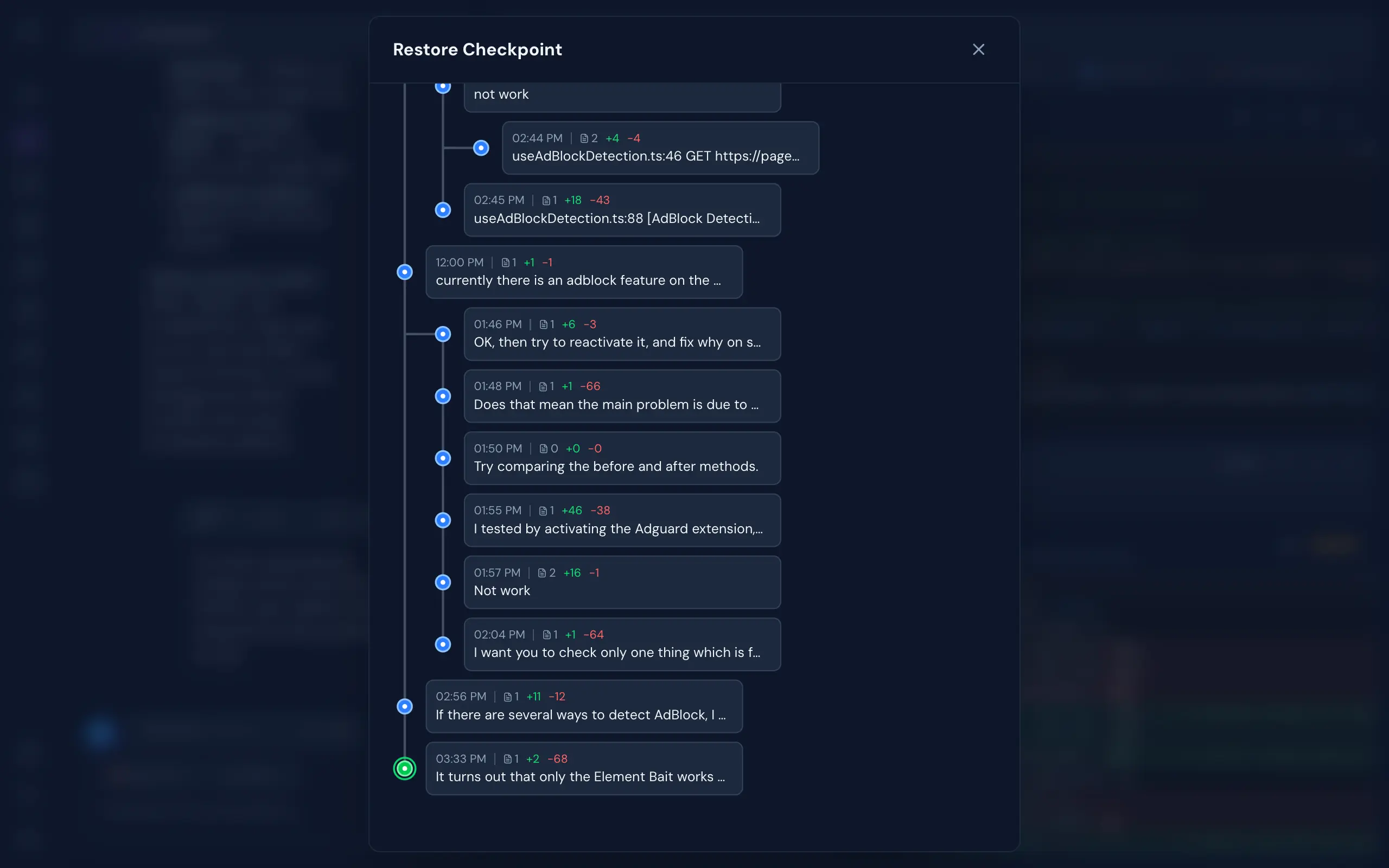
Works on Any Device
Features
A complete development environment designed around AI-assisted workflows, built to disappear into the background and just work.
- Multi-Engine Support — Switch between Claude Code, OpenCode, Codex, GitHub Copilot, and Qwen Code as your AI engine, per session
- Multi-Account Per Engine — Manage multiple accounts per engine (personal, work, or team) and switch between them instantly per chat session
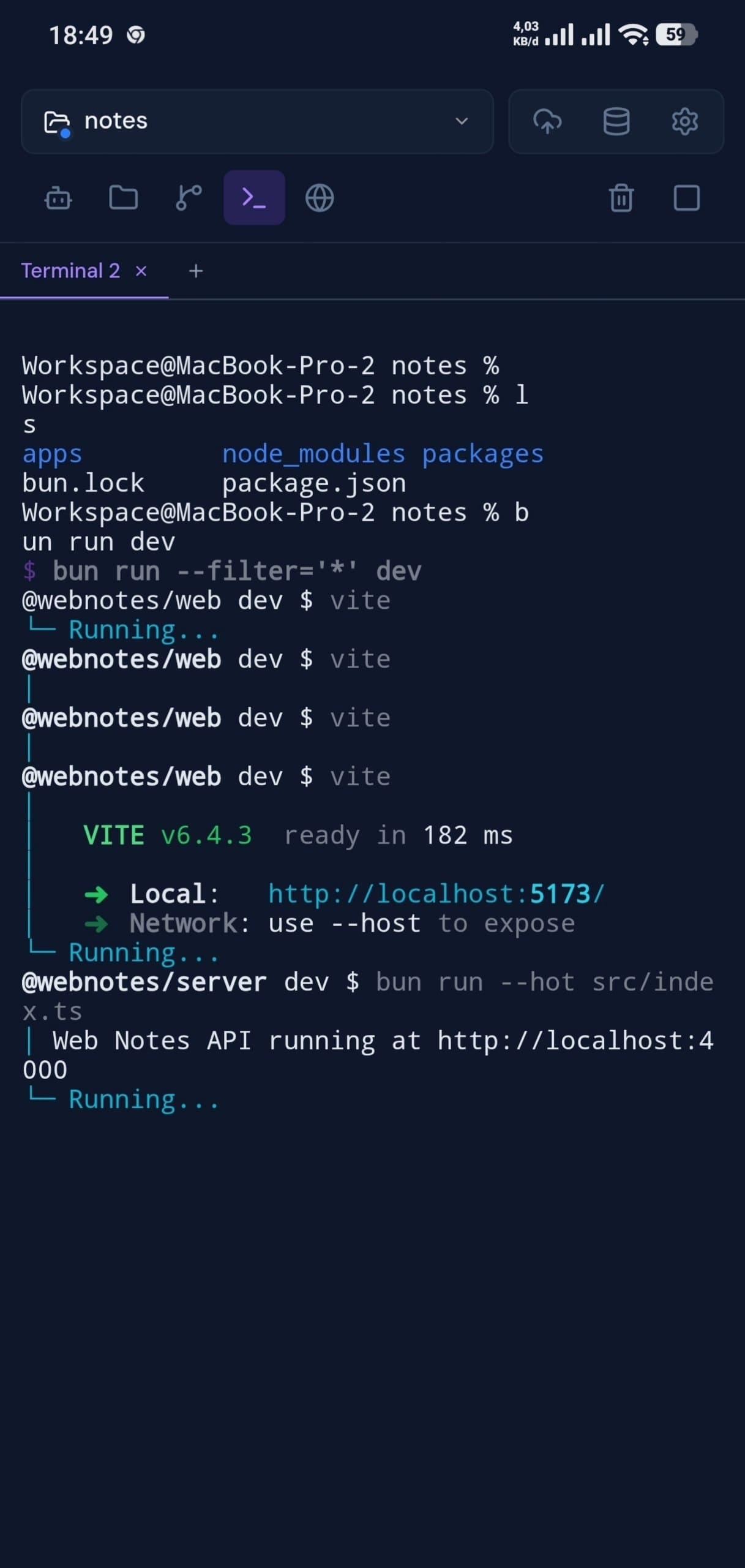
- Integrated Terminal — Multi-tab xterm.js terminal with full keyboard control and complete ANSI/VT support, right inside your workspace
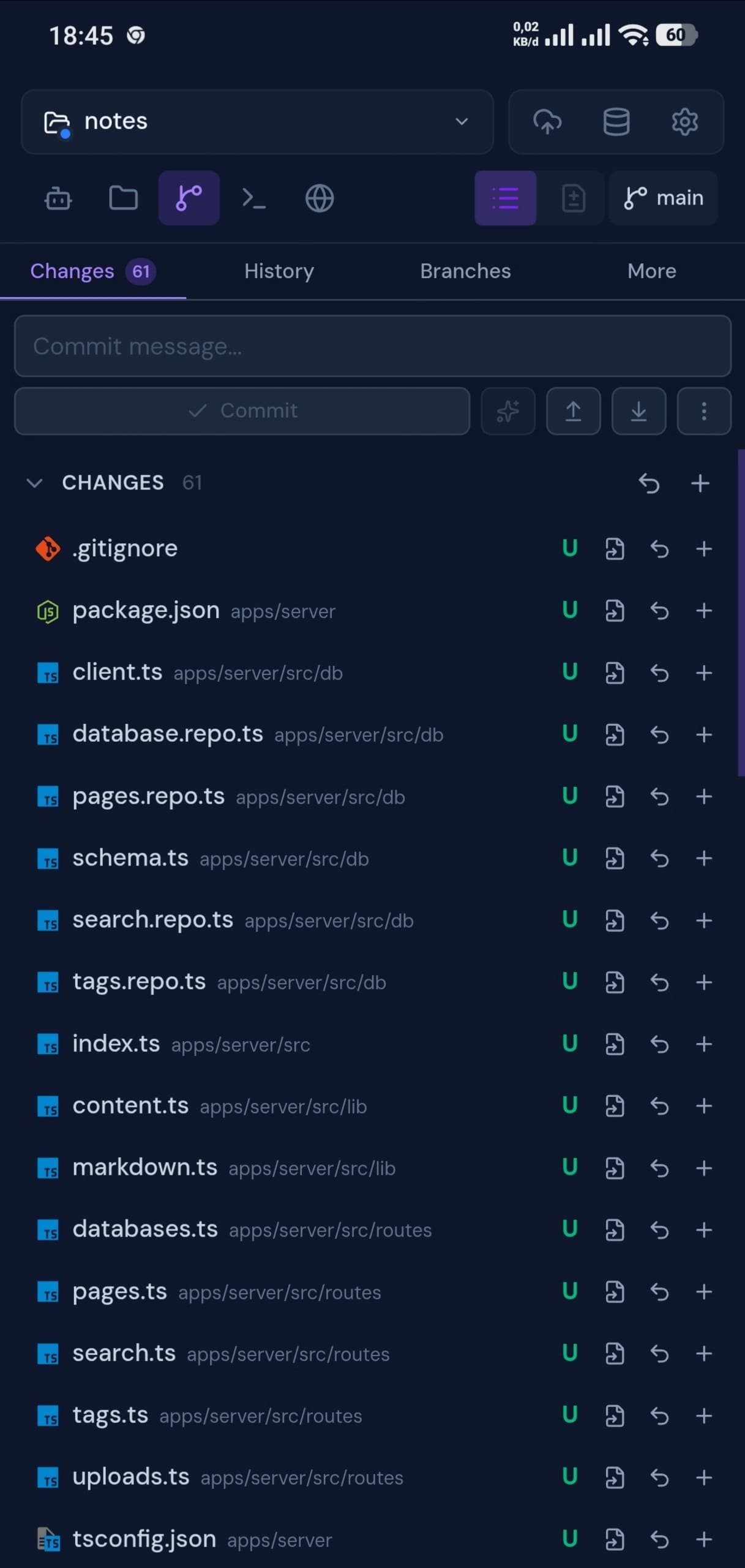
- Full Git Management — Stage, commit, branch, push, pull, stash, log, and resolve conflicts, all from a clean UI
- Real Browser Preview — A live browser preview streams directly into your workspace. Interact with your app manually, or let the AI drive: clicking, typing, and scrolling for autonomous visual testing
- Database Client — Connect to PostgreSQL, MySQL, SQLite, MongoDB, and Redis. Browse schemas, run queries, and inspect data, with optional SSH tunneling for databases behind a bastion
- Git-Like Checkpoints — Multi-branch undo/redo with full file snapshots. Roll back to any point in your AI conversation without touching your actual git history
- Real-Time Collaboration — See who's working on which project, and collaborate live in the same codebase
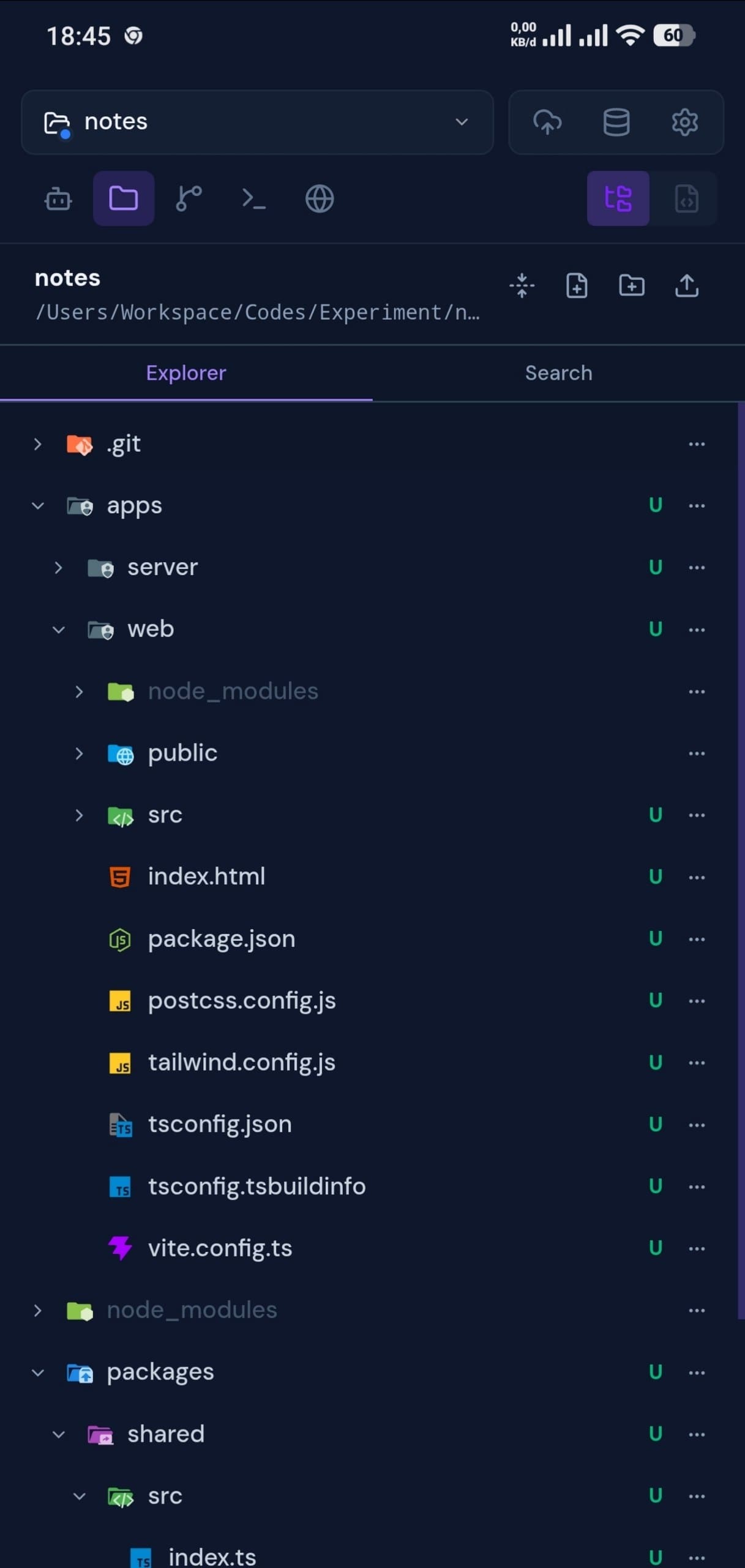
- Monaco File Editor — VS Code's editor right in the browser. Full syntax highlighting, autocomplete, and live file watching, beside your AI chat
- Cloudflare Tunnel — One-click public HTTPS URL for your local dev server. Built-in QR code for instant mobile access. Share your work without deploying
- Connectors (MCP) — Browse a searchable catalog of Model Context Protocol servers, connect with OAuth or custom env/headers, and sync every connector across all your AI engines
- Skills, Commands & Subagents — Build reusable Skills, slash Commands, delegated Subagents, shared Instructions, and tool Permissions or Profiles once, synced automatically across every engine
- Flexible Authentication — No Login or With Login mode with admin/member roles, invite links, rate-limited login, and CLI token recovery
- System Tools Installer — Install Git, Claude Code, OpenCode, Codex, Copilot, Qwen Code, Chrome, and Cloudflared (for Public Tunnel) from a one-click admin panel
- Background Processing — Chat, terminal, and other processes continue running even when you close the browser — come back later and pick up where you left off
- Works on Any Device — Fully responsive across desktop, laptop, tablet, and mobile. Open your workspace from any device and continue exactly where you left off
Quick Start
Prerequisites
- Bun.js v1.2.12+
- At least one supported AI engine — Claude Code, OpenCode, Codex, GitHub Copilot CLI, or Qwen Code. All are installable from Settings → System Tools after first launch
Installation
bun add -g @myrialabs/clopen
Update
clopen update
Or manually via Bun:
bun add -g @myrialabs/clopen
You can also update from the Settings → Maintenance → Updates section in the web UI.
Usage
clopen
Starts the server on http://localhost:9141.
First-Time Setup
On first launch, a setup wizard guides you through:
- Authentication mode — Choose between No Login (no authentication required, ideal for personal/local use) or With Login (login with Personal Access Token, supports team collaboration)
- Admin account — If With Login mode is selected, create your admin account and save the generated PAT
- System Tools — Install Git, Chrome, Cloudflared, and any AI engine you don't have yet — straight from the wizard, no terminal needed
- AI Engines — Check installation status for Claude Code, OpenCode, Codex, Copilot, and Qwen Code, and sign in to the engines you'll use
- Preferences — Set dark mode, font size, sound notifications, and message layout (Classic cards or Compact lines)
You can change the authentication mode anytime in Settings → Security → Authentication.
To invite team members (With Login mode), go to Settings → Team → Invite and generate an invite link (valid for 15 minutes).
If you lose your admin token:
clopen reset-pat
This regenerates and displays a new admin PAT.
Contributing
Clopen is open source and contributions are welcome! Whether it's a bug fix, new feature, or improvement to docs — feel free to open an issue or submit a pull request.
git clone https://github.com/myrialabs/clopen.git
cd clopen
bun install
bun run dev     # Start development server
bun run check   # Type checking
When running in development mode, Clopen uses ~/.clopen-dev instead of ~/.clopen, keeping dev data separate from any production instance.
Each AI engine's config/state (credentials, sessions, logs) is isolated under ~/.clopen/engine/<engine>/user/ rather than the engine's global location (~/.codex, ~/.copilot, ~/.qwen, the OpenCode XDG dirs), so Clopen never mixes with — or disturbs — your own standalone CLI usage.
See CONTRIBUTING.md for guidelines and DECISIONS.md for architectural decisions.
Architecture
| Layer | Technology |
|---|---|
| Runtime | Bun.js |
| Frontend | Svelte 5 (runes) + Vite |
| Backend | Elysia + WebSocket |
| Styling | Tailwind CSS v4 |
| Database | SQLite with migrations |
| Terminal | bun-pty |
| AI Engines | Claude Code, OpenCode, Codex, Copilot, Qwen Code |
| DB Client | Postgres, MySQL, SQLite, MongoDB, Redis (+ SSH tunnel) |
Troubleshooting
Port 9141 Already in Use
clopen --port 9145
Or kill the existing process:
# Unix/Linux/macOS
lsof -ti:9141 | xargs kill -9

# Windows
netstat -ano | findstr :9141
taskkill /PID <PID> /F
License
MIT License - see LICENSE for details.
Acknowledgments
- Claude Code by Anthropic
- OpenCode by Anomaly
- Codex by OpenAI
- GitHub Copilot CLI by GitHub
- Qwen Code by Alibaba Qwen
- Bun runtime
- Svelte framework
Support
If Clopen is useful to you, consider supporting its development:
| Method | Address / Link |
|---|---|
| Bitcoin (BTC) | bc1qd9fyx4r84cce2a9hkjksetah802knadw5msls3 |
| Solana (SOL) | Ev3P4KLF1PNC5C9rZYP8M3DdssyBQAQAiNJkvNmPQPVs |
| Ethereum (ERC-20) | 0x61D826e5b666AA5345302EEEd485Acca39b1AFCF |
| USDT (TRC-20) | TLH49i3EoVKhFyLb6u2JUXZWScK7uzksdC |
| Saweria | saweria.co/myrialabs |
Repository: github.com/myrialabs/clopen · Issues: Report a bug or request a feature
Установить Clopen в Claude Desktop, Claude Code, Cursor
unyly install clopenСтавит в Claude Desktop, Claude Code, Cursor и VS Code — сам разбирается с npx, uvx и сборкой из исходников.
Впервые? Поставь CLI: curl -fsSL https://unyly.org/install | sh
Или настроить вручную
Выполни в терминале:
claude mcp add clopen -- npx -y @myrialabs/clopenFAQ
Clopen MCP бесплатный?
Да, Clopen MCP бесплатный — установка в пару кликов через Unyly без оплаты.
Нужен ли API-ключ для Clopen?
Нет, Clopen работает без API-ключей и переменных окружения.
Clopen — hosted или self-hosted?
Self-hosted: сервер запускается локально на твоей машине командой из раздела установки.
Как установить Clopen в Claude Desktop, Claude Code или Cursor?
Открой Clopen на unyly.org, выбери вкладку своего клиента (Claude Desktop, Claude Code, Cursor) и нажми Install — конфиг сгенерируется автоматически, без правки JSON.
Похожие MCP
Gmail
Read, send and search emails from Claude
 автор: Google
Slack
Send, search and summarize Slack messages
 автор: Slack
Runbear
No-code MCP client for team chat platforms, such as Slack, Microsoft Teams, and Discord.
Discord Server
A community discord server dedicated to MCP by [Frank Fiegel](https://github.com/punkpeye)
Compare Clopen with
Не уверен что выбрать?
Найди свой стек за 60 секунд
Автор?
Embed-бейдж для README
Похожее
Все в категории communication