
Cocos Creator Local
БесплатноНе проверенAn MCP server for local Cocos Creator 3.8 automation, enabling coding agents to create projects, edit scenes, and build WeChat Mini Games directly on a develope

Описание
An MCP server for local Cocos Creator 3.8 automation, enabling coding agents to create projects, edit scenes, and build WeChat Mini Games directly on a developer machine.
README
English | 简体中文
Node.js >=20 TypeScript MCP Cocos Creator 3.8 License: MIT
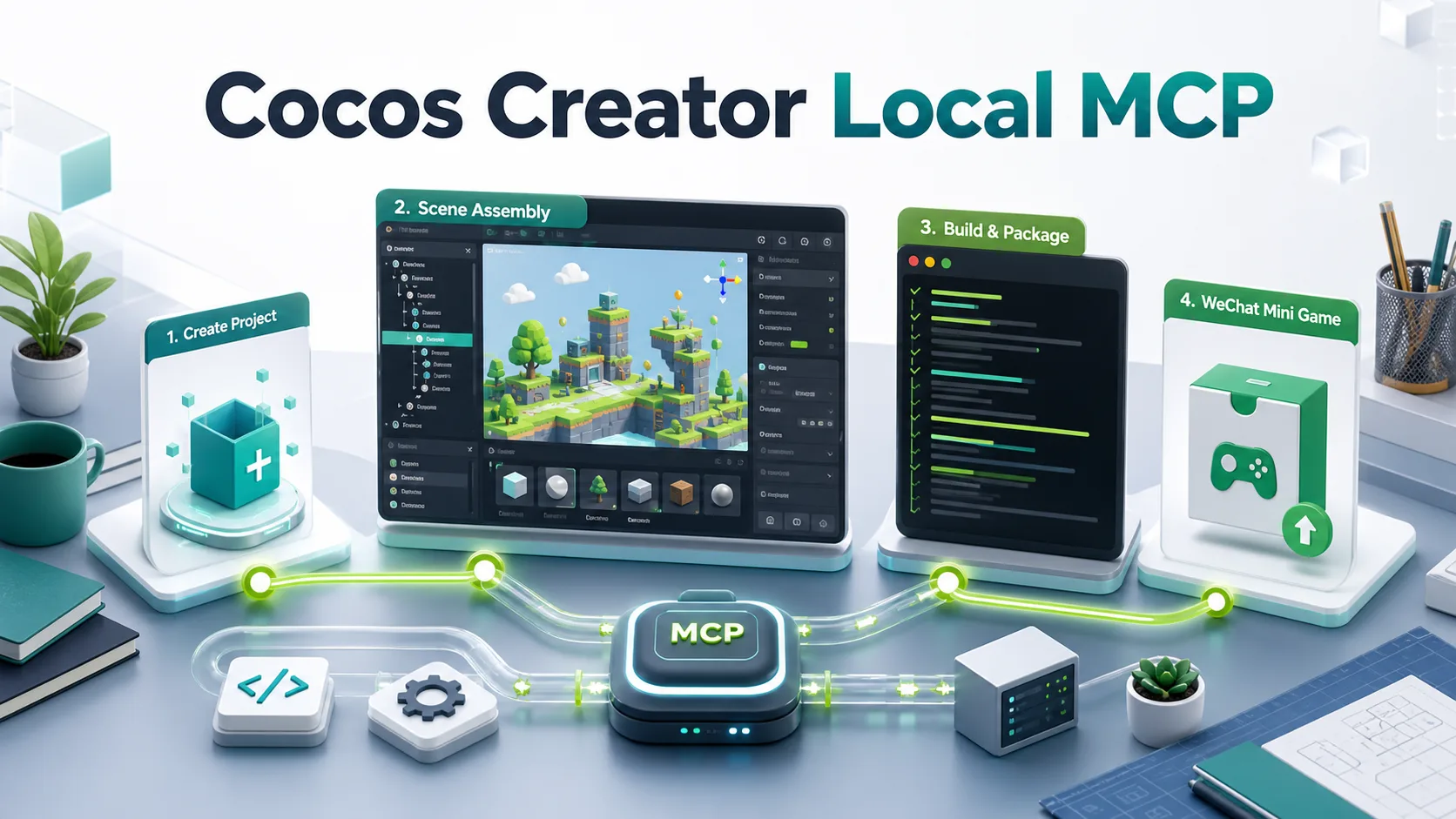
cocos-creator-local-mcp is an MCP server for local Cocos Creator automation. It gives coding agents a practical tool surface for creating Cocos Creator 3.8 projects, installing a project-local editor bridge, assembling scenes, saving editor state, and building local WeChat Mini Game packages.
This project is intentionally focused on local project automation, not AI asset generation. Pair it with an asset pipeline MCP when your workflow needs generated sprites, audio, UI packs, or tilesets.
Why This Exists
Coding agents can write TypeScript, but Cocos games are not finished by code alone. A playable local prototype also needs scene files, node hierarchies, serialized component references, editor imports, build configuration, and platform output checks.
This MCP closes that local loop:
create project -> create scene -> generate scripts -> open editor
  -> apply scene blueprint -> save scene -> write build config
  -> build wechatgame -> inspect output
It is designed for agent-driven development on a developer machine where Cocos Creator is installed locally.
Highlights
- Local-first Cocos Creator 3.8 workflow with no cloud service dependency.
- Project creation from Cocos Creator built-in templates.
- Project-local editor bridge extension for scene inspection and mutation.
- Generated mini-game starter scripts and scene blueprints.
- Scene opening, node creation, component attachment, property assignment, and save operations through the bridge.
- High-level sprite placement helpers for generated Cocos assets.
- Repeatable
wechatgamebuild configuration and command-line build execution. - Output checks for required WeChat Mini Game files and package-size warnings.
- WeChat DevTools CLI helpers for opening local builds, preview artifacts, cache cleanup, and explicit runtime-evidence vocabulary.
- Static runtime package audits for oversized textures, audio, scripts, and first-package risk.
- Vertical-slice evidence aggregation that separates build success, DevTools opening, and verified gameplay.
- Clean responsibility boundary: this MCP automates Cocos locally; asset generation belongs in a separate asset MCP.
Quick Links
- Install
- MCP Client Config
- Tools
- Companion Codex Skills
- From Zero To Local WeChat Build
- LLM Install Prompt
- Architecture
- Uninstall
Requirements
- Node.js 20 or newer.
- macOS for the default paths currently documented here.
- Cocos Creator 3.8.8 installed locally, or pass
creatorPathto tools. - WeChat DevTools is optional unless you want to open/debug the built package in the simulator.
Default Cocos Creator executable path on macOS:
/Applications/Cocos/Creator/3.8.8/CocosCreator.app/Contents/MacOS/CocosCreator
Default WeChat DevTools CLI path on macOS:
/Applications/wechatwebdevtools.app/Contents/MacOS/cli
Install
git clone https://github.com/lightblink/cocos-creator-local-mcp.git
cd cocos-creator-local-mcp
npm install
npm run build
Run locally during development:
npm run dev
Use the built server:
node dist/index.js
Validate the project:
npm run check
MCP Client Config
Example for MCP clients that launch stdio servers:
{
  "mcpServers": {
    "cocos-creator-local": {
      "command": "node",
      "args": [
        "/absolute/path/to/cocos-creator-local-mcp/dist/index.js"
      ],
      "startup_timeout_sec": 120
    }
  }
}
If you also use an asset generation MCP, keep it as a separate server:
{
  "mcpServers": {
    "cocos-creator-local": {
      "command": "node",
      "args": [
        "/absolute/path/to/cocos-creator-local-mcp/dist/index.js"
      ]
    },
    "cocos-asset-forge": {
      "command": "node",
      "args": [
        "/absolute/path/to/cocos-asset-forge-mcp/dist/index.js",
        "--config",
        "/absolute/path/to/cocos-asset-forge-mcp/examples/config.example.json"
      ]
    }
  }
}
Tools
| Tool | Purpose |
|---|---|
cocos_local_get_environment |
Detect local Cocos Creator and WeChat DevTools CLI paths. |
cocos_local_create_project |
Create a local Cocos Creator 3.8 project from a built-in template. |
cocos_local_open_project |
Launch or reuse Cocos Creator for a project and optionally wait for the bridge. |
cocos_local_create_scene_from_template |
Create a Cocos scene from local Creator templates. |
cocos_local_inspect_project |
Inspect project folders, settings, scenes, scripts, bridge files, and build output. |
cocos_local_create_component_script |
Create a Cocos Creator TypeScript component. |
cocos_local_create_minigame_skeleton |
Generate baseline mini-game scripts and a scene blueprint. |
cocos_local_create_architecture_skeleton |
Generate an optional multi-system TypeScript architecture starting point for games such as tower defense. |
cocos_local_install_editor_bridge |
Install the project-local editor bridge extension. |
cocos_local_check_editor_bridge |
Check bridge files and optionally ping the HTTP bridge. |
cocos_local_wait_for_editor_bridge |
Poll until the bridge responds. |
cocos_local_call_editor_bridge |
Call a bridge HTTP route directly. |
cocos_local_open_scene |
Open a scene in the running Cocos editor. |
cocos_local_apply_scene_blueprint |
Apply a scene blueprint through the bridge and optionally save. |
cocos_local_assign_sprite_frame |
Assign a resolved SpriteFrame asset to an existing node's Sprite.spriteFrame. |
cocos_local_assign_sprite_frame_sequence |
Assign ordered generated frame assets to a component array property such as SpriteFrameAnimator.frames. |
cocos_local_create_sprite_node |
Ensure one Sprite node exists and assign a generated SpriteFrame asset. |
cocos_local_place_sprite_assets |
Place multiple generated sprite assets into the scene in one operation. |
cocos_local_create_wechat_build_config |
Write a repeatable local WeChat Mini Game build config, including optional designResolution for phone adaptation. |
cocos_local_build_wechatgame |
Run a local Cocos wechatgame command-line build. |
cocos_local_check_wechat_build_output |
Inspect build output for required files and size warnings. |
cocos_local_open_wechat_devtools |
Open a local build/wechatgame folder in WeChat DevTools through the official CLI. |
cocos_local_preview_wechat_devtools |
Run WeChat DevTools preview and optionally write QR/info artifacts. |
cocos_local_manage_wechat_devtools |
Clean DevTools cache, close a project, or quit DevTools locally. |
cocos_local_audit_runtime_package |
Audit output/assets for package budgets, oversized textures/audio, and first-package risk. |
cocos_local_collect_runtime_evidence |
Aggregate scene, bridge, build, DevTools, screenshot, log, and manual gameplay evidence into a verification status. |
Companion Codex Skills
This repository includes optional Codex skills under skills/. The MCP provides executable local automation tools; the skills teach an agent when and how to use those tools for game architecture, scene/prefab assembly, and local WeChat Mini Game builds.
Included skills:
- cocos-creator-gameplay-architecture: build maintainable Cocos Creator gameplay code, UI systems, and runtime flow.
- cocos-game-balance-director: design tunable numbers, probability tables, economy loops, progression curves, and balance sanity checks.
- cocos-game-design-director: turn a Cocos mini-game idea into a playable design brief, core loop, vertical slice, and downstream handoffs.
- cocos-game-reference-research-director: research reference games, genre expectations, IP-safe design pillars, and downstream handoffs before planning.
- cocos-interaction-ux-director: define touch-first controls, HUD states, feedback, readability, and adaptive layout requirements.
- cocos-level-content-design: design levels, waves, missions, procedural rules, pacing, and reusable content data.
- cocos-playtest-qa-director: plan playtest gates, collect runtime evidence, and verify whether local playability claims are supported.
- cocos-scene-prefab-assembly: wire scenes, prefabs, components, serialized properties, and generated assets into playable local scenes.
- cocos-wechat-local-build: prepare, build, inspect, and debug local
wechatgamepackages without publishing.
To install them for Codex:
mkdir -p ~/.codex/skills
cp -R skills/cocos-creator-gameplay-architecture ~/.codex/skills/
cp -R skills/cocos-game-balance-director ~/.codex/skills/
cp -R skills/cocos-game-design-director ~/.codex/skills/
cp -R skills/cocos-game-reference-research-director ~/.codex/skills/
cp -R skills/cocos-interaction-ux-director ~/.codex/skills/
cp -R skills/cocos-level-content-design ~/.codex/skills/
cp -R skills/cocos-playtest-qa-director ~/.codex/skills/
cp -R skills/cocos-scene-prefab-assembly ~/.codex/skills/
cp -R skills/cocos-wechat-local-build ~/.codex/skills/
Use these skills together with an MCP client entry that exposes this server as cocos_creator_local. If your workflow also generates sprites, audio, UI packs, or tilesets, pair this server with the separate Cocos Asset Forge MCP.
Generated Assets To Scene
When paired with an asset generation MCP, write generated PNGs under the Cocos project assets/ folder, wait for Cocos AssetDB import, then place them with cocos_local_place_sprite_assets.
Example sprite placement payload:
{
  "projectRoot": "/absolute/path/to/my-cocos-project",
  "openScene": true,
  "sprites": [
    {
      "assetPath": "assets/generated/background.png",
      "nodePath": "Scene/Canvas/GameRoot/Background",
      "position": { "x": 0, "y": 0, "z": -10 },
      "scale": { "x": 1, "y": 1, "z": 1 }
    },
    {
      "assetPath": "assets/generated/player.png",
      "nodePath": "Scene/Canvas/GameRoot/Player",
      "position": { "x": 0, "y": -120, "z": 0 },
      "scale": { "x": 1, "y": 1, "z": 1 }
    }
  ]
}
assetPath accepts db://assets/..., assets/..., an absolute project path, or a SpriteFrame UUID. The tool resolves AssetDB info and prefers SpriteFrame sub-assets when assigning Sprite.spriteFrame.
For generated frame-by-frame animation, import the individual PNG frames under assets/, add a component with an array property such as @property([SpriteFrame]) frames, then call cocos_local_assign_sprite_frame_sequence:
{
  "projectRoot": "/absolute/path/to/my-cocos-project",
  "nodePath": "Scene/Canvas/GameRoot/Player",
  "componentType": "SpriteFrameAnimator",
  "property": "frames",
  "assetPaths": [
    "assets/art/characters/run/frame-001.png",
    "assets/art/characters/run/frame-002.png",
    "assets/art/characters/run/frame-003.png"
  ],
  "addComponent": true
}
The sequence tool preserves the provided order, resolves each PNG to its imported SpriteFrame sub-asset, assigns the resulting asset array through the editor bridge, and saves the scene when requested.
From Zero To Local WeChat Build
- Call
cocos_local_get_environmentto confirm local paths. - Call
cocos_local_create_projectwith a targetprojectRoot. - Call
cocos_local_open_projectwithwaitForBridge: true; by default it reuses an already-open editor for the same project instead of launching a duplicate window. - For non-trivial gameplay, consider
cocos_local_create_architecture_skeletonbefore feature scripts, then prune or merge the suggested systems to fit the actual slice. - Call
cocos_local_apply_scene_blueprintto create and wire the starter scene. - Call
cocos_local_create_wechat_build_configwithstartScenePath: "assets/scenes/Main.scene"and an explicitdesignResolutionsuch as{ "width": 720, "height": 1280, "fitWidth": true, "fitHeight": false }for phone-first mini-games. - Call
cocos_local_build_wechatgame. - Call
cocos_local_check_wechat_build_output. - Call
cocos_local_audit_runtime_packageto catch package-budget and asset-size risks before opening the simulator. - Call
cocos_local_open_wechat_devtoolsto open the localbuild/wechatgameoutput. - After observing launch, first input, core loop, result/failure, restart, and logs, call
cocos_local_collect_runtime_evidence.
Cocos Creator returns exit code 36 for a successful command-line build.
Use precise verification language:
- Build verified: the build completed and output files passed inspection.
- DevTools opened: WeChat DevTools accepted the local build path.
- Runtime verified: launch, first input, core loop, result/failure, restart, logs, and screenshot or scene-summary evidence were checked.
Do not describe a vertical slice as runtime-verified from build output alone.
Editor Bridge
The bridge is installed into the target Cocos project as a project-local extension:
extensions/codex-editor-bridge/
It exposes a localhost HTTP API while the project is open in Cocos Creator. The MCP uses that API to inspect and edit the active scene. The extension is local to the project being automated and should not be shipped with your game runtime.
Local Safety Boundary
This server is for local development and packaging only. It does not:
- upload WeChat Mini Game builds
- submit review or release candidates
- manage production app credentials
- change payment, ads, login, or backend configuration
- generate art or audio assets
Use placeholder WeChat appids only for pure local gameplay checks. Use a real appid before testing platform APIs.
Development
npm install
npm run typecheck
npm test
npm run build
The unit tests verify the editor bridge scaffold and generated mini-game skeleton. A full local smoke test also requires Cocos Creator 3.8.8 on the host machine.
Trademark Notice
Cocos Creator and WeChat are trademarks of their respective owners. This project is an unofficial local automation tool and is not affiliated with or endorsed by Cocos or Tencent.
Установка Cocos Creator Local
У этого сервера нет опубликованного пакета — он собирается из исходников. Открой репозиторий и следуй инструкции в README.
▸ github.com/lightblink/cocos-creator-local-mcpFAQ
Cocos Creator Local MCP бесплатный?
Да, Cocos Creator Local MCP бесплатный — установка в пару кликов через Unyly без оплаты.
Нужен ли API-ключ для Cocos Creator Local?
Нет, Cocos Creator Local работает без API-ключей и переменных окружения.
Cocos Creator Local — hosted или self-hosted?
Self-hosted: сервер запускается локально на твоей машине командой из раздела установки.
Как установить Cocos Creator Local в Claude Desktop, Claude Code или Cursor?
Открой Cocos Creator Local на unyly.org, выбери вкладку своего клиента (Claude Desktop, Claude Code, Cursor) и нажми Install — конфиг сгенерируется автоматически, без правки JSON.
Похожие MCP
GitHub
PRs, issues, code search, CI status
 автор: GitHub
Filesystem
Secure file operations with configurable access controls.
Memory
Knowledge graph-based persistent memory system.
Template MCP Server
A CLI tool to create a new Model Context Protocol server project with TypeScript support, dual transport options, and an extensible structure
 автор: mcpdotdirect
Compare Cocos Creator Local with
Не уверен что выбрать?
Найди свой стек за 60 секунд
Автор?
Embed-бейдж для README
Похожее
Все в категории development