
Codex Issue Memory
БесплатноНе проверенSelf-learning issue memory for Codex using MCP. Automatically captures reusable bug fixes and reuses them across sessions with local-first, low-token SQLite sto

Описание
Self-learning issue memory for Codex using MCP. Automatically captures reusable bug fixes and reuses them across sessions with local-first, low-token SQLite storage.
README
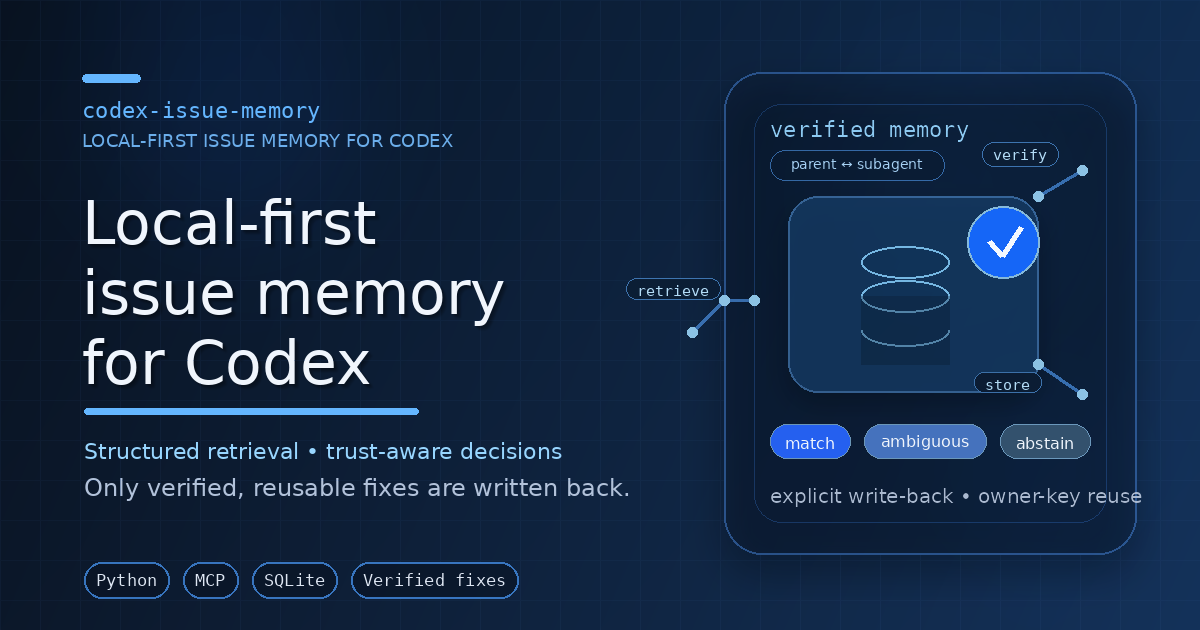
codex-issue-memory is a local-first MCP server for Codex. It stores verified fixes, retrieval feedback, preferences, and guardrails in SQLite so repeated failures can be diagnosed from prior evidence instead of re-debugged from scratch.
What it provides
- MCP runtime:
python -m codex_issue_memory.server - Public MCP tools: 12 tools for matching, inspection, feedback, preferences, guardrails, metrics, and review
- Maintenance CLI:
issue-memory-maintfor schema setup, health checks, backups, telemetry, benchmarks, and lifecycle diagnostics - Local persistence: SQLite DB plus state/log/backup directories under configurable local paths
- Codex integration: one authoritative live registration in
~/.codex/config.toml - Optional wrapper metadata:
.codex-plugin/plugin.jsonand.mcp.jsonfor local/custom plugin workflows only
When to use it
Use this project when you want to:
- search prior fixes from a short error excerpt,
- keep reusable debugging knowledge local,
- record only verified reusable resolutions,
- learn from accepted/rejected retrievals,
- inspect server health, backups, and lifecycle state,
- keep Codex MCP setup reproducible across sessions.
Quick start
git clone https://github.com/PhiniteLab/codex-issue-memory.git
cd codex-issue-memory
bash install.sh
bash scripts/verify_install.sh
The installer prepares a virtualenv, initializes the SQLite store, writes the live issue_memory MCP block to ~/.codex/config.toml, and runs a local verification pass.
Installation modes
Install Mode A — Standard MCP install
Use this for the real runtime.
bash install.sh
bash scripts/verify_install.sh
Verify the live registration:
grep -n '^\[mcp_servers.issue_memory\]' ~/.codex/config.toml
issue-memory-maint smoke
issue-memory-maint doctor --mode shadow --max-instances 0
Expected posture:
- exactly one live
[mcp_servers.issue_memory]block, - writable Linux/WSL-local SQLite/state paths,
- successful smoke and doctor output.
Manual package setup
python3 -m venv .venv
. .venv/bin/activate
python -m pip install --upgrade pip setuptools wheel
python -m pip install -e .[dev]
python -m codex_issue_memory.maintenance init-db
python -m codex_issue_memory.server
Then add one live [mcp_servers.issue_memory] block to ~/.codex/config.toml.
Install Mode B — Plugin-wrapper metadata
Use this only when you need local/custom plugin metadata or manual marketplace-style integration.
python3 -m json.tool .codex-plugin/plugin.json
python3 -m json.tool .mcp.json
Mode B does not create the Python runtime, initialize the database, or register the live MCP server. For runtime use, choose Mode A or manual registration.
MCP tools
Retrieval and inspection
issue_match— find likely prior issue patterns for a failureissue_get— load full details for one patternissue_search— keyword search stored patternsissue_recent— list recent patterns
Write-back and learning
issue_record_resolution— store a verified reusable fixissue_feedback— record accepted/rejected/fix feedback
Preferences and guardrails
issue_set_preference— save prompt-driven strategy preferencesissue_list_preferences— list saved preferencesissue_guardrails— retrieve proactive prevention guidance
Operations and review
issue_metrics— report operational metricsissue_review_queue— list pending/resolved review itemsissue_review_resolve— resolve review queue items
Maintenance CLI
Common commands:
issue-memory-maint smoke
issue-memory-maint smoke-learning
issue-memory-maint doctor --mode shadow --max-instances 0
issue-memory-maint server-status
issue-memory-maint metrics --window-days 30
issue-memory-maint review-queue --status pending --limit 20
issue-memory-maint e2e-mcp-reuse-harness --json
Useful command groups:
- Schema:
init-db,migrate-v2,schema-version - Backups:
backup,list-backups,verify-backup,restore-backup - Health/lifecycle:
smoke,smoke-learning,server-status,runtime-diagnostics,recommended-config,doctor,e2e-mcp-reuse-harness - Telemetry/retention:
metrics,export-dashboard,prune-retention - Review queue:
review-queue,resolve-review - Benchmarks/calibration:
quality-gate-benchmarks,benchmark-user-domains,benchmark-failure-taxonomy,benchmark-dense-bandit,benchmark-real-world,benchmark-hard-negatives,benchmark-merge-stress,calibrate-thresholds,calibrate-weights,analyze-feature-importance,sweep-implicit - Experiment registry:
create-experiment,update-experiment,analyze-experiment
For the complete CLI surface:
issue-memory-maint --help
Python API example
from codex_issue_memory.app import IssueMemoryApp

app = IssueMemoryApp()

result = app.issue_match(
    error_text="ModuleNotFoundError: No module named requests",
    command="python worker.py",
    file_path="api/worker.py",
    project_scope="my-repo",
)
print(result["decision"])
app.issue_record_resolution(
    title="Missing dependency in worker runtime",
    raw_error="ModuleNotFoundError: No module named requests",
    canonical_fix="Install the dependency in the same runtime environment used by the target process.",
    prevention_rule="Pin and install runtime dependencies before process startup.",
    project_scope="my-repo",
)
Architecture flow
Failure excerpt
  ↓
Normalize into a query profile
  ↓
Retrieve candidates from SQLite-backed memory
  ↓
Rank and decide: match / ambiguous / abstain
  ↓
Return compact guidance through MCP
  ↓
Record feedback and verified reusable fixes
Runtime authority and safety
- Keep the live MCP authority in
~/.codex/config.toml. - Keep exactly one
[mcp_servers.issue_memory]block unless you intentionally manage alternatives. - Prefer Linux/WSL-local writable paths for DB, state, logs, and backups.
- Treat
.mcp.json,.codex-plugin/,templates/, and bundledskills/as distribution/reference material, not the live runtime authority. - Write memories only after a fix is verified and reusable.
- Use project-specific scope when a memory should not be global.
Validation
Recommended local checks:
bash scripts/verify_install.sh
python -m pytest
python -m codex_issue_memory.maintenance smoke
python -m codex_issue_memory.maintenance server-status
python -m codex_issue_memory.maintenance e2e-mcp-reuse-harness --json
Optional checks when available:
pyright
ruff check src tests scripts
Troubleshooting
- Codex does not show
issue_memory: restart Codex and verify exactly one live[mcp_servers.issue_memory]block. - Install problems: retry with
SKIP_CRON_INSTALL=1 bash install.shand confirm Python/venv access. - Weak retrieval quality: pass a short meaningful error excerpt plus command, file path, and project scope.
- DB path or permission issues: keep the writable DB under local Linux/WSL storage such as
~/.local/share/codex-issue-memory.
Documentation map
Start with docs/README.md. Key docs:
- docs/INSTALLATION.md
- docs/CONFIGURATION.md
- docs/USAGE.md
- docs/OPERATIONS.md
- docs/OWNER_KEY_CONTRACT.md
- docs/ORCHESTRATION_STDIO_REUSE_CHECKLIST.md
- docs/ARCHITECTURE.md
- docs/DEVELOPMENT.md
- docs/ROADMAP.md
Repository layout
src/codex_issue_memory/             MCP runtime, services, storage, matching, maintenance
src/codex_issue_memory/sql/         SQLite migrations packaged with the runtime
scripts/                            install, registration, backup, and verification helpers
docs/                               public and contributor documentation
templates/                          reference snippets and plugin-wrapper examples
skills/                             bundled reference skill content
tests/                              regression, lifecycle, diagnostics, and benchmark tests
reports_lifecycle_investigation/    historical lifecycle debugging notes and test evidence
.codex-plugin/                      local/custom plugin metadata
.mcp.json                           wrapper server templates
Contributing
Contributions improving install clarity, retrieval quality, operational safety, and validation are welcome. See CONTRIBUTING.md and docs/DEVELOPMENT.md.
License
MIT. See LICENSE.
Установить Codex Issue Memory в Claude Desktop, Claude Code, Cursor
unyly install codex-issue-memoryСтавит в Claude Desktop, Claude Code, Cursor и VS Code — сам разбирается с npx, uvx и сборкой из исходников.
Впервые? Поставь CLI: curl -fsSL https://unyly.org/install | sh
Или настроить вручную
Выполни в терминале:
claude mcp add codex-issue-memory -- uvx --from git+https://github.com/PhiniteLab/codex-issue-memory codex-issue-memoryПошаговые гайды: как установить Codex Issue Memory
FAQ
Codex Issue Memory MCP бесплатный?
Да, Codex Issue Memory MCP бесплатный — установка в пару кликов через Unyly без оплаты.
Нужен ли API-ключ для Codex Issue Memory?
Нет, Codex Issue Memory работает без API-ключей и переменных окружения.
Codex Issue Memory — hosted или self-hosted?
Self-hosted: сервер запускается локально на твоей машине командой из раздела установки.
Как установить Codex Issue Memory в Claude Desktop, Claude Code или Cursor?
Открой Codex Issue Memory на unyly.org, выбери вкладку своего клиента (Claude Desktop, Claude Code, Cursor) и нажми Install — конфиг сгенерируется автоматически, без правки JSON.
Похожие MCP
wenb1n-dev/SmartDB_MCP
A universal database MCP server supporting simultaneous connections to multiple databases. It provides tools for database operations, health analysis, SQL optim
 автор: wenb1n-dev
Postgres Server
This server enables interaction with PostgreSQL databases through the Model Context Protocol, optimized for the AWS Bedrock AgentCore Runtime. It provides tools
 автор: madhurprash
Postgres
Query your database in natural language
 автор: Anthropic
PostgreSQL
Read-only database access with schema inspection.
автор: modelcontextprotocolRedis
Interact with Redis key-value stores.
автор: modelcontextprotocolSQLite
Database interaction and business intelligence capabilities.
автор: modelcontextprotocolmxcp
Open-source framework for building enterprise-grade MCP servers using just YAML, SQL, and Python, with built-in auth, monitoring, ETL and policy enforcement.
 автор: raw-labs
tadas-github/a2asearch-mcp
MCP server to search 4,800+ MCP servers, AI agents, CLI tools and agent skills. Install: npx -y a2asearch-mcp. Ask Claude: "Find MCP servers for database access
 автор: tadas-github
julien040/anyquery
Query more than 40 apps with one binary using SQL. It can also connect to your PostgreSQL, MySQL, or SQLite compatible database. Local-first and private by desi
 автор: julien040
drakonkat/wizzy-mcp-tmdb
A MCP server for The Movie Database API that enables AI assistants to search and retrieve movie, TV show, and person information.
 автор: drakonkat
Compare Codex Issue Memory with
Не уверен что выбрать?
Найди свой стек за 60 секунд
Автор?
Embed-бейдж для README
Похожее
Все в категории data