
Cvdlt
БесплатноНе проверенThe repo is based on Model Context procotol of Python SDK, including DL models in CV, and provide the abilities to the LLM or vLLM model

Описание
The repo is based on Model Context procotol of Python SDK, including DL models in CV, and provide the abilities to the LLM or vLLM model
README
The repo is based on Ultralytics and Model Context procotol of Python SDK Related Links:
MCP Playground(client) - https://github.com/MRonaldo-gif/mcp-playground-local
Ultralytics - https://github.com/ultralytics/ultralytics
MCP of Python - https://github.com/modelcontextprotocol/python-sdk
Python server implementing Model Context Protocol (MCP) for image object detection, segmentation, and pose estimation operations.
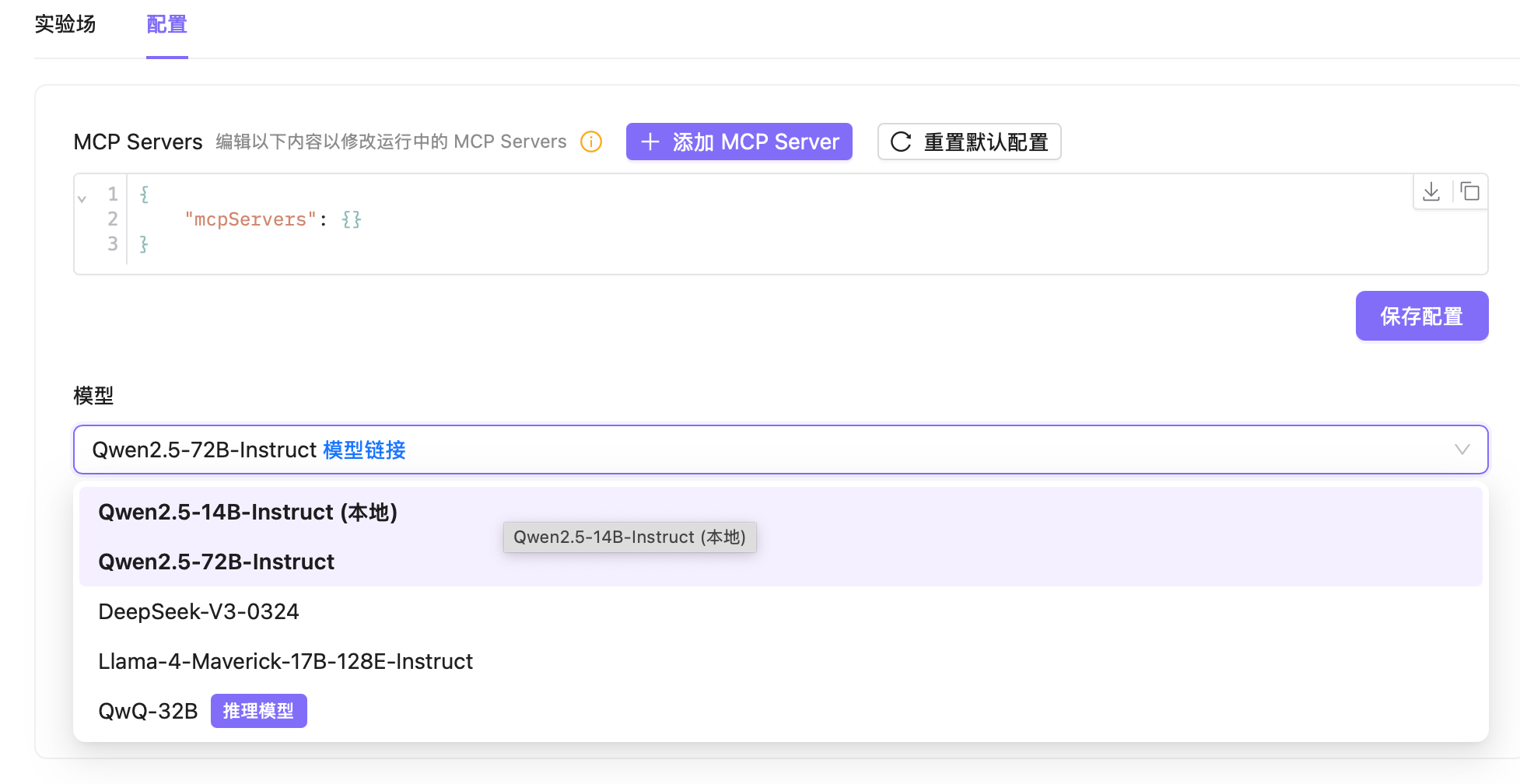
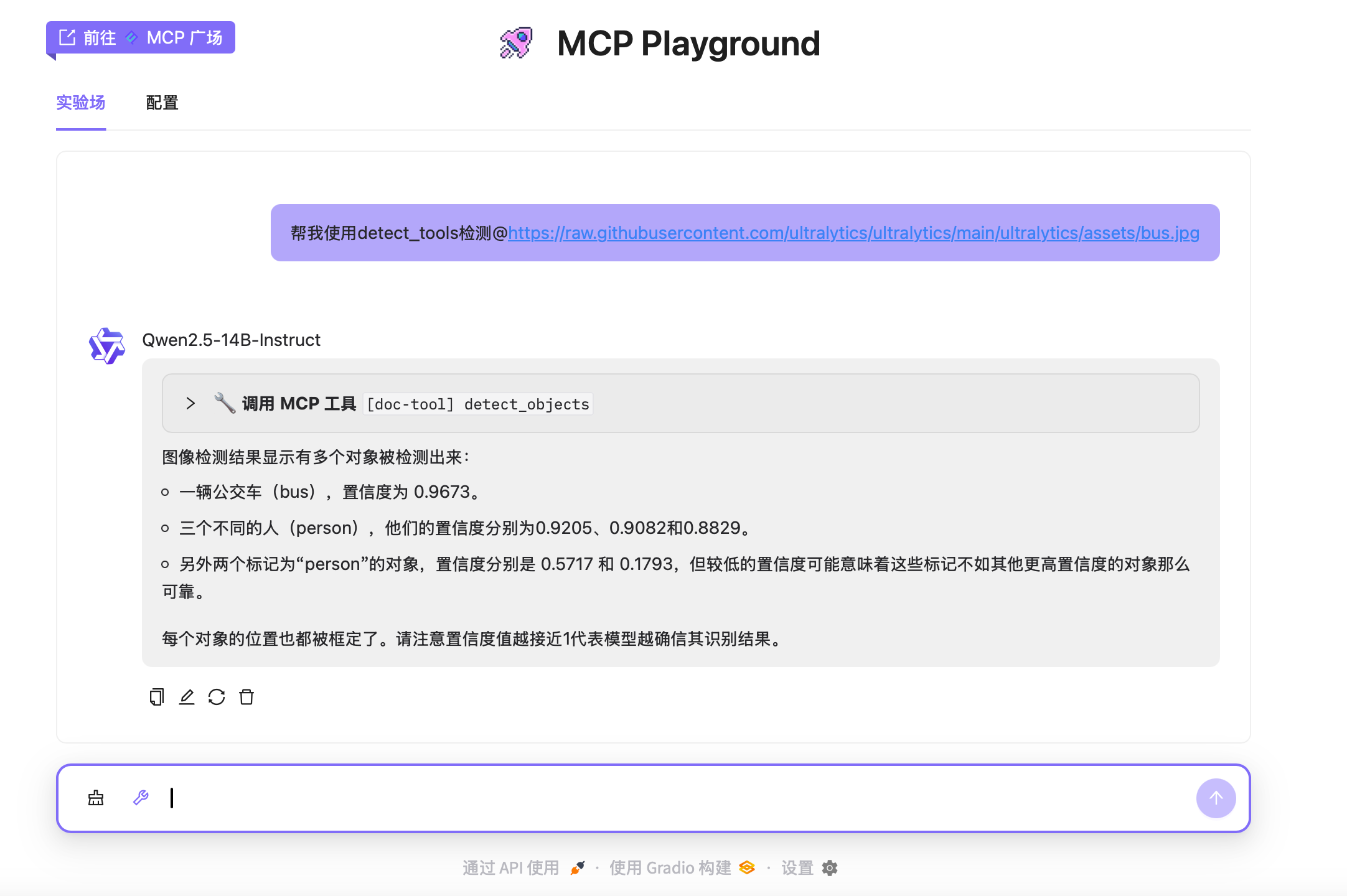
Features
- Detect objects in images using YOLOv10
- Segment objects in images using YOLOv8
- Segment entire images using Ultralytics SAM
- Estimate human poses in images using YOLOv8
- Support for local and network image inputs
- MCP tool integration for client interactions
- Stdio and SSE transport protocols
Note: The server requires valid image paths or URLs and access to the following model files: yolov10b.pt (YOLOv10 detection), yolov8n-seg.pt (YOLOv8 segmentation), yolov8n-pose.pt (YOLOv8 pose estimation), and sam_b.pt (Ultralytics SAM).
TODO
- 3D Detection
- AIGC(GAN, Diffusion)
- Denso Estimation
- Deploy DL(Deep Learning) Models
QucikStart
Install Dependencies
uv sync
//如需要清华源
uv sync --index https://pypi.tuna.tsinghua.edu.cn/simple --extra-index-url https://pypi.org/simple

uv pip install -r requirements.txt -i https://pypi.tuna.tsinghua.edu.cn/simple
Start Server
stdio 模式:
python server.py输出:
使用 stdio 传输启动 MCP 服务器(YOLO)SSE 模式:
python server.py sse [端口号]示例:
python server.py sse 8080输出:
在端口 8080 上启动 MCP 服务器(YOLO),使用 SSE 传输
Moreover, users need to download the weights into the ./checkpoints directory. Downloads Links🔗:https://docs.ultralytics.com/models/yolov10/,https://docs.ultralytics.com/models/yolov8/,https://docs.ultralytics.com/models/sam-2/
├── checkpoints │ ├── sam_b.pt │ ├── yolov10b.pt │ ├── yolov8n-pose.pt │ └── yolov8n-seg.pt
API
Resources
image://system: Image processing operations interface
Tools
- detect_objects
- Detect objects in an image using YOLOv10
- Input:
image_url(string) - Supports local paths (
file://or relative) and network URLs (http://orhttps://) - Returns JSON array of detected objects with bounding boxes, confidence scores, and class labels
- Example output:
[{"box": [x, y, w, h], "confidence": 0.9, "class": "person"}, ...]
- segment_objects
- Segment objects in an image using YOLOv8
- Input:
image_url(string) - Supports local paths (
file://or relative) and network URLs (http://orhttps://) - Returns JSON array of segmented objects with bounding boxes, confidence scores, and class labels
- Example output:
[{"box": [x, y, w, h], "confidence": 0.85, "class": "car"}, ...]
- segment_image
- Segment entire image using Ultralytics SAM
- Input:
image_url(string) - Supports local paths (
file://or relative) and network URLs (http://orhttps://) - Returns JSON array of segmented regions with bounding boxes, areas, and confidence scores
- Example output:
[{"bbox": [x, y, w, h], "area": 2500, "confidence": 0.95}, ...]
- estimate_pose
- Estimate human poses in an image using YOLOv8
- Input:
image_url(string) - Supports local paths (
file://or relative) and network URLs (http://orhttps://) - Returns JSON array of detected poses with keypoint coordinates and confidence scores
- Example output:
[{"keypoints": [[x1, y1], [x2, y2], ...], "confidence": [0.9, 0.8, ...]}, ...]
Usage with Claude Desktop
Add this to your claude_desktop_config.json:
Note: You can provide sandboxed directories to the server by mounting them to /projects. Adding the ro flag will make the directory readonly by the server.
SSE
{
  "mcpServers": {
    "server-with-yolo": {
      "url": "http://localhost:8080/sse"
    }
  }
}
Установка Cvdlt
У этого сервера нет опубликованного пакета — он собирается из исходников. Открой репозиторий и следуй инструкции в README.
▸ github.com/MRonaldo-gif/mcp-server-cvdltFAQ
Cvdlt MCP бесплатный?
Да, Cvdlt MCP бесплатный — установка в пару кликов через Unyly без оплаты.
Нужен ли API-ключ для Cvdlt?
Нет, Cvdlt работает без API-ключей и переменных окружения.
Cvdlt — hosted или self-hosted?
Self-hosted: сервер запускается локально на твоей машине командой из раздела установки.
Как установить Cvdlt в Claude Desktop, Claude Code или Cursor?
Открой Cvdlt на unyly.org, выбери вкладку своего клиента (Claude Desktop, Claude Code, Cursor) и нажми Install — конфиг сгенерируется автоматически, без правки JSON.
Похожие MCP
Fetch
Web content fetching and conversion for efficient LLM usage.
AWS KB Retrieval
Retrieval from AWS Knowledge Base using Bedrock Agent Runtime.
 автор: modelcontextprotocol
Spring AI MCP Server
Provides auto-configuration for setting up an MCP server in Spring Boot applications.
llm-analysis-assistant
A very streamlined mcp client that supports calling and monitoring stdio/sse/streamableHttp, and can also view request responses through the /logs page. It also
 автор: xuzexin-hz
Compare Cvdlt with
Не уверен что выбрать?
Найди свой стек за 60 секунд
Автор?
Embed-бейдж для README
Похожее
Все в категории ai