
Cyber
БесплатноНе проверенIntegrates with the Cyber blockchain network to create semantic connections between IPFS content through cyberlinks, search the decentralized knowledge graph, a

Описание
Integrates with the Cyber blockchain network to create semantic connections between IPFS content through cyberlinks, search the decentralized knowledge graph, and retrieve content for building censorship-resistant web applications.
README
A Model Context Protocol (MCP) server for integrating with the Cyber. This server enables AI agents to interact with the decentralized knowledge graph, create cyberlinks, and retrieve content from IPFS through the Cyber network.
This project is a contribution to the Great Web Foundation, supporting the development of a decentralized, censorship-resistant web.
Features
- sendCyberlink: Create cyberlinks between IPFS CIDs on the Cyber network using CIDs or plain texts
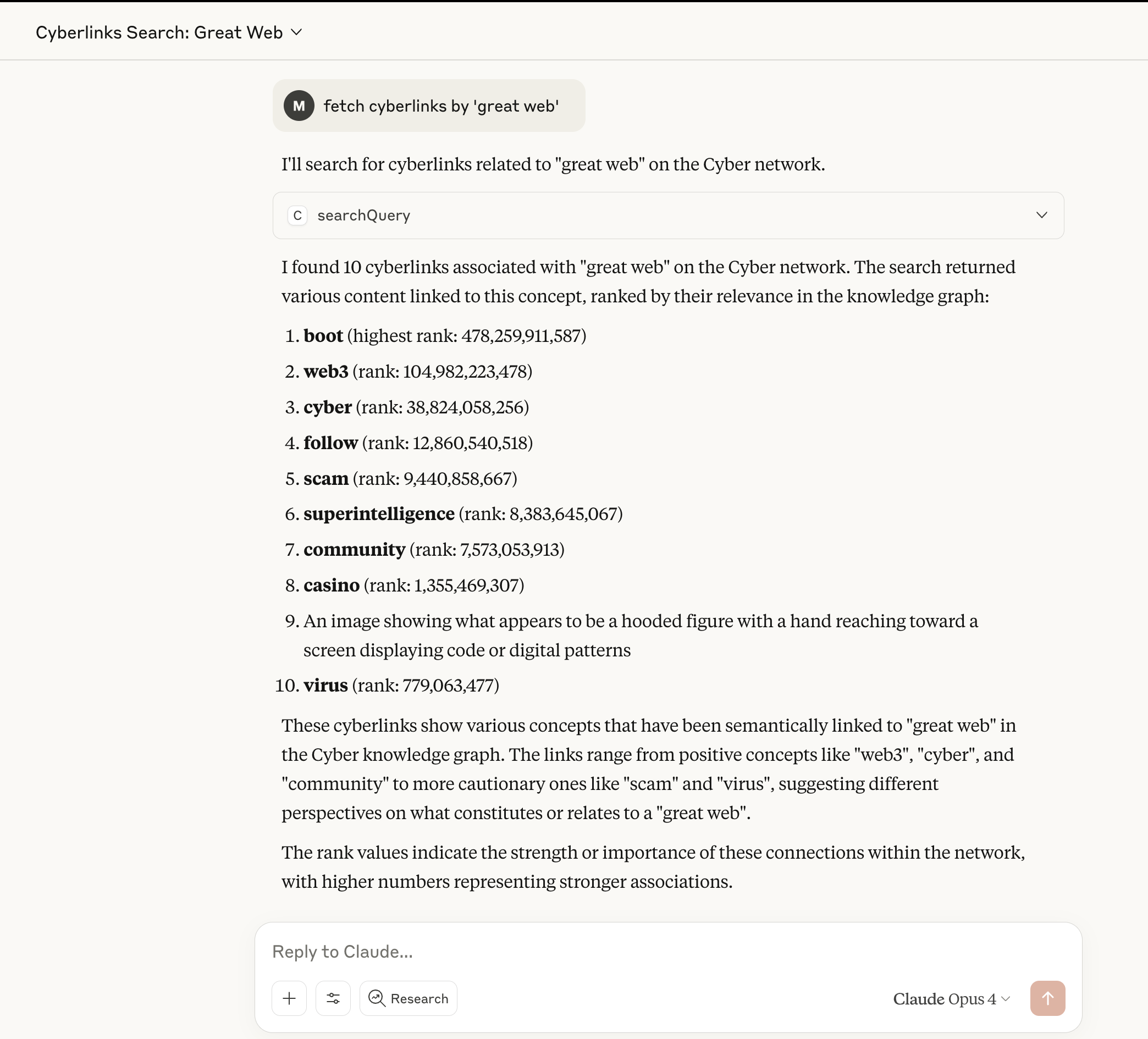
- searchQuery: Search the Cyber knowledge graph and retrieve content from IPFS
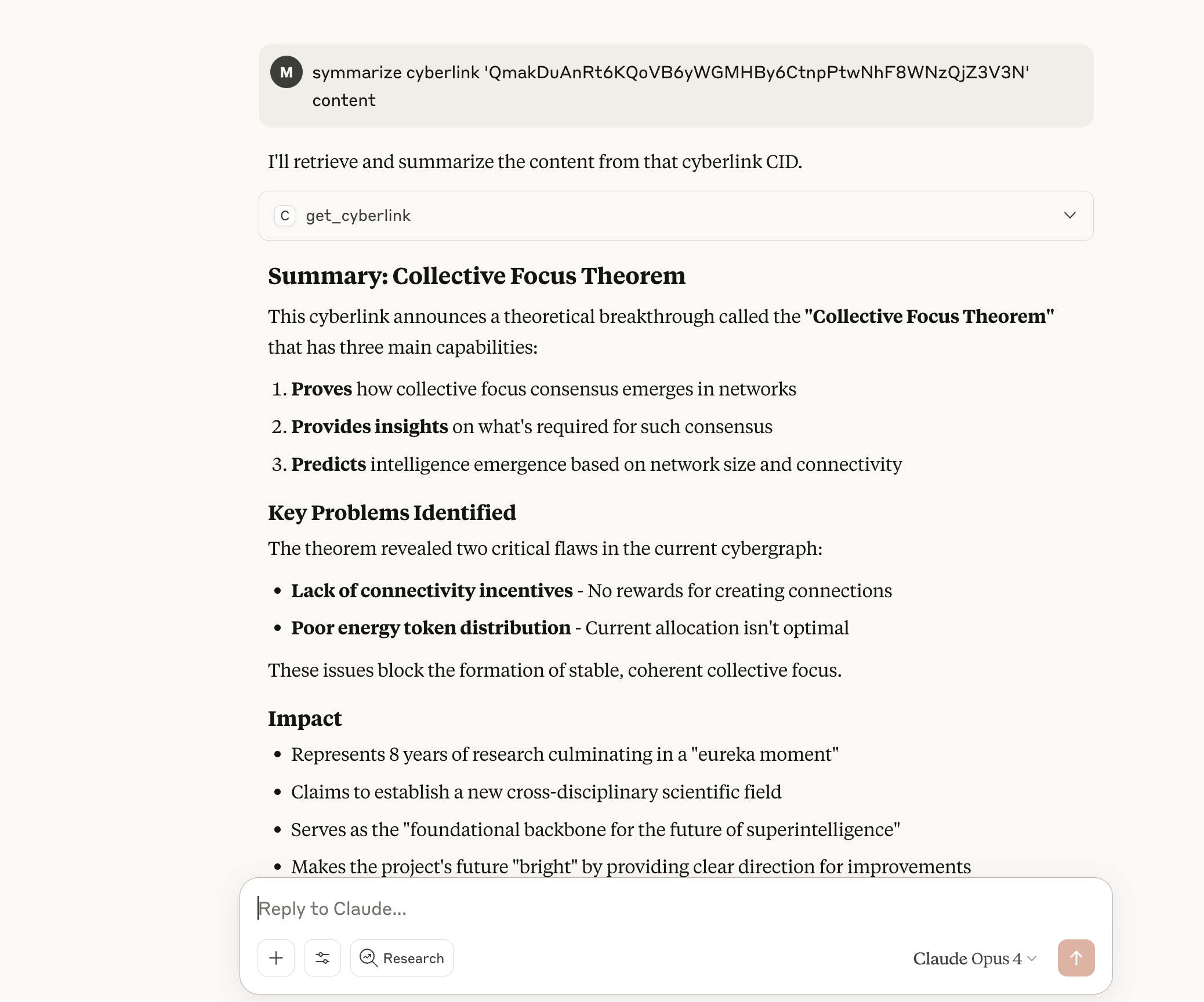
- getCyberlink: Retrieve content from IPFS by CID
Setup
Install dependencies:
npm installBuild the project:
npm run buildConfigure environment variables:
# Required for all operations
export CYBER_RPC_URL="https://rpc.bostrom.cybernode.ai"
export CYBER_GATEWAY="https://gateway.ipfs.cybernode.ai"

# Optional - only needed for sendCyberlink tool
export CYBER_MNEMONIC="your twelve word mnemonic phrase here"
Run the server:
npm start
Usage with Claude Desktop
Add to your Claude Desktop configuration:
{
  "mcpServers": {
    "cyb": {
      "command": "node",
      "args": ["/path/to/cyb-mcp/dist/index.js"],
      "env": {
        "CYBER_RPC_URL": "https://rpc.bostrom.cybernode.ai",
        "CYBER_GATEWAY": "https://gateway.ipfs.cybernode.ai"
      }
    }
  }
}
For sendCyberlink functionality, add mnemonic:
{
  "mcpServers": {
    "cyb": {
      "command": "node",
      "args": ["/path/to/cyb-mcp/dist/index.js"],
      "env": {
        "CYBER_MNEMONIC": "your twelve word mnemonic phrase here",
        "CYBER_RPC_URL": "https://rpc.bostrom.cybernode.ai",
        "CYBER_GATEWAY": "https://gateway.ipfs.cybernode.ai"
      }
    }
  }
}
Tools
sendCyberlink
Creates a cyberlink between two pieces of content. Requires mnemonic to be configured.
Parameters:
from: Source CID or text contentto: Target CID or text contentfee: Optional transaction fee object
Note: This tool will return an error if no mnemonic is provided in the configuration.
searchQuery
Searches the Cyber knowledge graph. No mnemonic required.
Parameters:
query: Search query (CID or text)page: Page number for pagination (default: 0)retrieveContent: Whether to fetch content from IPFS (default: false)limit: Max results to retrieve content for (default: 5)
Returns:
- Array of content items in the response
- Each search result as a separate item
- Supports both text and image content when
retrieveContentis true - Images are automatically detected and returned as base64-encoded data
getCyberlink
Retrieves content from IPFS by CID through the Cyber gateway. No mnemonic required.
Parameters:
cid: IPFS CID to retrieve content for
Features:
- Automatic image detection based on MIME type and content headers
- Returns images as base64-encoded data with proper MCP image content type
- Returns text content as formatted text
- Supports PNG, JPEG, GIF, WebP, and SVG images
Usage Modes
The MCP server supports two usage modes:
Read-Only Mode (No Mnemonic)
- Available tools:
searchQuery,getCyberlink - Perfect for exploring and retrieving content from the Cyber network
- No wallet or signing capabilities
Full Mode (With Mnemonic)
- Available tools:
sendCyberlink,searchQuery,getCyberlink - Includes wallet for creating cyberlinks and signing transactions
- Requires mnemonic phrase for wallet access
Security
The mnemonic is stored in environment variables. Keep your mnemonic secure and never commit it to version control.
Links
- Main Project: cyb.ai - The superintelligence for the decentralized web
- Documentation: cyber.page - Philosophy of Great Web
Установка Cyber
У этого сервера нет опубликованного пакета — он собирается из исходников. Открой репозиторий и следуй инструкции в README.
▸ github.com/dasein108/cyb-mcpFAQ
Cyber MCP бесплатный?
Да, Cyber MCP бесплатный — установка в пару кликов через Unyly без оплаты.
Нужен ли API-ключ для Cyber?
Нет, Cyber работает без API-ключей и переменных окружения.
Cyber — hosted или self-hosted?
Self-hosted: сервер запускается локально на твоей машине командой из раздела установки.
Как установить Cyber в Claude Desktop, Claude Code или Cursor?
Открой Cyber на unyly.org, выбери вкладку своего клиента (Claude Desktop, Claude Code, Cursor) и нажми Install — конфиг сгенерируется автоматически, без правки JSON.
Похожие MCP
GitHub
PRs, issues, code search, CI status
 автор: GitHub
Filesystem
Secure file operations with configurable access controls.
Memory
Knowledge graph-based persistent memory system.
Template MCP Server
A CLI tool to create a new Model Context Protocol server project with TypeScript support, dual transport options, and an extensible structure
 автор: mcpdotdirect
Compare Cyber with
Не уверен что выбрать?
Найди свой стек за 60 секунд
Автор?
Embed-бейдж для README
Похожее
Все в категории development