

Описание
An MCP server for daft.ie using the daftlistings library
README
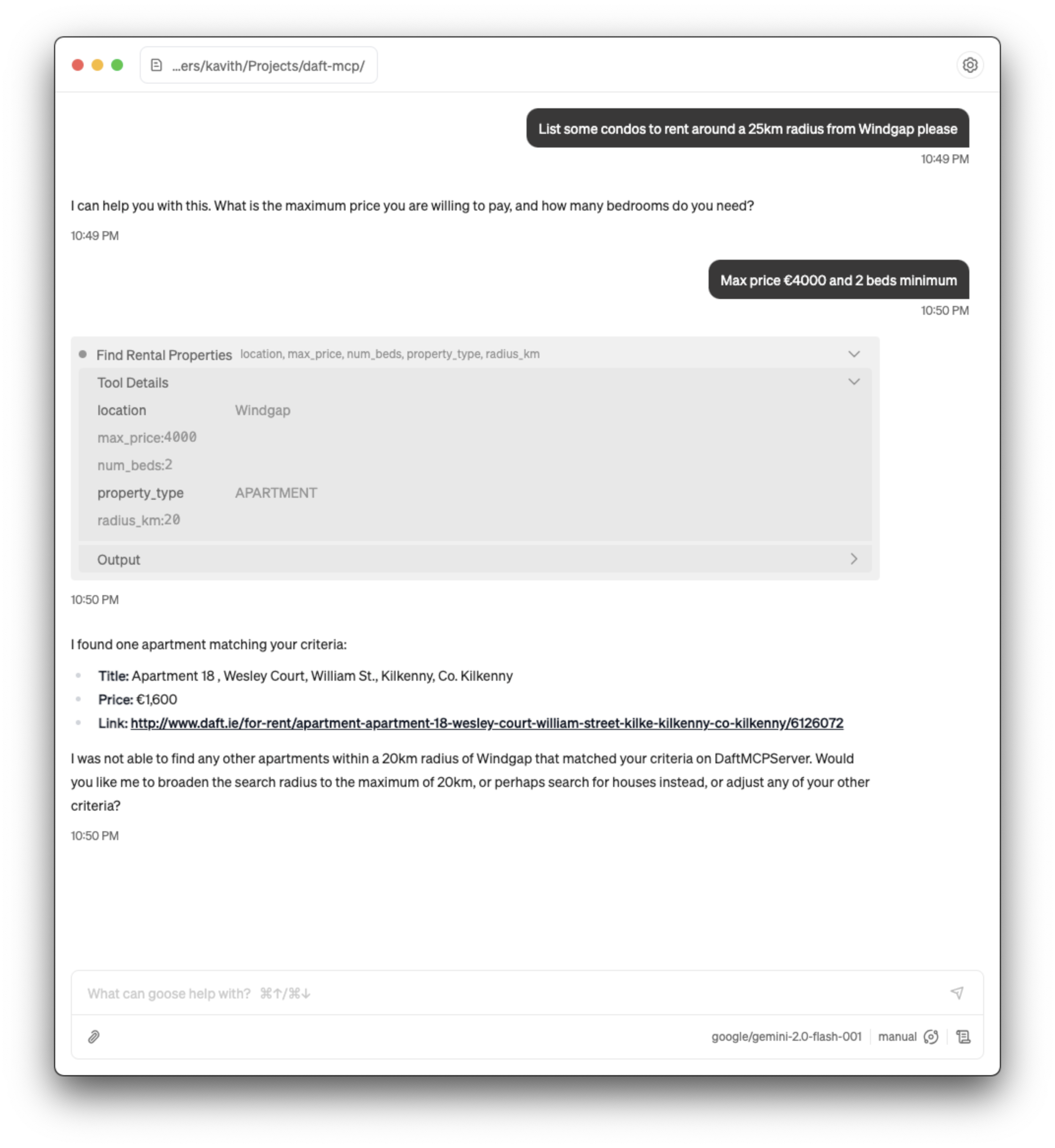
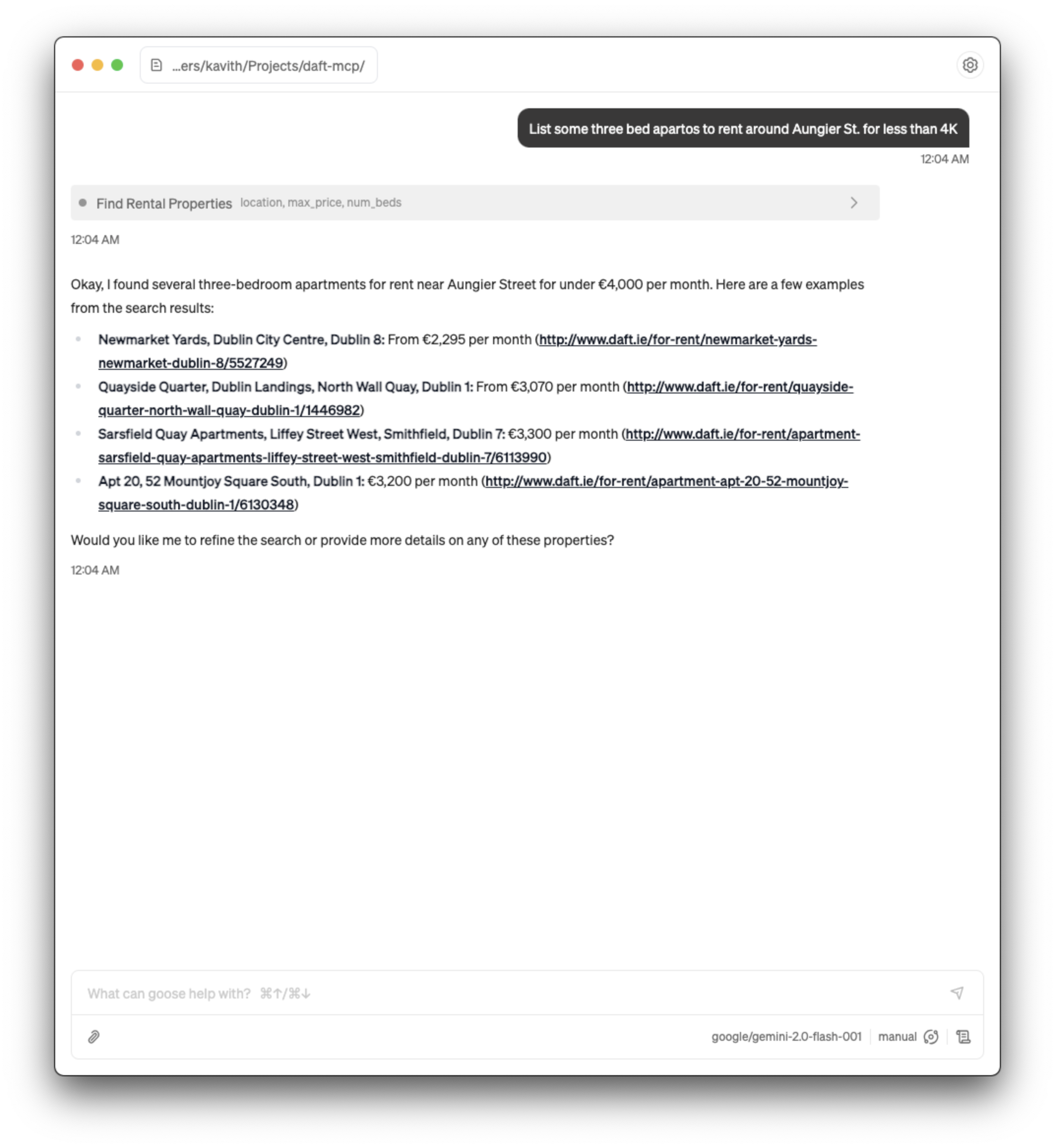
A thin MCP server built on top of the daftlistings library to search for rental properties on daft.ie using an MCP client. It exposes a tool, find_rental_properties, which can be used to find properties based on criteria such as location, maximum price, number of bedrooms, search radius, and property type.
This MCP server can "intelligently" map vague terms that aren't supported by daft or daftlistings. For example, you can ask for "condos in Windgap" and your request will get mapped to PropertyType.APARTMENT & Location.WINDGAP_KILKENNY. This functionality is supported via utility LLM calls that map user-specified terms to enums used in the library.
Installation
1. Create a Python virtual environment
python -m venv .venv
source .venv/bin/activate
2. Install the required dependencies
pip install -r requirements.txt
3. Set OpenRouter API Key
This project uses OpenRouter to route requests to Google's Gemini 2.0 Flash model. You'll need to create a new API key on OpenRouter and put it in a .env file. For reference, see the ".env.example" file in this repository.
4. Set up MCP client
This MCP server uses stdio at the moment, so you'll have to configure your client accordingly. This is how you'd set it up to be used via goose:
- Advanced settings (⌘,) > Add custom extension
- Give the extension an appropriate name
- Set Type to "STDIO"
- Command needs to run the python script (daft_mcp_server.py) using the version of Python in your virtual environment. It would look like
<path-to-python-in-virtual-env> <path-to-daft_mcp_server.py>. For example, here's my command:/Users/kavith/Projects/daft-mcp/.venv/bin/python3 /Users/kavith/Projects/daft-mcp/daft_mcp_server.py
Usage
This is the easy bit. You can ask your LLM to list rental properties around an area in Ireland, and it should be able to help. The tool requires the location, max_price, and num_beds; so if you don't provide them explicitly in your first prompt, the model will come back and ask for the additional information :)
Limitations
It's currently scoped to residential rental properties only. This can be extended easily to other types of listings, so might be updated soon.
The final output is non-deterministic; this isn't an issue with this project per se but rather an issue with LLMs and their unpredictability. The result from the MCP server is formatted the same way consistently, but I've noticed sometimes that the model will not show the link or ignore the price in the final output.
No tests :(
Credit
- Daft.ie - for providing a platform that's so central to the Irish property market and for not locking away the API.
- daftlistings - for building such an easy-to-use library to work with the Daft API.
- Give(a)Go - the initial version of this MCP server was built at one of their builder events hosted at Baseline and sponsored by Naptha AI. Would recommend checking them out if you're in Dublin!
License
This project is licensed under the MIT License - see the LICENSE file for details. The MIT License allows for use, modification, and distribution with attribution, whilst providing no warranty.
Установка Daft
У этого сервера нет опубликованного пакета — он собирается из исходников. Открой репозиторий и следуй инструкции в README.
▸ github.com/kavith-k/daft-mcpFAQ
Daft MCP бесплатный?
Да, Daft MCP бесплатный — установка в пару кликов через Unyly без оплаты.
Нужен ли API-ключ для Daft?
Нет, Daft работает без API-ключей и переменных окружения.
Daft — hosted или self-hosted?
Self-hosted: сервер запускается локально на твоей машине командой из раздела установки.
Как установить Daft в Claude Desktop, Claude Code или Cursor?
Открой Daft на unyly.org, выбери вкладку своего клиента (Claude Desktop, Claude Code, Cursor) и нажми Install — конфиг сгенерируется автоматически, без правки JSON.
Похожие MCP
GitHub
PRs, issues, code search, CI status
 автор: GitHub
Filesystem
Secure file operations with configurable access controls.
Memory
Knowledge graph-based persistent memory system.
Template MCP Server
A CLI tool to create a new Model Context Protocol server project with TypeScript support, dual transport options, and an extensible structure
 автор: mcpdotdirect
Compare Daft with
Не уверен что выбрать?
Найди свой стек за 60 секунд
Автор?
Embed-бейдж для README
Похожее
Все в категории development