
Dataviz
БесплатноНе проверенDataViz MCP is a local Panel web server that executes Python code snippets and renders the resulting visualizations as live, interactive web pages.

Описание
DataViz MCP is a local Panel web server that executes Python code snippets and renders the resulting visualizations as live, interactive web pages.
README
CI conda-forge pypi-version python-version
DataViz MCP is a local Panel web server and MCP server that executes Python code snippets and renders the resulting visualizations as live, interactive web pages — enabling humans and AI assistants to display and inspect Python outputs in real time.
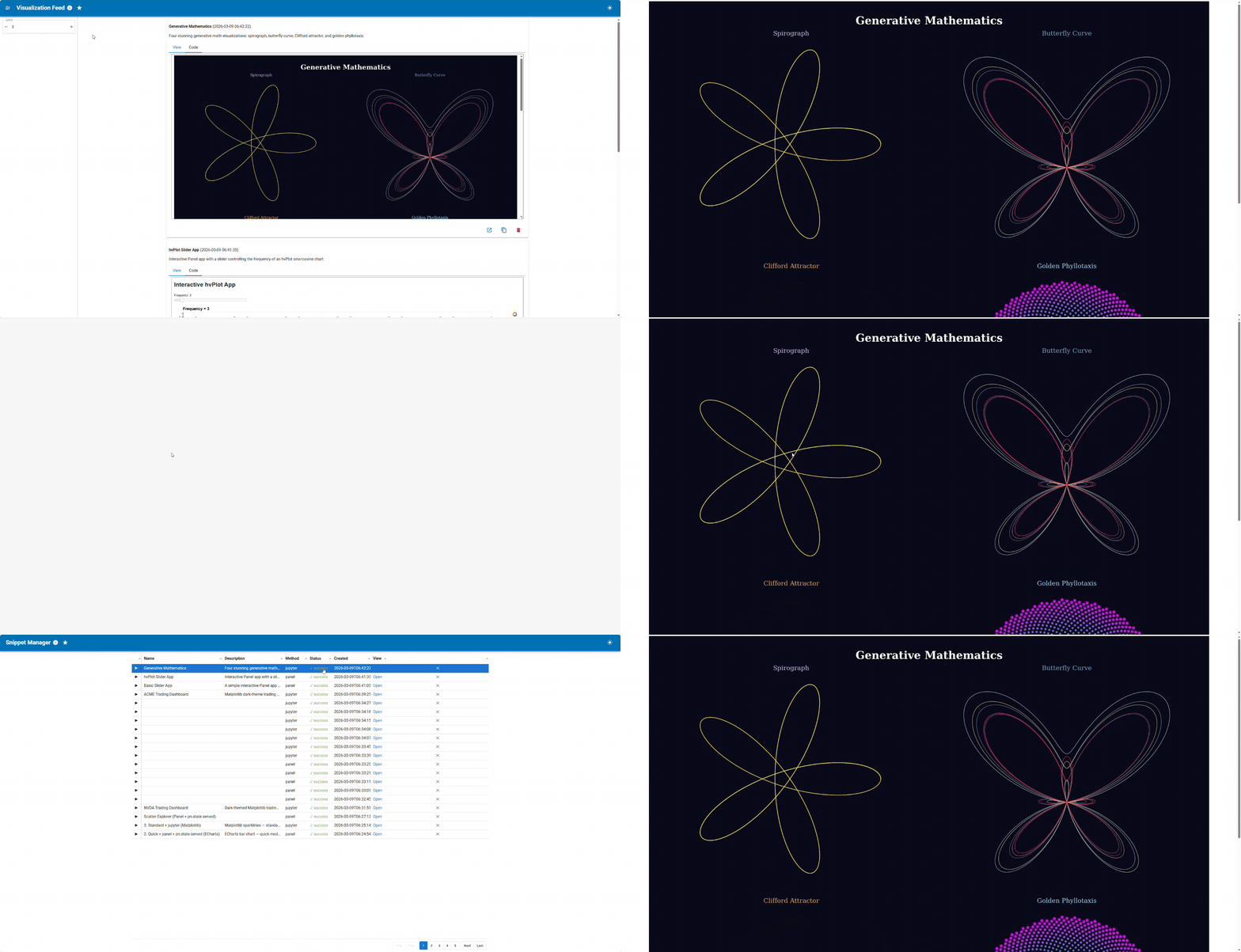
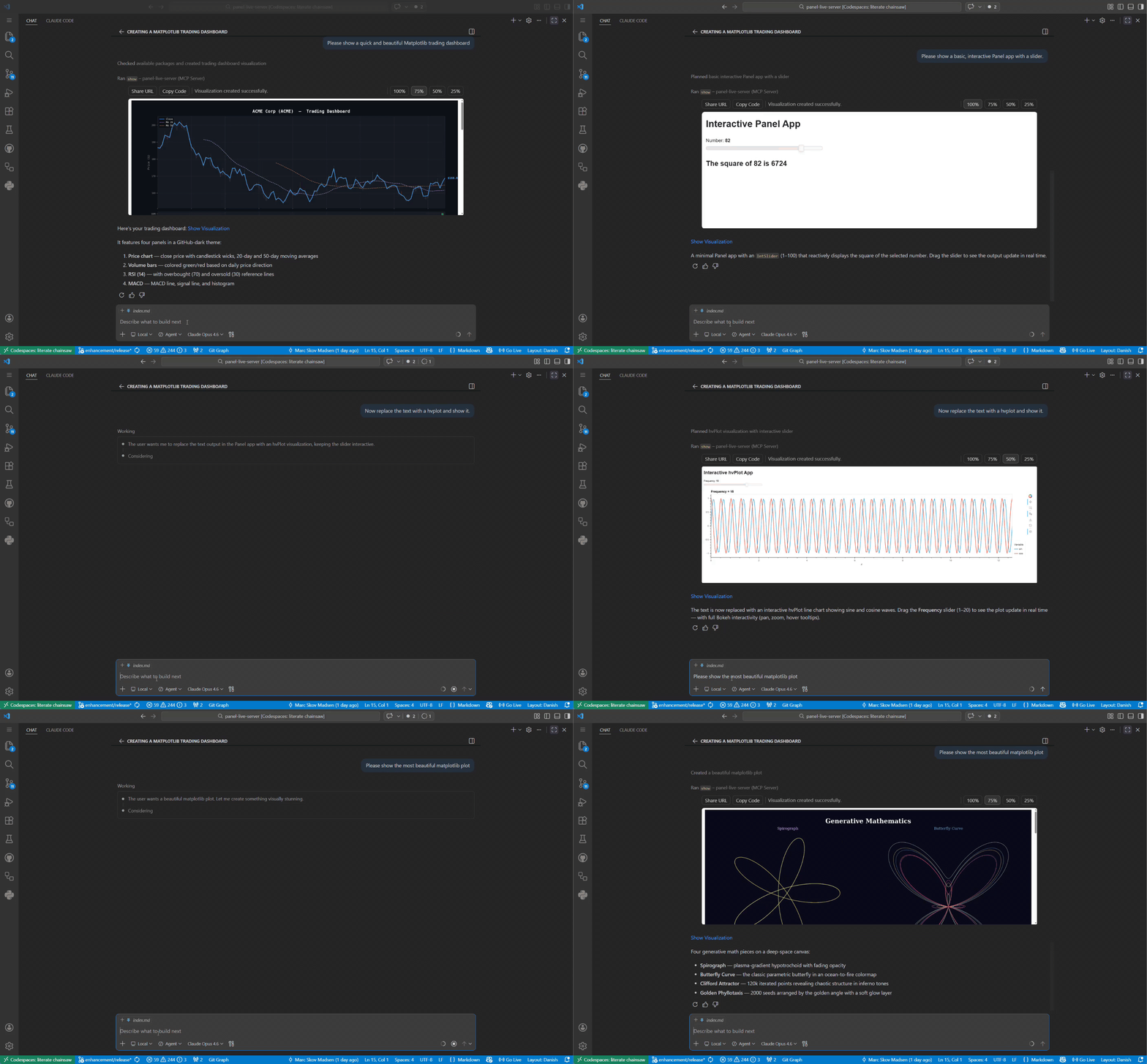
Features
- Two interfaces —
pls serve(standalone browser UI) andpls mcp(MCP server for AI assistants) - Any visualization library — hvplot · plotly · altair · matplotlib · seaborn · holoviews · bokeh · and more
- Validate before render —
showruns syntax, security, package, and extension checks before any rendering happens - Visual validation —
screenshotMCP tool lets the AI inspect the rendered output visually before presenting it - Persistent storage — SQLite database with full-text search; every snippet gets its own permanent URL
- Auto-restart — Panel subprocess is health-monitored and automatically restarted on failure
- Works everywhere — local, JupyterHub, GitHub Codespaces; URLs externalized automatically
Installation
Install via uv, pip, or pixi — see the Installation guide for full instructions including how to find your pls path.
uv tool install "dataviz-mcp[pydata]"
Pin your version — this project is in its early stages. Pin to a specific version to avoid unexpected changes:
uv tool install "dataviz-mcp[pydata]==0.1.0a1"
Connect to your AI assistant
Use the absolute path printed by which pls above — not just pls.
Full setup instructions for each client: docs → Connect to your MCP client
| Client | Config location |
|---|---|
| VS Code | .vscode/mcp.json |
| Cursor | ~/.cursor/mcp.json |
| Claude Desktop | claude_desktop_config.json |
| Claude Code | claude mcp add dataviz-mcp -- /path/to/pls mcp |
| claude.ai | HTTP transport + tunnel — see docs |
Usage
$ pls

 Usage: pls [OPTIONS] COMMAND [ARGS]...

 DataViz MCP - Execute and visualize Python code snippets.

╭─ Options ────────────────────────────────────────────────────────────────────────────────────────────╮
│ --version  -V        Show version and exit.                                                          │
│ --help               Show this message and exit.                                                     │
╰──────────────────────────────────────────────────────────────────────────────────────────────────────╯
╭─ Commands ───────────────────────────────────────────────────────────────────────────────────────────╮
│ serve   Start the DataViz MCP directly.                                                        │
│ mcp     Start as an MCP server for AI assistants.                                                    │
│ status  Check whether the Panel server is running.                                                   │
│ list    List resources (packages, etc.).                                                             │
╰──────────────────────────────────────────────────────────────────────────────────────────────────────╯
You can also use dataviz-mcp but pls is shorter and easier to remember.
Development
See the Contributing guide for the full setup (fork, install, connect to MCP client, run tests).
❤️ Contributing
Contributions are welcome! Please follow these steps:
- Fork the repository.
- Create a new branch:
git checkout -b feature/YourFeature. - Make your changes and commit them:
git commit -m 'Add some feature'. - Push to the branch:
git push origin feature/YourFeature. - Open a pull request.
Please ensure your code passes all tests and linting before submitting.
Установка Dataviz
У этого сервера нет опубликованного пакета — он собирается из исходников. Открой репозиторий и следуй инструкции в README.
▸ github.com/SuMayaBee/DataViz-MCPFAQ
Dataviz MCP бесплатный?
Да, Dataviz MCP бесплатный — установка в пару кликов через Unyly без оплаты.
Нужен ли API-ключ для Dataviz?
Нет, Dataviz работает без API-ключей и переменных окружения.
Dataviz — hosted или self-hosted?
Self-hosted: сервер запускается локально на твоей машине командой из раздела установки.
Как установить Dataviz в Claude Desktop, Claude Code или Cursor?
Открой Dataviz на unyly.org, выбери вкладку своего клиента (Claude Desktop, Claude Code, Cursor) и нажми Install — конфиг сгенерируется автоматически, без правки JSON.
Похожие MCP
GitHub
PRs, issues, code search, CI status
 автор: GitHub
Filesystem
Secure file operations with configurable access controls.
Memory
Knowledge graph-based persistent memory system.
Template MCP Server
A CLI tool to create a new Model Context Protocol server project with TypeScript support, dual transport options, and an extensible structure
 автор: mcpdotdirect
Compare Dataviz with
Не уверен что выбрать?
Найди свой стек за 60 секунд
Автор?
Embed-бейдж для README
Похожее
Все в категории development