loading…
/ru
Весь каталог
Dgmo
БесплатноНе проверенMCP server for rendering 35+ diagram types — sequence, flowchart, ER, C4, gantt, mindmap, infra, and more — to SVG/PNG with browser preview. Local rendering wit

Описание
MCP server for rendering 35+ diagram types — sequence, flowchart, ER, C4, gantt, mindmap, infra, and more — to SVG/PNG with browser preview. Local rendering with palette/theme support and shareable diagrammo.app URLs.
README
Turn a conversation into a real diagram — without leaving your AI tool.
npm version npm downloads license
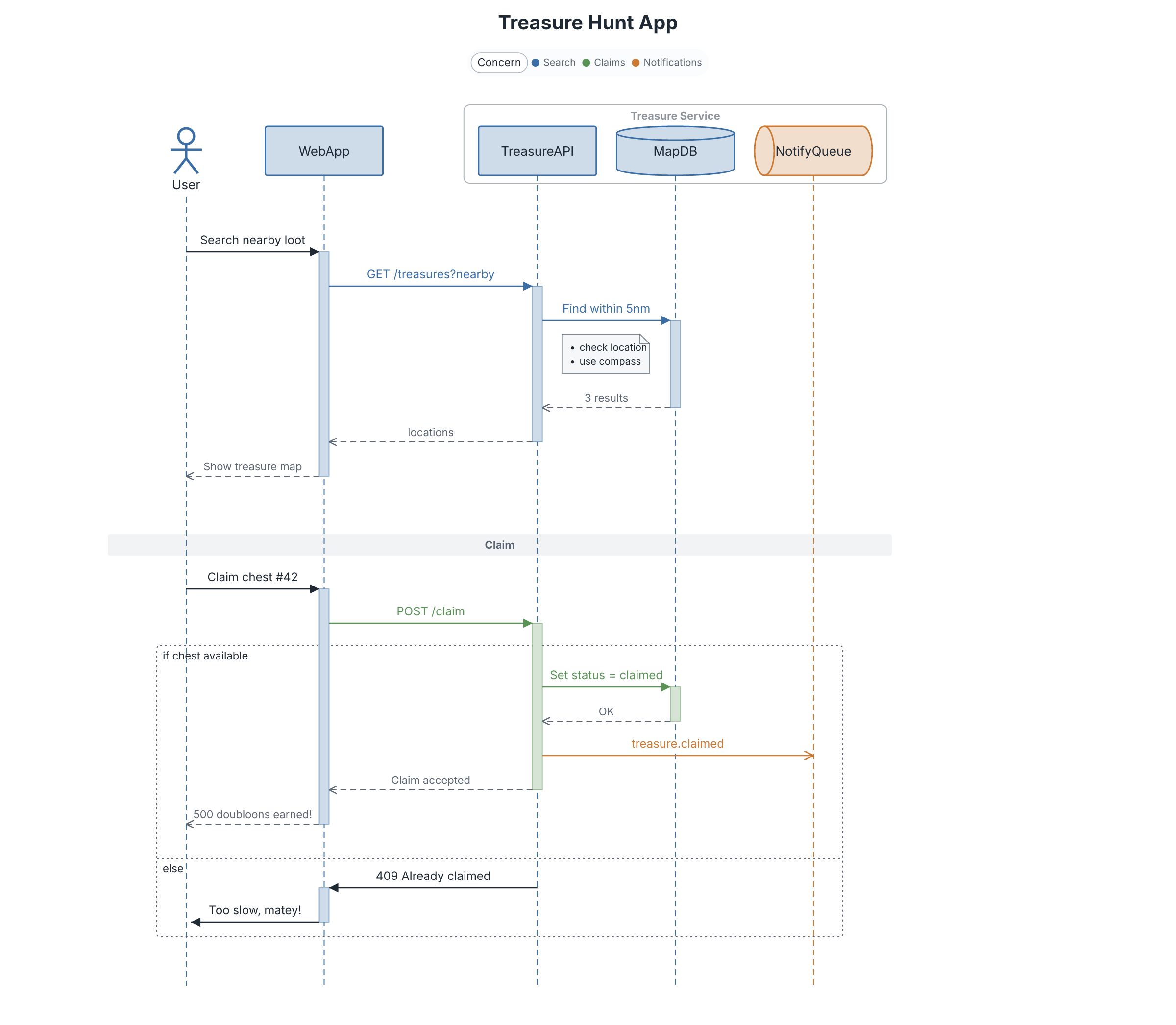
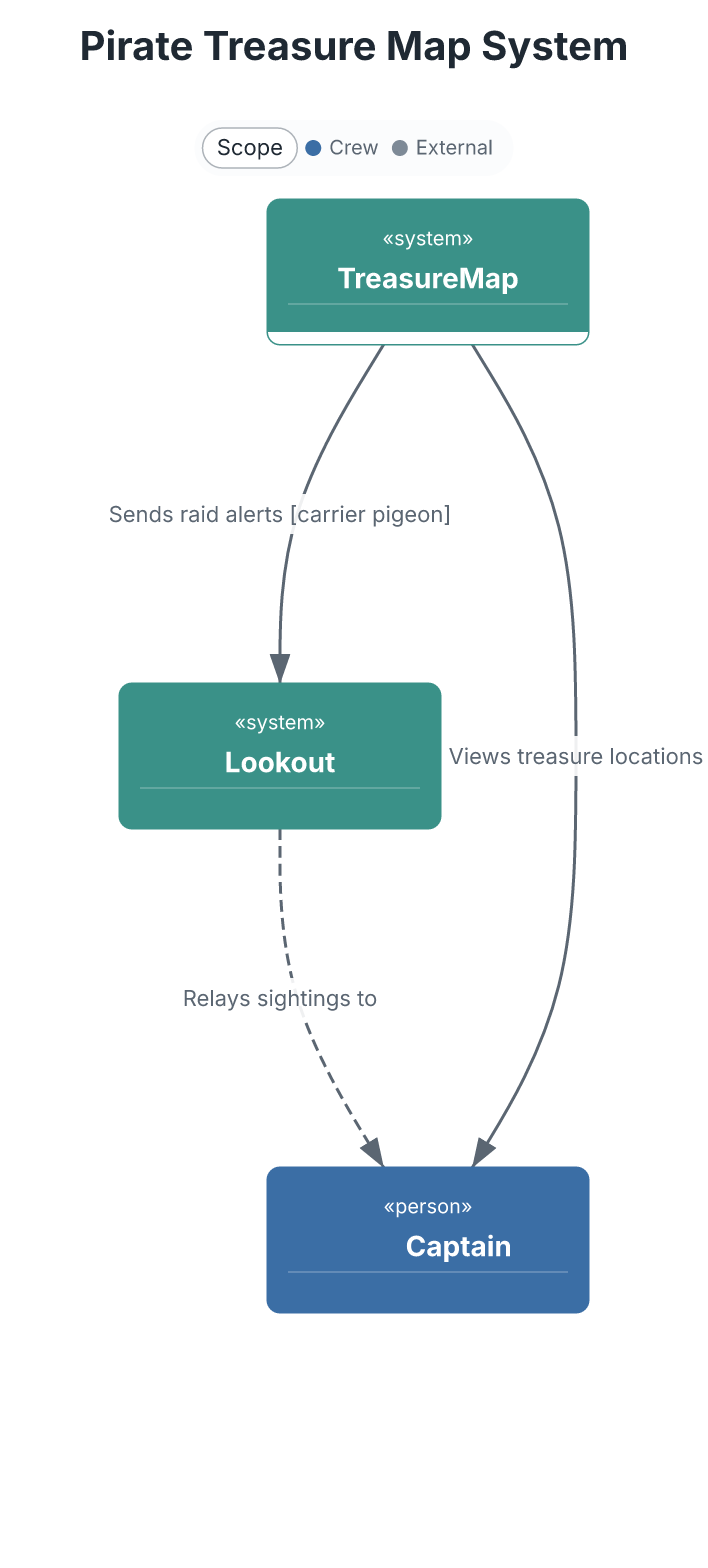
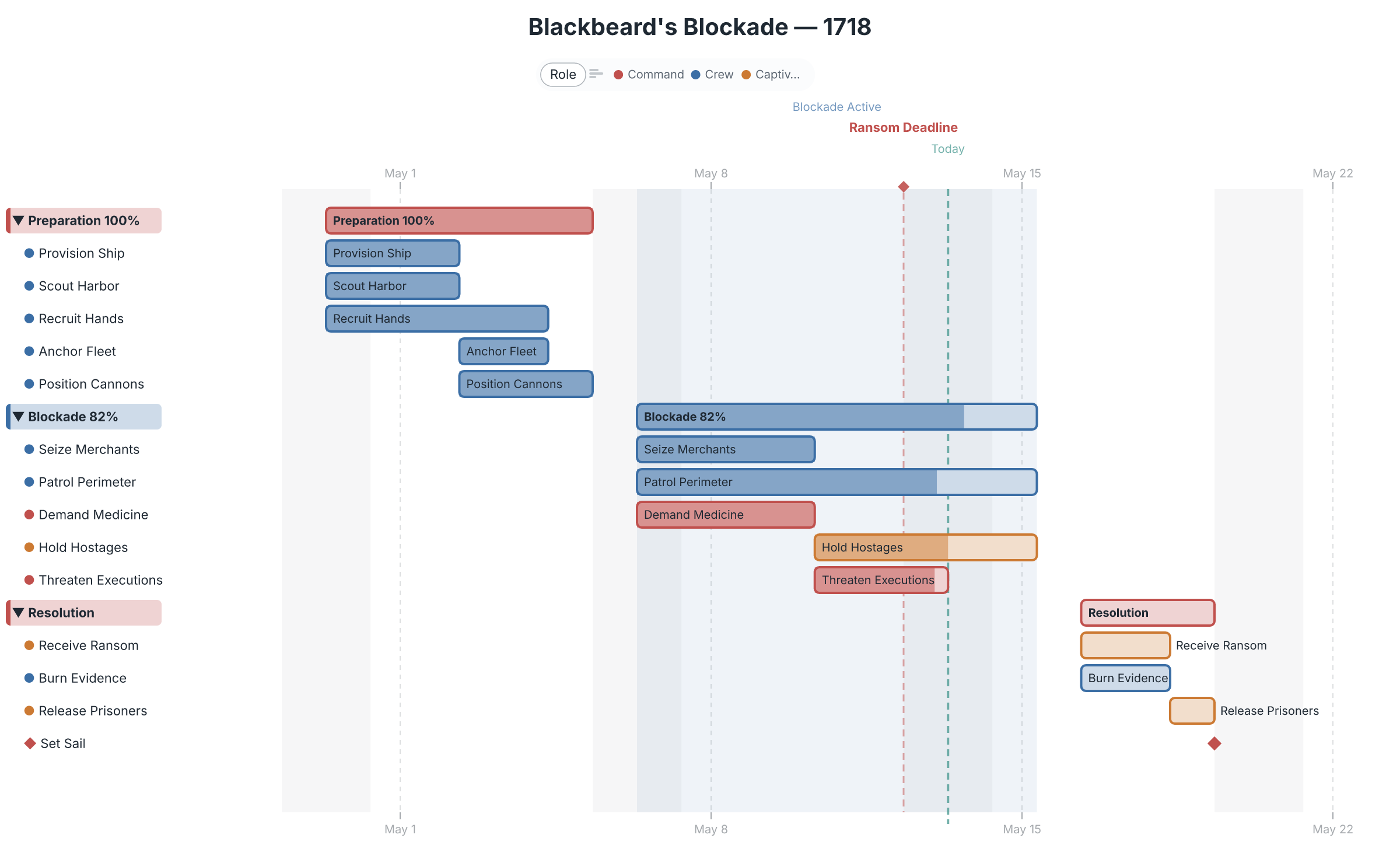
This MCP server gives Claude (and any MCP-compatible AI tool) the ability to render sequence diagrams, flowcharts, ER diagrams, C4 architecture, gantt charts, and 35+ other chart types from concise text markup — then hand the result off to a full editor for refinement. Ask for a diagram in chat; get a real one back.
 |
 |
 |
 |
What you can do
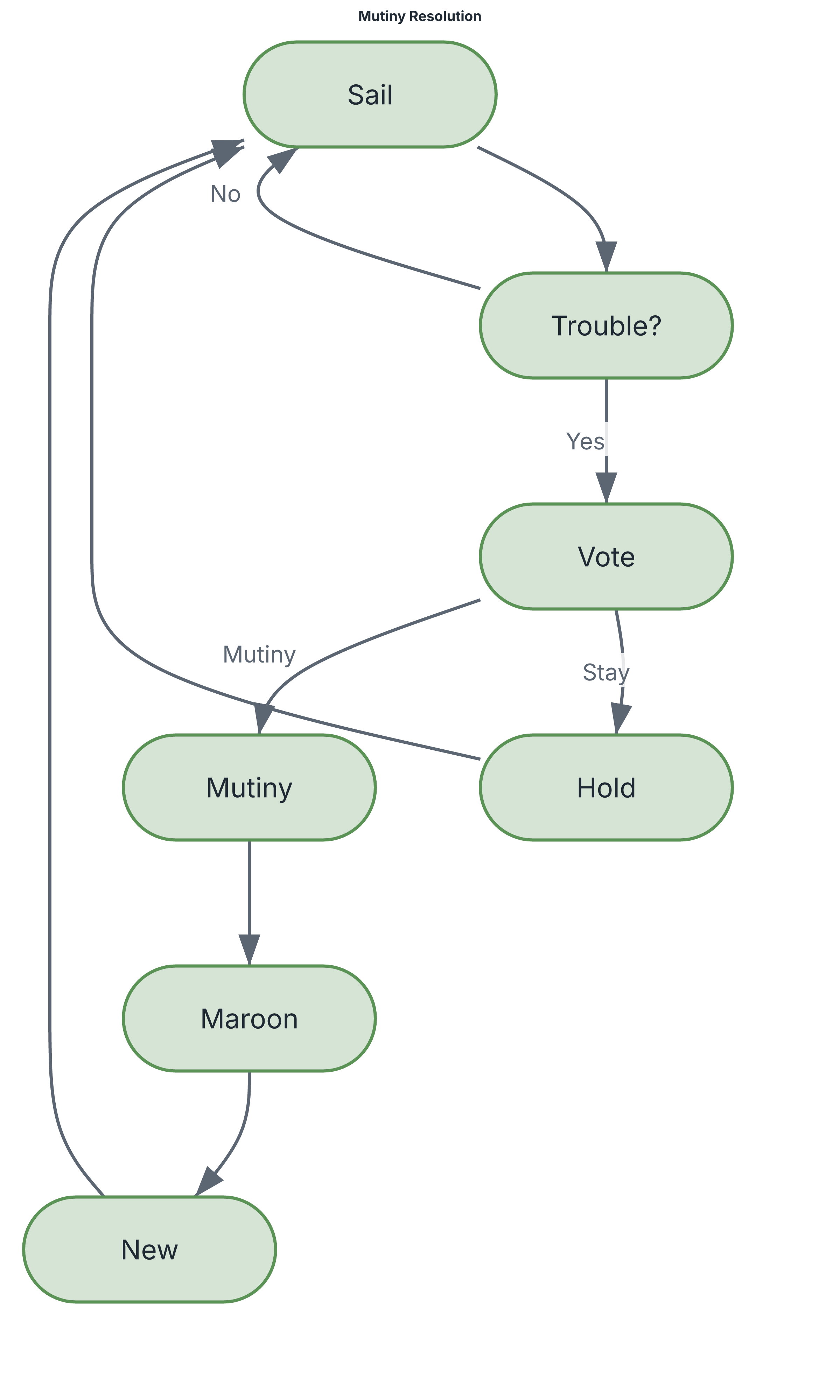
Ask in plain language — "diagram the auth flow as a sequence", "chart the Q3 plan as a gantt", "draw our services as a C4 diagram" — and Claude writes the markup and renders it. The markup stays readable and diffable:
flowchart Mutiny Resolution
direction-tb

[Sail]     Set sail under the captain
{Trouble?} Discontent in the crew?
{Vote}     Crew vote called
[Mutiny]   Seize the ship

(Sail) -> (Trouble?)
(Trouble?) -Yes-> (Vote)
(Vote) -Mutiny-> (Mutiny)
→ renders to the flowchart above. All rendering happens locally — no diagram data leaves your machine.
Tools
| Tool | What it does |
|---|---|
render_diagram |
Render DGMO markup to SVG or PNG |
preview_diagram |
Render one or more diagrams and open an HTML preview in the browser |
generate_report |
Build a polished multi-section HTML report with ToC and optional source |
list_chart_types |
List all supported chart types |
get_language_reference |
Get DGMO syntax documentation for accurate generation |
share_diagram |
Get a shareable diagrammo.app URL — hand your diagram to the web editor |
open_in_app |
Open the diagram straight into the Diagrammo desktop app for editing |
The last two are the bridge out of chat: a diagram Claude generates becomes something you can refine, restyle, and embed — see below.
Beyond the MCP server
The MCP server is one entry point into Diagrammo — a whole ecosystem built on the same DGMO markup. Generate in chat, refine in a real editor, embed anywhere:
- diagrammo.app — the desktop app.
open_in_appdrops an AI-generated diagram straight into it, with live preview, palettes, and export. - online.diagrammo.app — a full editor in the
browser, zero install.
share_diagramURLs open right here. - Docs integrations — drop DGMO fenced code blocks into your docs site: remark-dgmo, astro-dgmo, docusaurus-plugin-dgmo, fumadocs-dgmo.
- Obsidian — the Diagrammo Diagrams community plugin renders DGMO in your vault.
- CLI —
npx @diagrammo/dgmo file.dgmo -o out.png, or install via Homebrew.
One markup, everywhere. A diagram you generate here renders identically in the app, in your docs, and in Obsidian — because they all speak DGMO.
→ Try it free at diagrammo.app
Setup
Claude Code
Add to your project's .claude/settings.local.json (or run
npx @diagrammo/dgmo --install-claude-code-integration to do it automatically):
{
  "mcpServers": {
    "dgmo": {
      "command": "npx",
      "args": ["-y", "@diagrammo/dgmo-mcp"]
    }
  }
}
Claude Desktop
Add to ~/Library/Application Support/Claude/claude_desktop_config.json:
{
  "mcpServers": {
    "dgmo": {
      "command": "npx",
      "args": ["-y", "@diagrammo/dgmo-mcp"]
    }
  }
}
Restart Claude Desktop after saving — the tools appear automatically.
Privacy
All rendering is local. Your diagram markup and the images it produces never leave
your machine, except when you explicitly call share_diagram (which encodes the diagram
into a diagrammo.app URL). See the privacy terms.
Contributing & releases
Development setup and the release workflow live in CONTRIBUTING.md.
License
MIT
Как установить
Выполни в терминале:
claude mcp add dgmo-mcp -- npx 


