
Discord Server
БесплатноНе проверенAn MCP server that enables Claude Desktop to interact with Discord through a dedicated bot. It allows users to list channels, read message history, and send mes

Описание
An MCP server that enables Claude Desktop to interact with Discord through a dedicated bot. It allows users to list channels, read message history, and send messages directly from the AI interface.
README
Connect Claude Desktop to Discord using MCP (Model Context Protocol).
Features
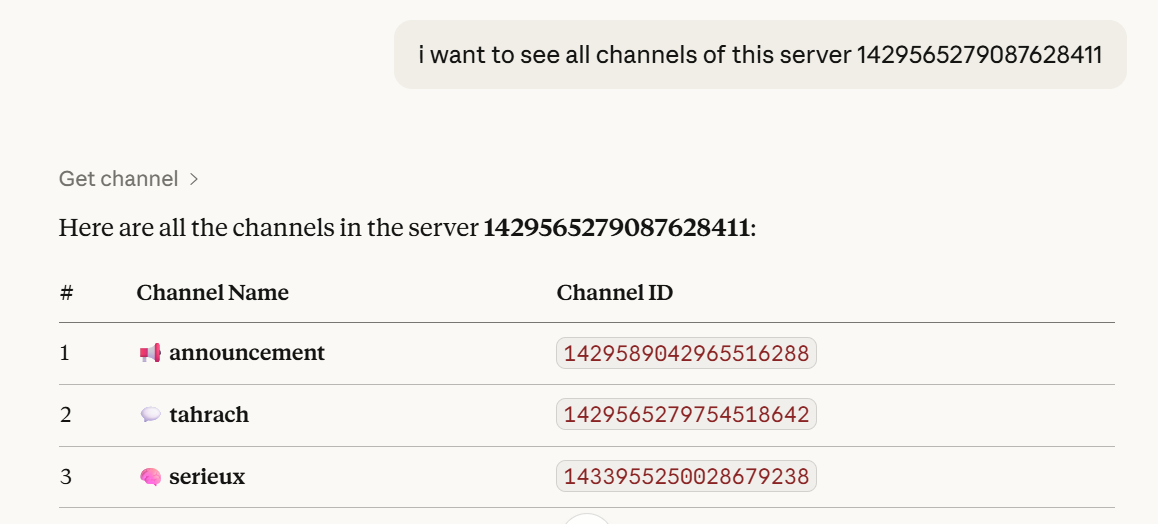
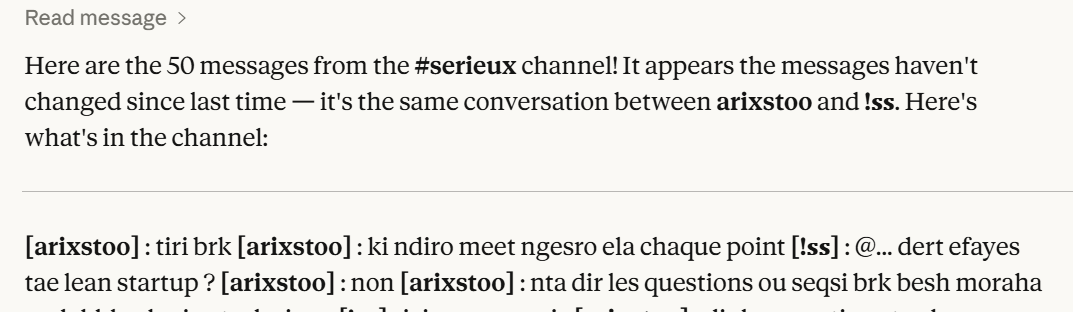
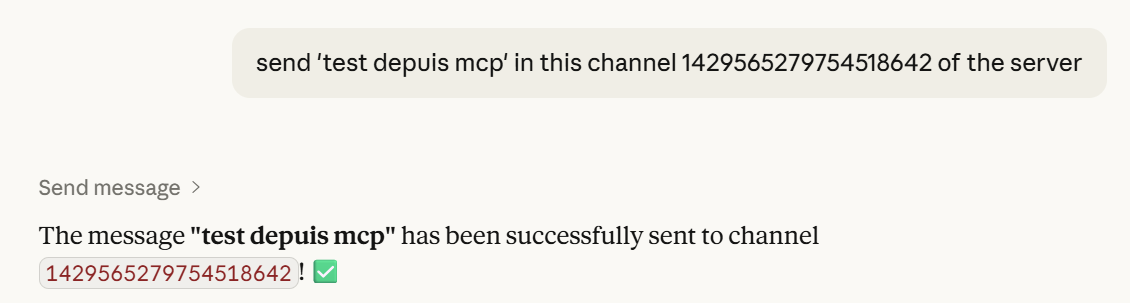
get_channel— list channelsread_message— read messagessend_message— send messages
Architecture
Claude → MCP Server → Discord Bot → Discord
Structure
MCP DISCORD/
├── server.py
├── assets/
│   ├── list_channels.png
│   ├── read_messages.png
│   └── send_message.png
├── .env
├── pyproject.toml
└── README.md
Screenshots
List Channels
Read Messages
Send Message
Setup
Install
uv sync
or
pip install mcp discord.py python-dotenv pydantic
Discord Bot
- Create bot: https://discord.com/developers/applications
- Enable:
- Message Content Intent
- Server Members Intent
- Invite with permissions:
- View Channels
- Send Messages
- Read Message History
.env
DISCORD_TOKEN=your_token_here
Claude Config
{
  "mcpServers": {
    "discord": {
      "command": "uv",
      "args": [
        "--directory",
        "C:/path/to/MCP DISCORD",
        "run",
        "server.py"
      ],
      "env": {
        "DISCORD_TOKEN": "your_token"
      }
    }
  }
}
Run
uv run server.py
Examples
List channels in server 123
Read last 10 messages from channel 456
Send "Hello" to channel 456
Notes
- Don’t share your token
- Reset it if leaked
License
MIT
Author
Dioubi Issam Ai developer
Установить Discord Server в Claude Desktop, Claude Code, Cursor
unyly install discord-mcp-serverСтавит в Claude Desktop, Claude Code, Cursor и VS Code — сам разбирается с npx, uvx и сборкой из исходников.
Впервые? Поставь CLI: curl -fsSL https://unyly.org/install | sh
Или настроить вручную
Выполни в терминале:
claude mcp add discord-mcp-server -- uvx mcp-discordПошаговые гайды: как установить Discord Server
FAQ
Discord Server MCP бесплатный?
Да, Discord Server MCP бесплатный — установка в пару кликов через Unyly без оплаты.
Нужен ли API-ключ для Discord Server?
Нет, Discord Server работает без API-ключей и переменных окружения.
Discord Server — hosted или self-hosted?
Доступен hosted-вариант: Unyly запускает сервер в облаке, локальная установка не обязательна.
Как установить Discord Server в Claude Desktop, Claude Code или Cursor?
Открой Discord Server на unyly.org, выбери вкладку своего клиента (Claude Desktop, Claude Code, Cursor) и нажми Install — конфиг сгенерируется автоматически, без правки JSON.
Похожие MCP
Gmail
Read, send and search emails from Claude
 автор: Google
Slack
Send, search and summarize Slack messages
 автор: Slack
Runbear
No-code MCP client for team chat platforms, such as Slack, Microsoft Teams, and Discord.
Discord Server
A community discord server dedicated to MCP by [Frank Fiegel](https://github.com/punkpeye)
Klavis AI
Open Source MCP Infra. Hosted MCP servers and MCP clients on Slack and Discord.
Work90210/APIFold
Turn any REST API into a hosted MCP server. 18 free public servers (GitHub, Stripe, Slack, OpenAI, Notion, and more) — no setup required, bring your own API key
 автор: Work90210
arikusi/deepseek-mcp-server
MCP server for DeepSeek AI with chat, reasoning, multi-turn sessions, function calling, thinking mode, and cost tracking.
 автор: arikusi
hashgraph-online/hashnet-mcp-js
MCP server for the Registry Broker. Discover, register, and chat with AI agents on the Hashgraph network.
 автор: hashgraph-online
profullstack/mcp-server
A comprehensive MCP server aggregating 20+ tools including SEO optimization, document conversion, domain lookup, email validation, QR generation, weather data,
 автор: profullstack
WayStation-ai/mcp
Seamlessly and securely connect Claude Desktop and other MCP hosts to your favorite apps (Notion, Slack, Monday, Airtable, etc.). Takes less than 90 secs.
 автор: waystation-ai
Compare Discord Server with
Не уверен что выбрать?
Найди свой стек за 60 секунд
Автор?
Embed-бейдж для README
Похожее
Все в категории communication