loading…
/ru
Весь каталог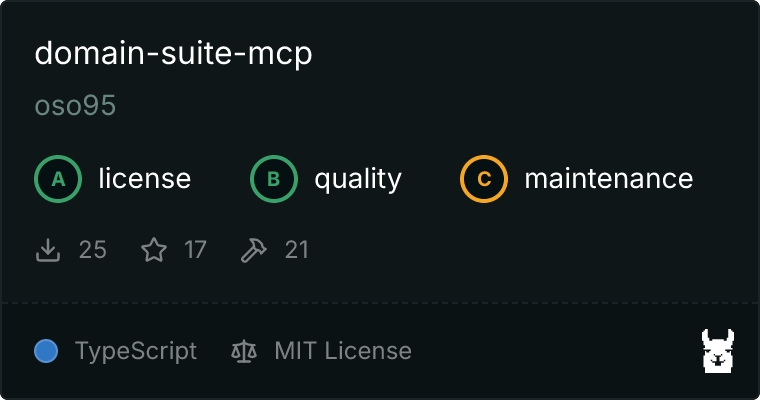
Domain Suite
БесплатноНе проверенdomain-suite-mcp is an MCP server that gives AI agents full autonomous control over the domain lifecycle. From checking availability and registering domains to

Описание
domain-suite-mcp is an MCP server that gives AI agents full autonomous control over the domain lifecycle. From checking availability and registering domains to managing DNS records, SSL certificates, and email authentication across Porkbun, Namecheap, GoDaddy, and Cloudflare through a unified set of 21 tools.
README
MCP server for AI agents to autonomously manage domains and DNS — without human intervention.
npm version License: MIT Node.js Tests
domain-suite-mcp is an open-source MCP server written in TypeScript that enables AI agents to autonomously manage domains and DNS without human intervention. It acts as a unified abstraction layer over multiple domain registrar and DNS provider APIs, exposing a consistent set of 21 MCP tools that any MCP-compatible agent can call.
AI agents can now build and deploy full applications end-to-end — writing code, provisioning infrastructure, pushing to production. The remaining gap in the autonomous shipping pipeline is domain and DNS management. domain-suite-mcp eliminates that gap.
An agent can now complete the full domain lifecycle without human intervention:
check availability → register → configure DNS → provision SSL → set up email
Quick Start
No installation required. Domain availability checking works immediately with zero configuration via public RDAP/WHOIS protocols.
npx domain-suite-mcp
Add provider credentials via environment variables to enable registration, DNS management, SSL, and more.
Install globally
npm install -g domain-suite-mcp
domain-suite-mcp
Install Claude Code skills
Install five pre-built skills (/domain-check, /domain-register, /domain-dns-setup, /domain-email-setup, /domain-full-setup) into your Claude Code setup:
npx domain-suite-mcp install
This copies the skills to ~/.claude/skills/. Restart Claude Code to activate them.
Print MCP client config
npx domain-suite-mcp config
Prints the ready-to-paste JSON snippet for Claude Desktop, Cursor, Windsurf, or any MCP client.
Claude Desktop
Add to claude_desktop_config.json:
{
  "mcpServers": {
    "domain": {
      "command": "npx",
      "args": ["-y", "domain-suite-mcp"],
      "env": {
        "PORKBUN_API_KEY": "pk1_...",
        "PORKBUN_SECRET_API_KEY": "sk1_..."
      }
    }
  }
}
Cursor / Windsurf / Kiro
Add to your MCP settings (varies by client):
{
  "command": "npx",
  "args": ["-y", "domain-suite-mcp"],
  "env": {
    "PORKBUN_API_KEY": "pk1_...",
    "PORKBUN_SECRET_API_KEY": "sk1_..."
  }
}
Claude Code
Install the skills, then add the MCP server to your project settings:
npx domain-suite-mcp install    # installs /domain-* skills to ~/.claude/skills/
npx domain-suite-mcp config     # prints the MCP server config to add
Once configured, you can invoke skills directly in Claude Code:
/domain-check myapp.com io,dev
/domain-register myapp.com
/domain-email-setup myapp.com google
/domain-full-setup myapp.com
See docs/SKILLS.md for full workflow patterns and prompt templates.
Provider Support
| Feature | Porkbun | Namecheap | GoDaddy | Cloudflare |
|---|---|---|---|---|
| Domain availability check | Yes | Yes | Yes | Yes |
| Domain registration | Yes | Yes | Yes | Enterprise only |
| Domain renewal | Yes | Yes | Yes | Enterprise only |
| DNS record CRUD | Yes | Yes | Yes* | Yes |
| SSL certificate management | Yes (full) | No | No | List/status only |
| WHOIS contact management | No | Yes | Yes | Enterprise only |
| Domain transfer (inbound) | Yes | Yes | Yes | No |
| Pricing via API | Yes | Yes | Yes | No |
| Sandbox / test environment | Yes | Yes | Yes | No |
* GoDaddy DNS management requires 10+ active domains or Domain Pro plan (~$240/yr).
Recommended setup: Register on Porkbun or Namecheap, then point nameservers to Cloudflare for DNS. Best of both: easy registration + Cloudflare's fast DNS API.
Environment Variables
Porkbun
PORKBUN_API_KEY=pk1_...
PORKBUN_SECRET_API_KEY=sk1_...
Namecheap
NAMECHEAP_API_KEY=...
NAMECHEAP_API_USER=your_username
NAMECHEAP_CLIENT_IP=...   # optional; auto-detected if not set
NAMECHEAP_SANDBOX=true    # optional; use sandbox environment
Your server IP must be whitelisted in Namecheap under Profile → Tools → API Access → Whitelisted IPs before any call will work.
GoDaddy
GODADDY_API_KEY=...
GODADDY_API_SECRET=...
GODADDY_SANDBOX=true   # optional; use OTE environment
Cloudflare
CLOUDFLARE_API_TOKEN=...
CLOUDFLARE_ACCOUNT_ID=...   # optional
Tools
| Tool | Description |
|---|---|
list_providers |
List configured providers and their capabilities |
check_availability |
Check if a domain is available — works with zero configuration |
list_domains |
List all domains across configured providers |
get_domain |
Get details for a specific domain |
register_domain |
Register a new domain |
renew_domain |
Renew an existing domain |
list_dns_records |
List all DNS records for a domain |
create_dns_record |
Create a new DNS record |
update_dns_record |
Update an existing DNS record (full replacement) |
delete_dns_record |
Delete a DNS record |
list_certificates |
List SSL certificates for a domain |
create_certificate |
Provision a new SSL certificate |
get_certificate_status |
Get the status of a certificate |
setup_spf |
Add SPF record with mail provider template (Google, Resend, SendGrid, Mailgun, SES, Postmark) |
setup_dkim |
Add DKIM record — supports RSA and Ed25519, idempotent |
setup_dmarc |
Add DMARC policy record, idempotent |
setup_mx |
Configure MX records with mail provider template |
transfer_domain_in |
Initiate inbound domain transfer |
get_transfer_status |
Check status of a pending transfer |
get_whois_contact |
Get WHOIS contact info for a domain |
update_whois_contact |
Update WHOIS contact info for a domain |
Full tool reference with schemas and examples: docs/TOOLS.md
Designed for AI Agents
Every error message tells the agent what went wrong, why, and exactly what to do next. No raw API error codes, no cryptic status numbers.
[IP_NOT_WHITELISTED] namecheap: Namecheap API authentication failed. Your server's IP
address must be whitelisted in your Namecheap account under Profile → Tools → API Access
→ Whitelisted IPs. → Log in to Namecheap and add your current IP address to the whitelist.
Format: [ERROR_CODE] provider: what went wrong → what to do
The server is fully stateless — no database, no persistent auth, no server to manage. Every call fetches fresh data directly from the provider API.
Documentation
| Document | Description |
|---|---|
| docs/TOOLS.md | Complete tool reference with schemas |
| docs/PROVIDERS.md | Provider setup guides and known limitations |
| docs/SKILLS.md | Agent workflow patterns and prompt templates |
| CHANGELOG.md | Version history |
| CONTRIBUTING.md | Contribution guide |
Contributing
Contributions are welcome. See CONTRIBUTING.md for setup, testing, and pull request guidelines.
git clone https://github.com/oso95/domain-suite-mcp.git
cd domain-suite-mcp
npm install && npm test
License
Как установить
Выполни в терминале:
claude mcp add domain-suite-mcp -- npx 
