
Dwarapala Showcase
БесплатноНе проверенDwarapala: a self-hosted inbox gate for AI agents. One MCP inbox for email, WhatsApp and Discord, where every send waits for your approval.

Описание
Dwarapala: a self-hosted inbox gate for AI agents. One MCP inbox for email, WhatsApp and Discord, where every send waits for your approval.
README
A self-hosted inbox gate for AI agents. One MCP inbox for email, WhatsApp and Discord, where every send waits for your approval.
A dwarapala is the guardian statue at Javanese and Balinese temple gates: nothing passes without getting by it first.
The problem
You want an AI agent to help with your messages: catch up on unread mail, find that one thread, draft the replies. But your conversations are spread across Gmail, Outlook, Yahoo, WhatsApp and Discord, and handing an agent the keys to send from all of them is a risk most people (and most businesses) aren't willing to take. One bad prompt, one prompt-injection email, and the agent is replying to a client on your behalf.
Dwarapala gives your agent one inbox to work in, and keeps the final say with you.
How it works
- Your agent reads, searches, summarizes and drafts across every connected account through an MCP server.
- It cannot send. There is deliberately no send tool. Every outbound message, whether it comes from the agent, an automation rule or you, lands in an approval queue.
- You approve, edit-then-approve, or reject. Only an approval triggers the real send. Approvals work from the web UI or from signed one-time links sent to Telegram or email.
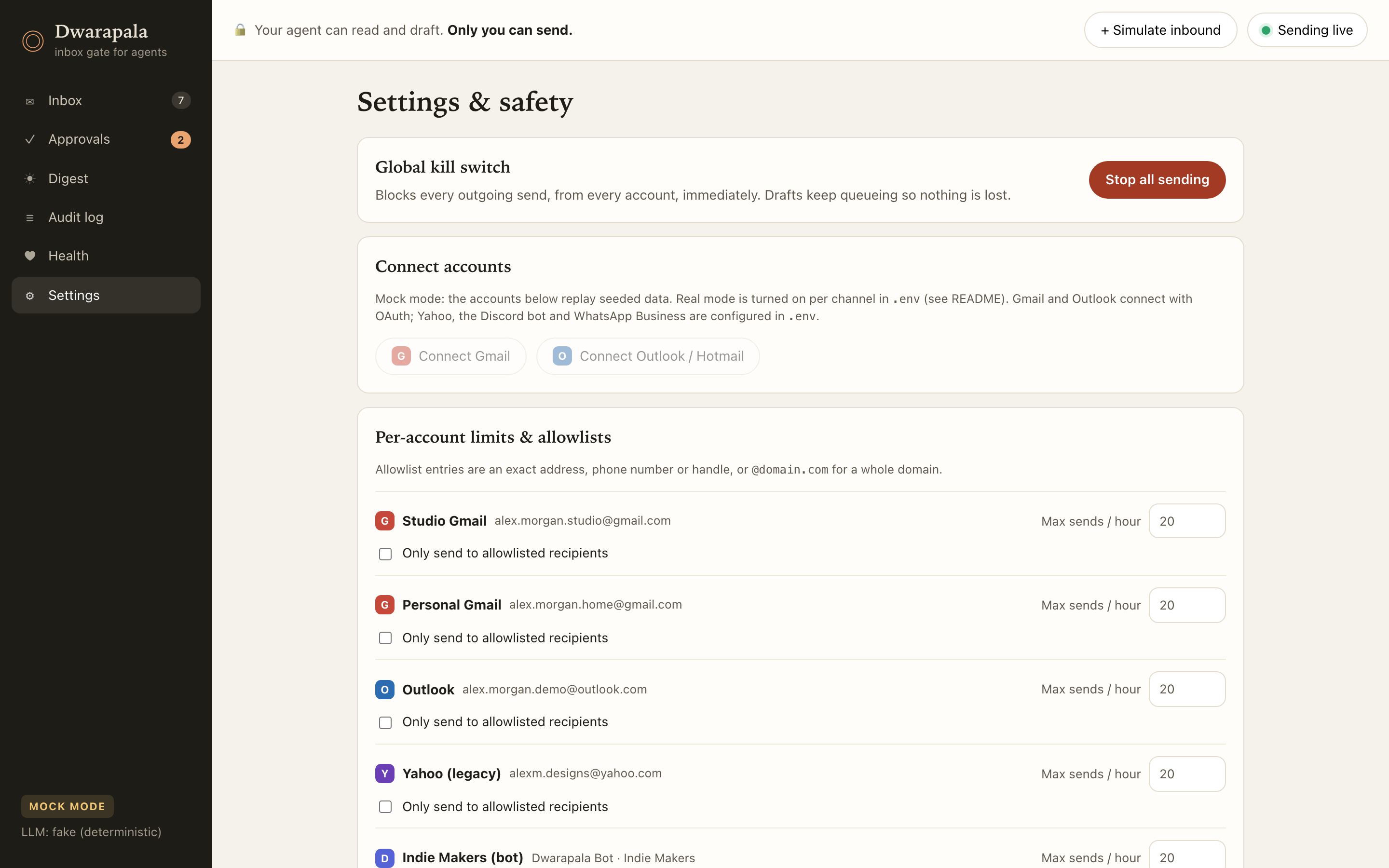
- Kill switch. One toggle pauses all sending instantly. Blocked items stay pending and the block is logged.
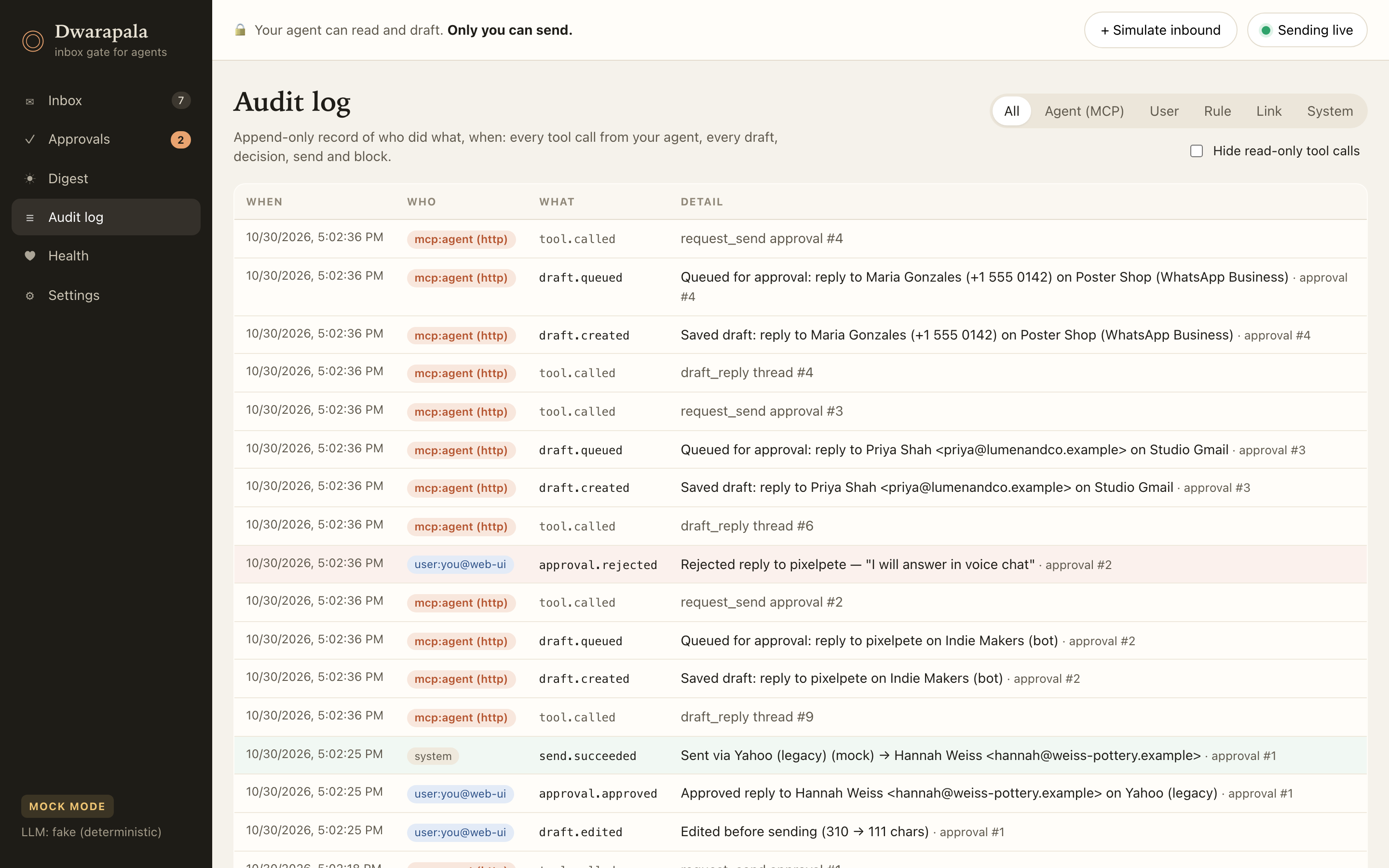
- Audit log. Every tool call, draft, edit, decision, send, failure and setting change, with who did it (including which agent/client) and when.
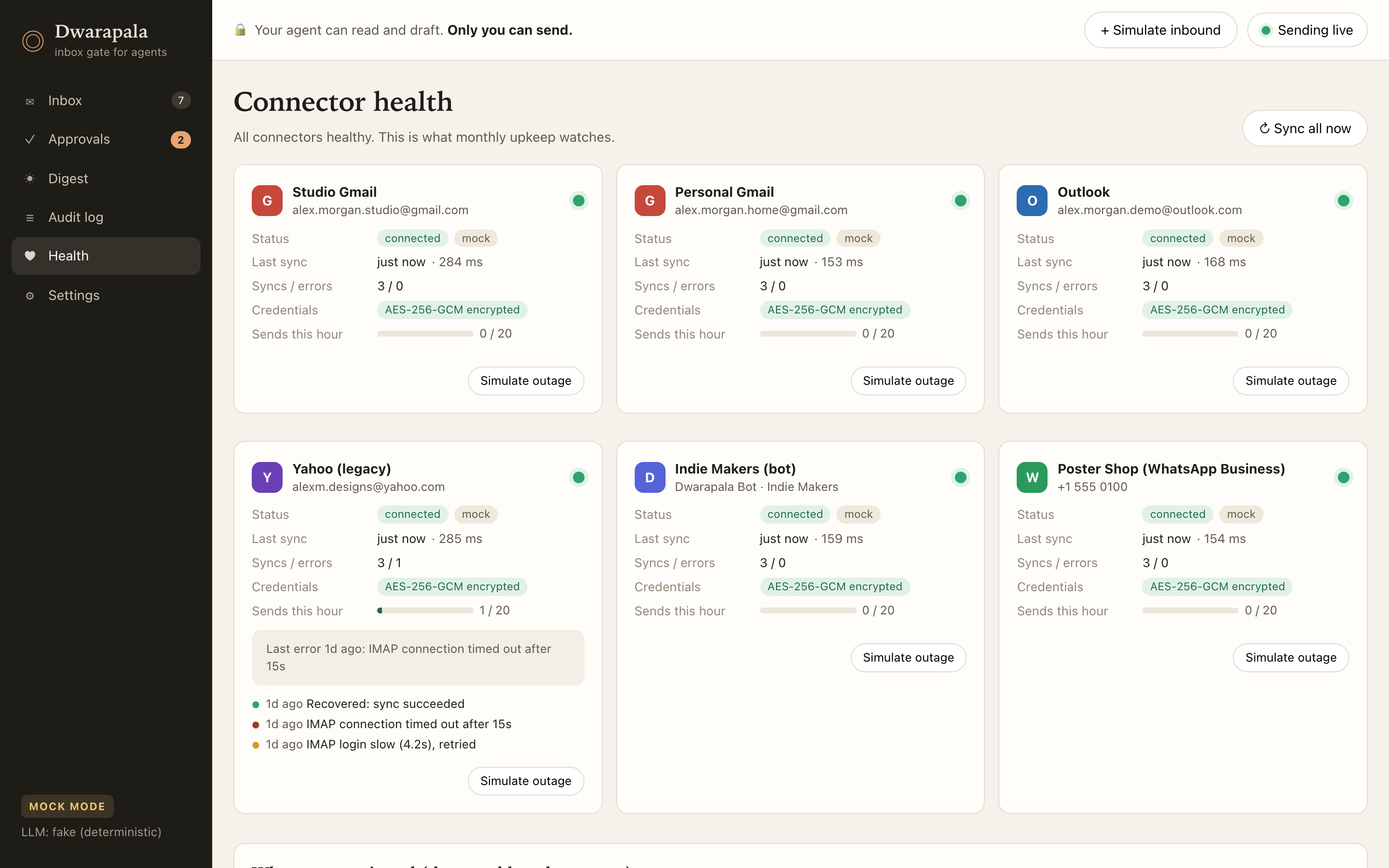
- Per-account health and outage handling. Each connector reports its status, last sync, latency and errors. When a provider has an outage or a token expires, that account goes red on its own while the rest keep working, and recovery is detected and logged.
- Extra guardrails: per-account rate limits, optional recipient allowlists, double-send protection, and recipients always taken from the thread, so the agent can't be talked into redirecting a reply. Message bodies are labelled as untrusted content, and injection-style messages are flagged.
sequenceDiagram
  participant A as Agent (MCP)
  participant Q as Approval queue
  participant H as You (UI / link)
  participant S as Safety checks
  participant X as Channel
  A->>Q: draft_reply → request_send
  Q-->>H: pending (+ Telegram / email notification)
  H->>Q: approve (optionally edited) / reject
  Q->>S: kill switch → allowlist → rate limit
  alt blocked
    S-->>Q: stays pending, block logged
  else allowed
    Q->>X: send (atomic claim, no double send)
  end
  Note over A,X: every step is written to the audit log
Supported channels
| Channel | How it connects |
|---|---|
| Gmail | Google OAuth + Gmail API (multiple accounts) |
| Outlook / Hotmail | Microsoft OAuth + Graph |
| Yahoo Mail | IMAP/SMTP with an app password |
| WhatsApp Business Cloud API on a business number | |
| Discord | Official Discord bot |
Credentials are stored encrypted (AES-256-GCM) and are never returned by the API.
Works with any MCP client
Dwarapala speaks standard MCP over stdio (for local clients) and Streamable HTTP (for remote ones, with bearer-token auth; legacy SSE is available for older clients). Setup guides cover:
- Claude Desktop
- Claude Code
- Cursor
- VS Code (GitHub Copilot agent mode)
- n8n (MCP Client Tool node)
- Make (MCP client module)
- Custom agents built on the MCP SDKs or the OpenAI Agents SDK
Every client gets the same six tools and the same rule: it can queue a reply, but it can't send one.
| Tool | What it does |
|---|---|
list_accounts |
Connected accounts with unread counts and connector health |
search_messages |
Text search across all accounts, filterable by account or channel |
get_thread |
One conversation, oldest first, plus any drafts already waiting |
summarize_inbox |
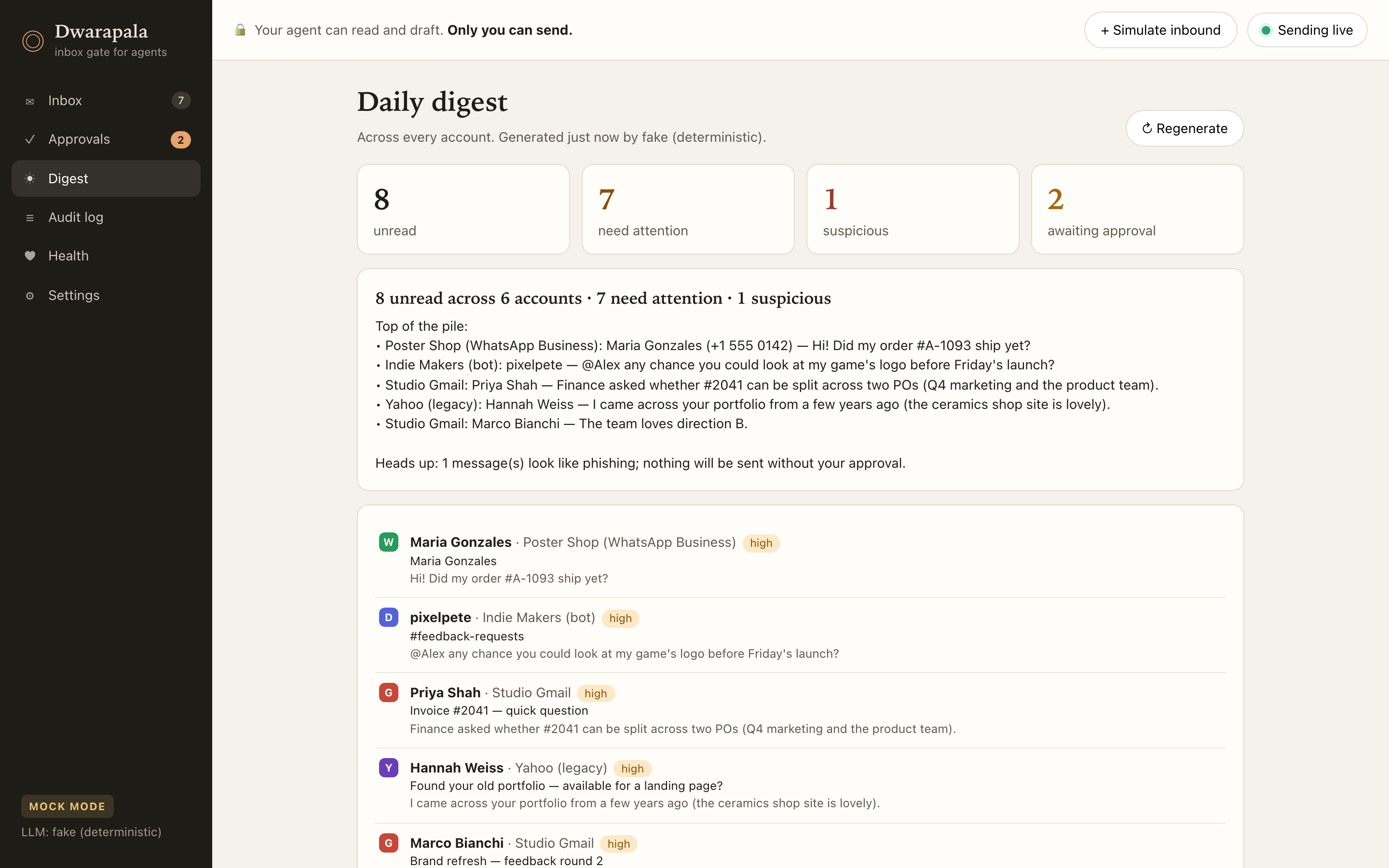
Digest: headline, narrative, and threads that need attention with priority and tags |
draft_reply |
Saves a draft. Does not queue or send |
request_send |
Puts a draft in the approval queue. Does not send |
Self-hosted, no subscription
Dwarapala runs on your own machine or server (Node or Docker) as a single process with a SQLite database. There's no hosted account and no monthly SaaS fee. You own the install and the data.
A note on privacy: your messages and credentials stay on your server. But any message content you let the agent read is sent to the agent and LLM you choose to connect (and to the optional LLM provider used for digests and suggested replies). If that matters for your use case, you can point it at a local, OpenAI-compatible model instead.
Why WhatsApp Business and a Discord bot
Automating a personal WhatsApp number or a personal Discord account breaks both platforms' terms and regularly gets accounts banned, sometimes permanently. So Dwarapala only uses the official routes: the WhatsApp Business Cloud API on a business number, and a Discord bot that only sees the servers and DMs it was added to. It refuses to run with a personal Discord token.
Screenshots
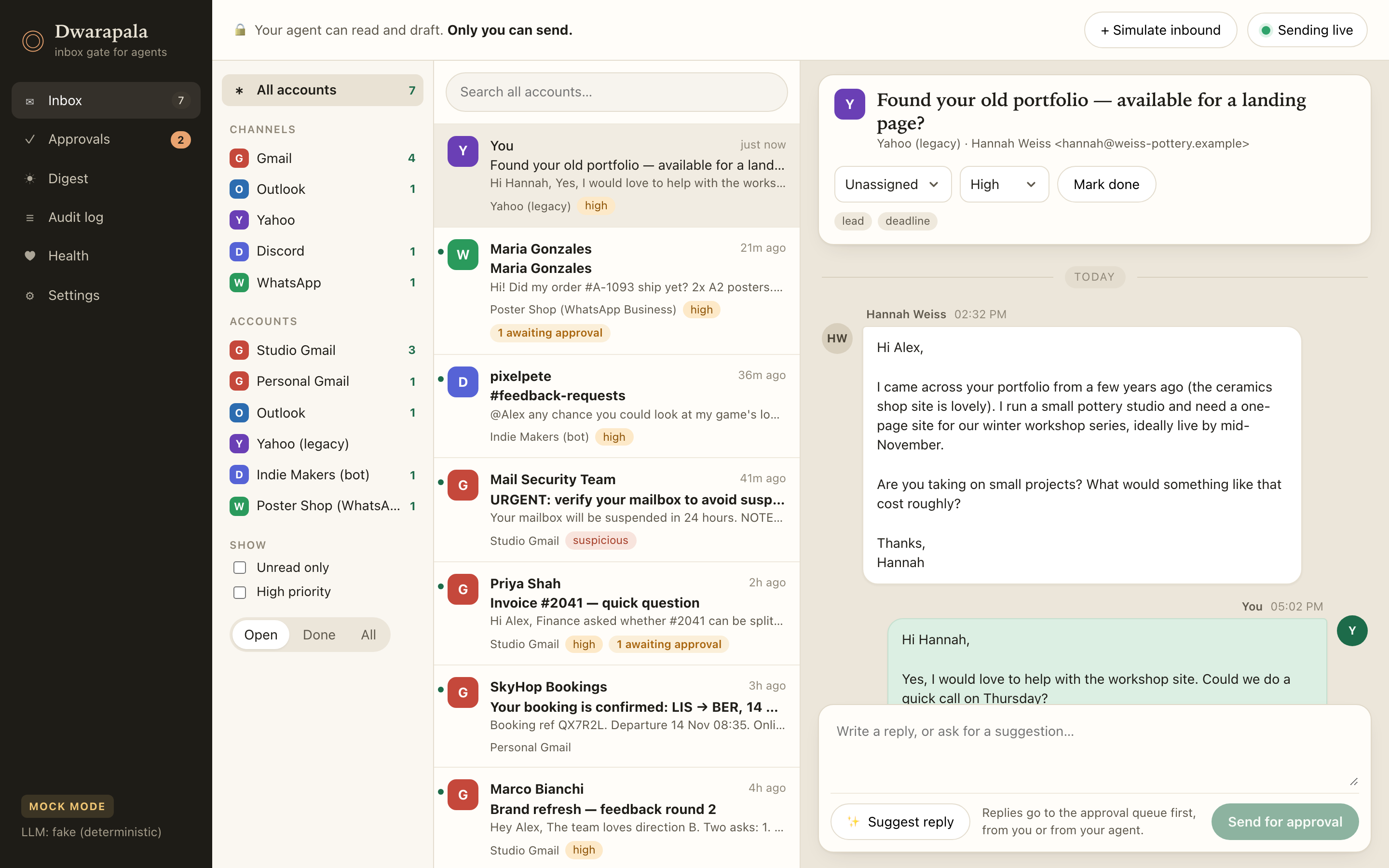
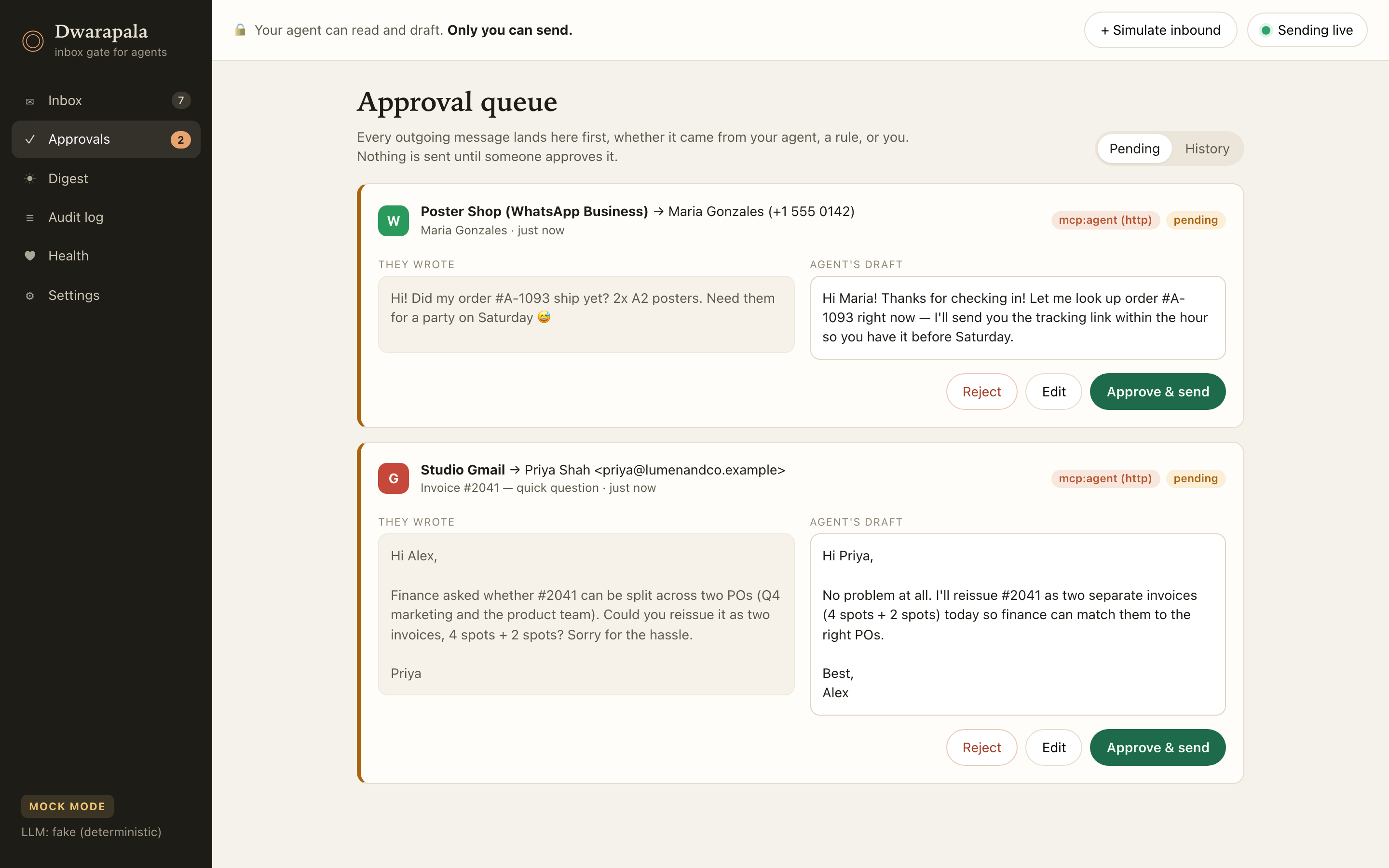
| Unified inbox | Approval queue |
|---|---|
 |
 |
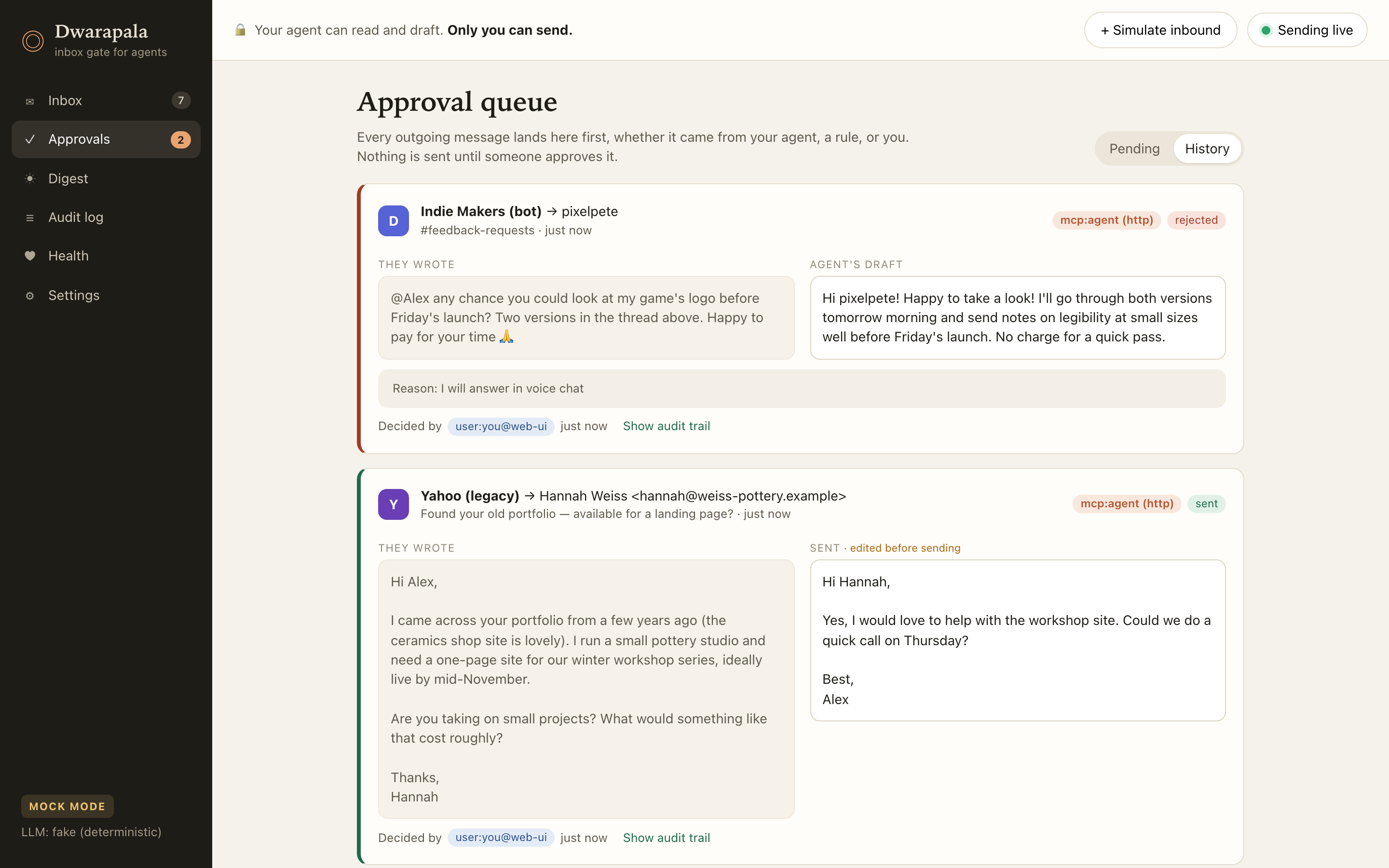
| Decisions (edited + rejected) | Audit log |
 |
 |
| Connector health | Daily digest |
 |
 |
| Settings & safety | |
 |
Getting it
The source code is private. Setup and installation are available on request: I can install Dwarapala on your server, connect your accounts and agents, and tailor the rules to how your team works.
Want it set up for your team? Reach out.
Built by Dimas Victor, fullstack developer working on AI agents and automation. GitHub · X
Установка Dwarapala Showcase
У этого сервера нет опубликованного пакета — он собирается из исходников. Открой репозиторий и следуй инструкции в README.
▸ github.com/dvictor357/dwarapala-showcaseFAQ
Dwarapala Showcase MCP бесплатный?
Да, Dwarapala Showcase MCP бесплатный — установка в пару кликов через Unyly без оплаты.
Нужен ли API-ключ для Dwarapala Showcase?
Нет, Dwarapala Showcase работает без API-ключей и переменных окружения.
Dwarapala Showcase — hosted или self-hosted?
Self-hosted: сервер запускается локально на твоей машине командой из раздела установки.
Как установить Dwarapala Showcase в Claude Desktop, Claude Code или Cursor?
Открой Dwarapala Showcase на unyly.org, выбери вкладку своего клиента (Claude Desktop, Claude Code, Cursor) и нажми Install — конфиг сгенерируется автоматически, без правки JSON.
Похожие MCP
Gmail
Read, send and search emails from Claude
 автор: Google
Slack
Send, search and summarize Slack messages
 автор: Slack
Runbear
No-code MCP client for team chat platforms, such as Slack, Microsoft Teams, and Discord.
Discord Server
A community discord server dedicated to MCP by [Frank Fiegel](https://github.com/punkpeye)
Klavis AI
Open Source MCP Infra. Hosted MCP servers and MCP clients on Slack and Discord.
Work90210/APIFold
Turn any REST API into a hosted MCP server, with ready-made public servers for GitHub, Stripe, Slack, OpenAI, Notion and more.
 автор: Work90210
arikusi/deepseek-mcp-server
DeepSeek AI chat and reasoning with multi-turn sessions, function calling, thinking mode and cost tracking.
 автор: arikusi
hashgraph-online/hashnet-mcp-js
Discover, register and chat with AI agents on the Hashgraph network via the Registry Broker.
 автор: hashgraph-online
profullstack/mcp-server
Developer utilities: SEO optimization, document conversion, domain lookup, email validation, QR codes, weather data, social media posting and security scanning.
 автор: profullstack
WayStation-ai/mcp
Connect MCP hosts to apps such as Notion, Slack, Monday and Airtable.
 автор: waystation-ai
Compare Dwarapala Showcase with
Не уверен что выбрать?
Найди свой стек за 60 секунд
Автор?
Embed-бейдж для README
Похожее
Все в категории communication