
Dynamics365 Server
БесплатноНе проверенMCP Server for Microsoft Dynamics 365

Описание
MCP Server for Microsoft Dynamics 365
README


Overview
The Microsoft Dynamics 365 MCP Server is a MCP server that provides tools to interact with Microsoft Dynamics 365 using the Model Context Protocol(MCP) by Anthorpic. It allows users to perform various operations such as retrieving user information, accounts, opportunities associated with an account, create and update accounts from Claude Desktop.
This project uses the @modelcontextprotocol/sdk library to implement the MCP server and tools, and it integrates with Dynamics 365 APIs for data operations.
List of Tools 🛠️
| Tool Name | Description | Input | Output |
|---|---|---|---|
get-user-info |
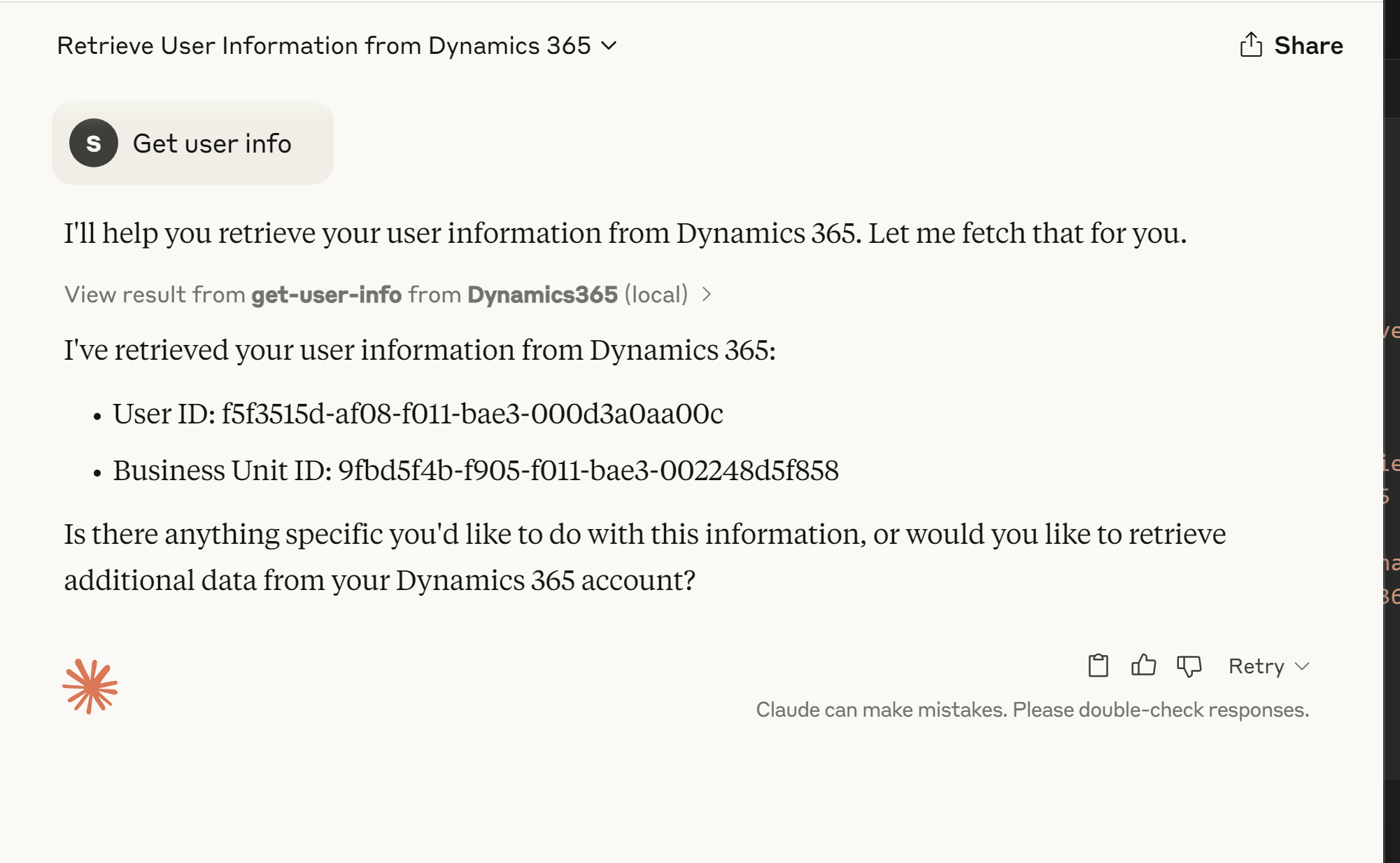
Fetches information about the currently authenticated user. | None | User details including name, user ID, and business unit ID. |
fetch-accounts |
Fetches all accounts from Dynamics 365. | None | List of accounts in JSON format. |
get-associated-opportunities |
Fetches opportunities associated with a given account. | accountId (string, required) |
List of opportunities in JSON format. |
create-account |
Creates a new account in Dynamics 365. | accountData (object, required) containing account details. |
Details of the created account in JSON format. |
update-account |
Updates an existing account in Dynamics 365. | accountId (string, required), accountData (object, required) containing updated details. |
Details of the updated account in JSON format. |
Prerequisites 📝
Before setting up the project, ensure you have the following installed:
- Node.js (v16 or higher)
- NPM (Node Package Manager)
- A Dynamics 365 instance with API access
- Azure Active Directory (AAD) application configured for Dynamics 365 API access
Configuration Steps ⚙️
Follow these steps to set up and run the project locally:
1. Clone the Repository
git clone https://github.com/your-repo/dynamics365-mcp-server.git
cd dynamics365-mcp-server
2. Install Dependencies
npm install
3. Configure Environment Variables
Create a .env file in the root of the project and add the following variables:
CLIENT_ID=your-client-id
CLIENT_SECRET=your-client-secret
TENANT_ID=your-tenant-id
D365_URL=https://your-org.crm.dynamics.com
4. Compile TypeScript Files
npm run build
4. Run MCP Server
node build\index.js
You should see the following output:
Dynamics365 MCP server running on stdio...
5. (Optional) Register your MCP Server with Claude Desktop
- Install Claude Desktop
- Navigate to Settings > Developer > Edit Config
- Edit claude_desktop_config.json
{
    "mcpServers": {
        "Dynamics365": {
            "command": "node",
            "args": [
                "<Path to your MCP server build file ex: rootfolder/build/index.js>"
            ],
            "env": {
                "CLIENT_ID": "<D365 Client Id>",
                "CLIENT_SECRET": "<D365 Client Secret>",
                "TENANT_ID": "<D365 Tenant ID>",
                "D365_URL": "Dynamics 365 url"
            }
        }
    }
}
Restart Claude Desktop
Now you should be able to see the server tools in the prompt window
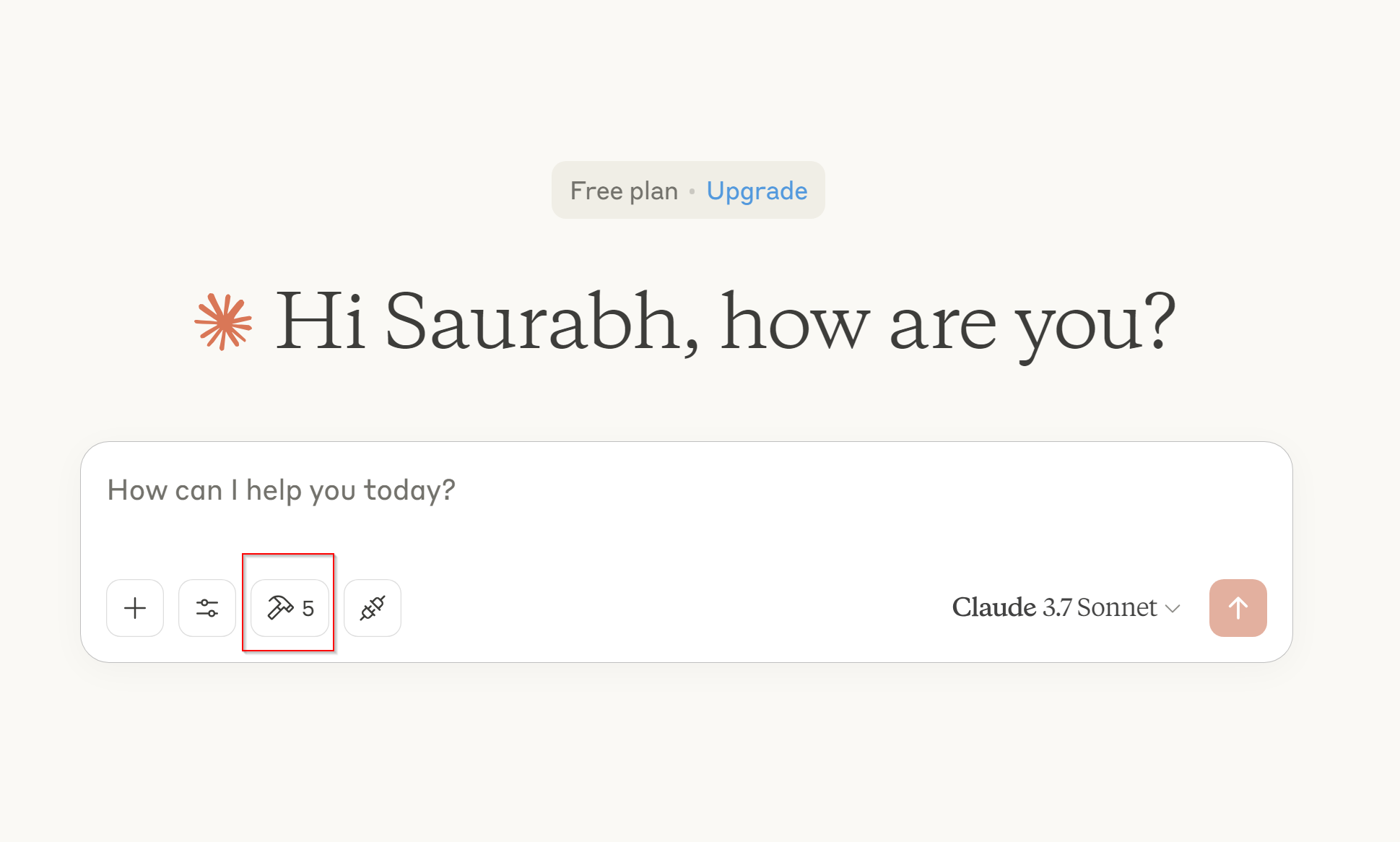
Let's test a prompt by invoking tool - get-user-info
6. (Optional) Test tools using MCP Interceptor
- Run following command in terminal
npx @modelcontextprotocol/inspector node build/index.js

Go to 🔍 http://localhost:5173 🚀
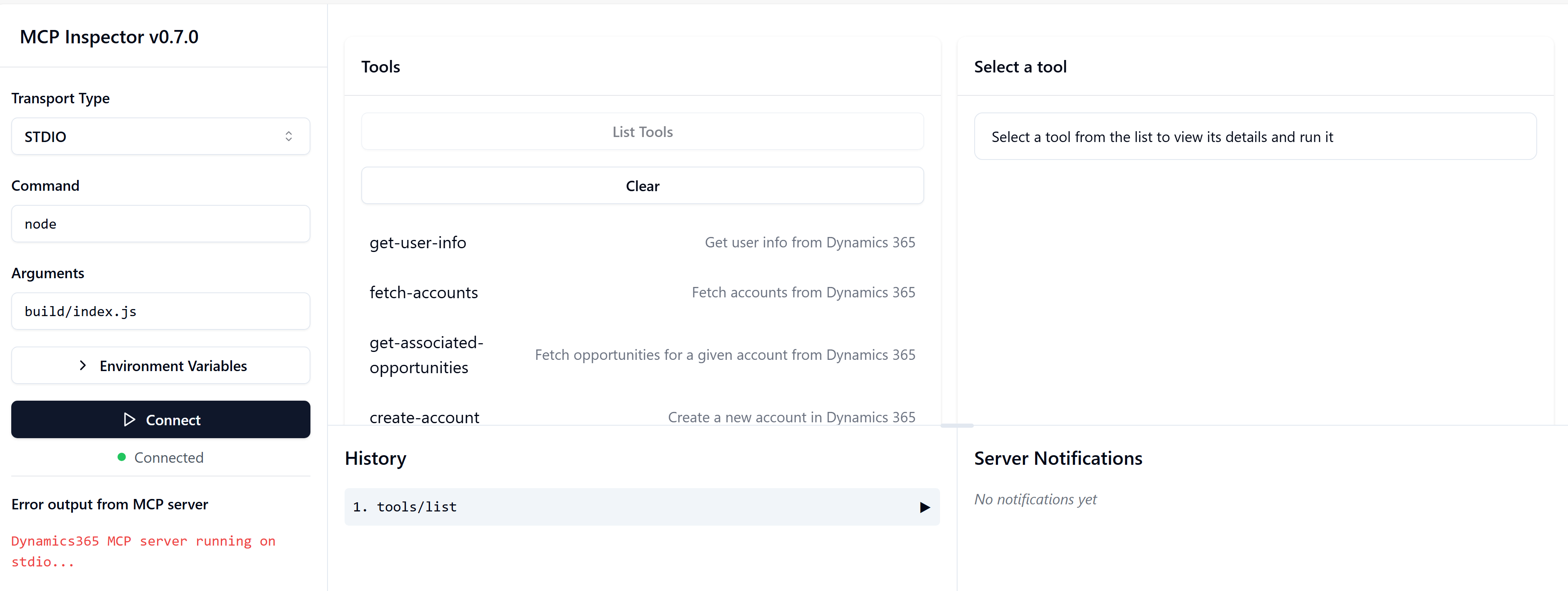
Now you can connect to server and terst all the tools!!
Debugging 🐛
If you encounter issues, ensure the following:
If you encounter issues, ensure the following:
- The .env file is properly configured.
- The Azure AD application has the necessary permissions for Dynamics 365 APIs.
- The Dynamics 365 instance is accessible from - your environment.
- You can also add debug logs in the code to trace issues. For example:
console.error("Debugging: Loaded environment variables:", process.env);
Contributing 🤝
Contributions are welcome! Feel free to submit a pull request or open an issue for any bugs or feature requests.
To contribute:
- Fork the repository.
- Create a new branch for your feature or bug fix.
- Commit your changes and submit a pull request.
- We appreciate your contributions! 😊
Установка Dynamics365 Server
У этого сервера нет опубликованного пакета — он собирается из исходников. Открой репозиторий и следуй инструкции в README.
▸ github.com/srikanth-paladugula/mcp-dynamics365-serverFAQ
Dynamics365 Server MCP бесплатный?
Да, Dynamics365 Server MCP бесплатный — установка в пару кликов через Unyly без оплаты.
Нужен ли API-ключ для Dynamics365 Server?
Нет, Dynamics365 Server работает без API-ключей и переменных окружения.
Dynamics365 Server — hosted или self-hosted?
Self-hosted: сервер запускается локально на твоей машине командой из раздела установки.
Как установить Dynamics365 Server в Claude Desktop, Claude Code или Cursor?
Открой Dynamics365 Server на unyly.org, выбери вкладку своего клиента (Claude Desktop, Claude Code, Cursor) и нажми Install — конфиг сгенерируется автоматически, без правки JSON.
Похожие MCP
GitHub
PRs, issues, code search, CI status
 автор: GitHub
Filesystem
Secure file operations with configurable access controls.
Memory
Knowledge graph-based persistent memory system.
Template MCP Server
A CLI tool to create a new Model Context Protocol server project with TypeScript support, dual transport options, and an extensible structure
 автор: mcpdotdirect
Compare Dynamics365 Server with
Не уверен что выбрать?
Найди свой стек за 60 секунд
Автор?
Embed-бейдж для README
Похожее
Все в категории development