
EdgeOne Geolocation
БесплатноНе проверенProvides user geolocation data from EdgeOne's edge functions in structured JSON format for location-aware responses

Описание
Provides user geolocation data from EdgeOne's edge functions in structured JSON format for location-aware responses
README
This project demonstrates how to use EdgeOne Pages Functions to retrieve user geolocation information and integrate it with large language models through MCP (Model Context Protocol).
Demo
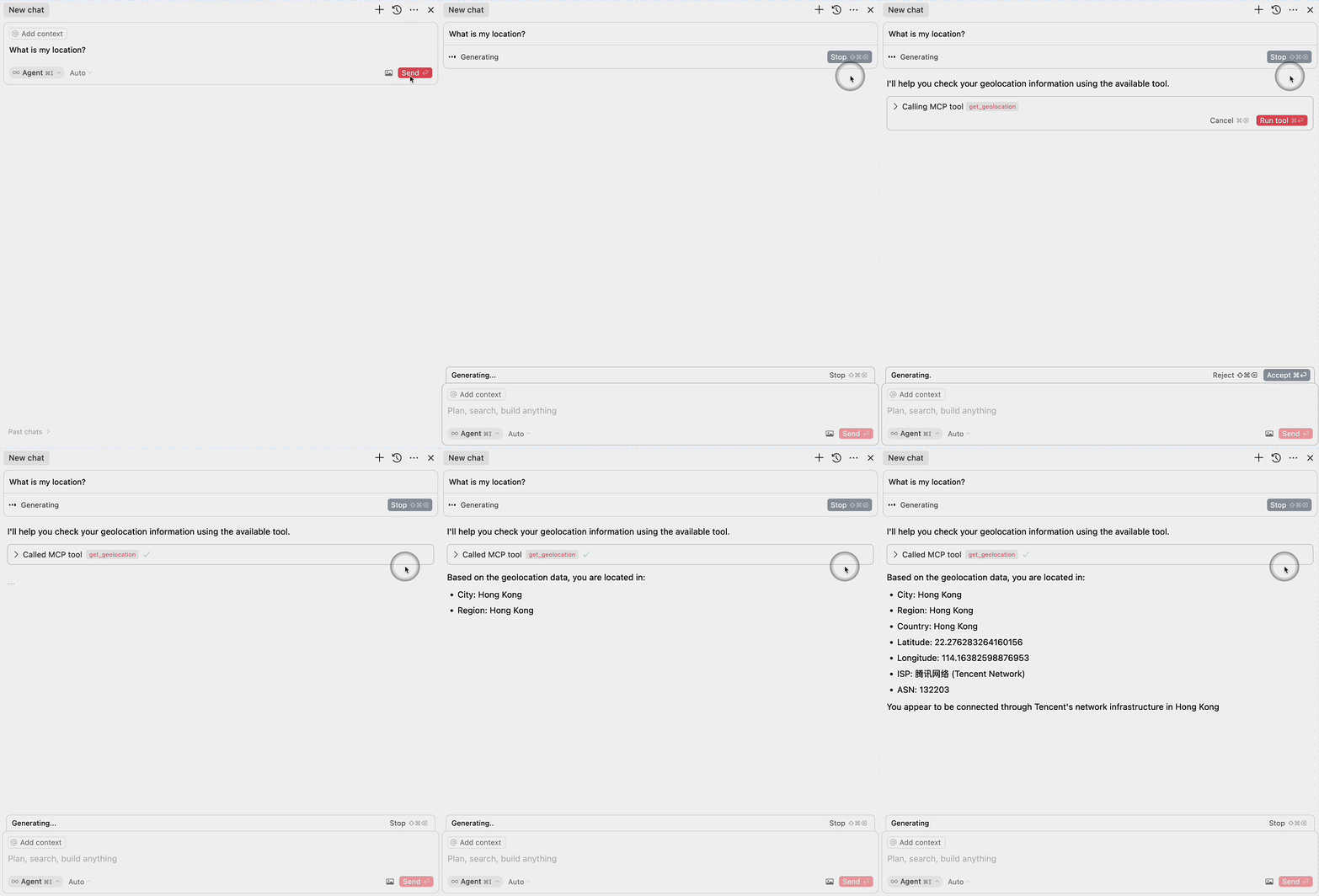
Deploy
More Templates: EdgeOne Pages
Components
1. EdgeOne Pages Functions: Geolocation
The project includes an EdgeOne Pages Function that retrieves user geolocation information:
- Uses the EdgeOne request context to access geolocation data
- Returns location information in a JSON format
- Located in
functions/get_geo.ts
2. MCP Server Integration
The MCP server component provides an interface for large language models to access geolocation data:
- Implements the Model Context Protocol (MCP)
- Exposes a
get_geolocationtool that can be used by AI models - Uses the EdgeOne Pages Function to fetch geolocation data
- Located in
mcp-server/index.ts
MCP Configuration
To use the MCP server with large language models, add the following configuration:
{
  "mcpServers": {
    "edgeone-geo-mcp-server": {
      "command": "tsx",
      "args": ["path/to/mcp-server/index.ts"]
    }
  }
}
Learn More
- EdgeOne Pages
- EdgeOne Pages Functions documentation
- Model Context Protocol (MCP) - Learn about integrating AI models with external tools and services
Установка EdgeOne Geolocation
У этого сервера нет опубликованного пакета — он собирается из исходников. Открой репозиторий и следуй инструкции в README.
▸ github.com/edgego/mcp-geo-pubFAQ
EdgeOne Geolocation MCP бесплатный?
Да, EdgeOne Geolocation MCP бесплатный — установка в пару кликов через Unyly без оплаты.
Нужен ли API-ключ для EdgeOne Geolocation?
Нет, EdgeOne Geolocation работает без API-ключей и переменных окружения.
EdgeOne Geolocation — hosted или self-hosted?
Self-hosted: сервер запускается локально на твоей машине командой из раздела установки.
Как установить EdgeOne Geolocation в Claude Desktop, Claude Code или Cursor?
Открой EdgeOne Geolocation на unyly.org, выбери вкладку своего клиента (Claude Desktop, Claude Code, Cursor) и нажми Install — конфиг сгенерируется автоматически, без правки JSON.
Похожие MCP
GitHub
PRs, issues, code search, CI status
 автор: GitHub
Filesystem
Secure file operations with configurable access controls.
Memory
Knowledge graph-based persistent memory system.
Template MCP Server
A CLI tool to create a new Model Context Protocol server project with TypeScript support, dual transport options, and an extensible structure
 автор: mcpdotdirect
Compare EdgeOne Geolocation with
Не уверен что выбрать?
Найди свой стек за 60 секунд
Автор?
Embed-бейдж для README
Похожее
Все в категории development