

Описание
Eidetic — Agentic Memory MCP Server
README
Eidetic is an Agent-Agnostic Memory MCP Server. It provides a structured, long-term memory system via the Model Context Protocol (MCP).
Eidetic enables memory portability: a memory created by one agent (e.g. Claude Code) can be instantly recalled by another (e.g. Cursor).
Agents can automatically store, recall, deduplicate, and review project knowledge—such as architectural decisions, user preferences, and bug resolutions—so they never have to start from scratch.
Index
- Installation
- Agent Integration
- Features
- Storage Backends
- MCP Tools
- Harbor Backups & Artifacts
- TUI Storage Inspector
- License
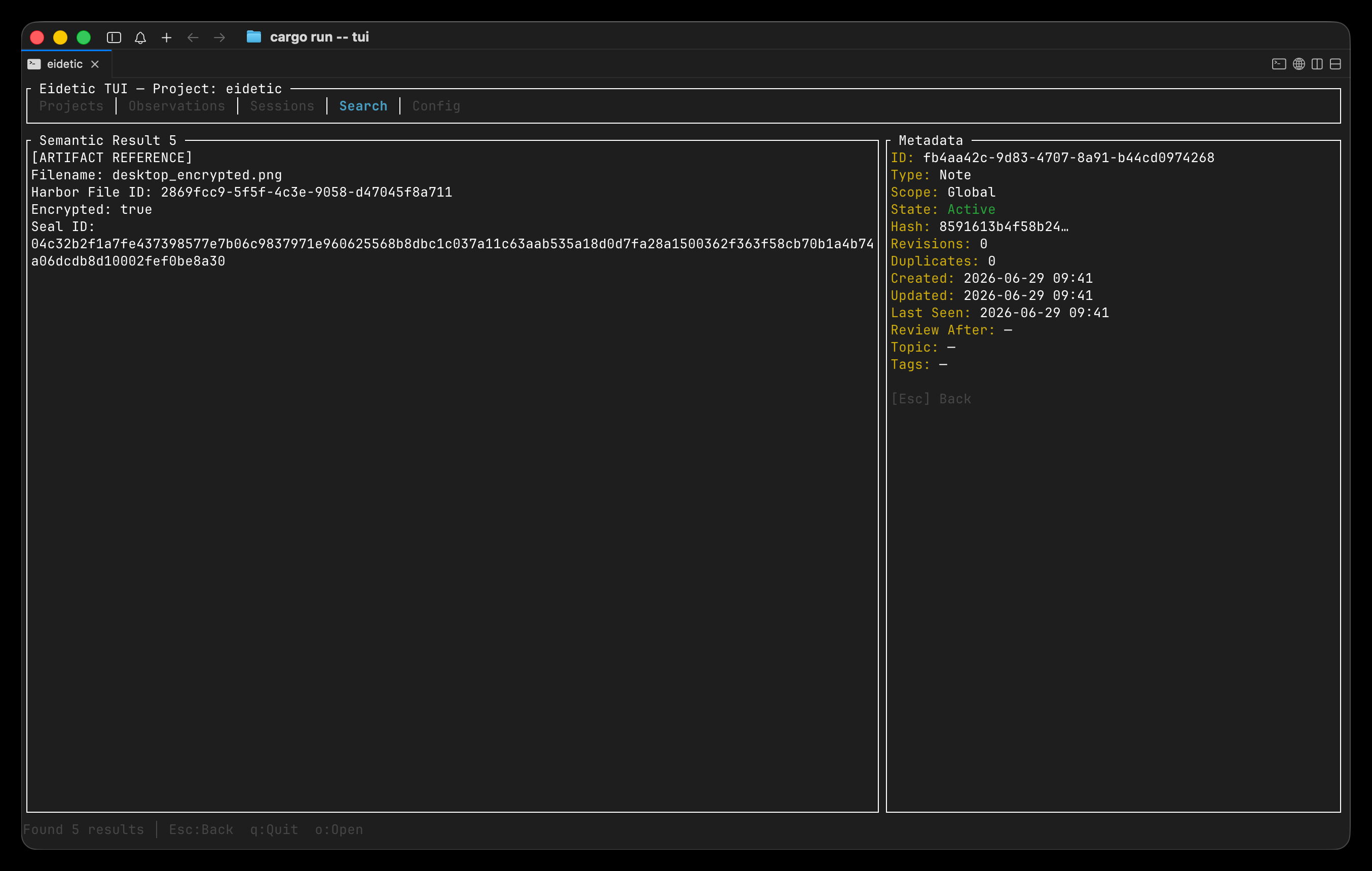 Eidetic stores and recalls model generated artifacts (like images) that you can view in your system's default viewer.
Installation
You can install Eidetic in two ways:
1. Via NPM (Recommended)
You can install the pre-compiled binary wrapper globally using npm:
npm install -g eidetic-mcp
Or run it directly using npx:
npx eidetic-mcp
2. Via Cargo (From Source)
If you prefer to build from source, you can use Cargo:
git clone https://github.com/mcxross/eidetic.git
cd eidetic
cargo install --path .
Account Setup: Memwal & Harbor
Memwal Setup To fully automate the creation, registration, and funding of a Memwal backend account on the Sui network, use:
eidetic setup memwal
This interactive command guides you through generating an identity
Harbor Setup To enable secure database backups and artifact storage, configure Harbor:
eidetic setup harbor
You will be prompted for your Harbor API Key and Service Private Key. These are stored securely in your system's native keychain.
Agent Integration
Eidetic features a built-in auto-setup command to easily inject itself into the configuration files of popular coding agents.
Run the following command to register Eidetic with your agent of choice:
eidetic setup <agent>
Supported Agents
claude- Claude Code CLIclaude-desktop- Claude Desktop Appcursor(orpi) - Cursor IDEvscode- Visual Studio Codeopencode- OpenCodegemini-cli- Gemini CLIcodex- OpenAI Codex CLI
Example:
eidetic setup cursor
This will automatically parse your ~/.cursor/mcp.json file, safely merge Eidetic as an available MCP server, and point the agent to the exact Eidetic executable path.
Features
MCP Server
Start the MCP server manually (usually handled automatically by your agent):
eidetic serve
By default, the server uses Memwal to store semantic memories.
Configuration
Eidetic persists its configuration in ~/.eidetic/config.json. This includes your storage backend preferences, custom paths, and Memwal configurations.
You can view the active configuration and backend details via:
eidetic info
Storage Backends
Eidetic supports multiple storage layers through --storage-backend or the EIDETIC_STORAGE_BACKEND environment variable.
Available backends:
| memwal | Default semantic memory network |
| sqlite | Local relational database |
| file | Simple JSON file storage |
Use --storage-path or EIDETIC_STORAGE_PATH to choose the local storage/index directory.
Memwal (Default)
Memwal is the default decentralized semantic memory network for Eidetic.
Start the MCP server with Memwal (default behavior):
eidetic serve
Or configure it with environment variables:
export EIDETIC_STORAGE_BACKEND=memwal
export EIDETIC_MEMWAL_REGISTRY_ID=0x...
eidetic serve
Memwal account selection is handled by Eidetic's authentication layer:
- On startup, Eidetic reads
~/.sui/sui_config/client.yaml,sui.aliases, and the configuredsui.keystore. - It derives available Ed25519 Sui accounts locally from private key material.
- It defaults to
client.yaml.active_addresswhen that account has usable key material. - The memory storage layer receives only the active Memwal client/configuration; it does not manage private keys directly.
Memwal configuration options:
| CLI flag | Environment variable | Description |
|---|---|---|
--memwal-account-id |
EIDETIC_MEMWAL_ACCOUNT_ID |
Existing Memwal account object ID to reuse |
--memwal-registry-id |
EIDETIC_MEMWAL_REGISTRY_ID |
Memwal registry object ID for account reuse/creation |
--memwal-server-url |
EIDETIC_MEMWAL_SERVER_URL |
Memwal relayer/server URL |
--memwal-relayer-config-url |
EIDETIC_MEMWAL_RELAYER_CONFIG_URL |
Explicit relayer config URL |
--memwal-namespace |
EIDETIC_MEMWAL_NAMESPACE |
Memory namespace, defaults to eidetic |
--memwal-delegate-label |
EIDETIC_MEMWAL_DELEGATE_LABEL |
Delegate key label, defaults to eidetic-mcp |
--sui-config-dir |
EIDETIC_SUI_CONFIG_DIR |
Override Sui config directory, defaults to ~/.sui/sui_config |
Memwal MCP utility tools:
| Tool | Purpose |
|---|---|
mem_sui_accounts |
Lists usable Sui accounts discovered from ~/.sui without exposing private keys |
mem_select_sui_account |
Selects the account used by Memwal operations for the current server process |
mem_memwal_config |
Shows redacted active Memwal configuration and backend status |
Example account flow:
mem_sui_accounts
mem_select_sui_account { "selector": "my-sui-alias-or-0x-address" }
mem_memwal_config
Account selection is process-local. Eidetic does not persist the selected Memwal account across server restarts. If no account is selected after restart, Eidetic reloads ~/.sui and falls back to Sui's active_address.
Other Storage Options
If you prefer to store data strictly locally, Eidetic offers alternative backends.
SQLite
SQLite requires no external services:
eidetic --storage-backend sqlite serve
Choose a custom database directory:
eidetic --storage-backend sqlite --storage-path ~/.local/share/eidetic-mcp/storage serve
File
The file backend stores JSON documents directly on disk:
eidetic --storage-backend file serve
Choose a custom file storage directory:
eidetic --storage-backend file --storage-path ~/.local/share/eidetic-mcp/files serve
Use this backend when you want easy inspection or simple portable JSON files. SQLite is generally a better default for normal use.
MCP Tools
Eidetic exposes the following MCP tools to connected agents.
Core Memory
| Tool | Purpose |
|---|---|
mem_save |
Save a structured observation such as a decision, bugfix, pattern, discovery, task, note, or learning |
mem_update |
Update an existing observation by ID |
mem_delete |
Delete an observation; soft delete is the default, hard delete is optional |
mem_search |
Full-text search across memories for the current or specified project |
mem_get_observation |
Fetch the full content and metadata for a specific memory |
mem_suggest_topic_key |
Suggest a stable topic_key before saving evolving topic-based memories |
mem_save_prompt |
Save a user prompt for future context |
Sessions
| Tool | Purpose |
|---|---|
mem_session_start |
Register the start of a work session |
mem_session_end |
Mark a session as completed |
mem_context |
Retrieve recent context from previous sessions and observations |
mem_session_summary |
Save an end-of-session summary |
Projects
| Tool | Purpose |
|---|---|
mem_current_project |
Detect the current project from a working directory; recommended as a first call |
mem_merge_projects |
Merge project name variants into a canonical project |
Advanced Review and Relations
| Tool | Purpose |
|---|---|
mem_timeline |
Get chronological context around a specific observation |
mem_capture_passive |
Extract learnings from text output and save them as memories |
mem_review |
List observations whose review lifecycle is stale; can mark items reviewed |
mem_judge |
Record a verdict for a pending memory conflict surfaced by mem_save |
mem_compare |
Persist a semantic relation verdict between two existing observations |
Diagnostics and Configuration
| Tool | Purpose |
|---|---|
mem_stats |
Return memory system statistics for a project |
mem_doctor |
Run read-only diagnostics for project detection and storage health |
eidetic_status |
Return server health, current config, and actionable Memwal gas errors |
Artifact Management
| Tool | Purpose |
|---|---|
mem_save_artifact |
Upload raw bytes (code, images, etc.) to Harbor and save a reference locally or semantically |
mem_get_artifact |
Download and decode an artifact from Harbor using its File ID |
Memwal Account Tools
These tools are available when the server is running with --storage-backend memwal.
| Tool | Purpose |
|---|---|
mem_sui_accounts |
List usable Sui accounts discovered from ~/.sui without exposing private keys |
mem_select_sui_account |
Select the Sui account used by Memwal operations for the current server process |
mem_memwal_config |
Show redacted active Memwal account and backend configuration |
Harbor Backups & Artifacts
Eidetic natively integrates with Harbor for secure object storage. Once configured (eidetic setup harbor), you can safely backup your local database or store model-generated artifacts.
Database Backups
Snapshot and upload your local database to Harbor:
eidetic backup
Restore a specific backup:
eidetic restore monday
Artifacts
When an agent creates an artifact (like code or images), it is sent directly to Harbor. A semantic reference is then saved to your active memory backend. Agents can seamlessly recall and download these artifacts using their natural context.
TUI Storage Inspector
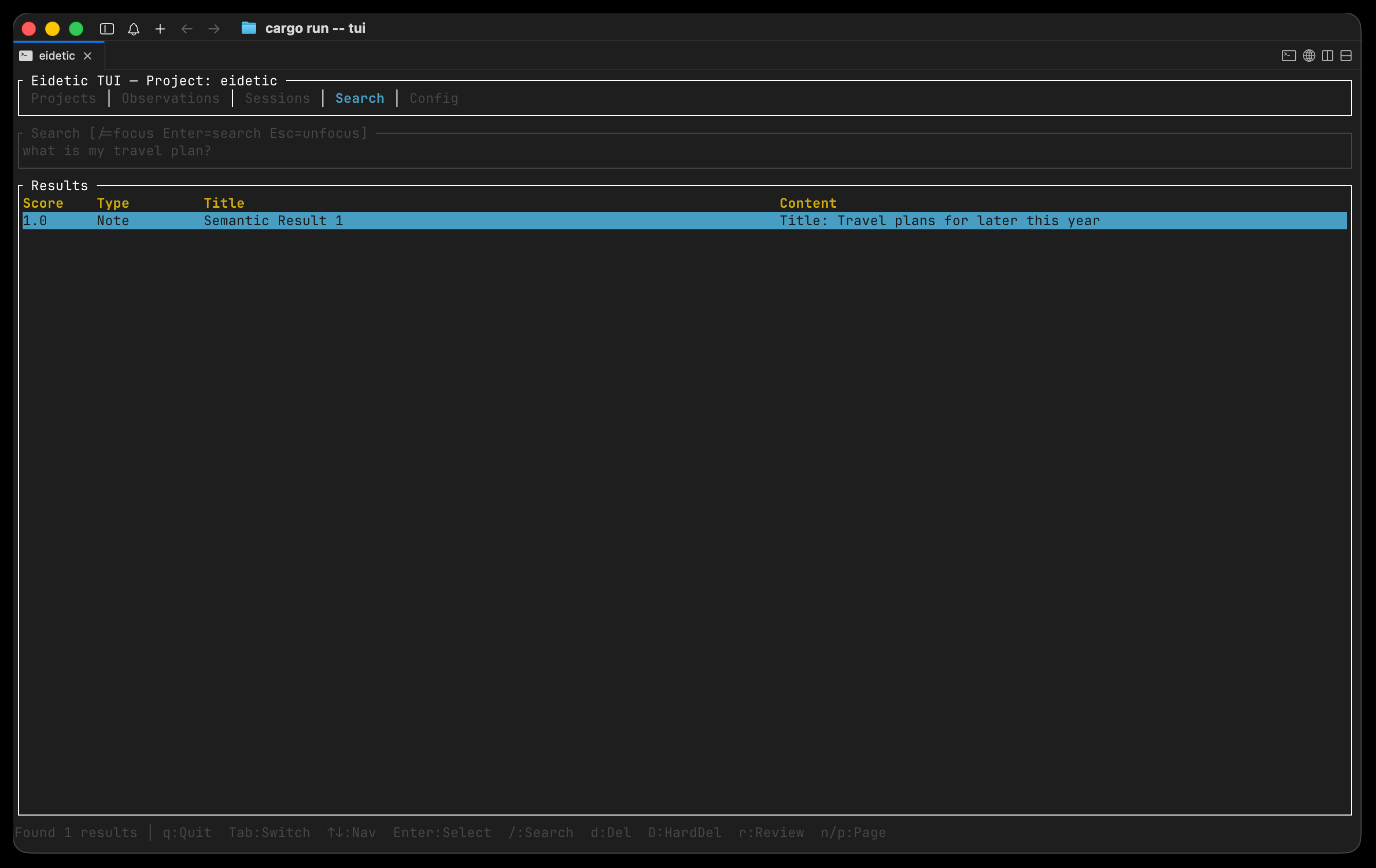
Eidetic comes with a built-in Terminal UI to easily inspect, search, review, and delete the memories stored by your agents.
eidetic tui
Controls:
Tab- Switch views (Projects, Observations, Sessions, Search)Enter- View details for an observationd- Soft-delete an observationD- Hard-delete an observationr- Mark an observation as reviewed/- Open search
Debugging and Inspector
If you want to manually inspect and debug the Eidetic MCP server, you can use the official MCP Inspector.
To run the inspector using npx:
npx @modelcontextprotocol/inspector eidetic serve
If you are developing locally from source, you can also run:
npx @modelcontextprotocol/inspector cargo run -- serve
For more details on inspecting and debugging, please refer to the official MCP documentation:
License
Apache 2.0
Установить Eidetic Mcp в Claude Desktop, Claude Code, Cursor
unyly install eidetic-mcpСтавит в Claude Desktop, Claude Code, Cursor и VS Code — сам разбирается с npx, uvx и сборкой из исходников.
Впервые? Поставь CLI: curl -fsSL https://unyly.org/install | sh
Или настроить вручную
Выполни в терминале:
claude mcp add eidetic-mcp -- npx -y eidetic-mcpFAQ
Eidetic Mcp MCP бесплатный?
Да, Eidetic Mcp MCP бесплатный — установка в пару кликов через Unyly без оплаты.
Нужен ли API-ключ для Eidetic Mcp?
Нет, Eidetic Mcp работает без API-ключей и переменных окружения.
Eidetic Mcp — hosted или self-hosted?
Self-hosted: сервер запускается локально на твоей машине командой из раздела установки.
Как установить Eidetic Mcp в Claude Desktop, Claude Code или Cursor?
Открой Eidetic Mcp на unyly.org, выбери вкладку своего клиента (Claude Desktop, Claude Code, Cursor) и нажми Install — конфиг сгенерируется автоматически, без правки JSON.
Похожие MCP
Fetch
Web content fetching and conversion for efficient LLM usage.
AWS KB Retrieval
Retrieval from AWS Knowledge Base using Bedrock Agent Runtime.
 автор: modelcontextprotocol
Spring AI MCP Server
Provides auto-configuration for setting up an MCP server in Spring Boot applications.
llm-analysis-assistant
A very streamlined mcp client that supports calling and monitoring stdio/sse/streamableHttp, and can also view request responses through the /logs page. It also
 автор: xuzexin-hz
Compare Eidetic Mcp with
Не уверен что выбрать?
Найди свой стек за 60 секунд
Автор?
Embed-бейдж для README
Похожее
Все в категории ai