
Erddap Demo
БесплатноНе проверенEnables LLMs to interact with ERDDAP search, metadata, and tabledap services for oceanographic data.

Описание
Enables LLMs to interact with ERDDAP search, metadata, and tabledap services for oceanographic data.
README
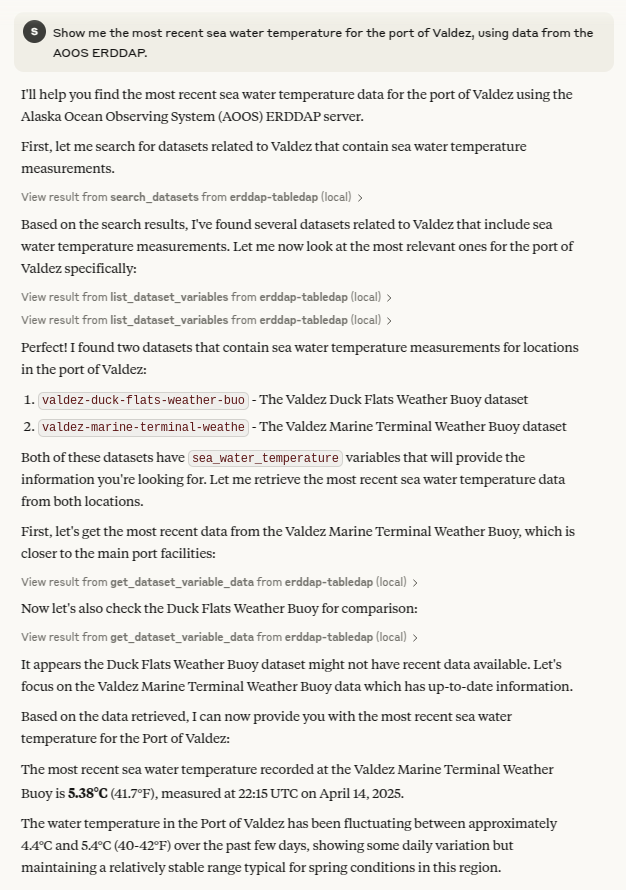
Demo implementation of a Model Context Protocol server allowing an LLM to interact with ERDDAP search, metadata, and tabledap services.
Usage
Make sure you have uv installed, then add the MCP server to the desired MCP capable client.
Example for Claude Desktop
NOTE: claude.ai is not MCP capable at the time of writing
Add the erddap_mcp_demo.py tool to the Clade config file at:
- Mac:
~/Library/Application Support/Claude/claude_desktop_config.json - Linux:
~/.config//Claude/claude_desktop_config.json - Windows:
%APPDATA%\Claude\claude_desktop_config.json
{
  "mcpServers": {
    "erddap-tabledap": {
      "command": "/path/to/uv",
      "args": [
        "run",
        "--with",
        "mcp[cli]",
        "mcp",
        "run",
        "/path/to/erddap_mcp_demo.py"
      ]
    }
  }
}
Then start/restart Claude desktop and ask it to get some data!
See https://modelcontextprotocol.io/quickstart/user
Testing
uv run mcp dev erddap_mcp_demo.py
Установка Erddap Demo
У этого сервера нет опубликованного пакета — он собирается из исходников. Открой репозиторий и следуй инструкции в README.
▸ github.com/srstsavage/erddap-mcp-demoFAQ
Erddap Demo MCP бесплатный?
Да, Erddap Demo MCP бесплатный — установка в пару кликов через Unyly без оплаты.
Нужен ли API-ключ для Erddap Demo?
Нет, Erddap Demo работает без API-ключей и переменных окружения.
Erddap Demo — hosted или self-hosted?
Доступен hosted-вариант: Unyly запускает сервер в облаке, локальная установка не обязательна.
Как установить Erddap Demo в Claude Desktop, Claude Code или Cursor?
Открой Erddap Demo на unyly.org, выбери вкладку своего клиента (Claude Desktop, Claude Code, Cursor) и нажми Install — конфиг сгенерируется автоматически, без правки JSON.
Похожие MCP
GitHub
PRs, issues, code search, CI status
 автор: GitHub
Filesystem
Secure file operations with configurable access controls.
Memory
Knowledge graph-based persistent memory system.
Template MCP Server
A CLI tool to create a new Model Context Protocol server project with TypeScript support, dual transport options, and an extensible structure
 автор: mcpdotdirect
Compare Erddap Demo with
Не уверен что выбрать?
Найди свой стек за 60 секунд
Автор?
Embed-бейдж для README
Похожее
Все в категории development