
Faceton Server
БесплатноНе проверенFaceTron is a high-performance face embedding server with ONNX Runtime, dynamic multi-model loading, and MCP-compatible OpenAPI metadata for offline face recogn

Описание
FaceTron is a high-performance face embedding server with ONNX Runtime, dynamic multi-model loading, and MCP-compatible OpenAPI metadata for offline face recognition and detection.
README
FaceTron is a high-performance, modular face(recognition) embedding server with ONNX Runtime support, featuring dynamic multi-model loading, take your models offline, built to run anywhere, from local machines to scalable cloud environments. It also provides an OpenAPI Specification (OAS) endpoint with MCP-compatible metadata, and with OpenTelemetry integration.
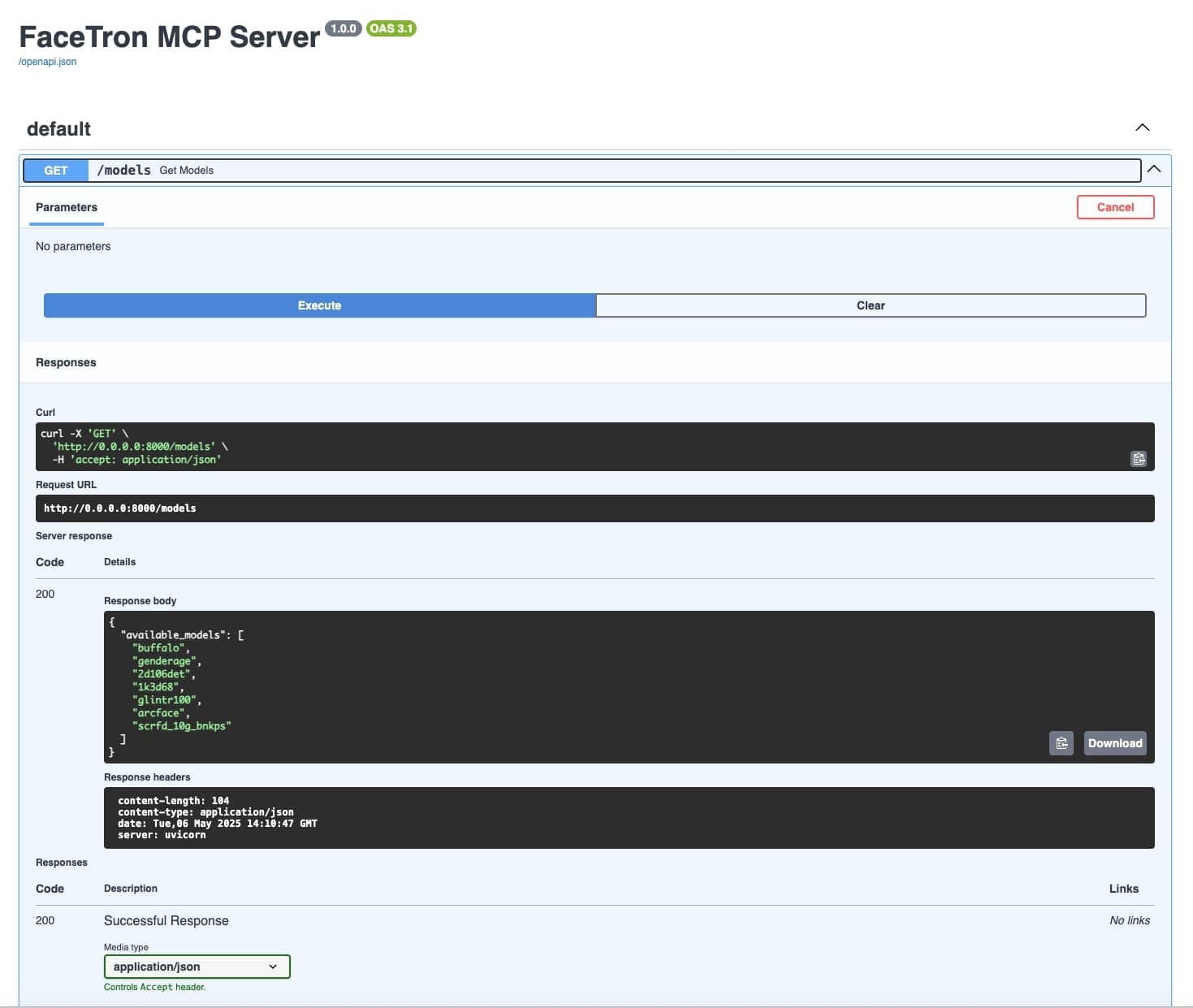
Added lightweight ONNX models under the models/ directory for testing purposes. Replace or mount this directory with actual high-resolution face models such as 1k3d68, 2d106det, arcface, buffalo, genderage, glintr100, and scrfd_10g_bnkps for full functionality.
🚀 Features
🔗 APIs:
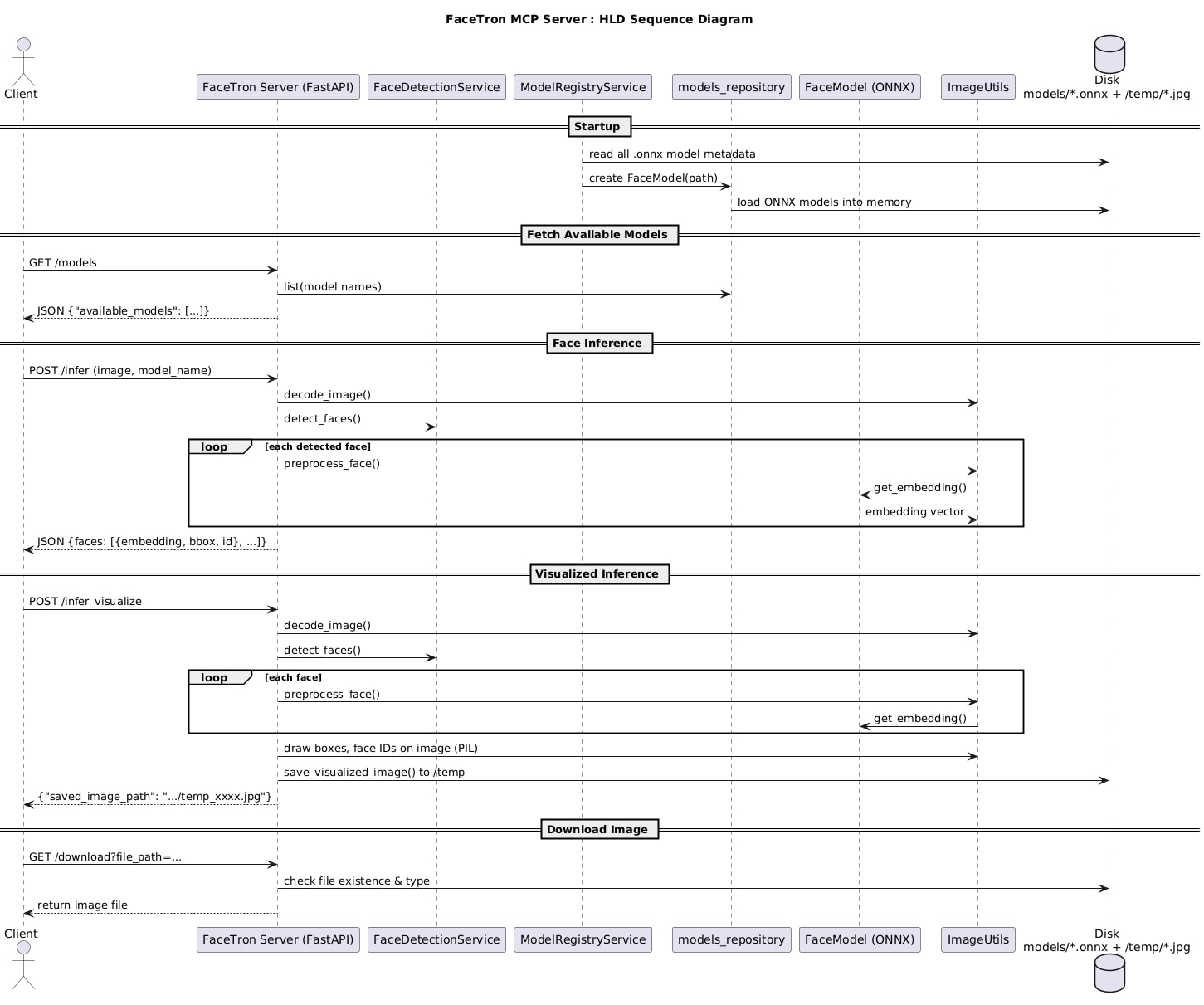
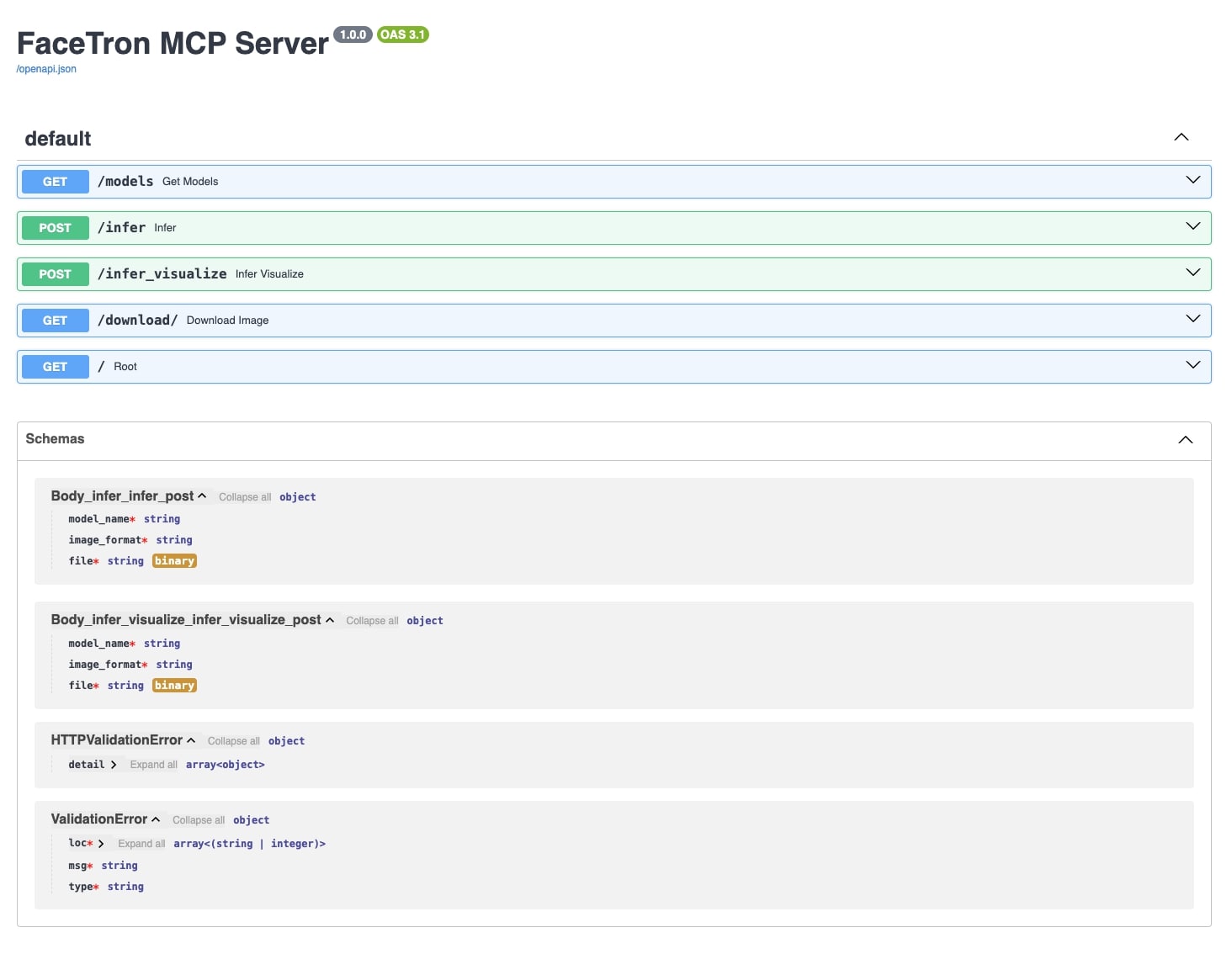
- GET /models: Get all loaded models from registry.
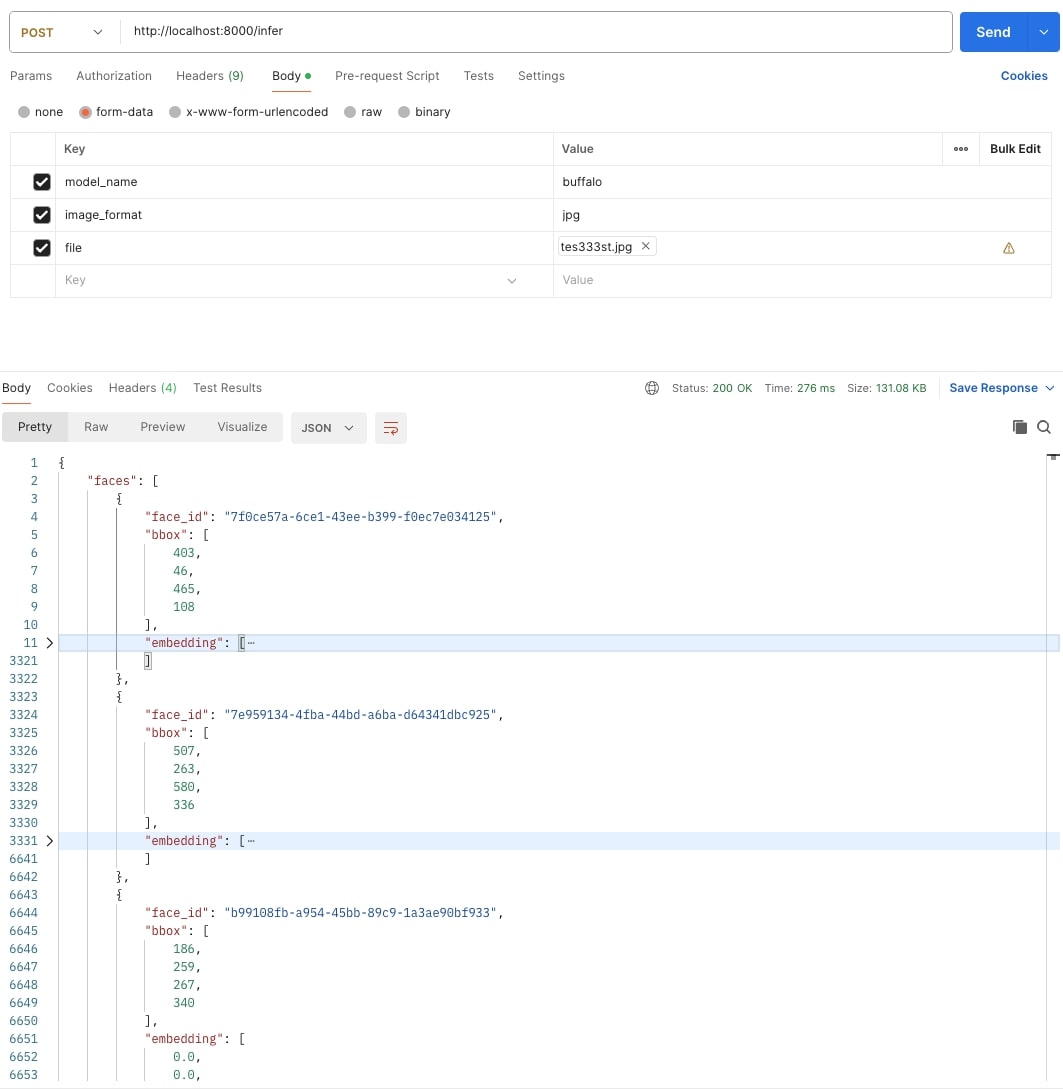
- POST /infer: Get embeddings from an image.
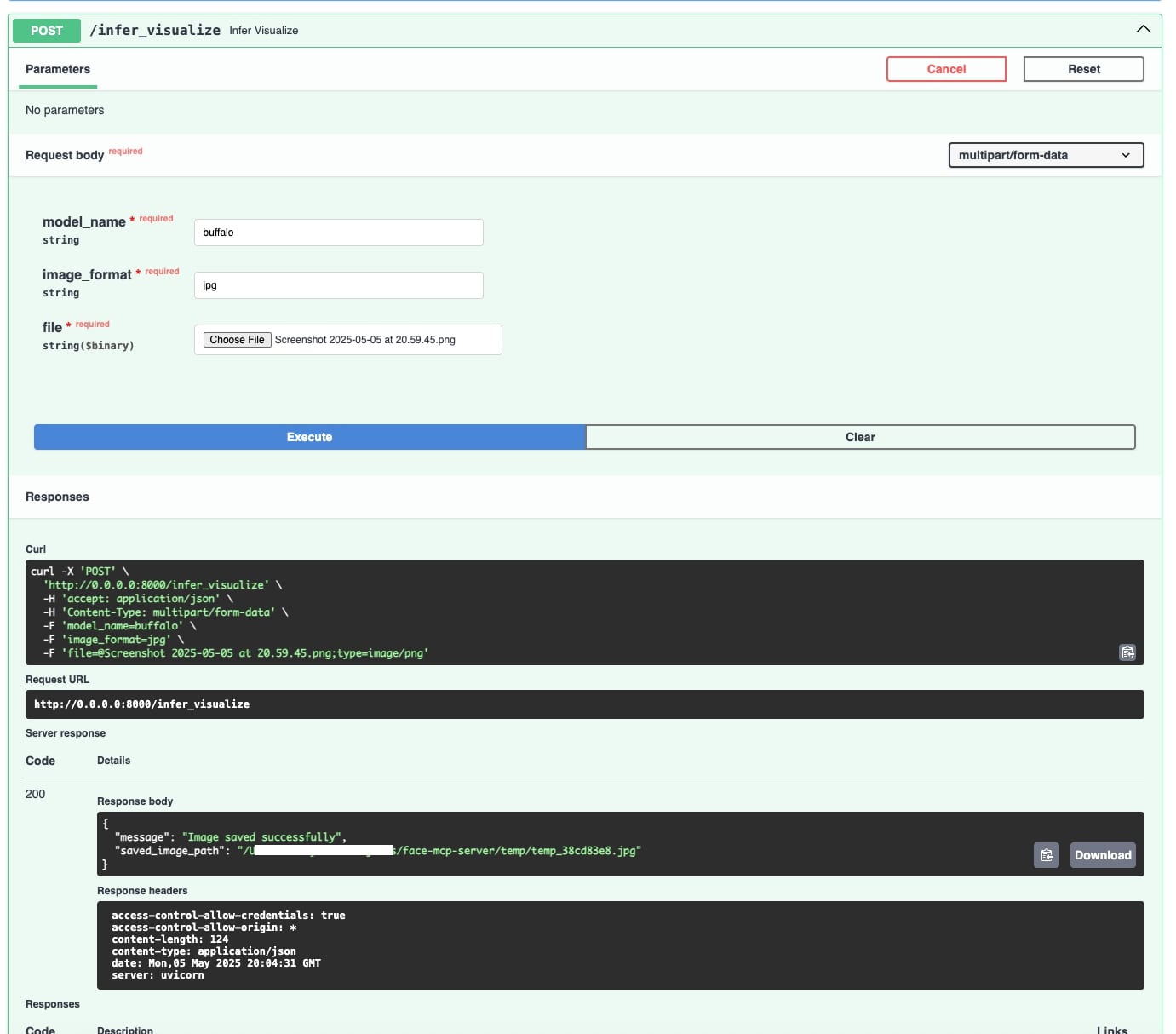
- POST /infer_visualize: Get boxed image with face detection markings.
- GET /download: Download boxed image with face detection markings.
- GET /openapi.json: Get OpenAPI v3.1.0 JSON spec for MCP metadata.
🧠 Face Embedding Inference
Accepts face images, detects faces, and returns clean, standardized vector embeddings.📦 Dynamic Multi-Model Support
Load multiple ONNX models (e.g., ArcFace, SCRFD, Glint360K) via/modelswith plug-and-play architecture.🔍 Face Detection & Visualization
Returns original images with bounding boxes and aligned face crops for inference validation.📚 OpenAPI 3.1 & Swagger UI
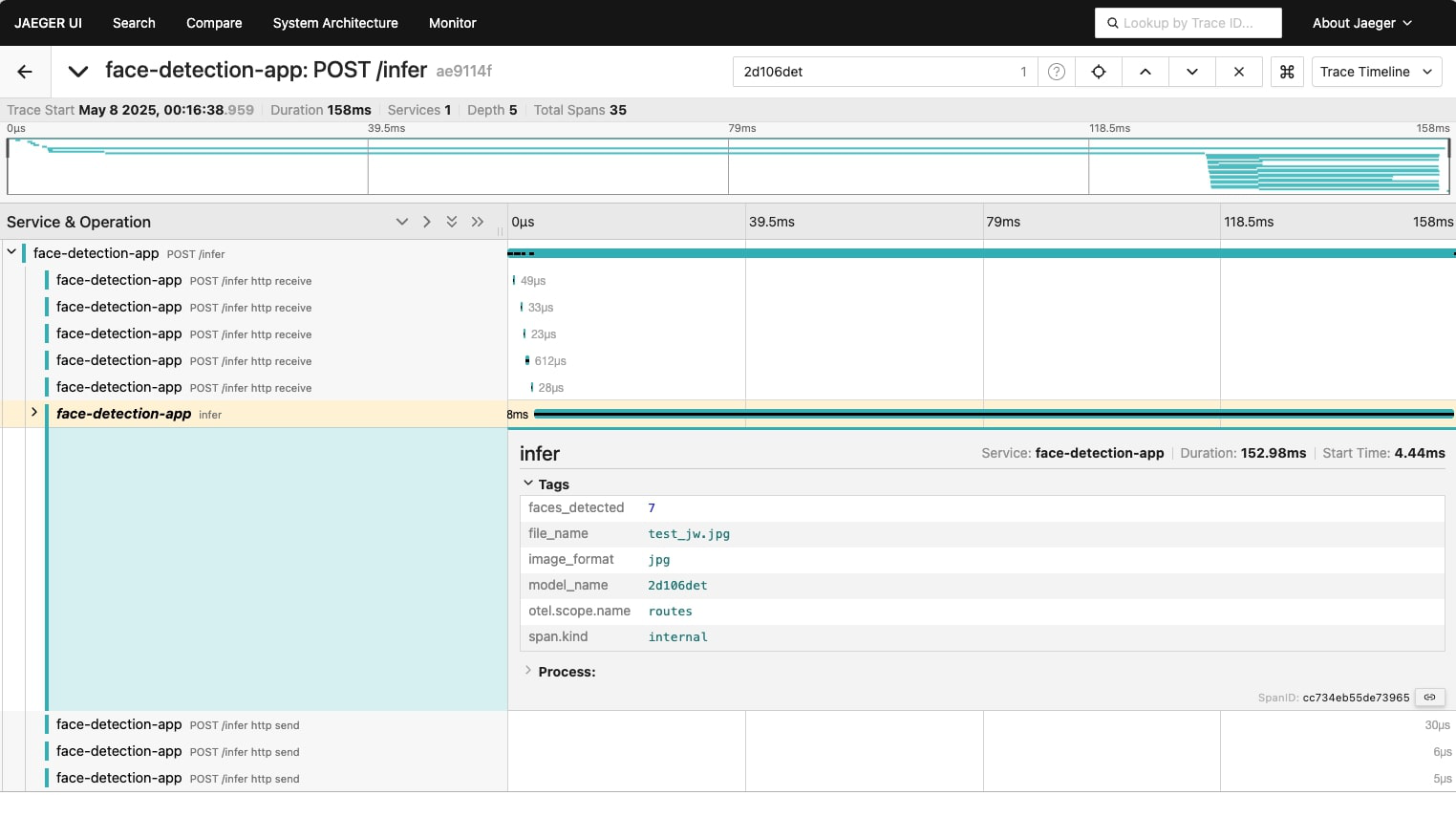
Easy integration via built-in interactive API documentation.🏷️ Out-of-the-Box OpenTelemetry Tracing Integrated support for OpenTelemetry with OTLP exporter (Jaeger compatible). Use setup_telemetry() in main.py to enable tracing automatically, or disable via the DISABLE_OTEL=true environment variable
🧩 Future-Ready Modular Design
Clean architecture withservices/,routes/, andutils/layers—ready for:- TensorFlow, PyTorch runtime extension
- Deployment into model orchestration pipelines
🧠 MCP Metadata Support
Exposes model info in OpenAPI spec for compliance with Model Connector Protocol (MCP) agents.
🧱 Tech Stack
- FastAPI (async web server)
- ONNX Runtime (model execution)
- Python 3.9+
- Dockerized & DevOps-ready
🗂 Project Structure
facetron/
├── main.py                     # FastAPI app entrypoint
├── routes.py                   # API route definitions
├── services/                   # Core face detection & embedding logic
│   ├── face_detection_service.py
│   ├── face_embedding_service.py
│   └── model_registry_service.py
├── utils/                      # Utility helpers
│   └── image_utils.py
├── models/                     # Pretrained ONNX models (test models included)
│   ├── 1k3d68.onnx
│   ├── 2d106det.onnx
│   ├── arcface.onnx
│   ├── buffalo.onnx
│   ├── genderage.onnx
│   ├── glintr100.onnx
│   └── scrfd_10g_bnkps.onnx
├── tester/                     # Client script for local testing
│   └── local_tester_client.py
├── temp/                       # Temp storage for incoming image files
├── resources/                  # Visual assets for API & architecture
│   └── *.png, *.jpg
├── requirements.txt
├── docker-compose.yml
├── Dockerfile
├── .env
├── readme.md
├── telemetry_utils.py # setup telemetry configs
└── license
⚙️ Setup
1. Clone and navigate
git clone https://github.com/13shivam/facetron.git
cd facetron
2. Add your ONNX models to /models
Make sure your models implement a .get_embedding(np.ndarray) -> np.ndarray interface via a wrapper.
3. Add/Remove OpenTelemetry Configuration
The server includes built-in OpenTelemetry, Telemetry is enabled on startup if setup_telemetry() is called in main.py.
Disable Telemetry: Set the environment variable DISABLE_OTEL=true before starting the server and skip invoking setup_telemetry().
Run with docker compose/pip
Create .env
MODEL_DIR=models
LOG_LEVEL=info
OTEL_EXPORTER_OTLP_ENDPOINT=http://host.docker.internal:4317
DISABLE_OTEL=false
Option 1: Start server using docker
docker-compose up -d
Access APIs via Swagger
Access Jaeger APIs explore trace
Option 2: Start server using pip
pip install -r requirements.txt
python main.py
...
INFO:     Will watch for changes in these directories: ['/facetron']
INFO:     Uvicorn running on http://0.0.0.0:8000 (Press CTRL+C to quit)
INFO:     Started reloader process [11385] using StatReload
INFO:     Started server process [11388]
INFO:     Waiting for application startup.
INFO:     Application startup complete.
(logs contd...)

#run tester script
python local_tester_client.py

...
200
{'message': 'Image saved successfully', 'saved_image_path': '/facetron/temp/temp_276ce9b8.jpg'}
200
{'message': 'Image saved successfully', 'saved_image_path': '/facetron/temp/temp_47179b1b.jpg'}
200
{'message': 'Image saved successfully', 'saved_image_path': '/facetron/temp/temp_feb98d6b.jpg'}
200
{'message': 'Image saved successfully', 'saved_image_path': '/facetron/temp/temp_5e4a77e5.jpg'}
...
Sequence Diagram All APIs in test order
Swagger view All APIs
Get API: Get All loaded Models
Infer API: returns map of face_ids with embeddings detected
Infer API Visualize: returns boxed image
Jaeger Trace Visualisation
Sample Images


🧪 Example Inference
curl --location 'http://localhost:8000/infer' --header 'Content-Type: application/json' --form 'model_name="buffalo"' --form 'image_format="jpg"' --form 'file=@"/path/to/your/image.jpg"'
Example response:
{
    "faces": [
        {
            "face_id": "15f9b282-ea6f-43f5-a60f-0e1a3b422fcd",
            "bbox": [403, 46, 465, 108],
            "embedding": [0, 0, 3434, -343...]
        }
    ]
}
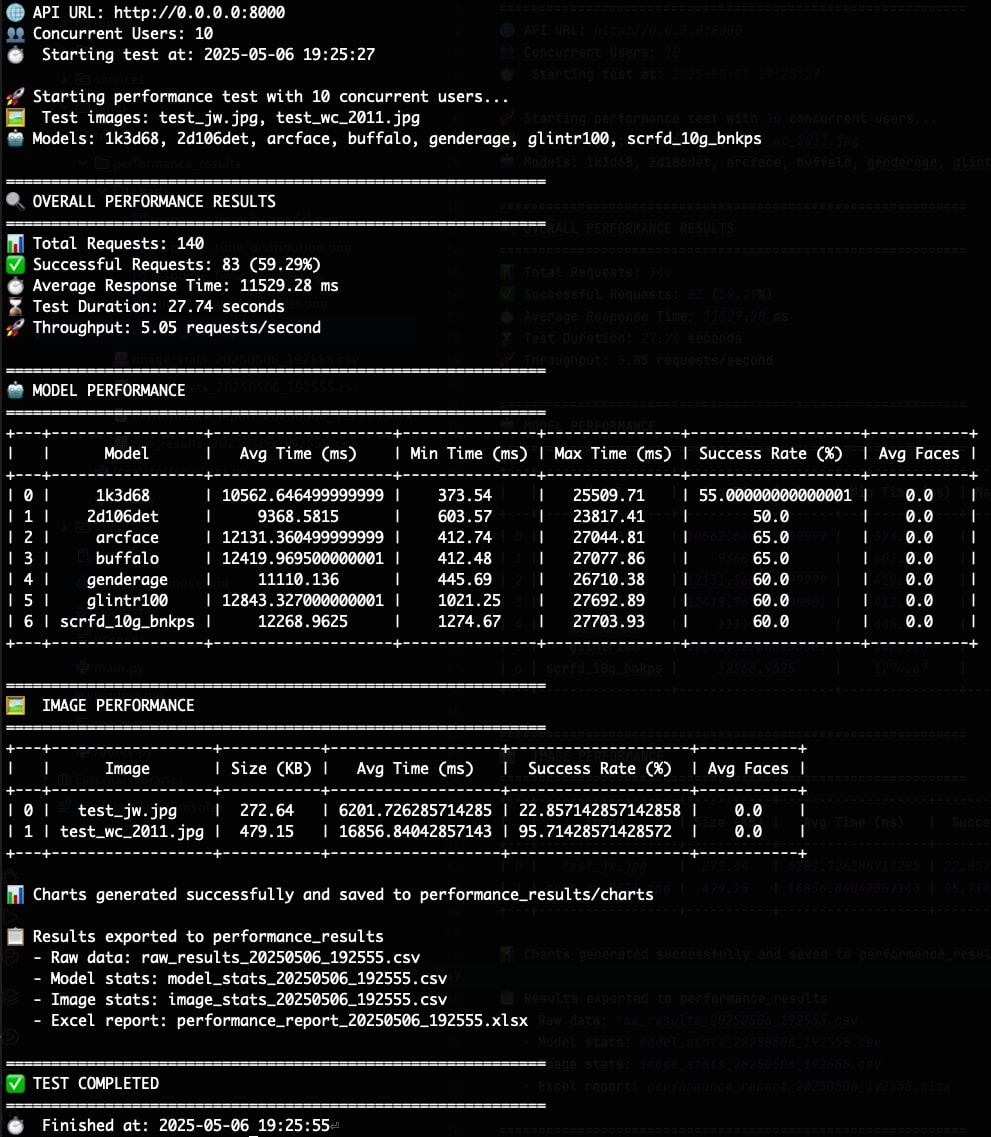
Performance Report
📝 License
This project is licensed under the MIT License - see the license file for details.
Important Notice Regarding Open Source Dependencies:
This project relies on various open-source models and libraries, each with its own licensing terms. It is the user's responsibility to understand and adhere to the specific licenses of all the open-source components they choose to use. Consult the individual licenses provided by the respective model and library providers.
Установка Faceton Server
У этого сервера нет опубликованного пакета — он собирается из исходников. Открой репозиторий и следуй инструкции в README.
▸ github.com/13shivam/facetronFAQ
Faceton Server MCP бесплатный?
Да, Faceton Server MCP бесплатный — установка в пару кликов через Unyly без оплаты.
Нужен ли API-ключ для Faceton Server?
Нет, Faceton Server работает без API-ключей и переменных окружения.
Faceton Server — hosted или self-hosted?
Self-hosted: сервер запускается локально на твоей машине командой из раздела установки.
Как установить Faceton Server в Claude Desktop, Claude Code или Cursor?
Открой Faceton Server на unyly.org, выбери вкладку своего клиента (Claude Desktop, Claude Code, Cursor) и нажми Install — конфиг сгенерируется автоматически, без правки JSON.
Похожие MCP
Fetch
Web content fetching and conversion for efficient LLM usage.
AWS KB Retrieval
Retrieval from AWS Knowledge Base using Bedrock Agent Runtime.
 автор: modelcontextprotocol
Spring AI MCP Server
Provides auto-configuration for setting up an MCP server in Spring Boot applications.
llm-analysis-assistant
A very streamlined mcp client that supports calling and monitoring stdio/sse/streamableHttp, and can also view request responses through the /logs page. It also
 автор: xuzexin-hz
Compare Faceton Server with
Не уверен что выбрать?
Найди свой стек за 60 секунд
Автор?
Embed-бейдж для README
Похожее
Все в категории ai