
Fenshitu
БесплатноНе проверенGenerates professional A-share intraday stock charts with 1-day and multi-day views, matching Chinese trading software styles.

Описание
Generates professional A-share intraday stock charts with 1-day and multi-day views, matching Chinese trading software styles.
README
A-share stock intraday chart generation MCP (Model Context Protocol) service. Generates professional stock charts matching Chinese trading software styles (East Money, Tonghuashun).
Features
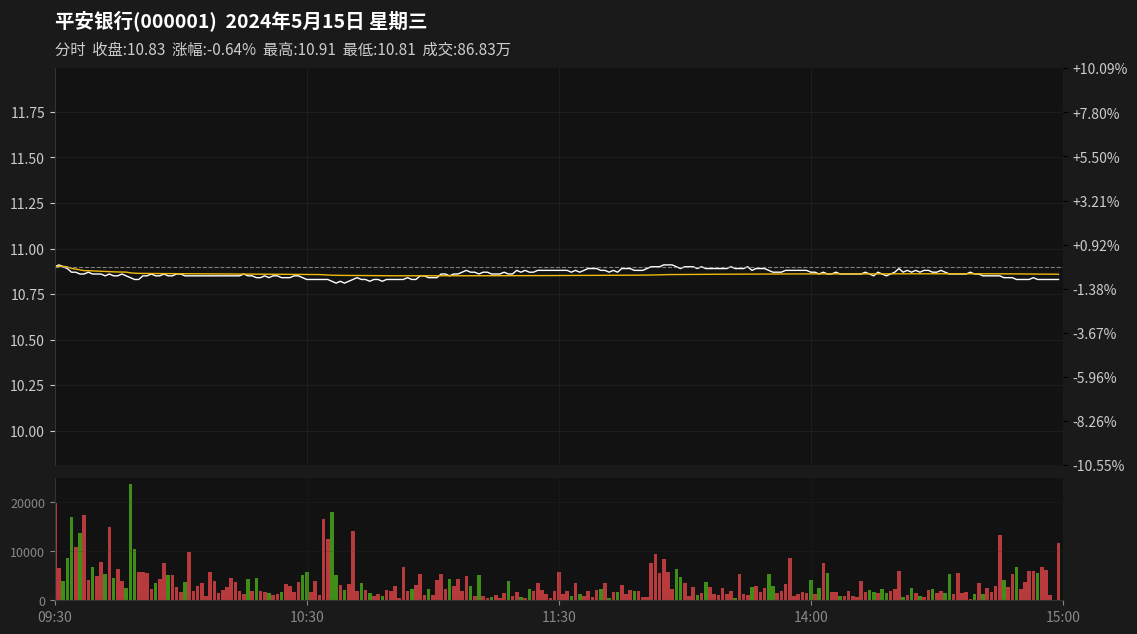
- 1-Day Intraday Chart: Complete trading day chart with price line, VWAP, volume bars
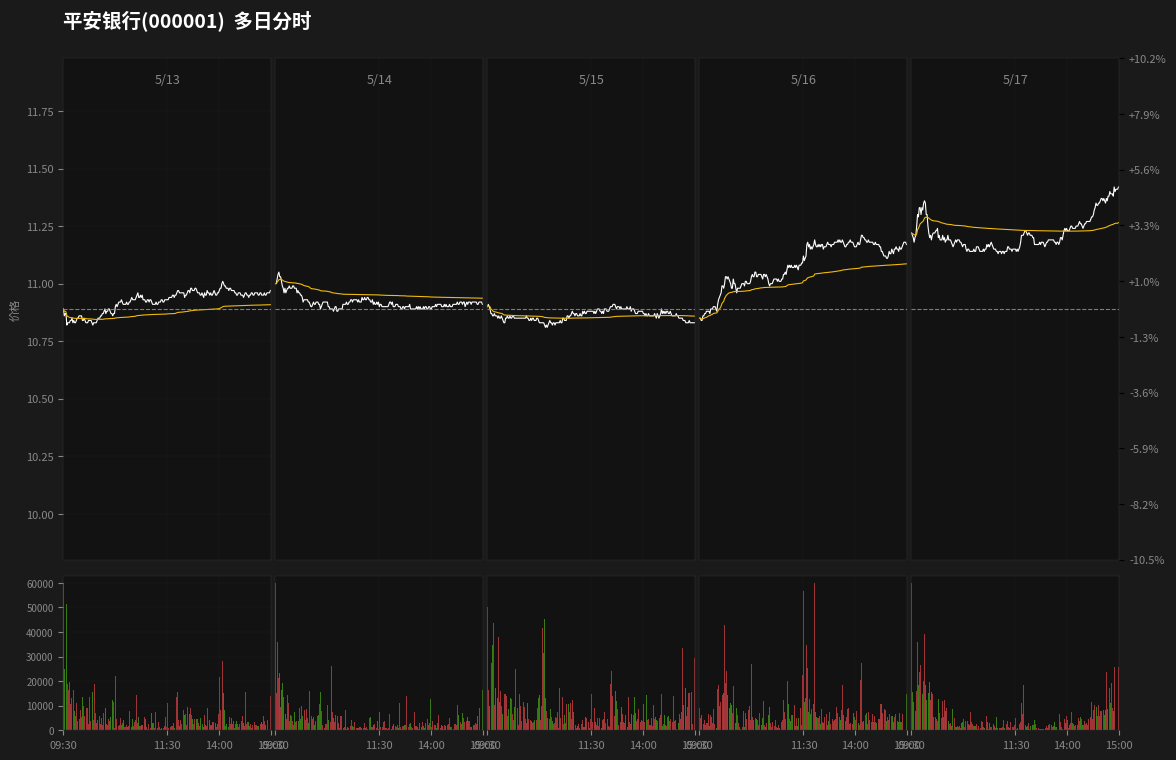
- Multi-Day Chart: Up to 7 consecutive trading days with unified price scale
- Professional Styling: Dark theme, dual Y-axis (price + percentage), red/green volume bars
- Trading Hours: Correctly handles A-share trading hours (09:30-11:30, 13:00-15:00) with proper gap at lunch break
- Data Source: mootdx (TongdaXin market data)
- System Service: systemd support with auto-start
Screenshots
1-Day Intraday Chart
7-Day Multi-Day Chart
Installation
Prerequisites
- Python 3.10+
- Linux system (for systemd service)
Quick Install
git clone https://github.com/hopkdj/fenshitu-mcp.git
cd fenshitu-mcp
python3 -m venv .venv
source .venv/bin/activate
pip install -r requirements.txt
Usage
MCP Integration
Add to your MCP client configuration:
{
  "mcpServers": {
    "fenshitu-mcp": {
      "command": "/path/to/fenshitu-mcp/.venv/bin/python",
      "args": ["-m", "fenshitu.server"],
      "cwd": "/path/to/fenshitu-mcp"
    }
  }
}
Available Tools
generate_intraday_chart
Generate a 1-day intraday chart.
Parameters:
code(required): Stock code, e.g.,"000001","600379"date(optional): Trading date inYYYYMMDDformat, defaults to todayoutput_path(optional): Output file path
Example:
{
  "tool": "generate_intraday_chart",
  "arguments": {
    "code": "000001",
    "date": "20240515"
  }
}
generate_multi_day_chart
Generate a multi-day intraday chart (up to 7 days).
Parameters:
code(required): Stock codestart_date(required): Start date inYYYYMMDDformatend_date(optional): End date inYYYYMMDDformat, defaults tostart_dateoutput_path(optional): Output file path
Example:
{
  "tool": "generate_multi_day_chart",
  "arguments": {
    "code": "000001",
    "start_date": "20240513",
    "end_date": "20240517"
  }
}
HTTP Mode (Standalone)
Run as HTTP service:
export MCP_TRANSPORT=http
export MCP_HOST=0.0.0.0
export MCP_PORT=8090
python -m fenshitu.server
Systemd Service
The service is configured for auto-start:
# Enable and start
sudo systemctl enable fenshitu-mcp.service
sudo systemctl start fenshitu-mcp.service

# Check status
systemctl status fenshitu-mcp.service

# View logs
journalctl -u fenshitu-mcp.service -f
Chart Features
1-Day Chart
- White price line + Yellow VWAP line
- Red/Green volume bars (A-share convention: red=up, green=down)
- Dual Y-axis: Left (price), Right (percentage change)
- Time labels: 09:30, 10:30, 11:30, 13:00, 14:00, 15:00
- Title with stock name, code, date, and weekday
- Info bar: close price, change %, high, low, volume
Multi-Day Chart
- 5 trading days displayed horizontally
- Unified price scale across all days
- Daily price chart + volume chart
- Time labels per day: 09:30, 11:30, 13:00, 15:00
- Proper gap at lunch break (11:30-13:00)
Project Structure
fenshitu-mcp/
├── src/fenshitu/
│   ├── server.py           # MCP server entry point
│   ├── data_fetcher.py     # Data fetching (mootdx)
│   ├── chart_1day.py       # 1-day chart generator
│   ├── chart_7day.py       # Multi-day chart generator
│   ├── indicators.py       # Technical indicators (VWAP)
│   └── styles.py           # Style constants
├── pyproject.toml
├── requirements.txt
├── MCP_INTEGRATION.md      # Detailed integration guide
└── README.md
Dependencies
mcp>=1.20.0: MCP SDKmootdx>=0.11.0: Market data sourcematplotlib>=3.8.0: Chart renderingpandas>=2.0.0: Data processingnumpy>=1.24.0: Numerical operations
License
MIT
Установить Fenshitu в Claude Desktop, Claude Code, Cursor
unyly install fenshitu-mcpСтавит в Claude Desktop, Claude Code, Cursor и VS Code — сам разбирается с npx, uvx и сборкой из исходников.
Впервые? Поставь CLI: curl -fsSL https://unyly.org/install | sh
Или настроить вручную
Выполни в терминале:
claude mcp add fenshitu-mcp -- uvx --from git+https://github.com/hopkdj/fenshitu-mcp fenshitu-mcpFAQ
Fenshitu MCP бесплатный?
Да, Fenshitu MCP бесплатный — установка в пару кликов через Unyly без оплаты.
Нужен ли API-ключ для Fenshitu?
Нет, Fenshitu работает без API-ключей и переменных окружения.
Fenshitu — hosted или self-hosted?
Доступен hosted-вариант: Unyly запускает сервер в облаке, локальная установка не обязательна.
Как установить Fenshitu в Claude Desktop, Claude Code или Cursor?
Открой Fenshitu на unyly.org, выбери вкладку своего клиента (Claude Desktop, Claude Code, Cursor) и нажми Install — конфиг сгенерируется автоматически, без правки JSON.
Похожие MCP
GitHub
PRs, issues, code search, CI status
 автор: GitHub
Filesystem
Secure file operations with configurable access controls.
Memory
Knowledge graph-based persistent memory system.
Template MCP Server
A CLI tool to create a new Model Context Protocol server project with TypeScript support, dual transport options, and an extensible structure
 автор: mcpdotdirect
Compare Fenshitu with
Не уверен что выбрать?
Найди свой стек за 60 секунд
Автор?
Embed-бейдж для README
Похожее
Все в категории development