
Finance Control
БесплатноНе проверенPersonal finance management with SQLite-backed data storage and SSE transport for tracking financial records.

Описание
Personal finance management with SQLite-backed data storage and SSE transport for tracking financial records.
README
To run the MPC server:
./gradlew bootRun
sqlite3
The server uses sqlite3 as its database.
The application will automatically create the database file finance.db if it does not exist and run the files for
creating the tables and inserting sample data when the server starts. However, you can also set up the database manually
using the provided SQL scripts.
To set up the database manually, run the following command in the terminal:
sqlite3 finance.db < src/main/resources/schema.sql
To insert sample data into the database, run the following command:
sqlite3 finance.db < src/main/resources/data.sql
You can access the database using command-line tools:
sqlite3 finance.db

## Once you are in the sqlite3 shell, you can run SQL commands to interact with the database. For example:
# To view the tables in the database
.tables

# To query data from a table (e.g., transactions)
SELECT * FROM finance;
MCP Inspector
You can debug the MCP server using the MCP Inspector.
npx @modelcontextprotocol/inspector
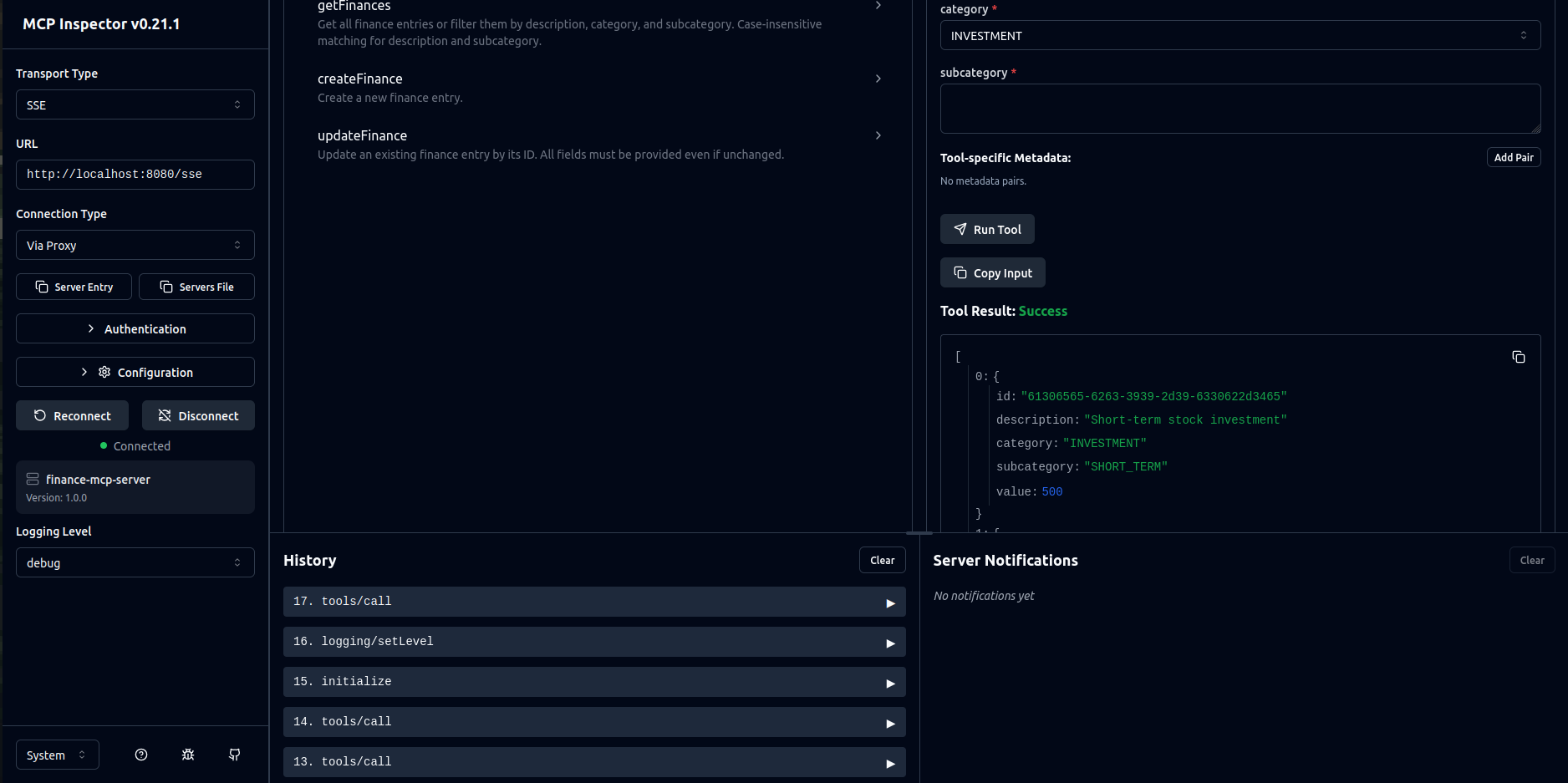
VSCode - MCP Client
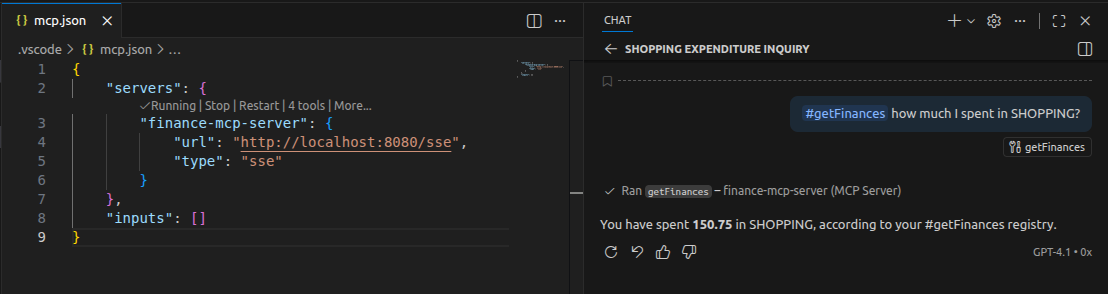
In .vscode/mcp.json, you can configure the MCP client to connect to the server and send requests. For example:
{
  "servers": {
    "finance-mcp-server": {
      "url": "http://localhost:8080/sse",
      "type": "sse"
    }
  },
  "inputs": []
}
Установка Finance Control
У этого сервера нет опубликованного пакета — он собирается из исходников. Открой репозиторий и следуй инструкции в README.
▸ github.com/egon89/finance-control-mcp-serverFAQ
Finance Control MCP бесплатный?
Да, Finance Control MCP бесплатный — установка в пару кликов через Unyly без оплаты.
Нужен ли API-ключ для Finance Control?
Нет, Finance Control работает без API-ключей и переменных окружения.
Finance Control — hosted или self-hosted?
Self-hosted: сервер запускается локально на твоей машине командой из раздела установки.
Как установить Finance Control в Claude Desktop, Claude Code или Cursor?
Открой Finance Control на unyly.org, выбери вкладку своего клиента (Claude Desktop, Claude Code, Cursor) и нажми Install — конфиг сгенерируется автоматически, без правки JSON.
Похожие MCP
wenb1n-dev/SmartDB_MCP
A universal database MCP server supporting simultaneous connections to multiple databases. It provides tools for database operations, health analysis, SQL optim
 автор: wenb1n-dev
Postgres Server
This server enables interaction with PostgreSQL databases through the Model Context Protocol, optimized for the AWS Bedrock AgentCore Runtime. It provides tools
 автор: madhurprash
Postgres
Query your database in natural language
 автор: Anthropic
PostgreSQL
Read-only database access with schema inspection.
автор: modelcontextprotocolCompare Finance Control with
Не уверен что выбрать?
Найди свой стек за 60 секунд
Автор?
Embed-бейдж для README
Похожее
Все в категории data