
Flowgraf
БесплатноНе проверенAI-native architecture diagramming for MCP clients (Claude Code, Cursor, Windsurf). The calling agent authors the graph (nodes, groups, edges); Flowgraf validat

Описание
AI-native architecture diagramming for MCP clients (Claude Code, Cursor, Windsurf). The calling agent authors the graph (nodes, groups, edges); Flowgraf validates it, lays it out deterministically with ELK, renders an SVG + Mermaid, and returns a link to a live, editable canvas you can refine by chat, drag, or one-click AI design review. Agent-authored ops — no API key and no LLM cost to the calle
README
Create and edit clean, editable architecture diagrams from your AI agent — in plain English.
npm version License: MIT flowgraf-mcp MCP server
Flowgraf turns a description of a system into a clean, auto-laid-out architecture diagram — then hands back a link to a live canvas you can keep editing, by chat or by hand. This package is the stdio proxy for MCP clients that speak stdio: it forwards to Flowgraf's hosted MCP endpoint. No API key, no LLM cost to you — your agent authors the diagram, Flowgraf lays it out and renders it.
npx -y flowgraf-mcp
Why
Drawing architecture diagrams by hand is slow and rots the moment the system changes. With Flowgraf, you describe the system once and get a diagram you can edit semantically — "add a Redis cache between the API and the database" — and the edges re-route themselves.
 Before: hand-drawn, manual layout |
 After: describe it, get a laid-out diagram |
Tools
The proxy forwards Flowgraf's tool list verbatim, so it always mirrors what the server exposes. Today that's three tools:
| Tool | What it does |
|---|---|
create_diagram |
Turn a graph (nodes + edges + groups) into a diagram → returns an SVG, a Mermaid string, and a /d/<id> canvas link |
edit_diagram |
Apply operations to an existing diagram (e.g. insert a cache between two nodes) — it re-wires and re-lays-out automatically |
get_diagram |
Fetch a diagram's current graph + version |
Install
Requires Node.js 18+.
Claude Code
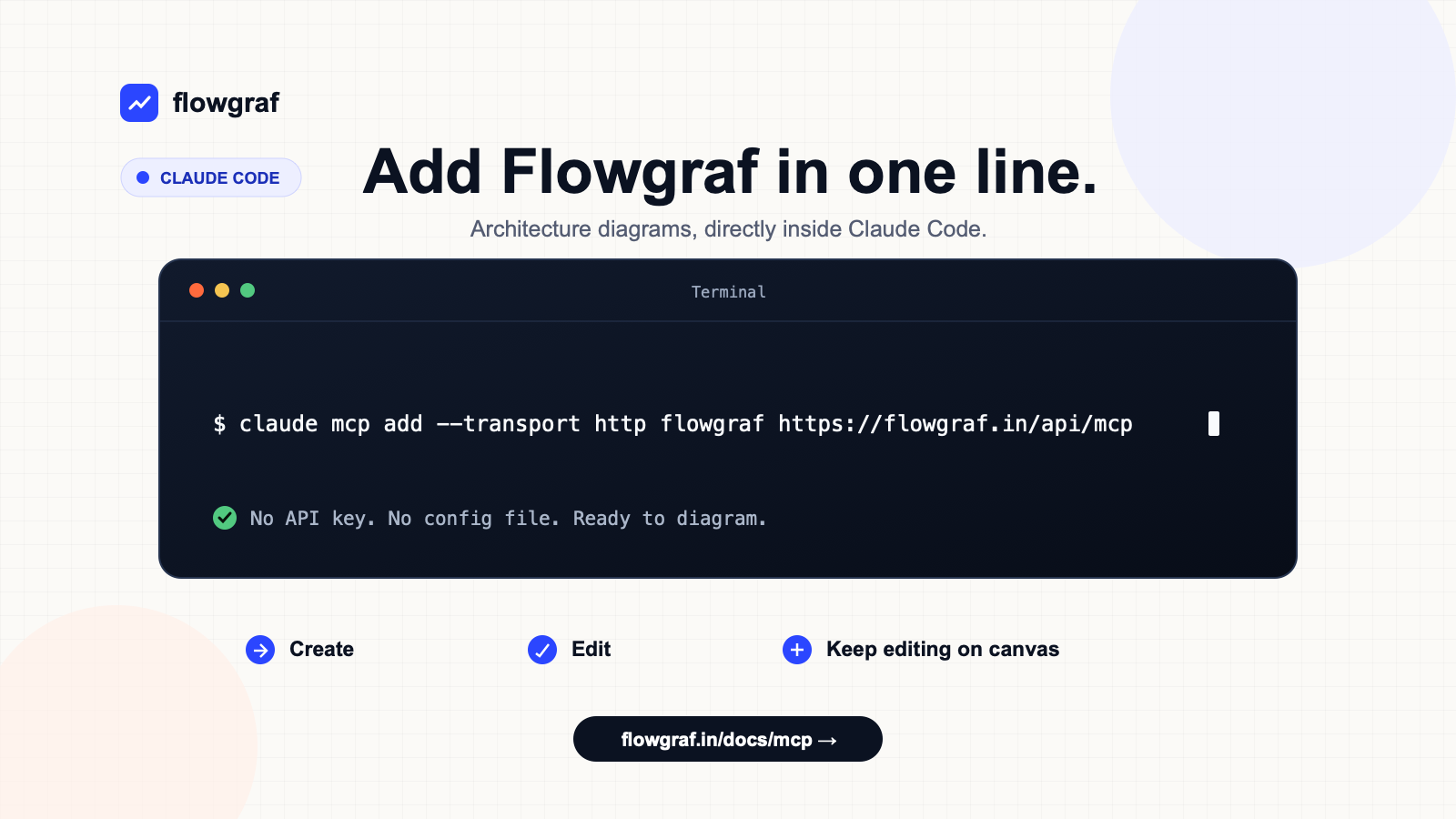
Recommended — point Claude Code straight at the hosted remote endpoint (no local process to run):
claude mcp add --transport http flowgraf https://flowgraf.in/api/mcp
…or run it through this stdio proxy:
claude mcp add flowgraf npx flowgraf-mcp
Cursor / Windsurf (stdio)
Add to your MCP config (~/.cursor/mcp.json for Cursor):
{
  "mcpServers": {
    "flowgraf": {
      "command": "npx",
      "args": ["-y", "flowgraf-mcp"]
    }
  }
}
OpenCode (stdio)
Add this to ~/.config/opencode/opencode.json for all projects, or to opencode.json
in a project root:
{
  "$schema": "https://opencode.ai/config.json",
  "mcp": {
    "flowgraf": {
      "type": "local",
      "command": ["npx", "-y", "flowgraf-mcp"],
      "enabled": true
    }
  }
}
Fully quit and restart OpenCode, then verify the server before your first prompt:
opencode mcp list
Expected status: flowgraf connected. Start opencode in the configured project and paste
one of the prompts below. This path is verified through the local stdio proxy. Direct remote
Streamable HTTP configuration is not yet verified for Flowgraf in OpenCode.
Anything else
npx -y flowgraf-mcp
The proxy speaks the Model Context Protocol over stdio and forwards to the hosted API.
How it works
flowgraf-mcp is a thin, transparent stdio proxy. It has zero business logic: tools/list and tools/call are forwarded verbatim to Flowgraf's hosted MCP endpoint (/api/mcp). Whatever the remote returns is handed straight back to your client.
That means two things:
- The tools you see are always exactly what Flowgraf ships — nothing to keep in sync here.
- You can skip the proxy entirely and connect any MCP client directly to
https://flowgraf.in/api/mcpover HTTP (this is the recommended mode for Claude Code).
Example
"Create an architecture diagram: a user hits an API gateway in a VPC, which talks to a Postgres database."
→
create_diagramreturns an SVG and a link likehttps://flowgraf.in/d/abc123. Open it to edit on the canvas.
Prompt → diagram |
 Semantic edit → re-layout |
"Add a Redis cache between the API and the database."
→
edit_diagraminserts the cache and re-routes the edge automatically — no manual cleanup.
Configuration
By default the proxy targets Flowgraf's hosted endpoint. Override it (e.g. for local development) with an environment variable:
| Variable | Meaning |
|---|---|
FLOWGRAF_MCP_URL |
Full endpoint URL, e.g. http://localhost:3000/api/mcp |
FLOWGRAF_MCP_BASE_URL |
Base URL; /api/mcp is appended |
Copyable prompts
Simple
Create an architecture diagram of a web app where users connect to a load balancer, which routes requests to two app servers backed by a Postgres database. Return the editable Flowgraf canvas link.
Medium
Create an architecture diagram of a RAG pipeline: a user query reaches an API, the API creates an embedding, searches a vector database, sends the retrieved context to an LLM, and returns the answer. Group ingestion separately with object storage, a document processor, and the same vector database. Return the editable Flowgraf canvas link.
Edit an existing diagram
Using the Flowgraf diagram from the previous response, insert a message queue between the API and the workers, preserve the existing components, and return the updated canvas link.
Links
- Website: https://flowgraf.in
- MCP endpoint:
https://flowgraf.in/api/mcp
License
MIT
Установка Flowgraf
У этого сервера нет опубликованного пакета — он собирается из исходников. Открой репозиторий и следуй инструкции в README.
▸ github.com/abhishek-genailytics/flowgraf-mcpFAQ
Flowgraf MCP бесплатный?
Да, Flowgraf MCP бесплатный — установка в пару кликов через Unyly без оплаты.
Нужен ли API-ключ для Flowgraf?
Нет, Flowgraf работает без API-ключей и переменных окружения.
Flowgraf — hosted или self-hosted?
Self-hosted: сервер запускается локально на твоей машине командой из раздела установки.
Как установить Flowgraf в Claude Desktop, Claude Code или Cursor?
Открой Flowgraf на unyly.org, выбери вкладку своего клиента (Claude Desktop, Claude Code, Cursor) и нажми Install — конфиг сгенерируется автоматически, без правки JSON.
Похожие MCP
Gmail
Read, send and search emails from Claude
 автор: Google
Slack
Send, search and summarize Slack messages
 автор: Slack
Runbear
No-code MCP client for team chat platforms, such as Slack, Microsoft Teams, and Discord.
Discord Server
A community discord server dedicated to MCP by [Frank Fiegel](https://github.com/punkpeye)
Compare Flowgraf with
Не уверен что выбрать?
Найди свой стек за 60 секунд
Автор?
Embed-бейдж для README
Похожее
Все в категории communication