
FounderStackCRM Open
БесплатноНе проверенSimple CRM for SaaS founders, writen in django

Описание
Simple CRM for SaaS founders, writen in django
README
FounderStack CRM
A context-first CRM for solo founders — built with a Notion-style dark mode interface, AI-assisted relationship management, and full Arabic RTL support.





Live Demo
Watch the full walkthrough on YouTube:
Screenshots
Contacts & People Management
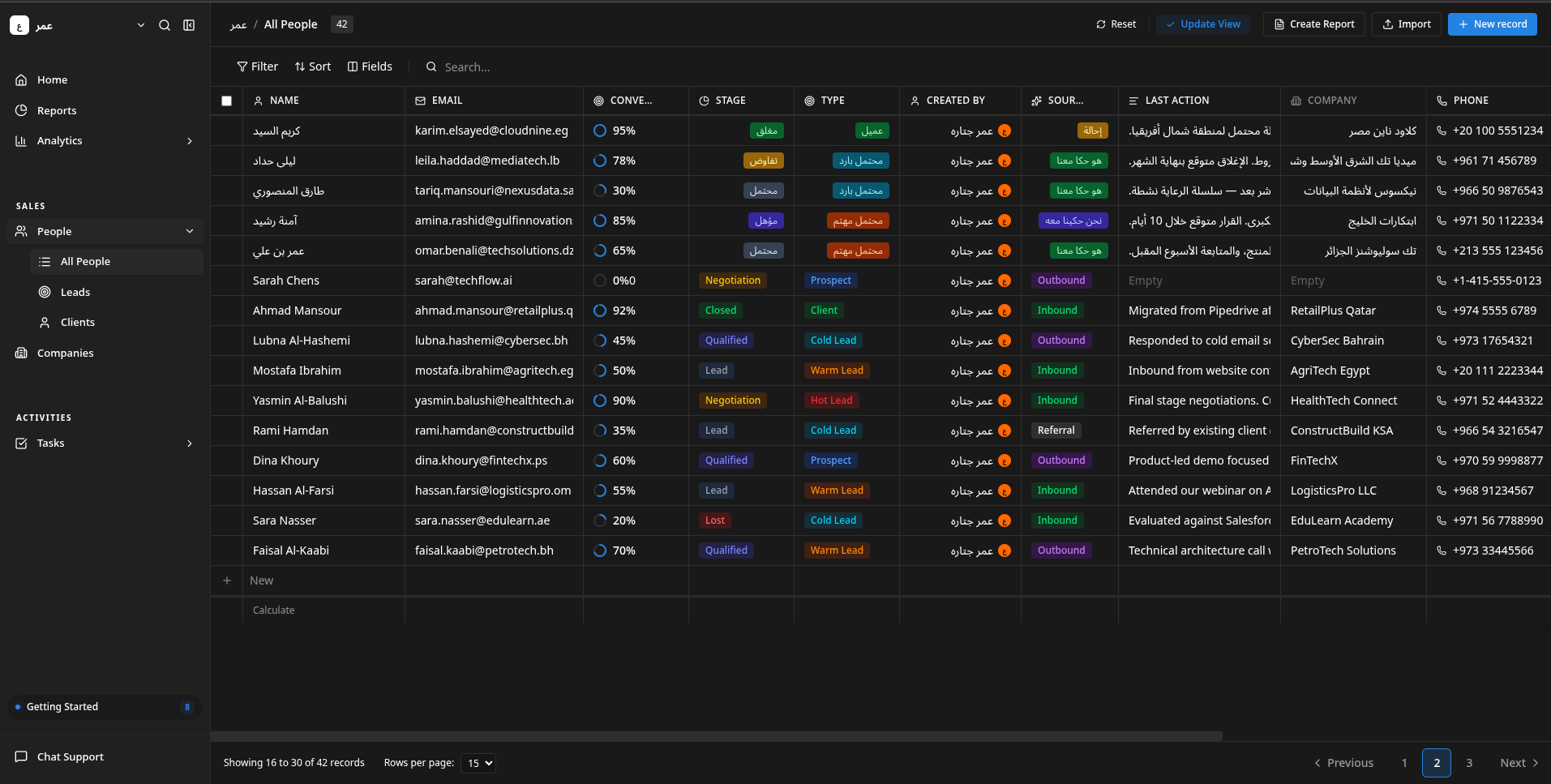
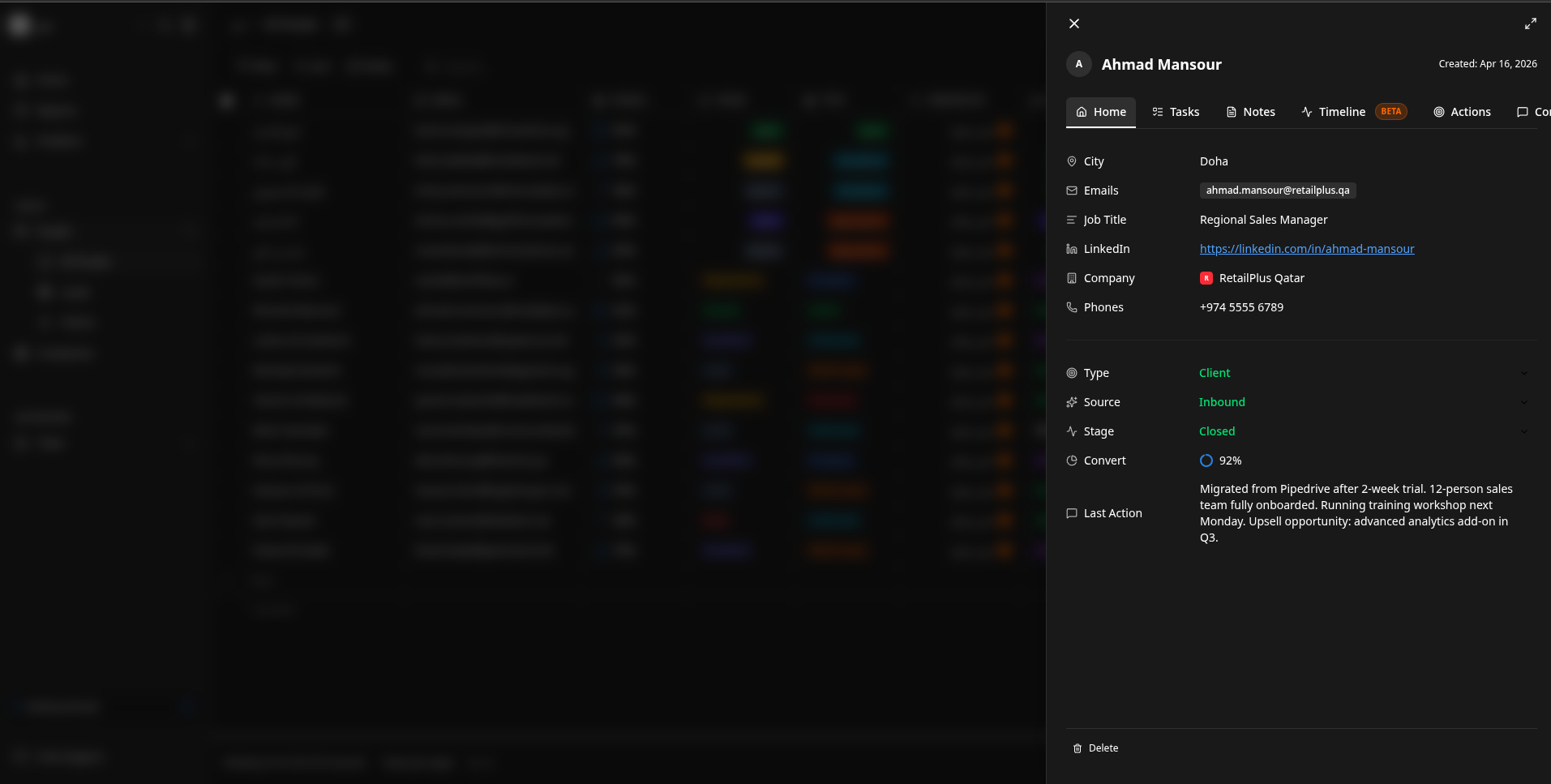
Contact Details & Context Drawer
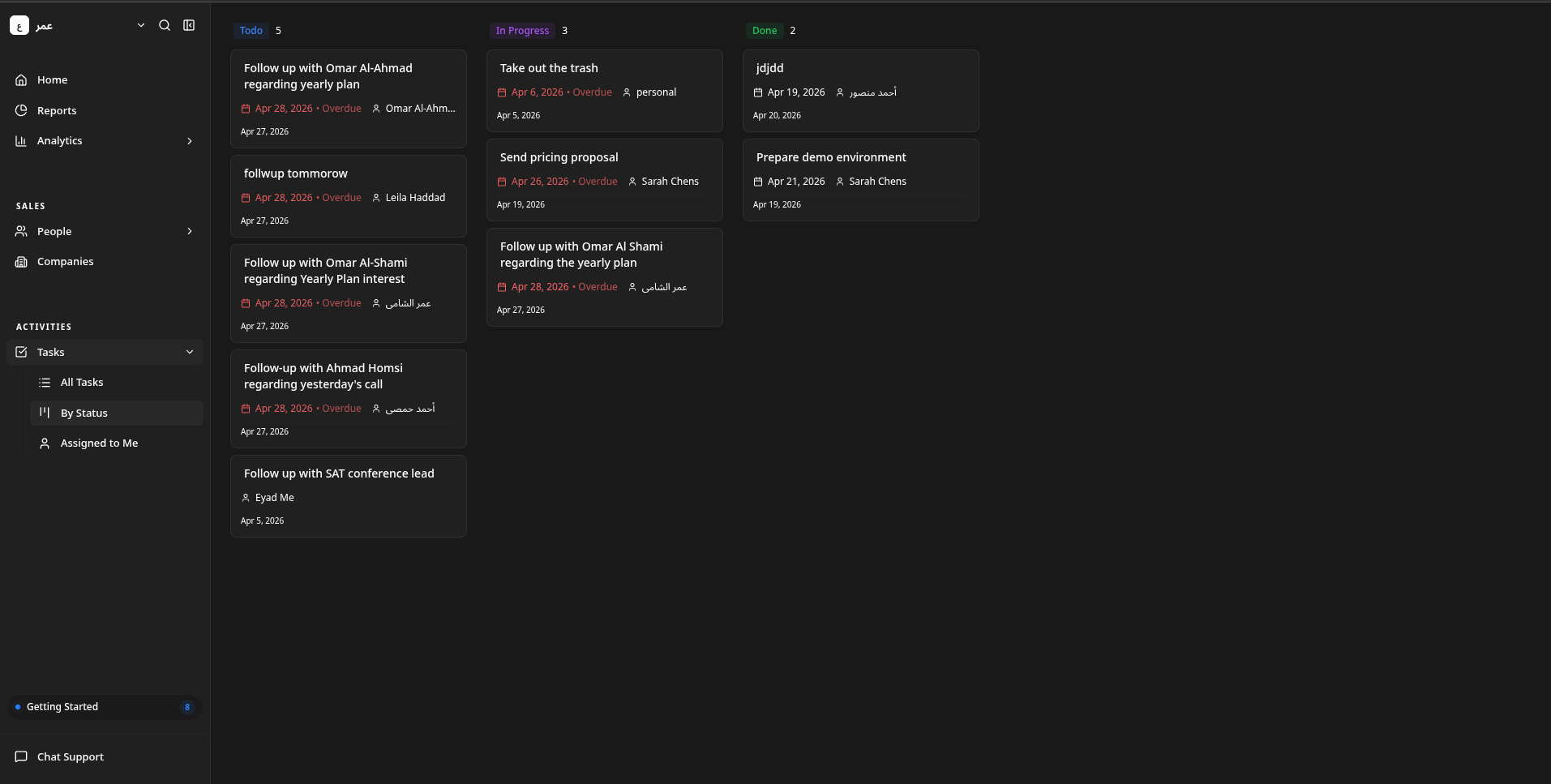
Task Management (Kanban)
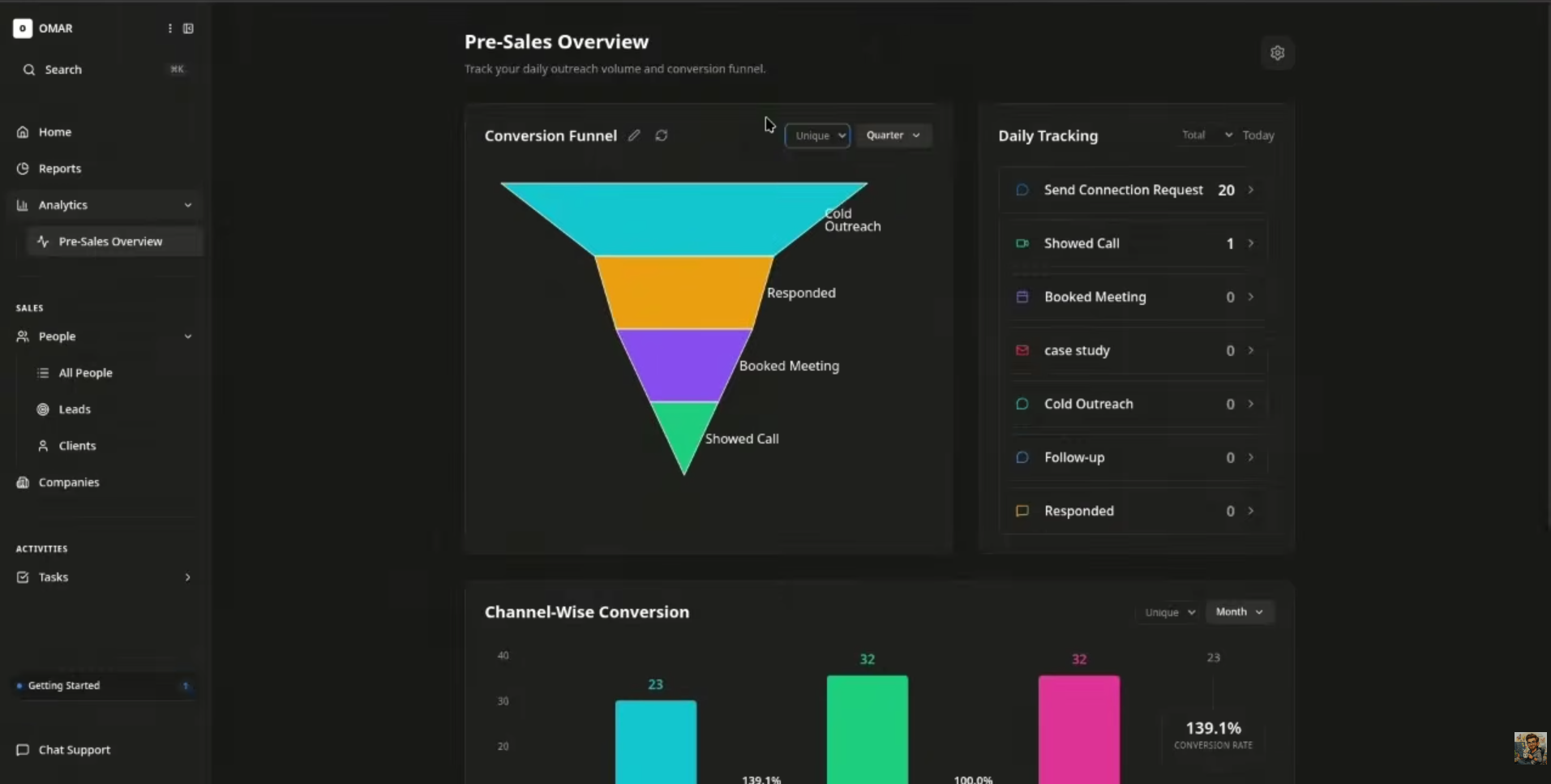
Analytics & Pre-Sales Overview
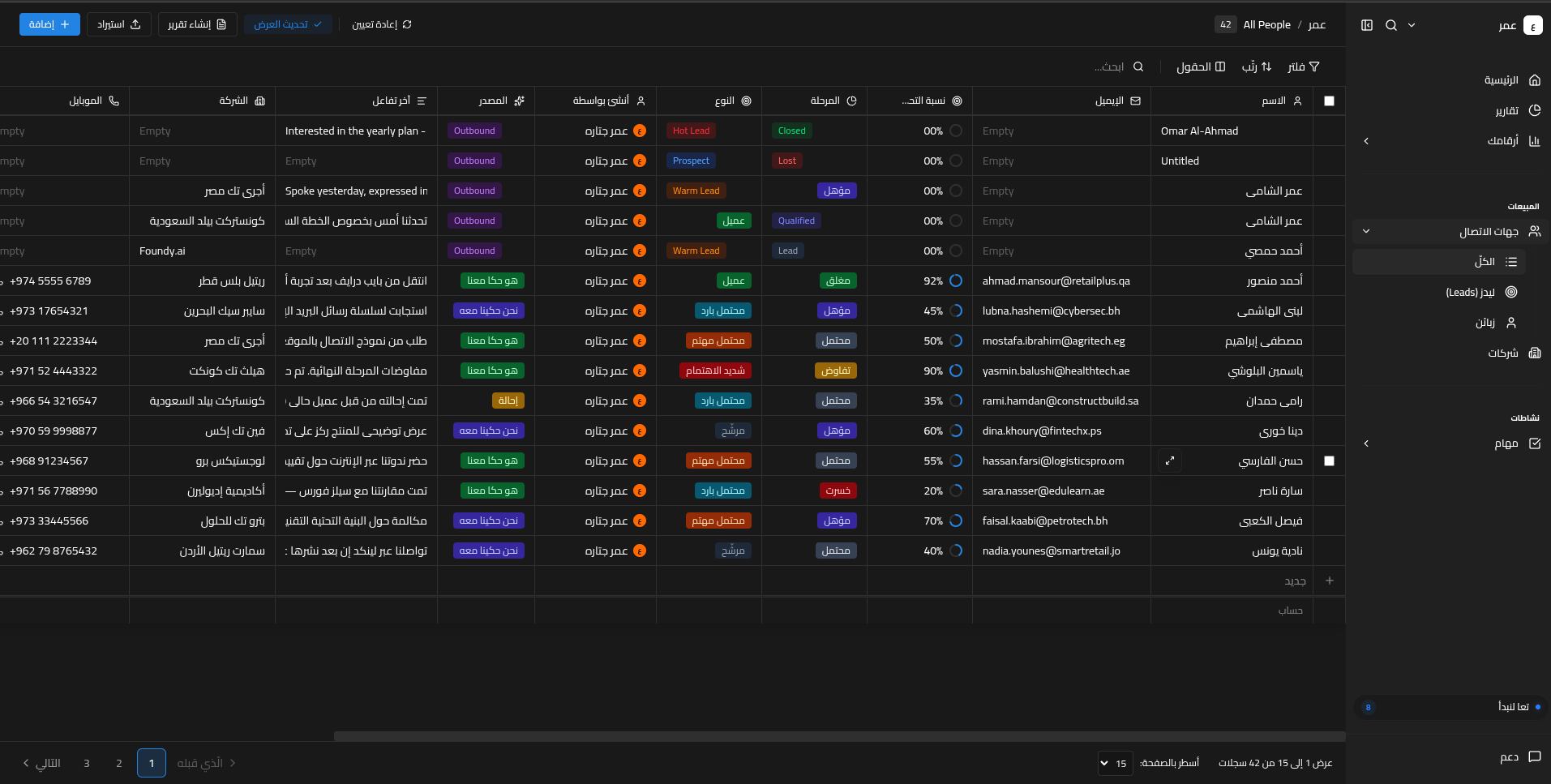
Arabic RTL Support
Architecture
┌─────────────────────────────────────────────────────────┐
│                    Frontend (React 19)                   │
│  Tailwind CSS · Zustand · React Router · @dnd-kit       │
└──────────────────────┬──────────────────────────────────┘
                       │ REST API (JWT)
┌──────────────────────▼──────────────────────────────────┐
│                   Backend (Django 6.0)                   │
│  DRF · RBAC · API Keys · Inngest · Webhooks             │
├──────────────┬───────────────┬──────────────────────────┤
│  PostgreSQL  │     Redis     │    AI Agent (MCP)        │
└──────────────┴───────────────┴──────────────────────────┘
Project Structure
opensourced/
├── backend/          # Django REST Framework API
├── frontend/         # React SPA with Notion-style UI
├── mcp-server/       # MCP server for AI assistant integration
├── imgs/             # Screenshots and assets
├── backend_instructions.md
└── frontend_instructions.md
Backend
Django REST Framework backend with multi-tenant architecture, RBAC, triple auth (JWT + API Keys + Session), background job scheduling, and external system sync.
Full documentation: backend/README.md
| Layer | Technology |
|---|---|
| Framework | Django 6.0, DRF 3.16 |
| Auth | JWT (RS256), API Keys, Session, Google OAuth2 |
| Database | PostgreSQL 15 |
| Cache | Redis 7 |
| Background Jobs | Inngest |
| Containerization | Docker, Docker Compose |
Key Features
- Multi-tenant data isolation per organization
- 4 default RBAC roles with 30 granular permission scopes
- Fuzzy search with custom relevance scoring
- Bulk import on all major endpoints
- Automated GitHub backups via Inngest cron
- HMAC-SHA256 signed webhooks with delivery logging
- OpenAPI docs at
/api/schema/swagger-ui/
Frontend
React 19 SPA with a Notion-style dark mode interface, data grids, kanban boards, context drawers, and full Arabic RTL support.
Full documentation: frontend/README.md
| Layer | Technology |
|---|---|
| Framework | React 19 + TypeScript |
| Styling | Tailwind CSS v4 |
| State | Zustand 5 (persist) |
| Routing | React Router DOM 7 |
| Drag & Drop | @dnd-kit |
| Charts | Recharts 3 |
| UI | Radix UI + shadcn/ui |
Key Features
- Sortable, filterable data grids for People, Companies, Tasks, Notes
- Drag-and-drop kanban boards for Opportunities and Tasks
- Context drawer for quick record preview and editing
- Cmd+K global search across all entities
- Custom views with saved filter/sort/column configs
- CSV import for any entity type
- Mobile responsive with dedicated bottom navigation
- Keyboard shortcuts (Shift+P, Shift+T, Shift+C, Shift+L)
MCP Server
FastAPI-based Model Context Protocol server that gives AI assistants (Claude, Cursor, Gemini CLI) secure, authenticated access to CRM data via JWT or API key.
Full documentation: mcp-server/README.md
| Layer | Technology |
|---|---|
| Framework | FastAPI + FastMCP 3.0 |
| Auth | JWT (RS256) + API Keys + OAuth2 |
| Protocol | MCP (Model Context Protocol) |
Key Features
- 25+ MCP tools for CRM operations (people, companies, tasks, notes, activities)
- Dual auth: JWT Bearer tokens and API keys
- OAuth2 dynamic client registration for AI desktop apps
- Auto-discovery via
.well-knownendpoints - Proxies all requests to Django backend with proper auth
AI Agent
FounderStack CRM ships with a multi-agent AI system for natural language CRM operations — create people, query tasks, update records, and more via conversational input.
Agent repository: github.com/Othunderlight/tammam-agent
| Agent | Role |
|---|---|
| Decider | Routes to Task Agent or Main Agent |
| Main | Plans CRM actions (CRUD on entities) |
| Task | Specialized task management |
| Voice | Combined planner for voice input |
| Middle | Resolves entity IDs from fuzzy queries |
| Final | Formats user-facing responses |
Getting Started
Prerequisites
- Python 3.12+
- Node.js 18+
- PostgreSQL 15+
- Redis 7+
- Docker & Docker Compose (optional)
Backend
cd backend
python -m venv .venv
source .venv/bin/activate
pip install -r reqs.txt
cp .env.example .env
# Generate JWT keys
python -c "
from cryptography.hazmat.primitives import serialization
from cryptography.hazmat.primitives.asymmetric import rsa
private_key = rsa.generate_private_key(public_exponent=65537, key_size=2048)
public_key = private_key.public_key()
with open('jwt_private_key.pem', 'wb') as f:
    f.write(private_key.private_bytes(serialization.Encoding.PEM, serialization.PrivateFormat.PKCS8, serialization.NoEncryption()))
with open('jwt_public_key.pem', 'wb') as f:
    f.write(public_key.public_bytes(serialization.Encoding.PEM, serialization.PublicFormat.SubjectPublicKeyInfo))
"
python manage.py migrate sites
python manage.py makemigrations users
python manage.py migrate
python manage.py createsuperuser
python manage.py runserver
Or with Docker:
cd backend
docker-compose up --build -d
Frontend
cd frontend
npm install
cp .env.example .env.local
# Edit .env.local with your Supabase credentials and API URLs
npm run dev
The app runs at http://localhost:3000.
MCP Server
cd mcp-server
pip install -e .
cp .env.example .env
# Edit .env with your Django backend URL
mcp-server
The MCP server runs at http://localhost:10000.
Environment Variables
Both backend/.env.example and frontend/.env.example contain all required variables with placeholder values. Copy them to get started:
cp backend/.env.example backend/.env
cp frontend/.env.example frontend/.env.local
cp mcp-server/.env.example mcp-server/.env
Then edit each file with your own credentials. See the individual READMEs for full variable documentation:
Keyboard Shortcuts
| Shortcut | Action |
|---|---|
Ctrl/Cmd + B |
Toggle sidebar |
Shift + P |
Go to All People |
Shift + T |
Go to All Tasks |
Shift + C |
Go to Companies |
Shift + L |
Go to Activity Logs |
Ctrl/Cmd + K |
Global search |
Contributing
- Fork the repo
- Create a feature branch
- Make your changes
- Run linting (
ruff check .for backend) - Submit a pull request
License
GNU GENERAL PUBLIC LICENSE
Установка FounderStackCRM Open
У этого сервера нет опубликованного пакета — он собирается из исходников. Открой репозиторий и следуй инструкции в README.
▸ github.com/Othunderlight/FounderStackCRM-openFAQ
FounderStackCRM Open MCP бесплатный?
Да, FounderStackCRM Open MCP бесплатный — установка в пару кликов через Unyly без оплаты.
Нужен ли API-ключ для FounderStackCRM Open?
Нет, FounderStackCRM Open работает без API-ключей и переменных окружения.
FounderStackCRM Open — hosted или self-hosted?
Self-hosted: сервер запускается локально на твоей машине командой из раздела установки.
Как установить FounderStackCRM Open в Claude Desktop, Claude Code или Cursor?
Открой FounderStackCRM Open на unyly.org, выбери вкладку своего клиента (Claude Desktop, Claude Code, Cursor) и нажми Install — конфиг сгенерируется автоматически, без правки JSON.
Похожие MCP
GitHub
PRs, issues, code search, CI status
 автор: GitHub
Filesystem
Secure file operations with configurable access controls.
Memory
Knowledge graph-based persistent memory system.
Template MCP Server
A CLI tool to create a new Model Context Protocol server project with TypeScript support, dual transport options, and an extensible structure
 автор: mcpdotdirect
Amap Maps Mcp Server
MCP server for using the AMap Maps API
 автор: duxiaohui
Supabase
Database, auth and storage
 автор: Supabase
Everything
Reference / test server with prompts, resources, and tools.
Git
Tools to read, search, and manipulate Git repositories.
Sequential Thinking
Dynamic and reflective problem-solving through thought sequences.
Time
Time and timezone conversion capabilities.
Compare FounderStackCRM Open with
Не уверен что выбрать?
Найди свой стек за 60 секунд
Автор?
Embed-бейдж для README
Похожее
Все в категории development