
Garmin Sailing
БесплатноНе проверенTurns your Garmin watch into a sailing analytics tool by combining GPS data from Garmin Connect with historical weather data, providing insights like speed, VMG

Описание
Turns your Garmin watch into a sailing analytics tool by combining GPS data from Garmin Connect with historical weather data, providing insights like speed, VMG, wind conditions, and interactive maps.
README
An MCP server that turns your Garmin watch into a sailing analytics tool. Combines GPS data from Garmin Connect with historical weather from Open-Meteo to give you sailing-specific insights — all accessible through Claude.
What it does
| Tool | Description |
|---|---|
get_sailing_activities |
List your recent sailing sessions |
get_sailing_activity |
Detailed analysis: speed (knots), distance (nm), VMG, wind, tacks, point of sail |
get_sailing_map |
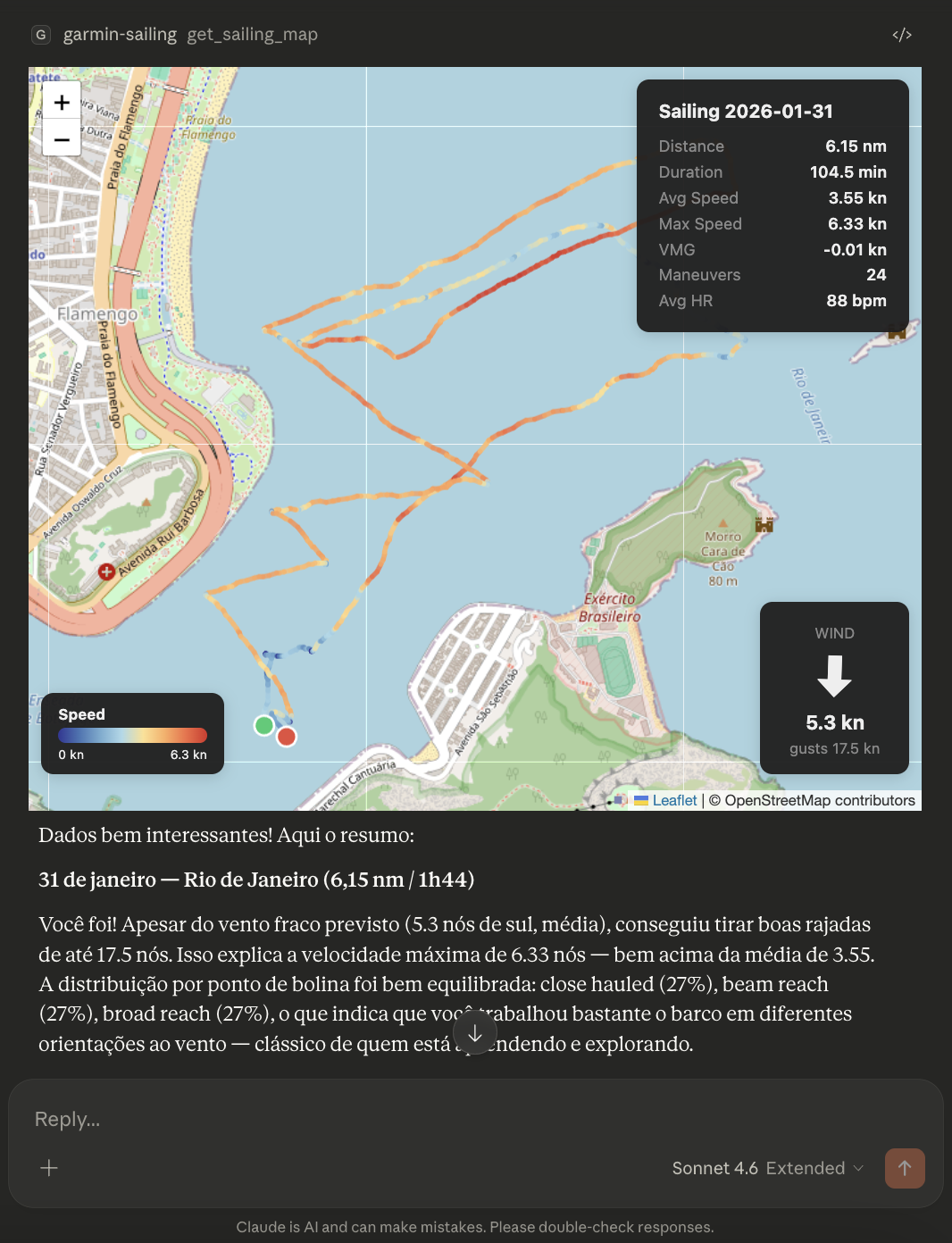
Interactive map with GPS trace colored by speed + wind overlay |
Sailing analysis includes
- Speed in knots, distance in nautical miles
- Wind conditions during your sail (speed, direction, gusts) via Open-Meteo
- VMG (Velocity Made Good) — how efficiently you sailed relative to wind
- Maneuver detection — tack and jibe count from heading changes
- Point of sail distribution — % time close hauled, beam reach, broad reach, running
- Storm indicators — precipitation, cloud cover, CAPE
- Heart rate stats
Architecture
graph TD
    A[User] -->|activity_id| B[get_sailing_map]
    B --> C[Garmin Connect API]
    B --> D[Open-Meteo API]
    C -->|track, speed, HR| E[Sailing Analyzer]
    D -->|wind, rain, temp| E
    E -->|JSON| F[Leaflet Map UI]
    F --> G[Speed-colored trace]
    F --> H[Wind arrow + stats]
Setup
1. Clone and install
git clone https://github.com/vinicius-saraiva/garmin-sailing-mcp.git
cd garmin-sailing-mcp
python -m venv .venv
source .venv/bin/activate
pip install -e .
2. Authenticate with Garmin
python -m garmin_sailing setup
This will ask for your Garmin Connect email and password (+ MFA if enabled). Tokens are stored locally in ~/.garminconnect.
3. Add to Claude Desktop
Edit ~/Library/Application Support/Claude/claude_desktop_config.json:
{
  "mcpServers": {
    "garmin-sailing": {
      "command": "/path/to/garmin-sailing-mcp/.venv/bin/python",
      "args": ["-m", "garmin_sailing", "serve"],
      "env": {
        "PYTHONUNBUFFERED": "1"
      }
    }
  }
}
Replace /path/to/garmin-sailing-mcp with the actual path where you cloned the repo.
Restart Claude Desktop and you're ready to sail!
Usage
Just talk to Claude:
- "How was my last sailing session?"
- "Show me the map of my latest sail"
- "Compare my last 5 sailing activities"
- "What were the wind conditions during my sail on March 7?"
Requirements
- Python 3.11+
- A Garmin watch that records sailing activities
- Claude Desktop (for the interactive map) or Claude Code
Credits
- garminconnect — Garmin Connect API client
- Open-Meteo — Free weather API (no key needed)
- FastMCP — MCP server framework
- Leaflet — Interactive maps
Установка Garmin Sailing
У этого сервера нет опубликованного пакета — он собирается из исходников. Открой репозиторий и следуй инструкции в README.
▸ github.com/vinicius-saraiva/garmin-sailing-mcpFAQ
Garmin Sailing MCP бесплатный?
Да, Garmin Sailing MCP бесплатный — установка в пару кликов через Unyly без оплаты.
Нужен ли API-ключ для Garmin Sailing?
Нет, Garmin Sailing работает без API-ключей и переменных окружения.
Garmin Sailing — hosted или self-hosted?
Self-hosted: сервер запускается локально на твоей машине командой из раздела установки.
Как установить Garmin Sailing в Claude Desktop, Claude Code или Cursor?
Открой Garmin Sailing на unyly.org, выбери вкладку своего клиента (Claude Desktop, Claude Code, Cursor) и нажми Install — конфиг сгенерируется автоматически, без правки JSON.
Похожие MCP
GitHub
PRs, issues, code search, CI status
 автор: GitHub
Filesystem
Secure file operations with configurable access controls.
Memory
Knowledge graph-based persistent memory system.
Template MCP Server
A CLI tool to create a new Model Context Protocol server project with TypeScript support, dual transport options, and an extensible structure
 автор: mcpdotdirect
Compare Garmin Sailing with
Не уверен что выбрать?
Найди свой стек за 60 секунд
Автор?
Embed-бейдж для README
Похожее
Все в категории development