
GitHub Brain Server
БесплатноНе проверенSummarizes GitHub discussions, issues, and pull requests by storing data locally for fast, token-efficient responses.

Описание
Summarizes GitHub discussions, issues, and pull requests by storing data locally for fast, token-efficient responses.
README

GitHub Brain MCP Server
GitHub Brain is an experimental MCP server for summarizing GitHub discussions, issues, and pull requests. Answer questions like:
- What are the contributions of user X in the last month?
- Summarize this month's discussions.
https://github.com/user-attachments/assets/80910025-9d58-4367-af00-bf4c51e6ce86
GitHub Brain complements (but does not replace) the official GitHub MCP server. It stores GitHub data in a local database for:
- Fast responses
- More than the standard 100-item API limit
- Token-efficient Markdown output
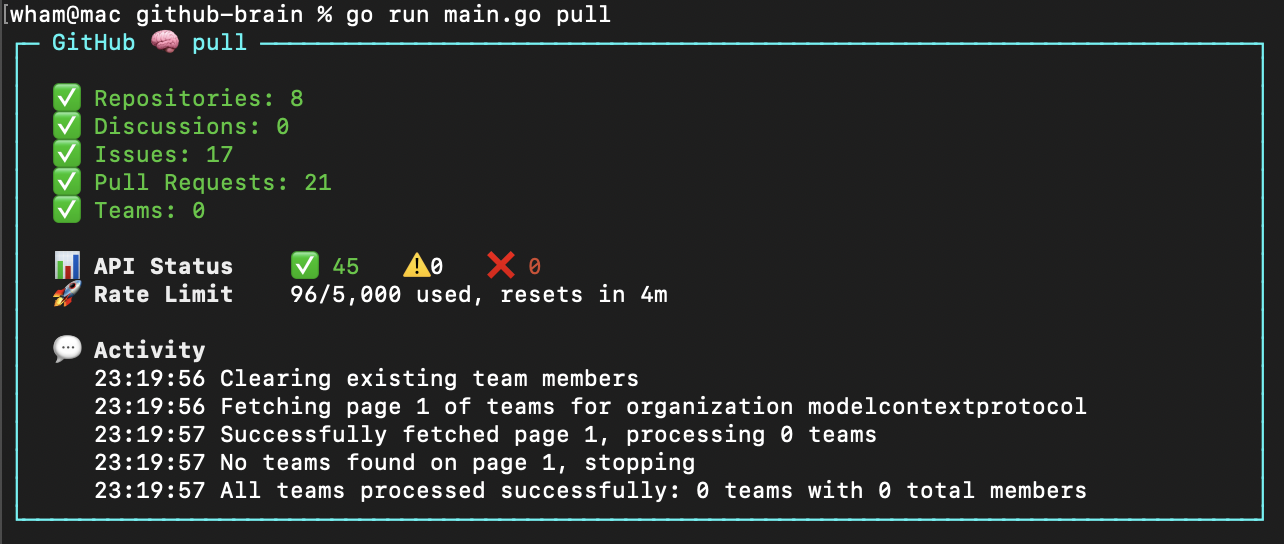
GitHub Brain is programmed in Markdown.
Installation
npm i -g github-brain
Rerun to update. sudo may be required on some systems.
Alternatively use npx to run without installing globally and needing sudo.
npx github-brain@latest
Usage
github-brain
Or with npx:
npx github-brain@latest
Launches the interactive TUI where you can:
- Setup - Configure authentication and settings
- Login with GitHub (OAuth) - Recommended for most users
- Login with Personal Access Token - For fine-grained tokens or when OAuth is unavailable
- Open configuration file - Edit
.envdirectly
- Pull - Populate the local database with GitHub data
Re-run pull anytime to update the database with new GitHub data.
The app loads environment variables from a .env file in the GitHub Brain's home directory - ~/.github-brain by default.
Example .env file
GITHUB_TOKEN=your_github_token
ORGANIZATION=my-org
| Argument | Description |
|---|---|
-m |
Home directory. Default: ~/.github-brain |
Personal access token scopes
Use [fine-grained personal access tokens](https://github.com/settings/personal-access-tokens).

**Private organizations:** Token needs read access to discussions, issues, metadata, and pull requests. [Generate token](https://github.com/settings/personal-access-tokens/new?name=github-brain&description=http%3A%2F%2Fgithub.com%2Fwham%2Fgithub-brain&issues=read&pull_requests=read&discussions=read).

**Public organizations:** Any token works (data is publicly accessible).
MCP Server
Start the MCP server using the local database:
github-brain mcp
Or with npx:
npx github-brain@latest mcp
| Argument | Variable | Description |
|---|---|---|
-o |
ORGANIZATION |
GitHub organization. Required. |
-m |
Home directory. Default: ~/.github-brain |
MCP Configuration
Claude
Add to the Claude MCP configuration file:
{
  "mcpServers": {
    "github-brain": {
      "type": "stdio",
      "command": "github-brain",
      "args": ["mcp"]
    }
}
Or with npx:
{
  "mcpServers": {
    "github-brain": {
      "type": "stdio",
      "command": "npx",
      "args": ["github-brain@latest", "mcp"]
    }
}
Merge with existing mcpServers if present.
VS Code
Add to the VS Code MCP configuration file:
{
  "servers": {
    "github-brain": {
      "type": "stdio",
      "command": "github-brain",
      "args": ["mcp"],
      "version": "0.0.1"
    }
  }
}
Or with npx:
{
  "servers": {
    "github-brain": {
      "type": "stdio",
      "command": "npx",
      "args": ["github-brain@latest", "mcp"],
      "version": "0.0.1"
    }
  }
}
Merge with existing servers if present.
Development
scripts/run builds and runs github-brain with the checkout directory as home -m (database in db/, config in .env).
Установка GitHub Brain Server
У этого сервера нет опубликованного пакета — он собирается из исходников. Открой репозиторий и следуй инструкции в README.
▸ github.com/wham/github-brainFAQ
GitHub Brain Server MCP бесплатный?
Да, GitHub Brain Server MCP бесплатный — установка в пару кликов через Unyly без оплаты.
Нужен ли API-ключ для GitHub Brain Server?
Нет, GitHub Brain Server работает без API-ключей и переменных окружения.
GitHub Brain Server — hosted или self-hosted?
Self-hosted: сервер запускается локально на твоей машине командой из раздела установки.
Как установить GitHub Brain Server в Claude Desktop, Claude Code или Cursor?
Открой GitHub Brain Server на unyly.org, выбери вкладку своего клиента (Claude Desktop, Claude Code, Cursor) и нажми Install — конфиг сгенерируется автоматически, без правки JSON.
Похожие MCP
GitHub
PRs, issues, code search, CI status
 автор: GitHub
Filesystem
Secure file operations with configurable access controls.
Memory
Knowledge graph-based persistent memory system.
Template MCP Server
A CLI tool to create a new Model Context Protocol server project with TypeScript support, dual transport options, and an extensible structure
 автор: mcpdotdirect
Compare GitHub Brain Server with
Не уверен что выбрать?
Найди свой стек за 60 секунд
Автор?
Embed-бейдж для README
Похожее
Все в категории development