
Github Ranker Remote
БесплатноНе проверенA remote MCP server that ranks GitHub candidates against job requirements using FastMCP + GitHub API

Описание
A remote MCP server that ranks GitHub candidates against job requirements using FastMCP + GitHub API
README
A remote MCP server built with FastMCP that ranks GitHub candidates against a job's required skills.
What it does
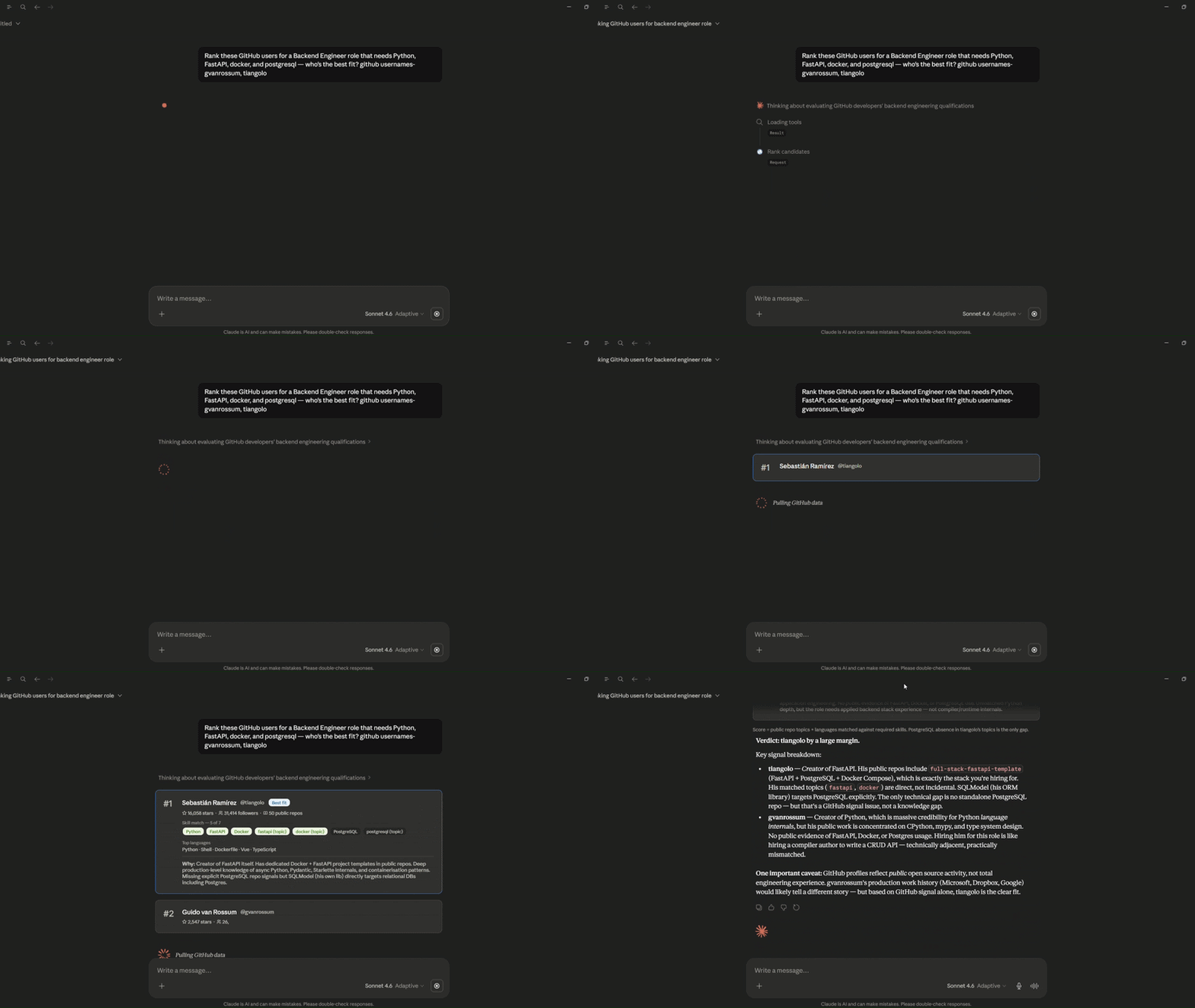
Give it a list of GitHub usernames, a job title, and required skills — it fetches each profile from the GitHub API, scores them by skill match (languages + repo topics), and returns ranked candidate data. A prompt primitive is included for the MCP client's LLM to format the output as a markdown report.
Demo
Primitives
| Primitive | Name | Description |
|---|---|---|
@mcp.tool |
rank_candidates |
Fetches GitHub profiles, scores each against required skills, returns ranked JSON |
@mcp.prompt |
ranking_report |
Takes the tool output and returns a prompt for the client LLM to generate a markdown report |
Connecting
Go to Claude.ai → Settings → Customize → Add MCP Server → paste:
https://github-ranker-remote-mcp-server.onrender.com/mcp
Note: Hosted on Render's free tier — first request after 15 min idle takes ~30s to wake up.
Usage
Once connected, call the tool with:
usernames— list of GitHub usernamesjob_title— role being hired forskills— comma-separated, using GitHub language names (Python,Go,TypeScript) and lowercase repo topic keywords (docker,fastapi,kubernetes)
Skills are matched against each user's top languages and repo topic tags.
Then pass the output into the ranking_report prompt — the client LLM generates the final markdown report. No external API call is made from the server.
Stack
Running locally
uv init
uv add fastmcp httpx
Create a .env file:
GITHUB_TOKEN=your_token_here
uv run python server.py
Server starts on http://0.0.0.0:8000/mcp.
Development / testing
uv run fastmcp dev inspector --server-spec server.py
Opens the MCP Inspector UI for interactive tool testing.
Установка Github Ranker Remote
У этого сервера нет опубликованного пакета — он собирается из исходников. Открой репозиторий и следуй инструкции в README.
▸ github.com/eshitakundu/github-ranker-remote-mcp-serverFAQ
Github Ranker Remote MCP бесплатный?
Да, Github Ranker Remote MCP бесплатный — установка в пару кликов через Unyly без оплаты.
Нужен ли API-ключ для Github Ranker Remote?
Нет, Github Ranker Remote работает без API-ключей и переменных окружения.
Github Ranker Remote — hosted или self-hosted?
Self-hosted: сервер запускается локально на твоей машине командой из раздела установки.
Как установить Github Ranker Remote в Claude Desktop, Claude Code или Cursor?
Открой Github Ranker Remote на unyly.org, выбери вкладку своего клиента (Claude Desktop, Claude Code, Cursor) и нажми Install — конфиг сгенерируется автоматически, без правки JSON.
Похожие MCP
GitHub
PRs, issues, code search, CI status
 автор: GitHub
Filesystem
Secure file operations with configurable access controls.
Memory
Knowledge graph-based persistent memory system.
Template MCP Server
A CLI tool to create a new Model Context Protocol server project with TypeScript support, dual transport options, and an extensible structure
 автор: mcpdotdirect
Compare Github Ranker Remote with
Не уверен что выбрать?
Найди свой стек за 60 секунд
Автор?
Embed-бейдж для README
Похожее
Все в категории development