
Gizmo Analytics
БесплатноНе проверенPrivacy friendly, cookieless web analytics built MCP-first. "Add analytics to my Next.js app" → an AI agent runs the setup_analytics_for_site tool, picks the ri

Описание
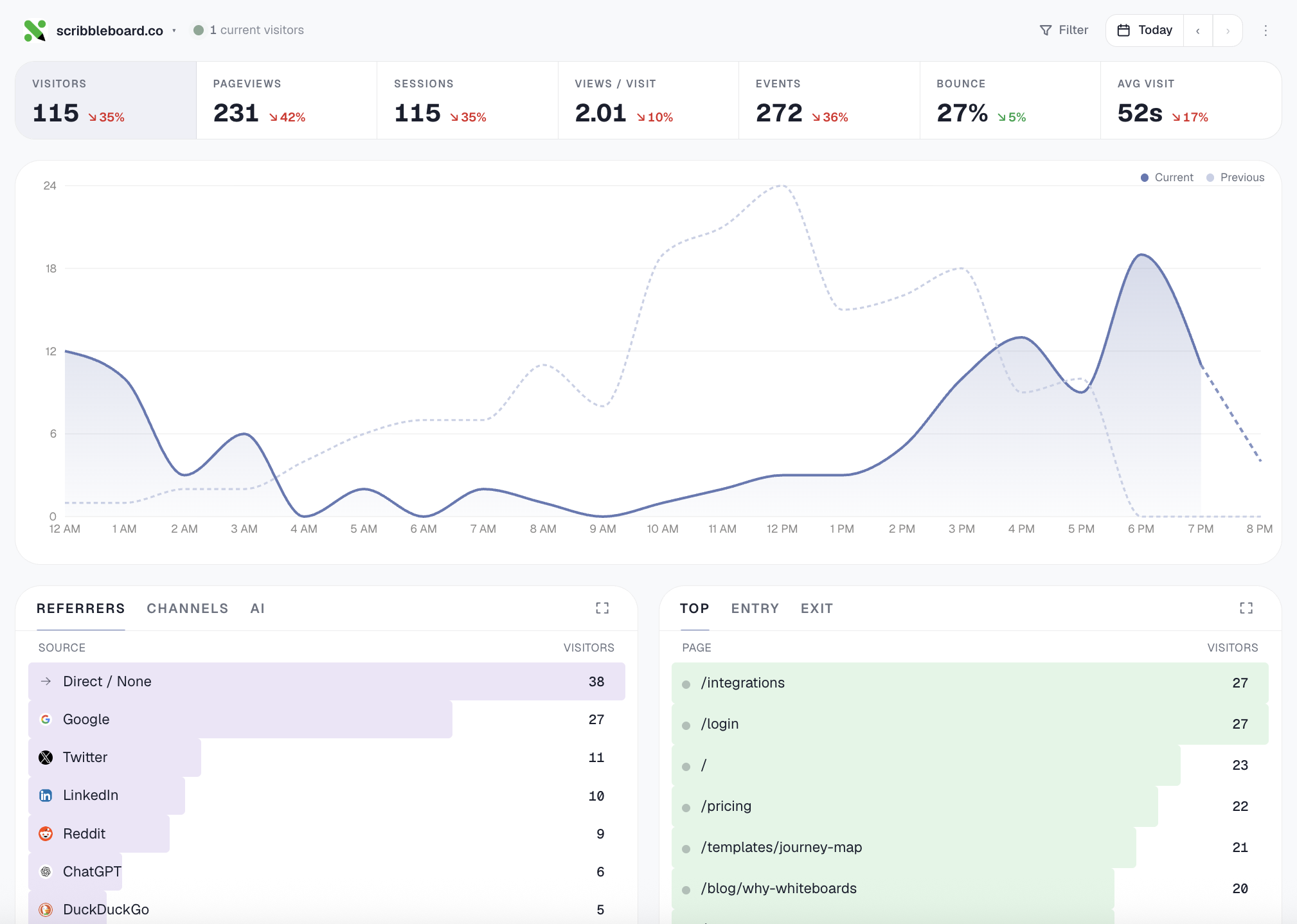
Privacy friendly, cookieless web analytics built MCP-first. "Add analytics to my Next.js app" → an AI agent runs the setup_analytics_for_site tool, picks the right install snippet, edits your layout file, and verifies the script is loading. OAuth onboarding, no API keys to paste.
README

The MCP server for Gizmo Analytics — cookieless
web analytics with a 28-tool MCP surface (install workflows like
setup_analytics_for_site and verify_install, analyst-grade
compositions like summarize_all_sites and explain_traffic_change,
plus filterable query primitives across every dimension).
The server is hosted at https://gizmoanalytics.io/mcp. This repo
is the public ownership marker + documentation (README, tool
inventory, license) for the MCP catalogs (MCP Registry, Smithery,
Glama, MCP.so). There's nothing to install or run locally — point
your IDE at the hosted endpoint and you're done.


Connect
Auto-discovery (Cursor, Claude Desktop, Windsurf, …)
In your IDE's MCP settings, add a new server with URL:
https://gizmoanalytics.io/mcp
The IDE will discover the auth server via RFC 9728 metadata, open a browser tab for OAuth consent, and store the resulting token. No API keys to paste, no config files to edit.
Manual config
If your IDE doesn't yet support OAuth-aware MCP discovery, paste this into your client's MCP config file (Claude Desktop, etc.):
{
  "mcpServers": {
    "gizmoanalytics": {
      "url": "https://gizmoanalytics.io/mcp",
      "headers": {
        "Authorization": "Bearer ak_admin_<your-admin-key>"
      }
    }
  }
}
Get an admin key at https://gizmoanalytics.io/dashboard/keys.
What you can ask
"Why did traffic drop yesterday?"
"Which of my sites is growing fastest?"
"Add foo.com to Gizmo and install the tracker"
"Track signup events on this button"
"Top pages from Germany last quarter"
Tools
- Install workflow (the wedge — call this first for any install
ask):
setup_analytics_for_sitebundles site creation + framework- aware snippet + paste-target file path + next-action plan into one call.verify_installconfirms the script is loading by fetching the homepage. - Other setup:
create_site,get_install_snippet,get_event_tracking_snippet,get_badge_snippet,add_site_tags, goals + funnels. - Workflows (high-level questions):
summarize_all_sites,rank_sites_by_growth,identify_dead_sites,detect_anomalies,explain_traffic_change. - Query primitives:
get_workspace_overview,get_site_traffic,get_top_pages,get_top_referrers,get_breakdown(any of country / browser / device / channel / AI source / city / etc.),get_time_series,query_events,breakdown_by_property. All support stacked filters (country=US AND device=mobile) and custom date ranges.
See TOOLS.md for the full inventory with descriptions
(auto-generated from the live tools/list endpoint).
Full docs: https://gizmoanalytics.io/mcp-analytics
License
MIT
Установить Gizmo Analytics в Claude Desktop, Claude Code, Cursor
unyly install gizmo-analyticsСтавит в Claude Desktop, Claude Code, Cursor и VS Code — сам разбирается с npx, uvx и сборкой из исходников.
Впервые? Поставь CLI: curl -fsSL https://unyly.org/install | sh
Или настроить вручную
Выполни в терминале:
claude mcp add gizmo-analytics -- npx -y gizmoanalytics-mcpFAQ
Gizmo Analytics MCP бесплатный?
Да, Gizmo Analytics MCP бесплатный — установка в пару кликов через Unyly без оплаты.
Нужен ли API-ключ для Gizmo Analytics?
Нет, Gizmo Analytics работает без API-ключей и переменных окружения.
Gizmo Analytics — hosted или self-hosted?
Доступен hosted-вариант: Unyly запускает сервер в облаке, локальная установка не обязательна.
Как установить Gizmo Analytics в Claude Desktop, Claude Code или Cursor?
Открой Gizmo Analytics на unyly.org, выбери вкладку своего клиента (Claude Desktop, Claude Code, Cursor) и нажми Install — конфиг сгенерируется автоматически, без правки JSON.
Похожие MCP
Fetch
Web content fetching and conversion for efficient LLM usage.
AWS KB Retrieval
Retrieval from AWS Knowledge Base using Bedrock Agent Runtime.
 автор: modelcontextprotocol
Spring AI MCP Server
Provides auto-configuration for setting up an MCP server in Spring Boot applications.
llm-analysis-assistant
A very streamlined mcp client that supports calling and monitoring stdio/sse/streamableHttp, and can also view request responses through the /logs page. It also
 автор: xuzexin-hz
Compare Gizmo Analytics with
Не уверен что выбрать?
Найди свой стек за 60 секунд
Автор?
Embed-бейдж для README
Похожее
Все в категории ai