
Godot Docs
БесплатноНе проверенProvides AI assistants with access to the complete Godot Engine documentation, enabling developers to get answers about Godot classes, tutorials, and features d

Описание
Provides AI assistants with access to the complete Godot Engine documentation, enabling developers to get answers about Godot classes, tutorials, and features directly in their chat interface.
README
A Model Context Protocol (MCP) server that provides AI assistants with access to the complete Godot Engine documentation, helping developers with Godot development by serving documentation directly to LLMs.
Purpose
This server bridges the gap between AI assistants and Godot documentation, allowing developers to get instant, accurate answers about Godot classes, tutorials, and features without leaving their AI chat interface.
Deployment
Clone the repository:
git clone https://github.com/Nihilantropy/godot-mcp-docs.git
cd godot-mcp-docs
Build the Docker image:
docker build -f deploy/Dockerfile -t godot-mcp-docs:local .Configure your MCP client (Claude Desktop example):
{
  "mcpServers": {
    "godot-mcp-docs": {
      "command": "docker",
      "args": [
        "run",
        "--rm",
        "-i",
        "godot-mcp-docs:local"
      ]
    }
  }
}
Documentation Structure
The server provides access to the complete official Godot documentation with this structure:
docs/
├── _styleguides
├── _tools
│   └── redirects
├── about
├── classes
├── community
│   └── asset_library
├── contributing
│   ├── development
│   │   ├── compiling
│   │   ├── configuring_an_ide
│   │   ├── core_and_modules
│   │   ├── debugging
│   │   │   └── vulkan
│   │   ├── editor
│   │   └── file_formats
│   ├── documentation
│   └── workflow
├── getting_started
│   ├── first_2d_game
│   ├── first_3d_game
│   ├── introduction
│   └── step_by_step
├── img
└── tutorials
    ├── 2d
    ├── 3d
    │   ├── global_illumination
    │   ├── particles
    │   └── procedural_geometry
    ├── animation
    ├── assets_pipeline
    │   ├── escn_exporter
    │   └── importing_3d_scenes
    ├── audio
    ├── best_practices
    ├── editor
    ├── export
    ├── i18n
    ├── inputs
    ├── io
    ├── math
    ├── migrating
    ├── navigation
    ├── networking
    ├── performance
    │   └── vertex_animation
    ├── physics
    │   └── interpolation
    ├── platform
    │   ├── android
    │   ├── ios
    │   └── web
    ├── plugins
    │   └── editor
    ├── rendering
    ├── scripting
    │   ├── c_sharp
    │   │   └── diagnostics
    │   ├── cpp
    │   ├── debug
    │   ├── gdextension
    │   └── gdscript
    ├── shaders
    │   ├── shader_reference
    │   └── your_first_shader
    ├── ui
    └── xr
Available Tools
get_documentation_tree()- Get a tree-style overview of the entire documentation structureget_documentation_file(file_path: str)- Retrieve the content of specific documentation files
Sample Usage
Explore documentation structure:
What documentation is available for Godot?
Get specific class documentation:
Show me the documentation for CharacterBody2D
Learn about tutorials:
What tutorials are available for 2D game development?
Get specific tutorial content:
Show me the first 2D game tutorial
Compare classes:
What's the difference between Node2D and CharacterBody2D?
Recommended System Prompt
For optimal results when working with Godot, use this system prompt:
"When working with Godot game development questions, always search for the latest available documentation using the godot-mcp-docs tools. Start with
get_documentation_tree()to understand the documentation structure, then useget_documentation_file()to retrieve specific information about classes, tutorials, or features. Prioritize official Godot documentation over general knowledge when providing Godot-related assistance."
Screenshots
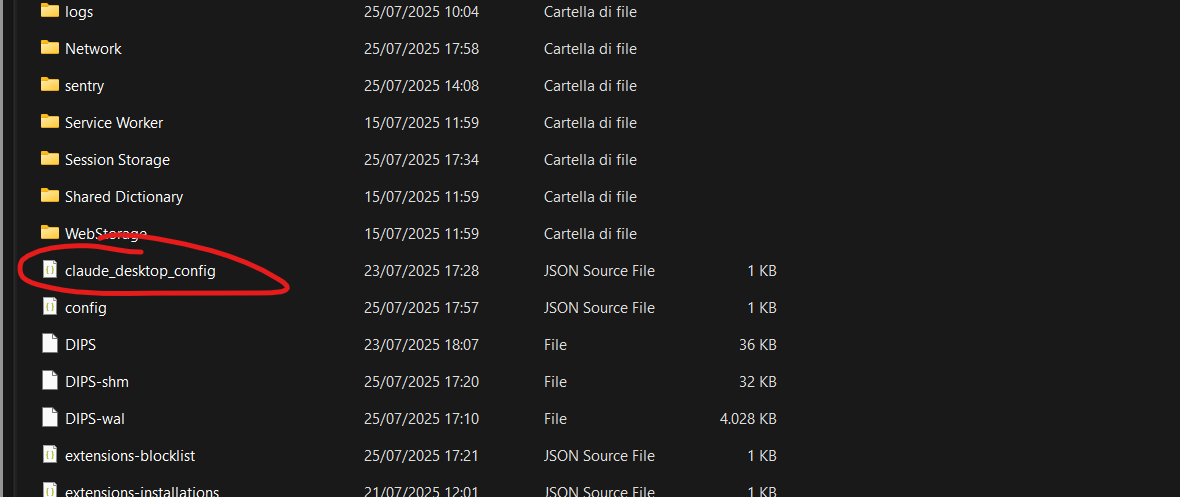
MCP Integration in Claude Desktop
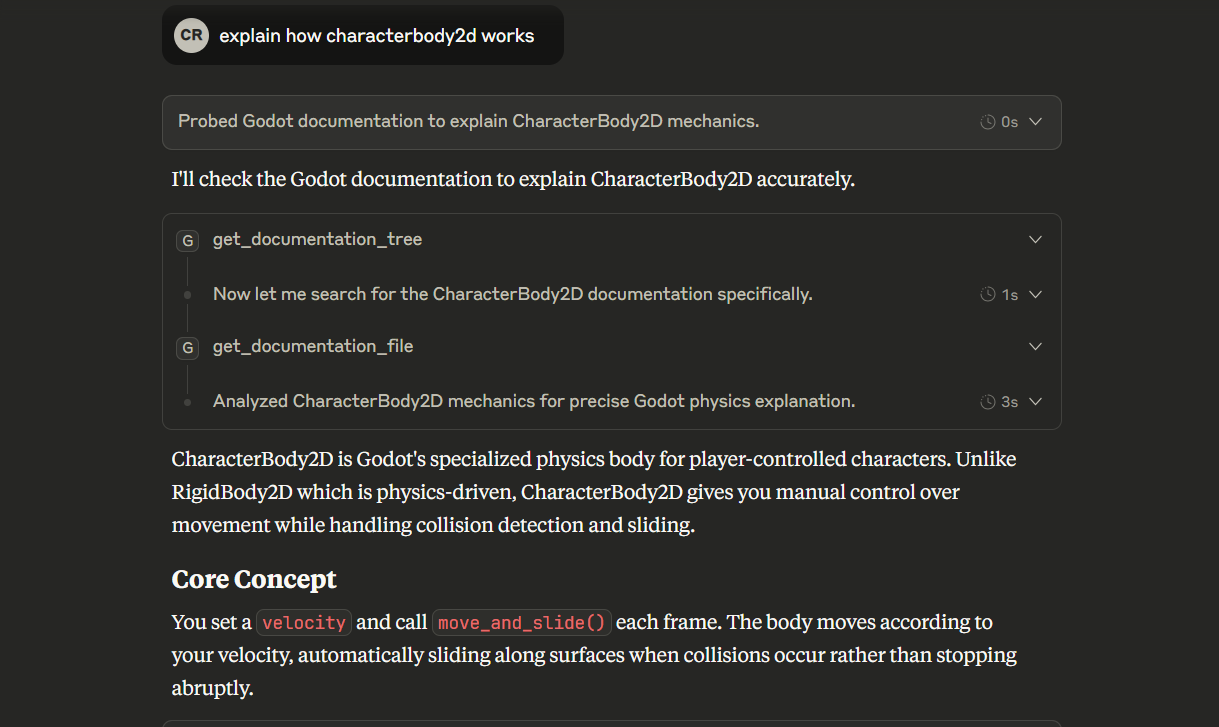
Documentation Access Example
Updating Documentation
To update to a newer version of Godot documentation:
Option 1: Rebuild the image
docker build -f deploy/Dockerfile -t godot-mcp-docs:local . --no-cache
Option 2: Update manually inside container
docker run -it --entrypoint /bin/bash godot-mcp-docs:local
# Inside container:
python docs_converter/godot_docs_converter.py
tree docs/. > docs/docs_tree.txt
License
This project is licensed under the MIT License - see the LICENSE file for details.
The Godot documentation content follows the original Godot documentation licensing:
- Documentation content (excluding
classes/folder): CC BY 3.0 - Class reference files (
classes/folder): MIT License - Attribution: "Juan Linietsky, Ariel Manzur and the Godot community"
Установка Godot Docs
У этого сервера нет опубликованного пакета — он собирается из исходников. Открой репозиторий и следуй инструкции в README.
▸ github.com/Nihilantropy/godot-mcp-docsFAQ
Godot Docs MCP бесплатный?
Да, Godot Docs MCP бесплатный — установка в пару кликов через Unyly без оплаты.
Нужен ли API-ключ для Godot Docs?
Нет, Godot Docs работает без API-ключей и переменных окружения.
Godot Docs — hosted или self-hosted?
Self-hosted: сервер запускается локально на твоей машине командой из раздела установки.
Как установить Godot Docs в Claude Desktop, Claude Code или Cursor?
Открой Godot Docs на unyly.org, выбери вкладку своего клиента (Claude Desktop, Claude Code, Cursor) и нажми Install — конфиг сгенерируется автоматически, без правки JSON.
Похожие MCP
Gmail
Read, send and search emails from Claude
 автор: Google
Slack
Send, search and summarize Slack messages
 автор: Slack
Runbear
No-code MCP client for team chat platforms, such as Slack, Microsoft Teams, and Discord.
Discord Server
A community discord server dedicated to MCP by [Frank Fiegel](https://github.com/punkpeye)
Klavis AI
Open Source MCP Infra. Hosted MCP servers and MCP clients on Slack and Discord.
Work90210/APIFold
Turn any REST API into a hosted MCP server. 18 free public servers (GitHub, Stripe, Slack, OpenAI, Notion, and more) — no setup required, bring your own API key
 автор: Work90210
arikusi/deepseek-mcp-server
MCP server for DeepSeek AI with chat, reasoning, multi-turn sessions, function calling, thinking mode, and cost tracking.
 автор: arikusi
hashgraph-online/hashnet-mcp-js
MCP server for the Registry Broker. Discover, register, and chat with AI agents on the Hashgraph network.
 автор: hashgraph-online
profullstack/mcp-server
A comprehensive MCP server aggregating 20+ tools including SEO optimization, document conversion, domain lookup, email validation, QR generation, weather data,
 автор: profullstack
WayStation-ai/mcp
Seamlessly and securely connect Claude Desktop and other MCP hosts to your favorite apps (Notion, Slack, Monday, Airtable, etc.). Takes less than 90 secs.
 автор: waystation-ai
Compare Godot Docs with
Не уверен что выбрать?
Найди свой стек за 60 секунд
Автор?
Embed-бейдж для README
Похожее
Все в категории communication