
Greenlight
БесплатноНе проверенVisual status indicator that displays colored terminal backgrounds to signal AI work progress states

Описание
Visual status indicator that displays colored terminal backgrounds to signal AI work progress states
README
A visual status indicator MCP server for AI assistants. Displays a colored terminal window that shows whether your AI is working (green) or done (red).
Perfect for walking away from your desk while an AI works on a task - just glance at the screen to see if it's finished.
Features
- Green light: AI is working on a task
- Yellow light: AI is waiting for user approval (via hooks)
- Red light: AI has completed the task
- Gray light: Idle/no status set
- Real-time updates via file watching
- Clean, full-screen terminal display
- Works with Claude Code and other MCP-compatible AI tools
- Auto-detection: Only activates when display terminal is open
Screenshots
| Working (Green) | Waiting (Yellow) | Done (Red) |
|---|---|---|
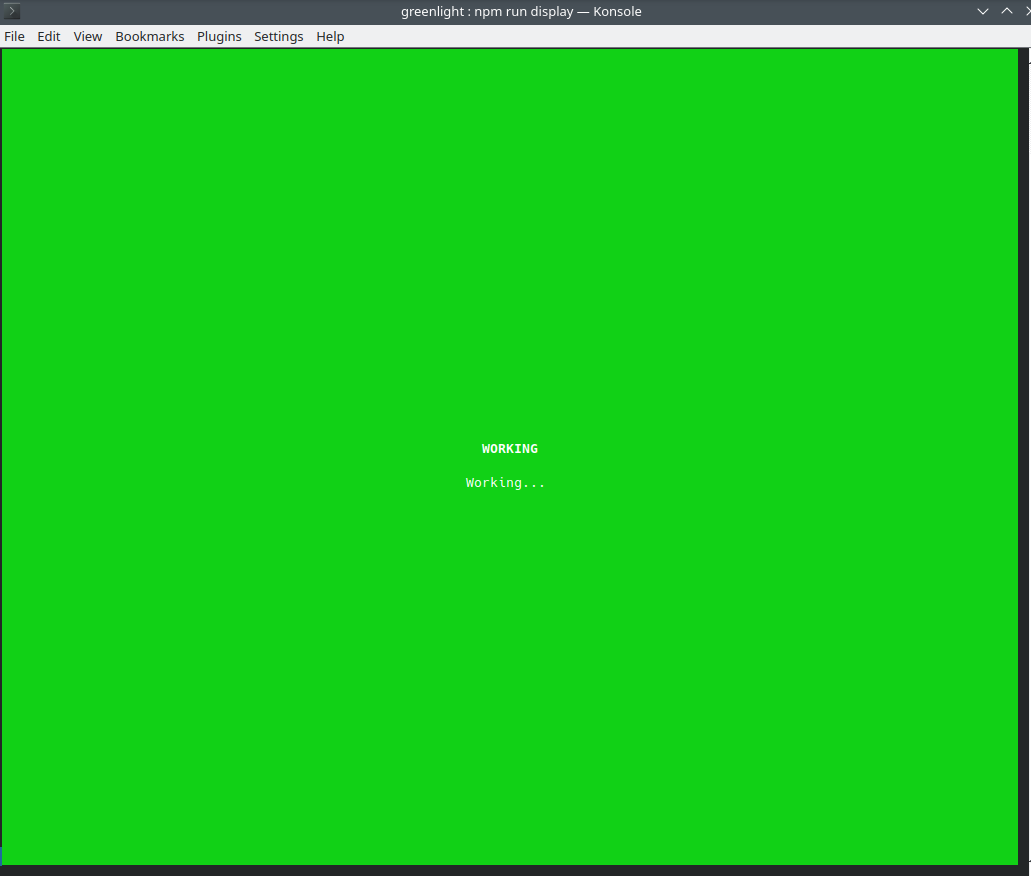 |
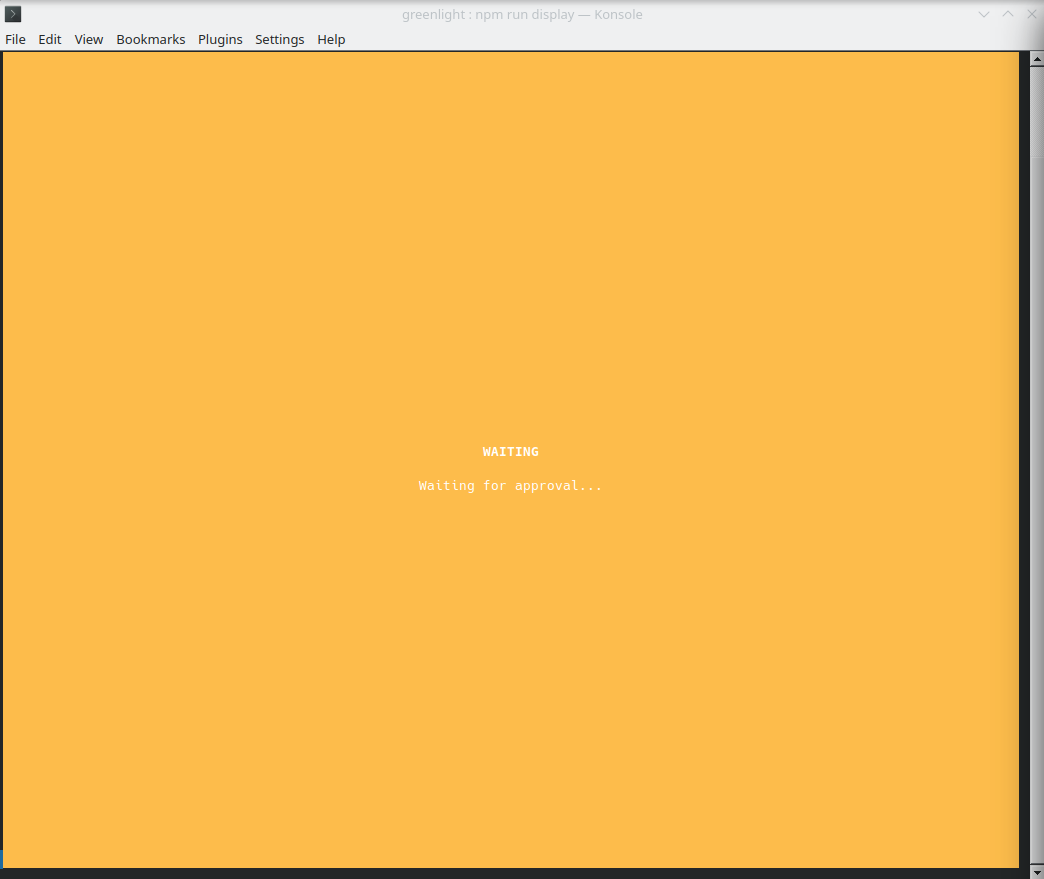 |
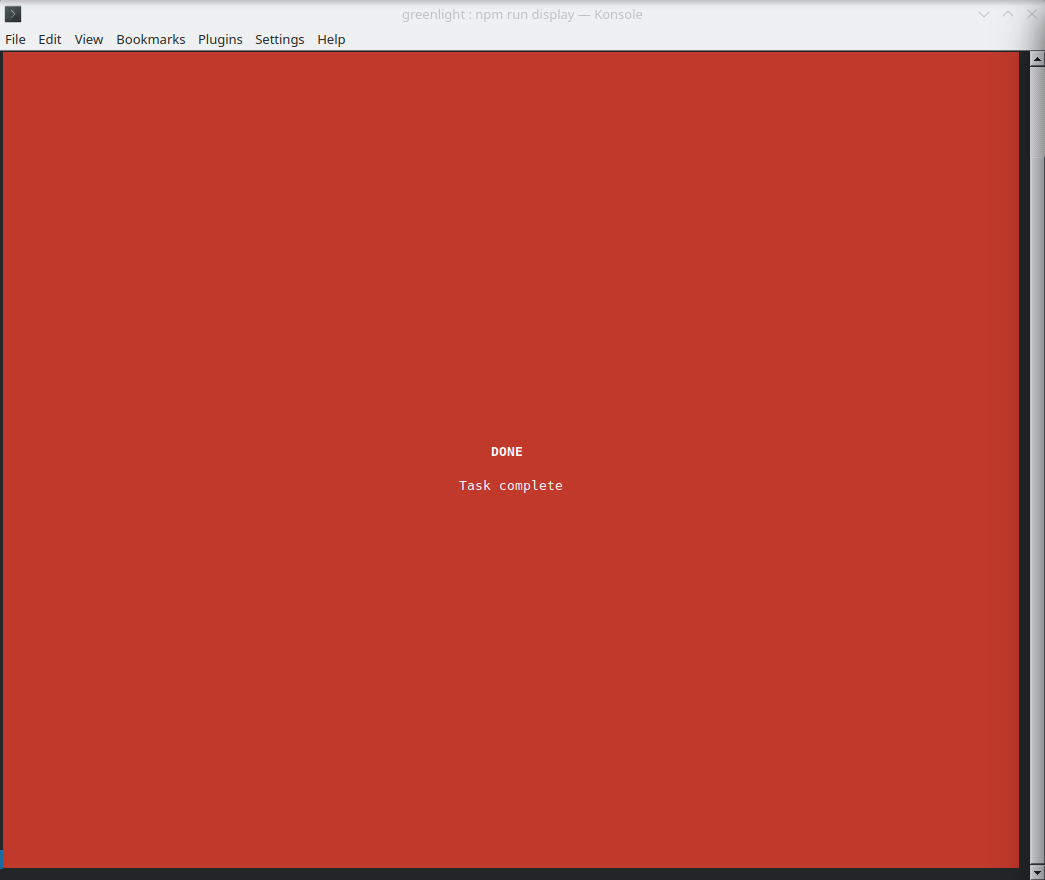 |
Installation
# Clone the repository
git clone https://github.com/bigph00t/greenlight.git
cd greenlight

# Install dependencies
npm install
Usage
1. Start the display window
Open a terminal and run:
npm run display
# or
node src/display.js
Leave this terminal visible - it will show the status colors.
2. Configure your AI assistant
Add to your Claude Code configuration (~/.claude.json):
{
  "mcpServers": {
    "greenlight": {
      "type": "stdio",
      "command": "node",
      "args": ["/path/to/greenlight/src/server.js"]
    }
  }
}
3. Use in your workflow
The AI can now call these tools:
set_working- Sets the light to green (with optional message)set_done- Sets the light to red (with optional message)get_status- Returns the current status
Example prompt:
"Use greenlight to show you're working, then build my project, and set it to done when finished."
How it works
- The MCP server writes status to
~/.greenlight/status.json - The display script watches this file and updates the terminal colors
- Status changes appear in real-time (100ms polling)
- Display detection: The server automatically detects if the display is running. If not, tools gracefully skip (no errors)
Optional: Yellow Light for Approval Prompts (Claude Code Only)
Note: This step is optional and only works with Claude Code. It requires manual setup - hooks cannot be auto-installed by MCP servers.
The yellow "waiting" status can automatically appear when Claude Code is waiting for your approval on a tool. This requires adding hooks to your Claude Code settings.
Add this to ~/.claude/settings.json:
{
  "hooks": {
    "Notification": [
      {
        "matcher": "permission_prompt",
        "hooks": [
          {
            "type": "command",
            "command": "node /FULL/PATH/TO/greenlight/src/cli.js waiting 'Waiting for approval...'"
          }
        ]
      }
    ],
    "PostToolUse": [
      {
        "matcher": "Bash|Edit|Write|Read|Glob|Grep|WebFetch|WebSearch|Task",
        "hooks": [
          {
            "type": "command",
            "command": "node /FULL/PATH/TO/greenlight/src/cli.js working"
          }
        ]
      }
    ]
  }
}
Important: Replace /FULL/PATH/TO/greenlight with the actual path where you cloned the repo.
What this does:
Notificationhook → Turns yellow when Claude requests permission for a toolPostToolUsehook → Turns back to green after you approve and the tool runs
Without hooks: Green and red still work perfectly via the MCP server - you just won't get automatic yellow during approval prompts.
Tools
| Tool | Description |
|---|---|
set_working |
Set status to WORKING (green). Optional message parameter. |
set_done |
Set status to DONE (red). Call after final response to user. |
get_status |
Get current status as JSON. |
Status File
Status is stored at ~/.greenlight/status.json:
{
  "status": "working",
  "message": "Building project...",
  "timestamp": "2024-01-15T10:30:00.000Z"
}
License
MIT
Установка Greenlight
У этого сервера нет опубликованного пакета — он собирается из исходников. Открой репозиторий и следуй инструкции в README.
▸ github.com/bigph00t/greenlightFAQ
Greenlight MCP бесплатный?
Да, Greenlight MCP бесплатный — установка в пару кликов через Unyly без оплаты.
Нужен ли API-ключ для Greenlight?
Нет, Greenlight работает без API-ключей и переменных окружения.
Greenlight — hosted или self-hosted?
Self-hosted: сервер запускается локально на твоей машине командой из раздела установки.
Как установить Greenlight в Claude Desktop, Claude Code или Cursor?
Открой Greenlight на unyly.org, выбери вкладку своего клиента (Claude Desktop, Claude Code, Cursor) и нажми Install — конфиг сгенерируется автоматически, без правки JSON.
Похожие MCP
Fetch
Web content fetching and conversion for efficient LLM usage.
AWS KB Retrieval
Retrieval from AWS Knowledge Base using Bedrock Agent Runtime.
 автор: modelcontextprotocol
Spring AI MCP Server
Provides auto-configuration for setting up an MCP server in Spring Boot applications.
llm-analysis-assistant
A very streamlined mcp client that supports calling and monitoring stdio/sse/streamableHttp, and can also view request responses through the /logs page. It also
 автор: xuzexin-hz
Compare Greenlight with
Не уверен что выбрать?
Найди свой стек за 60 секунд
Автор?
Embed-бейдж для README
Похожее
Все в категории ai