
Harry-027/JotDown
БесплатноНе проверенCreate and update Notion pages and auto-generate mdBooks from structured content.

Описание
Create and update Notion pages and auto-generate mdBooks from structured content.
README
Jotdown is a Model Context Protocol (MCP) server that allows large language models (LLMs) to interact with Notion and also generate Markdown Books. It provides two primary tools for LLMs:
- 👉 Notion Integration: Create or update pages in Notion with content generated by the LLM.
- 👉 Mdbook Generation: Generate a mdbook from content and manage the structure.
Jotdown enables LLMs to seamlessly integrate with these systems for various content management and publishing workflows.
Certified by MCPHub
- 👉 JotDown
Features
- 🌿 Notion Integration: Automatically create or update Notion pages with content generated by the LLM.
- 🌿 Mdbook Generation: Create and manage mdbooks directly from content, including generating necessary files like
SUMMARY.md,README.md, and individual chapter markdown files. - 🌿 MCP Support: Leverages the Model Context Protocol to maintain context over interactions, enabling more intelligent and consistent content creation and updates.
Tools Provided by Jotdown
1. Notion Page Tool
LLMs can use the Notion tool to create or update pages within Notion, allowing them to store structured content like articles or any other type of document directly in Notion.
Example:
- Create a new page in Notion with content that the LLM has generated.
- Update an existing Notion page with new information.
2. mdbook Tool
With the mdbook tool, LLMs can automatically generate markdown books, handling the creation of multiple chapters, managing the structure, and adding a SUMMARY.md file for navigation.
Example:
- Generate a new book based on LLM-generated content.
- Automatically generate chapters with proper links in
SUMMARY.md.
Installation
Prerequisites
- Rust: Make sure you have Rust installed. You can install it from rust-lang.org.
- Notion API Token: You will need a Notion API token (
internal integration secret) to integrate with Notion. - Claude Desktop: Make sure you have Claude desktop or any other MCP client (Cline, Continue etc) installed and configured with a Notion integration token.
Steps to Install
Clone the repository:
git clone https://github.com/Harry-027/JotDown
cd jotdown
Install dependencies:
cargo build --releaseInstall mdbook cli (required for the book generation to work):
cargo install mdbookNotion setup:
- Setup Notion connection (internal intergation with access to Notion workspace) & copy the
internal intergration secretfor later use. - Setup a page with title
Jot It Downin your workspace and share it with your connection. This is required for the integration to work.
- Setup Notion connection (internal intergation with access to Notion workspace) & copy the
Set up Claude desktop (or any other MCP client) configuration file (for Notion integration):
  "mcpServers": {
        "Jotdown": {
            "command": "/path_to_repo/Jotdown/target/release/Jotdown",
            "args": [],
            "env": {
                "NOTION_TOKEN": "your_notion_intergration_token"
            }
        }
  }
Restart Claude desktop and try it out!
Notion Integration Example:
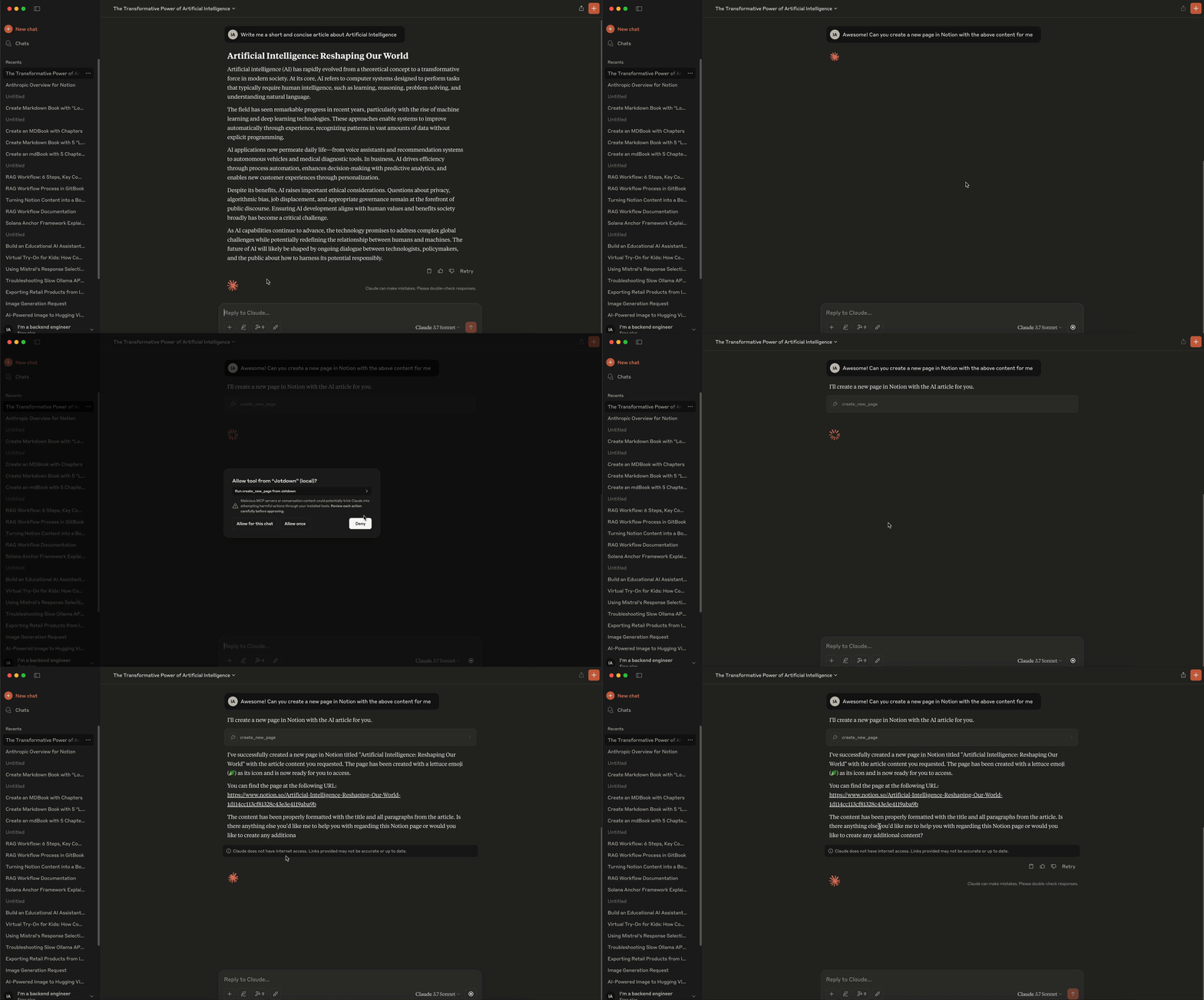
- To create or update a Notion page, the LLM sends a request to the server specifying the content and page details. The server then interacts with the Notion API to either create a new page or update an existing one.
Mdbook Integration Example:
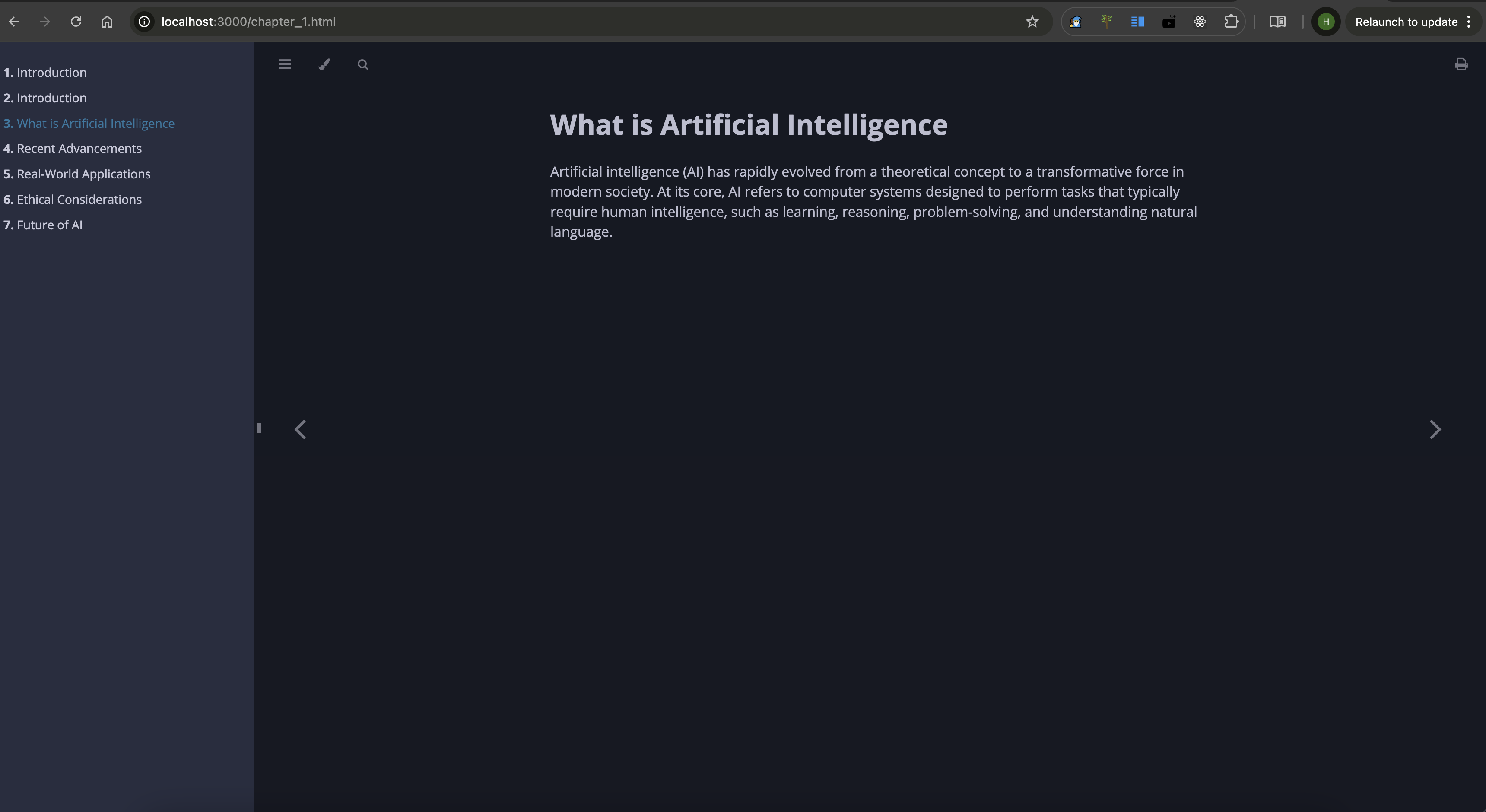
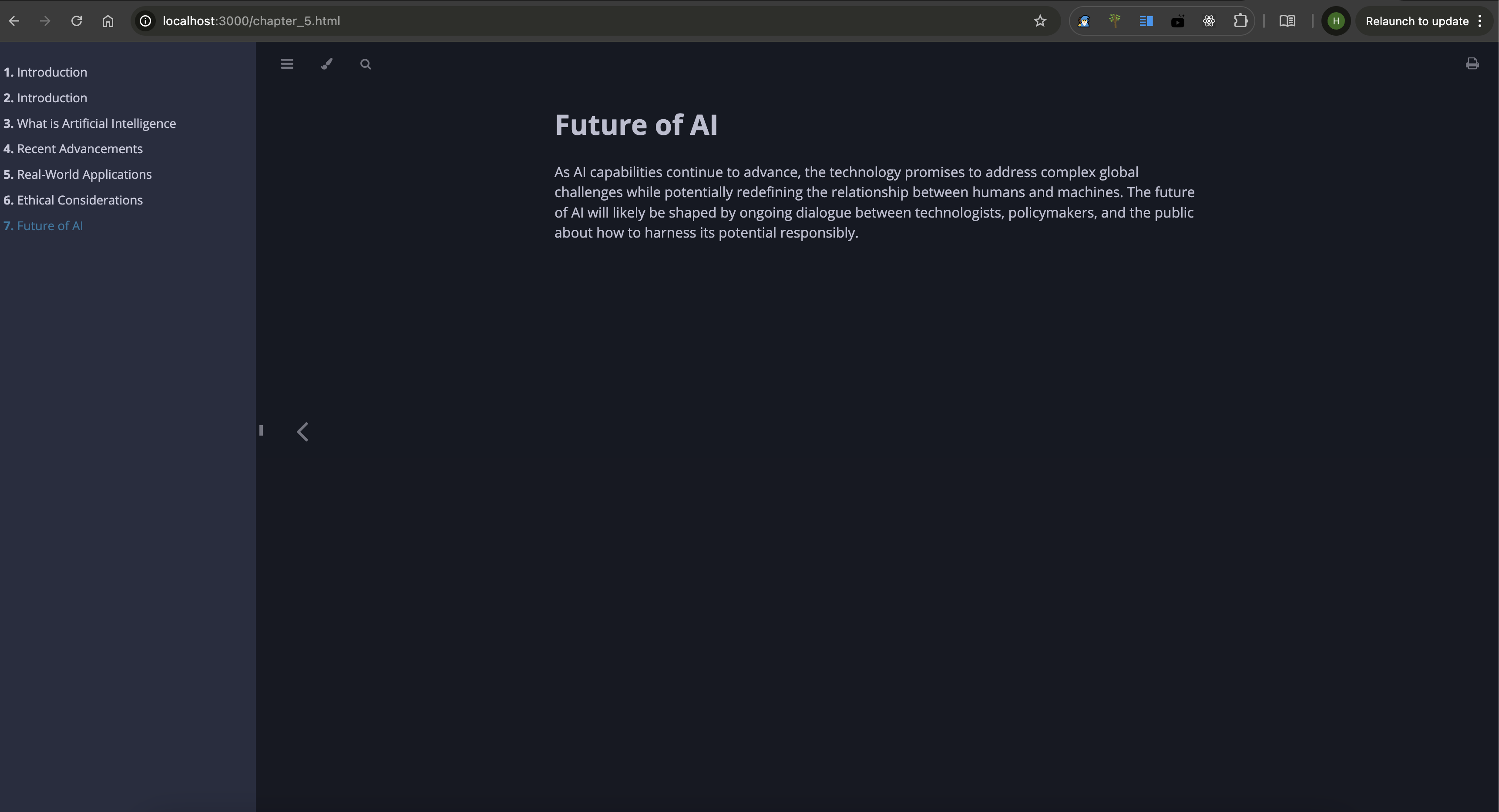
- LLMs can send structured content to the server to create an entire mdbook, including chapter creation,
README.md, andSUMMARY.mdmanagement. The server compiles the content into a complete book.
🧑💻 Demo
Notion Demo -
MdBook Demo -
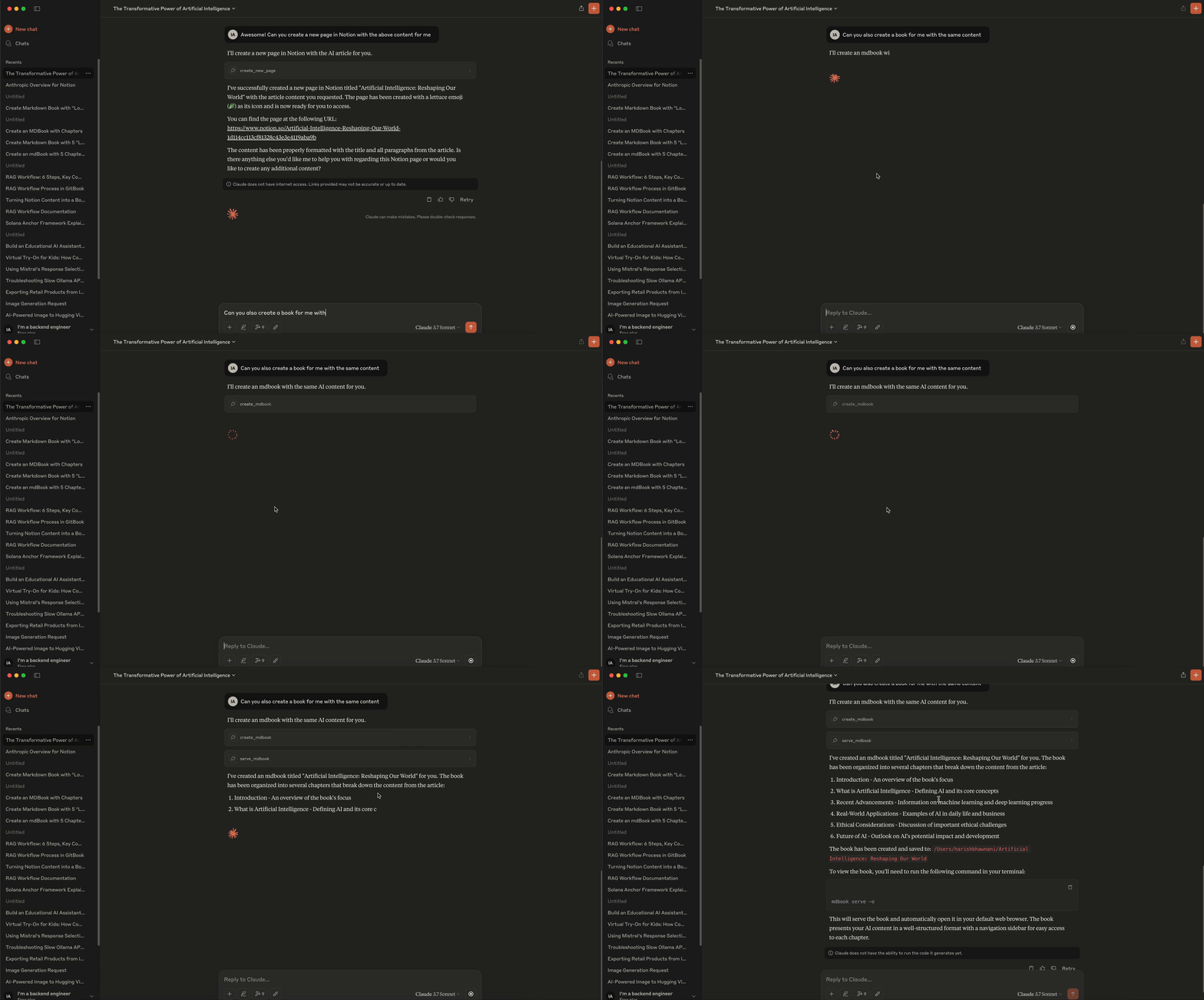
MdBook Screenshots -
🧑💻 Contributing
Feel free to open issues or submit pull requests.
📜 License
Jotdown is licensed under the MIT License. See the LICENSE file for details.
📧 Contact
For support or inquiries, reach out at [email protected].
Установка Harry-027/JotDown
У этого сервера нет опубликованного пакета — он собирается из исходников. Открой репозиторий и следуй инструкции в README.
▸ github.com/Harry-027/JotDownFAQ
Harry-027/JotDown MCP бесплатный?
Да, Harry-027/JotDown MCP бесплатный — установка в пару кликов через Unyly без оплаты.
Нужен ли API-ключ для Harry-027/JotDown?
Нет, Harry-027/JotDown работает без API-ключей и переменных окружения.
Harry-027/JotDown — hosted или self-hosted?
Self-hosted: сервер запускается локально на твоей машине командой из раздела установки.
Как установить Harry-027/JotDown в Claude Desktop, Claude Code или Cursor?
Открой Harry-027/JotDown на unyly.org, выбери вкладку своего клиента (Claude Desktop, Claude Code, Cursor) и нажми Install — конфиг сгенерируется автоматически, без правки JSON.
Похожие MCP
Notion
Read and write pages in your workspace
 автор: Notion
Linear
Issues, cycles, triage — from Claude
 автор: Linear
Google Drive
Search and read your Drive files
 автор: Google
mindsdb/mindsdb
Connect and unify data across various platforms and databases with [MindsDB as a single MCP server](https://docs.mindsdb.com/mcp/overview).
 автор: mindsdb
fulcradynamics/fulcra-context-mcp
Access personal health and biometric data (sleep stages, heart rate, HRV, glucose, workouts), calendar and location via the Fulcra Life API.
 автор: fulcradynamics
rinadelph/Agent-MCP
Framework for building multi-agent systems that coordinate over MCP, with task management, shared context and RAG.
 автор: rinadelph
WhenLabs-org/when
Developer toolkit: stack detection for AI context files, port conflicts, .env schema validation, docs drift, dependency license audits and task timing.
 автор: WhenLabs-org
Beltran12138/wecom-docs-mcp-server
WeCom (Enterprise WeChat) document operations via MCP: create, read, and edit Docs and Smartsheets (9 tools). Fills the doc-CRUD gap — existing WeCom MCP server
 автор: Beltran12138
freema/mcp-gsheets
Google Sheets API integration for reading, writing, formatting and sheet management.
 автор: freema
mattijsdp/dbt-docs-mcp
dbt-core (OSS) project metadata, model and column-level lineage, and dbt documentation.
 автор: mattijsdp
Compare Harry-027/JotDown with
Не уверен что выбрать?
Найди свой стек за 60 секунд
Автор?
Embed-бейдж для README
Похожее
Все в категории productivity