
Hermes Gpt
БесплатноНе проверенMCP sidecar for Hermes Agent exposing operator tools (cron, skills, config, workspace) with tiered read-only/operator/owner modes and dry-run by default for saf

Описание
MCP sidecar for Hermes Agent exposing operator tools (cron, skills, config, workspace) with tiered read-only/operator/owner modes and dry-run by default for safe local development.
README
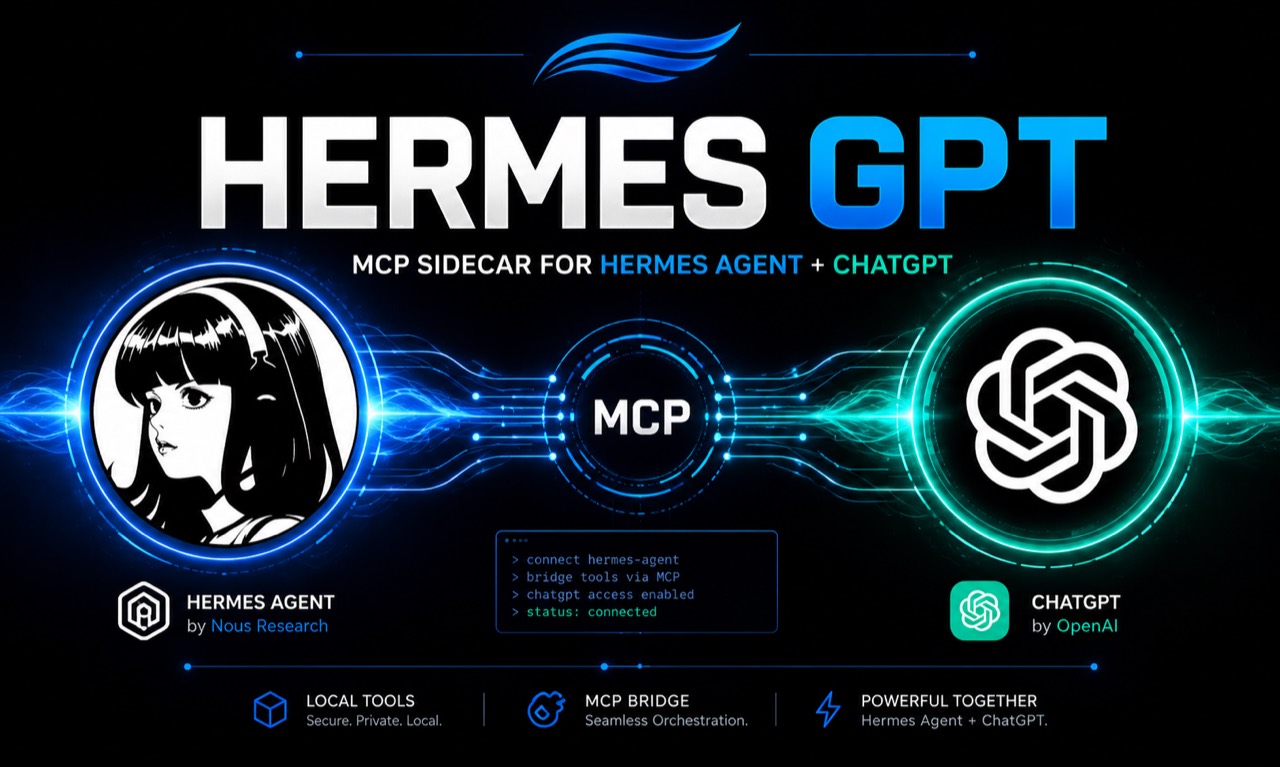
hermes-gpt is a standalone MCP sidecar for Hermes Agent. It imports selected local Hermes Agent internals at runtime and exposes them to MCP clients without modifying Hermes Agent source files.
This is a local-dev release. It is not a hosted service, not a fork of Hermes Agent, not a generic remote dev container, and not a replacement for DevSpace.
What’s New in v0.3.0
v0.3.0 is the Operator Reliability Release. It makes Hermes GPT self-diagnosing, safely recoverable, and release-checkable.
- New operator diagnostics tools:
hermes_operator_doctor— read-only deep health check across operator, gateway, config, env, cron, skills, policy, audit, and connector surfaces.hermes_operator_snapshot— single current-state summary.hermes_release_doctor— release readiness checks with PASS / WARN / BLOCKED classification.hermes_operator_recover— conservative dry-run-first recovery sequence.
- All operator-facing failures now return a structured error envelope:
{success, ok, error, layer, code, safe_message, suggested_action, trace_id}. - Diagnostic and recovery statuses use PASS / WARN / FAIL / UNSUPPORTED.
- Connector re-registration is explicitly reported as unsupported unless a real supported command/API exists.
hermes_operator_recoveris dry-run by default and requiresapply=truefor mutations.
What’s New in v0.2.0
v0.2.0 adds tiered Operator / Owner Mode so trusted MCP clients can see the full Hermes GPT surface while the default posture stays safe.
- Default mode remains read-only.
- Recommended always-on connector/tunnel mode is
dry_run. - Direct mutation requires both:
HERMES_GPT_OPERATOR_APPLY_MODE=direct- the mutating tool call sets
dry_run=false
- Owner Mode requires the exact break-glass acknowledgement:
HERMES_GPT_OWNER_ACK=I_UNDERSTAND_THIS_CAN_MUTATE_MY_MACHINE
- Operator Mode is not a sandbox.
- Do not expose publicly without real auth, VPN, Tailscale, or an equivalent private boundary.
What v0.2.0 adds:
- operator policy, status, and audit tools
- cron tools
- skill tools
- config and env tools
- gateway tools
- workspace tools
- owner tools behind explicit acknowledgement
- audit logging with hashes and lengths instead of raw prompt/content
- Hermes data-root normalization for operator profile operations
- packaging fixes so operator modules ship in the release
| Mode | Env posture | What happens |
|---|---|---|
| Read-only | no operator env vars | read/list/status tools only; mutations refuse |
| Dry-run Operator | operator enabled + apply_mode=dry_run | mutation tools return plans/previews only |
| Direct Operator | operator enabled + apply_mode=direct | writes allowed only when tool call also sets dry_run=false |
| Owner Mode | level=owner + exact owner ack | break-glass local owner tools; still denies secret paths |
For the full Operator Mode guide, new-user quickstart, and tunnel safety model, see docs/operator-mode.md.
Security posture
By default, hermes-gpt is designed for a trusted local machine:
- HTTP binds to
127.0.0.1by default. - Tools advertise
noauthonly for local-dev MCP clients. - Write, patch, terminal execution, memory writes, and session search are disabled or hidden by default.
- Remote/public use should enable OAuth or another ChatGPT-compatible authentication layer before exposing write-capable tools.
Do not expose this server publicly without authentication. A temporary tunnel is acceptable only for short local testing when you understand that any enabled tool is reachable through that URL.
Prerequisites
- Python 3.10+
- A local Hermes Agent install
- MCP Python SDK and Uvicorn
Install dependencies:
cd ~/hermes-gpt
python -m pip install -r requirements.txt
Local MCP clients
Stdio mode is for local MCP clients that support subprocess MCP servers:
cd ~/hermes-gpt
python server.py
Example client command:
{
  "command": "python",
  "args": ["C:\\Users\\<YOU>\\hermes-gpt\\server.py"]
}
Local HTTP
HTTP mode uses FastMCP streamable HTTP:
cd ~/hermes-gpt
python server.py --http --host 127.0.0.1 --port 7677
Local endpoint:
http://127.0.0.1:7677/mcp
If you bind to anything other than loopback in the default local-dev profile, the server prints a warning. This warning means the configuration is not release-safe.
ChatGPT local testing
ChatGPT developer mode expects a remote MCP endpoint. Do not enter a localhost URL such as http://127.0.0.1:4750; ChatGPT fetches the MCP configuration through its connector path, where 127.0.0.1 is not your machine.
For short local testing only:
cd C:\Users\<YOU>\hermes-gpt
python server.py --http --host 127.0.0.1 --port 4750
In another terminal:
& "C:\Program Files (x86)\cloudflared\cloudflared.exe" tunnel --url http://127.0.0.1:4750 --http-host-header 127.0.0.1:4750
In ChatGPT, configure:
- Protocol: Streaming HTTP
- MCP server URL:
https://<your-trycloudflare-host>/mcp - Authentication: No Authentication
If ChatGPT only shows the old 5-tool surface, reconnect or recreate the connector and follow the workflow in docs/operator-mode.md.
Example scripts for local setup live under examples/.
ChatGPT custom app OAuth
For ChatGPT Developer Mode / MCP App setup over a public HTTPS endpoint, use OAuth instead of a raw static bearer token.
In ChatGPT, configure the connector with:
- Protocol: Streaming HTTP
- MCP server URL:
https://hermes.tail6c8d50.ts.net/mcp - Authentication:
OAuth - Registration method:
User-Defined OAuth Client - OAuth client ID: the value of
HERMES_GPT_OAUTH_CLIENT_ID - OAuth client secret: the value of
HERMES_GPT_OAUTH_CLIENT_SECRET - Authorization URL:
https://hermes.tail6c8d50.ts.net/oauth/authorize - Token URL:
https://hermes.tail6c8d50.ts.net/oauth/token - Token endpoint auth method:
client_secret_post(client_secret_basicis also supported) - Scope:
hermesunlessHERMES_GPT_OAUTH_SCOPEis changed
Required server environment:
HERMES_GPT_OAUTH_ENABLE=1
HERMES_GPT_OAUTH_ISSUER=https://hermes.tail6c8d50.ts.net
HERMES_GPT_OAUTH_CLIENT_ID=chatgpt-hermes-vps
HERMES_GPT_OAUTH_CLIENT_SECRET=<generated secret>
HERMES_GPT_OAUTH_REDIRECT_URI=<exact callback URL from ChatGPT>
HERMES_GPT_OAUTH_SCOPE=hermes
OAuth discovery endpoints:
https://hermes.tail6c8d50.ts.net/.well-known/oauth-protected-resource
https://hermes.tail6c8d50.ts.net/.well-known/oauth-authorization-server
/oauth/authorize is intentionally single-user: when the configured client ID and redirect URI match, it immediately issues a short-lived one-time authorization code and redirects back to ChatGPT. /oauth/token exchanges that code for an in-memory expiring bearer access token.
Keep raw terminal disabled until OAuth has been confirmed working from ChatGPT. Do not set HERMES_GPT_ENABLE_TERMINAL=1 during initial OAuth validation.
Tool gates
Default visible tools:
hermes_read_file(path, offset=1, limit=500)hermes_search_files(pattern, target="content", path=".", file_glob=None, limit=50)hermes_memory(action="search", target="memory", content=None, old_text=None)hermes_skill_list()hermes_skill_view(name)
Opt-in tools and actions:
| Capability | Env var | Default |
|---|---|---|
| Write file and patch tools | HERMES_GPT_ENABLE_WRITE=1 |
Hidden |
Memory add, replace, remove |
HERMES_GPT_ENABLE_MEMORY_WRITE=1 |
Disabled |
| Session search | HERMES_GPT_ENABLE_SESSION_SEARCH=1 |
Hidden |
| Safe read-only command execution | HERMES_GPT_ENABLE_SAFE_COMMAND=1 |
Hidden |
| Raw terminal command execution | HERMES_GPT_ENABLE_TERMINAL=1 |
Hidden |
| HTTP bearer-token auth | HERMES_GPT_AUTH_TOKEN=<secret> |
Disabled |
| OAuth auth for ChatGPT custom apps | HERMES_GPT_OAUTH_ENABLE=1 plus OAuth client env vars |
Disabled |
Terminal timeout is capped at 120 seconds even when enabled.
When HERMES_GPT_AUTH_TOKEN is set, HTTP/SSE requests require:
Authorization: Bearer ***
The root health check and CORS preflight requests remain unauthenticated.
The broad HERMES_GPT_ENABLE_* flags still work for backward compatibility,
but for tiered, safe operation prefer the Operator / Owner Mode tools
documented below.
Hermes GPT Operator Mode
Operator / Owner Mode is a tiered control plane that lets trusted MCP clients (like ChatGPT) operate Hermes safely: cron jobs, skills, profile config wiring, safe non-secret env keys, gateway/runtime status and restart, scoped workspace edits, and (with explicit acknowledgement) owner-level command and file access.
Safety model
- Default behavior is read-only. Mutating operator tools refuse unless operator mode is explicitly enabled.
- Dry-run is the default. Even when operator mode is enabled, every
mutating tool defaults to
dry_run=Trueand returns a plan instead of mutating. To actually mutate, you must setHERMES_GPT_OPERATOR_APPLY_MODE=directAND passdry_run=Falseto the tool call. - Direct mutation requires explicit opt-in.
HERMES_GPT_OPERATOR_APPLY_MODE=directis required for any write to happen. - Owner Mode requires an additional explicit acknowledgement. Setting
HERMES_GPT_OPERATOR_LEVEL=owneralone is not enough; you must also setHERMES_GPT_OWNER_ACK=I_UNDERSTAND_THIS_CAN_MUTATE_MY_MACHINE. Without the exact ack string, owner tools refuse. - No secrets exposed. Config
getredacts secret-looking keys;envtools never return values; skill/cron prompts are logged and surfaced only asprompt_len+prompt_sha256. - No
.envraw read/write. The denied-path policy refuses.env,auth.json,mcp-tokens/,.ssh/,.aws/,vault/, and any secret-looking filename. - No
shell=Trueanywhere. Every subprocess invocation usesshell=Falsewith a fixed argv. - No
git add -A, nogit push, no destructive filesystem operations. Workspacerun_testonly allows a conservative allowlist (pytest, ruff, mypy, npm test/lint, git status/diff). Ownerrun_commandblocks catastrophic patterns (rm -rf /,del /s,format,curl | bash,git push --force,git add -A,git add ., anything touching.env/vault/token/.ssh). - Operator Mode is not a sandbox. Use OS-level isolation (container, VM, or a tool like OpenShell) for untrusted input. The operator gates are defense-in-depth, not a security boundary — same stance as Hermes Agent's own SECURITY.md.
- Do not expose remote without real auth. Operator Mode does not add any authentication. Bind to loopback only, or put a real auth layer (VPN, Tailscale, OAuth) in front before exposing on a network.
Operator levels
Levels are ordered; each level includes all capabilities of the levels above it in this list.
| Level | Capabilities |
|---|---|
read_only |
status, policy, audit tail, cron list/status, skill diff/list/view, config get, env status, gateway status, git status/diff |
cron |
+ cron run, cron pause, cron copy, cron move |
skills |
+ skill create, edit, patch, write_file, copy, sync_to_default, delete |
skills_config |
+ config set/patch, env set/copy (non-secret keys only) |
workspace |
+ scoped workspace patch/write, test/lint allowlist, gateway restart |
owner |
+ raw command, raw file patch/write — still gated by explicit owner ack and still denies secret paths |
Env flags
| Env var | Default | Purpose |
|---|---|---|
HERMES_GPT_OPERATOR_ENABLED |
unset (false) | Enable operator mode |
HERMES_GPT_OPERATOR_LEVEL |
read_only |
Operator level (see table above) |
HERMES_GPT_OPERATOR_APPLY_MODE |
dry_run |
dry_run returns plans; direct allows mutation |
HERMES_GPT_OPERATOR_ALLOWED_PROFILES |
default |
Comma-separated profile names, or * for all existing |
HERMES_GPT_OPERATOR_ALLOWED_PATHS |
empty | Comma-separated workspace root paths; empty disables workspace writes |
HERMES_GPT_OPERATOR_DENIED_PATHS |
built-in defaults | Extra denied paths (additions only; cannot weaken defaults) |
HERMES_GPT_OWNER_ACK |
unset | Must equal I_UNDERSTAND_THIS_CAN_MUTATE_MY_MACHINE for owner tools |
Examples
Read-only default (no env vars needed):
hermes-gpt
Cron dry-run:
$env:HERMES_GPT_OPERATOR_ENABLED="1"
$env:HERMES_GPT_OPERATOR_LEVEL="cron"
$env:HERMES_GPT_OPERATOR_APPLY_MODE="dry_run"
$env:HERMES_GPT_OPERATOR_ALLOWED_PROFILES="default,hermes-researcher"
hermes-gpt
Skills/config dry-run:
$env:HERMES_GPT_OPERATOR_ENABLED="1"
$env:HERMES_GPT_OPERATOR_LEVEL="skills_config"
$env:HERMES_GPT_OPERATOR_APPLY_MODE="dry_run"
$env:HERMES_GPT_OPERATOR_ALLOWED_PROFILES="default,hermes-researcher,hermes-trt-manager,hermes-nexus-wiki"
hermes-gpt
Workspace direct with allowed path:
$env:HERMES_GPT_OPERATOR_ENABLED="1"
$env:HERMES_GPT_OPERATOR_LEVEL="workspace"
$env:HERMES_GPT_OPERATOR_APPLY_MODE="direct"
$env:HERMES_GPT_OPERATOR_ALLOWED_PATHS="C:\Users\<YOU>\hermes-gpt,C:\Users\<YOU>\AppData\Local\hermes\hermes-agent"
hermes-gpt
Owner Mode (WARNING: can mutate your machine):
$env:HERMES_GPT_OPERATOR_ENABLED="1"
$env:HERMES_GPT_OPERATOR_LEVEL="owner"
$env:HERMES_GPT_OPERATOR_APPLY_MODE="direct"
$env:HERMES_GPT_OWNER_ACK="I_UNDERSTAND_THIS_CAN_MUTATE_MY_MACHINE"
hermes-gpt
Audit log
Every mutating tool call appends a JSONL record to:
%USERPROFILE%\AppData\Local\hermes\logs\hermes_gpt_operator_audit.jsonl(preferred), or<hermes-gpt>\logs\hermes_gpt_operator_audit.jsonl(fallback)
Each record contains: timestamp, tool, level, apply_mode, dry_run,
success, changed, summary, error, profile(s), path summary, job_id /
skill_name / key (when relevant), and prompt_len + prompt_sha256 /
content_len + content_sha256 for skill/cron content. The audit log
never records full prompts, full config values, raw .env contents,
vault contents, or command output likely to contain secrets. Read it with
the hermes_operator_audit_tail tool.
Owner Mode warning
Owner Mode can mutate your machine. Use it only on a trusted local
machine. It is not a sandbox — it is the explicit break-glass path
for the local owner. Even in Owner Mode, secret paths (.env, auth.json,
.ssh/, mcp-tokens/, etc.) remain denied; no secret override is
shipped in this release.
When HERMES_GPT_AUTH_TOKEN is set, HTTP/SSE requests require:
Authorization: Bearer *** root health check and CORS preflight requests remain unauthenticated.

## Remote profile

`--profile remote` requires either static bearer-token auth or OAuth auth:

```bash
HERMES_GPT_AUTH_TOKEN=<secret> python server.py --http --profile remote
# or
HERMES_GPT_OAUTH_ENABLE=1 python server.py --http --profile remote
For temporary experiments only, you can bypass this block with both:
HERMES_GPT_UNSAFE_REMOTE_NOAUTH=1
python server.py --http --profile remote --i-understand-this-is-unsafe
Do not use this bypass for release.
Release checklist
Before publishing:
- No
*.pemfiles. - No
*.logor*.err.logfiles. - No
__pycache__/or*.pyc. python -m py_compile server.pypasses.pytestpasses.- Server binds to loopback by default.
- Terminal, write tools, memory writes, and session search are disabled by default.
Current capability notes
The feasibility probe passed in this environment:
- Hermes source root:
C:\Users\<YOU>\AppData\Local\hermes\hermes-agent - File tools: available
- Terminal tool: available, gated by
HERMES_GPT_ENABLE_TERMINAL=1 - Memory tool: available
- Skill discovery: available through local and bundled skill directories
- Session search: available through
SessionDB.search_messages - FastMCP stdio: available
- FastMCP streamable HTTP: available
See FEASIBILITY.md for probe details and exact signatures.
License
MIT. See LICENSE.
Установка Hermes Gpt
У этого сервера нет опубликованного пакета — он собирается из исходников. Открой репозиторий и следуй инструкции в README.
▸ github.com/DeployFaith/hermes-gpt-bridgeFAQ
Hermes Gpt MCP бесплатный?
Да, Hermes Gpt MCP бесплатный — установка в пару кликов через Unyly без оплаты.
Нужен ли API-ключ для Hermes Gpt?
Нет, Hermes Gpt работает без API-ключей и переменных окружения.
Hermes Gpt — hosted или self-hosted?
Self-hosted: сервер запускается локально на твоей машине командой из раздела установки.
Как установить Hermes Gpt в Claude Desktop, Claude Code или Cursor?
Открой Hermes Gpt на unyly.org, выбери вкладку своего клиента (Claude Desktop, Claude Code, Cursor) и нажми Install — конфиг сгенерируется автоматически, без правки JSON.
Похожие MCP
Fetch
Web content fetching and conversion for efficient LLM usage.
AWS KB Retrieval
Retrieval from AWS Knowledge Base using Bedrock Agent Runtime.
 автор: modelcontextprotocol
Spring AI MCP Server
Provides auto-configuration for setting up an MCP server in Spring Boot applications.
llm-analysis-assistant
A very streamlined mcp client that supports calling and monitoring stdio/sse/streamableHttp, and can also view request responses through the /logs page. It also
 автор: xuzexin-hz
Compare Hermes Gpt with
Не уверен что выбрать?
Найди свой стек за 60 секунд
Автор?
Embed-бейдж для README
Похожее
Все в категории ai