
Imagefeatures
БесплатноНе проверенAn MCP server that provides classic computer vision feature extraction tools (color, texture, shape) for image analysis, enabling LLMs to perform precise mathem

Описание
An MCP server that provides classic computer vision feature extraction tools (color, texture, shape) for image analysis, enabling LLMs to perform precise mathematical image comparisons and quality assessments.
README
Give LLMs "mathematical eyes" for image analysis.
An MCP (Model Context Protocol) server that wraps the imagefeatures library, exposing classic computer vision features as tools that Claude and other LLMs can use.
Why This Exists
| LLM Vision | imagefeatures MCP |
|---|---|
| "A sunset photo with warm colors" | #FF6B35 (45.2%), #2D3436 (30.1%) — exact hex codes |
| "Looks sharp to me" (often wrong) | Texture entropy: 1.2 → blur score: 0.78 |
| Slow on 10,000 images | Extract once, query instantly |
LLMs see semantics ("a dog on a beach"). imagefeatures sees statistics (color histograms, texture patterns, edge orientations). Combine them for agents that reason about both content AND composition.
What You Can Build
1. Visual Similarity Search
Find images similar by color, texture, or combined features:
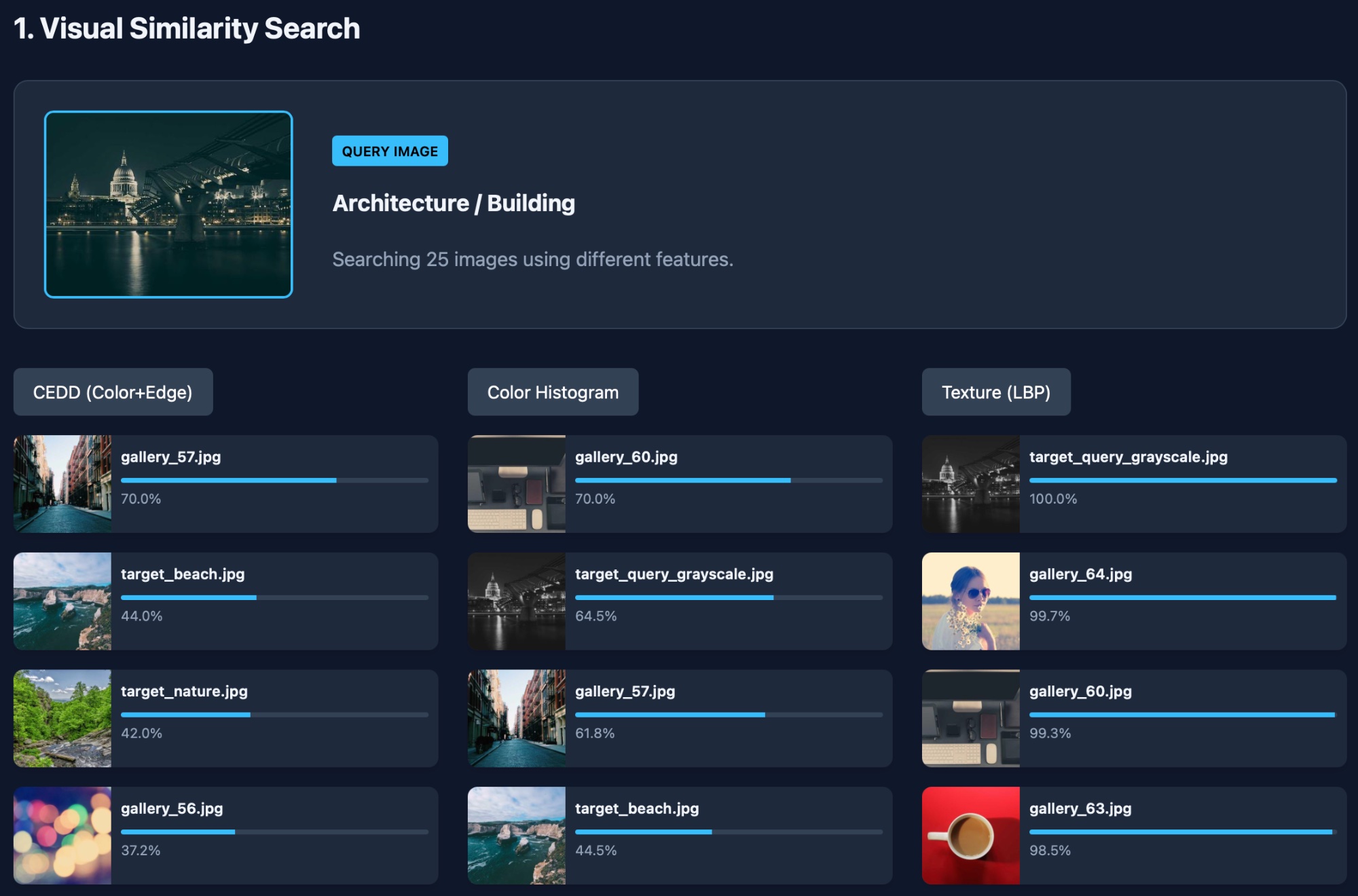
Same query image returns different results based on which feature you prioritize — CEDD finds structural matches, Color Histogram finds palette matches, LBP finds texture matches.
2. Color-Based Organization
Sort images by dominant hue for color-organized galleries:
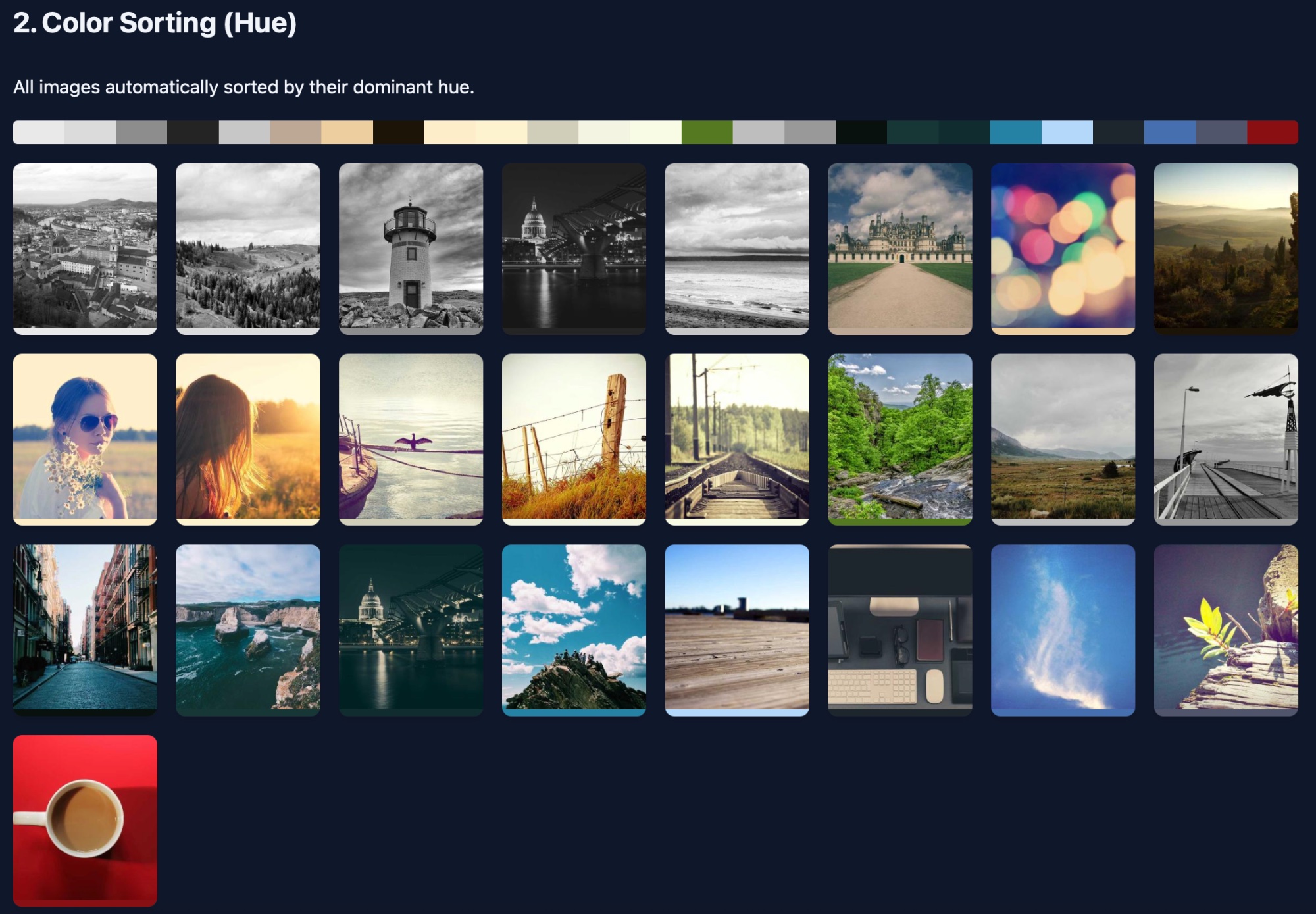
Images automatically sorted: grayscale → warm tones → greens → blues → reds
3. Vibe-Based Filtering
Filter by visual "mood" categories derived from mathematical features:
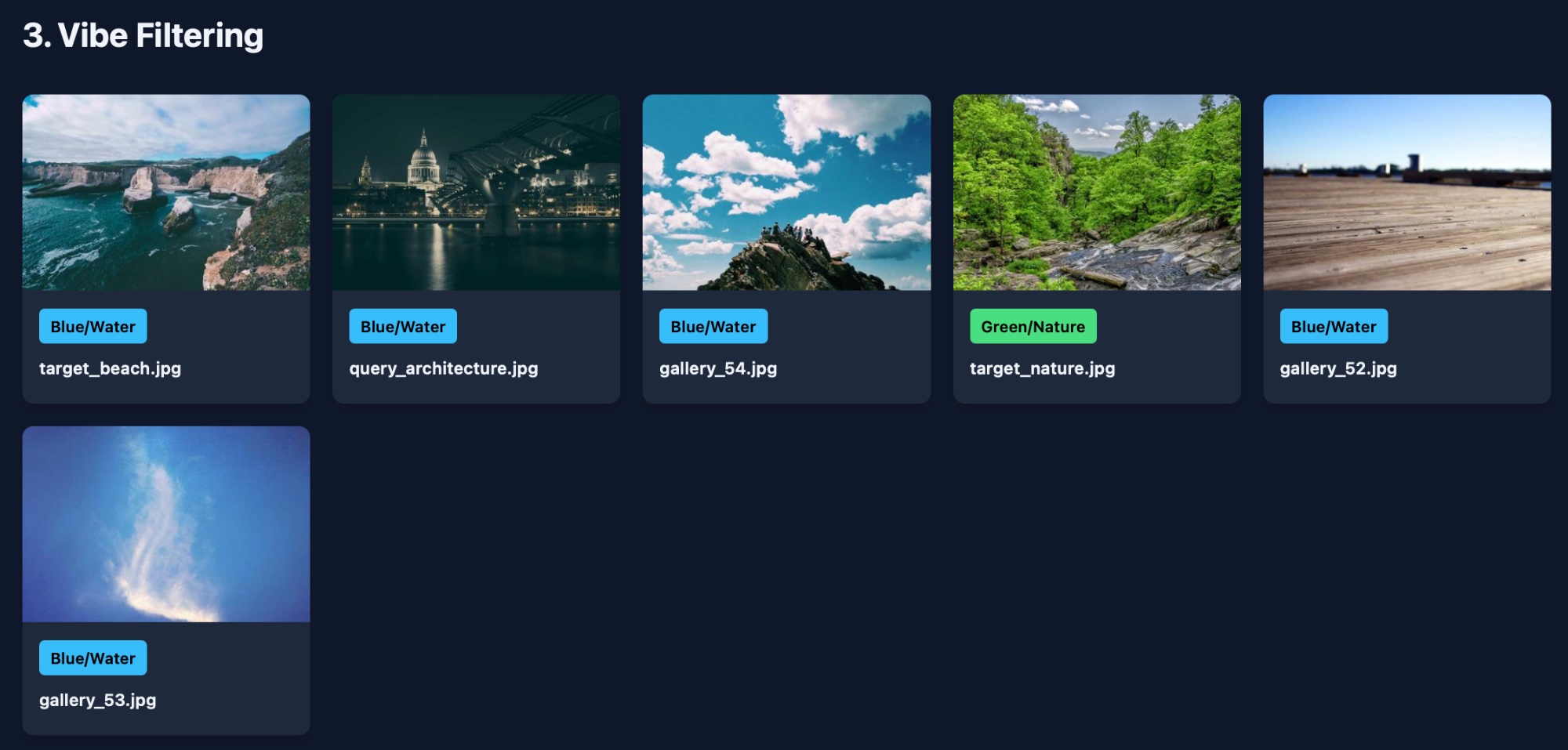
"Blue/Water" and "Green/Nature" tags computed from color + texture analysis, not AI labeling
Installation
# Install the MCP server
pip install imagefeatures-mcp

# Or install from source
pip install git+https://github.com/kelkalot/imagefeatures-mcp.git
Dependencies:
- imagefeatures — the underlying feature extraction library
- mcp — Model Context Protocol SDK
- numpy, pillow
Quick Start
Claude Desktop
Add to your Claude Desktop config:
macOS: ~/Library/Application Support/Claude/claude_desktop_config.json
Windows: %APPDATA%\Claude\claude_desktop_config.json
{
  "mcpServers": {
    "imagefeatures": {
      "command": "python",
      "args": ["-m", "imagefeatures_mcp"]
    }
  }
}
Restart Claude Desktop. You can now ask:
"What are the dominant colors in this photo?"
"Find similar images in my ~/Photos folder"
"Sort these images by color"
"Which of these photos are blurry?"
Programmatic Usage
# Run the server directly
python -m imagefeatures_mcp

# Test with MCP Inspector
npx @modelcontextprotocol/inspector python -m imagefeatures_mcp
Available Tools
analyze_image
Analyze an image's visual composition using mathematical features.
analyze_image(image_path, preset="quick")
Presets:
| Preset | Features | Dimensions | Use Case |
|---|---|---|---|
quick |
ColorHistogram, EdgeHistogram | 144 | Fast overview |
color |
ColorHistogram, ColorMoments, DominantColors, OpponentHistogram | 605 | Color analysis |
texture |
LBP, Tamura, Haralick, Gabor | 328 | Texture analysis |
shape |
EdgeHistogram, HOG, HuMoments | 231 | Shape/edge analysis |
combined |
CEDD, FCTH, JCD | 504 | Best for similarity |
full |
All 22 features | 3,058 | Comprehensive |
compare_images
Compare two images mathematically.
compare_images(image_a, image_b, feature="CEDD", metric="cosine")
Features: Any of the 22 available (CEDD, JCD, ColorHistogram, PHOG, etc.)
Metrics: cosine, euclidean, l1, jsd, tanimoto
find_similar_in_folder
Find visually similar images in a folder.
find_similar_in_folder(query_image, folder_path, top_k=5, feature="JCD")
get_dominant_colors
Extract dominant colors with exact hex codes.
get_dominant_colors(image_path, num_colors=5)
check_image_quality
Detect blur and quality issues using texture analysis.
check_image_quality(image_path)
sort_by_color
Sort all images in a folder by dominant hue.
sort_by_color(folder_path)
filter_by_vibe
Filter images by visual category.
filter_by_vibe(folder_path, vibe="blue_water")
Vibes: blue_water, green_nature, warm_sunset, cool_moody, high_contrast, soft_minimal, grayscale, vibrant
extract_features
Get raw feature vectors for ML pipelines.
extract_features(image_path, features="CEDD,PHOG,DominantColors")
list_features
List all 22 available features with descriptions.
Available Features
The imagefeatures library provides 22 classic computer vision descriptors totaling 3,058 dimensions:
Color Features (741 dims)
| Feature | Dims | Description |
|---|---|---|
ColorHistogram |
64 | RGB/HSV/Luminance histogram |
ColorMoments |
9 | Mean, std, skewness per channel |
OpponentHistogram |
512 | Opponent color space histogram |
FuzzyColorHistogram |
72 | Fuzzy HSV quantization |
DominantColors |
20 | K-means extracted dominant colors |
ScalableColor |
64 | MPEG-7 Haar-based color descriptor |
Texture Features (620 dims)
| Feature | Dims | Description |
|---|---|---|
LocalBinaryPatterns |
256 | Classic LBP histogram |
RotationInvariantLBP |
36 | Rotation-invariant LBP |
Gabor |
48 | Multi-scale Gabor wavelets |
Tamura |
18 | Coarseness, contrast, directionality |
Haralick |
6 | GLCM texture features |
Centrist |
256 | Census transform histogram |
Shape Features (861 dims)
| Feature | Dims | Description |
|---|---|---|
EdgeHistogram |
80 | MPEG-7 edge directions |
PHOG |
630 | Pyramid histogram of oriented gradients |
HOG |
144 | Histogram of oriented gradients |
HuMoments |
7 | Shape-invariant Hu moments |
Layout Features (76 dims)
| Feature | Dims | Description |
|---|---|---|
ColorLayout |
12 | MPEG-7 DCT color layout |
LuminanceLayout |
64 | DCT luminance descriptor |
Combined Features (760 dims)
| Feature | Dims | Description |
|---|---|---|
CEDD |
144 | Color + edge directivity |
FCTH |
192 | Fuzzy color + texture |
JCD |
168 | Joint CEDD + FCTH |
AutoColorCorrelogram |
256 | Spatial color correlation |
Recommended for Common Tasks
| Task | Recommended Feature |
|---|---|
| General similarity search | JCD or CEDD |
| Color matching | DominantColors + ColorHistogram |
| Texture analysis | Gabor + Tamura |
| Shape matching | PHOG or HuMoments |
| Duplicate detection | JCD (fast, effective) |
Example Workflows
"Vibe-Based" Asset Search
User: "Find marketing images that feel calm and professional"

Claude's strategy:
1. filter_by_vibe(folder, "blue_water") → narrows to ~200 images
2. get_dominant_colors() → filters for brand palette match
3. check_image_quality() → removes blurry images
4. Uses native vision on finalists to confirm content
Brand Compliance Checker
User: "Do these product photos match our brand colors?"

Claude's strategy:
1. get_dominant_colors() on each image
2. Compare hex codes to brand palette (#1a73e8, #ffffff)
3. Report images that deviate > 10%
Photo Library Deduplication
User: "Find duplicate or near-duplicate photos"

Claude's strategy:
1. extract_features() with JCD for all images
2. compare_images() pairwise
3. Group images with > 90% similarity
LLM Vision vs imagefeatures
| Task | LLM Vision | imagefeatures | Winner |
|---|---|---|---|
| "What's in this image?" | ✅ Excellent | ❌ Can't do | LLM |
| Exact color hex codes | ❌ Guesses | ✅ Precise | imagefeatures |
| Blur detection | ❌ Often wrong | ✅ ~90% accurate | imagefeatures |
| Search 10,000 images | Slow, expensive | Fast, free | imagefeatures |
| "What emotion does this convey?" | ✅ Excellent | ❌ Can't do | LLM |
| Consistent, reproducible | ❌ Variable | ✅ Deterministic | imagefeatures |
Best approach: Use both. imagefeatures for precision/scale, LLM vision for understanding.
Development
# Clone the repo
git clone https://github.com/kelkalot/imagefeatures-mcp.git
cd imagefeatures-mcp

# Install in development mode
pip install -e ".[dev]"

# Run tests
pytest

# Run the server locally
python -m imagefeatures_mcp
Related Projects
- imagefeatures — The underlying feature extraction library
- MCP — Model Context Protocol specification
- LIRE — Java library that inspired imagefeatures
License
MIT
Citation
If you use this in research, please cite:
@software{imagefeatures_mcp,
  title = {imagefeatures-mcp: MCP Server for Classic Image Features},
  author = {Michael A. Riegler},
  url = {https://github.com/kelkalot/imagefeatures-mcp},
  year = {2025}
}
Установить Imagefeatures в Claude Desktop, Claude Code, Cursor
unyly install imagefeatures-mcpСтавит в Claude Desktop, Claude Code, Cursor и VS Code — сам разбирается с npx, uvx и сборкой из исходников.
Впервые? Поставь CLI: curl -fsSL https://unyly.org/install | sh
Или настроить вручную
Выполни в терминале:
claude mcp add imagefeatures-mcp -- uvx --from git+https://github.com/kelkalot/imagefeatures-mcp imagefeatures-mcpFAQ
Imagefeatures MCP бесплатный?
Да, Imagefeatures MCP бесплатный — установка в пару кликов через Unyly без оплаты.
Нужен ли API-ключ для Imagefeatures?
Нет, Imagefeatures работает без API-ключей и переменных окружения.
Imagefeatures — hosted или self-hosted?
Self-hosted: сервер запускается локально на твоей машине командой из раздела установки.
Как установить Imagefeatures в Claude Desktop, Claude Code или Cursor?
Открой Imagefeatures на unyly.org, выбери вкладку своего клиента (Claude Desktop, Claude Code, Cursor) и нажми Install — конфиг сгенерируется автоматически, без правки JSON.
Похожие MCP
Omni Video
An MCP server that transforms LLM-enabled IDEs into professional video editors by pre-processing footage into text proxies, generating motion graphics via HTML/
 автор: buildwithtaza
ARA
Generate images, video and audio from any AI agent — one connector.
 автор: ARA
YouTube
Transcripts, channel stats, search
 автор: YouTube
EverArt
AI image generation using various models.
 автор: modelcontextprotocol
Compare Imagefeatures with
Не уверен что выбрать?
Найди свой стек за 60 секунд
Автор?
Embed-бейдж для README
Похожее
Все в категории media