
Inscope
БесплатноНе проверенPer-workspace identity for Claude Code: each directory auto-resolves its own login/subscription, MCP servers, GitHub account, and skills.

Описание
Per-workspace identity for Claude Code: each directory auto-resolves its own login/subscription, MCP servers, GitHub account, and skills.
README
Per-workspace identity for Claude Code: each directory auto-resolves its own login/subscription, MCP servers, GitHub account, and skills.
cd into a directory and Claude Code becomes the right person for it. No profiles to switch, no global toggles, no launch flags, and it holds up with a dozen Claude Code sessions open at once.
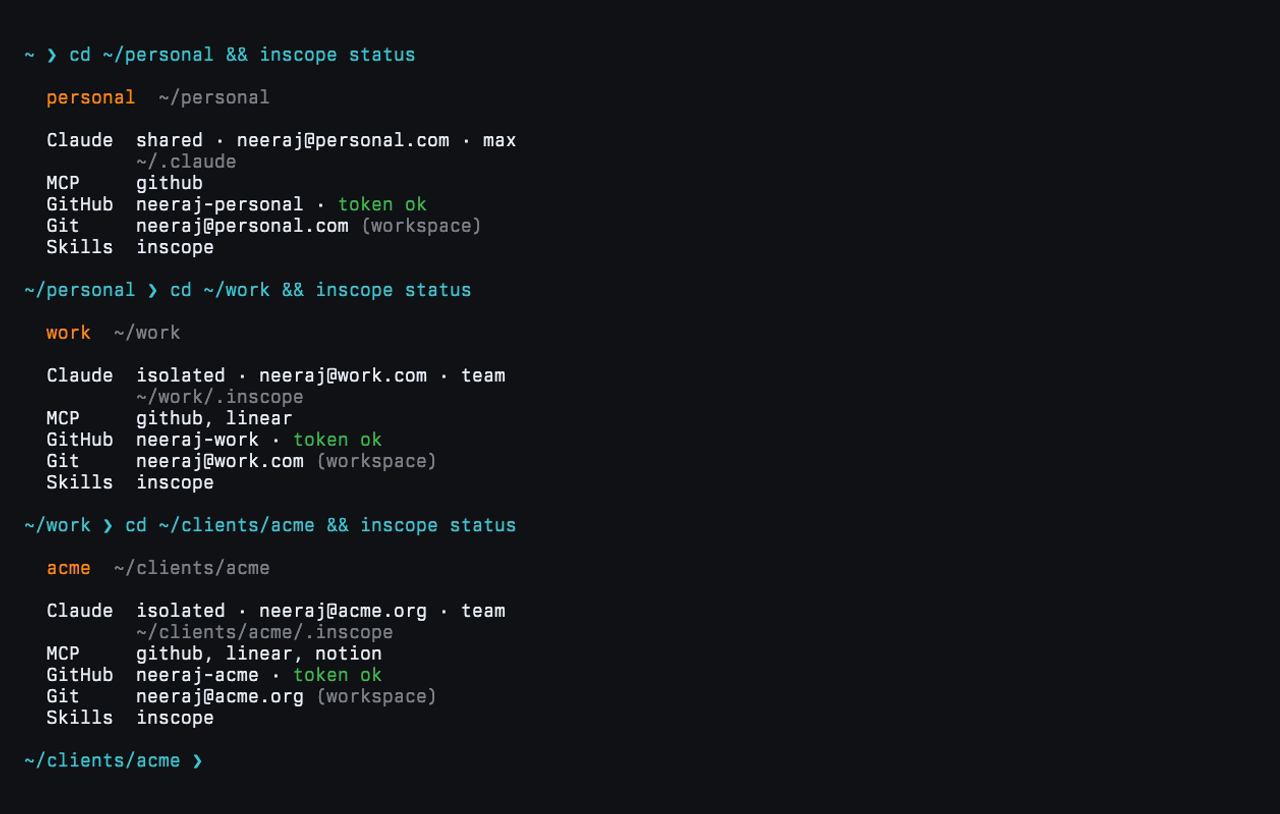
inscope status (alias whoami) shows who you are in any directory: the Claude login and subscription, MCP servers, GitHub account, git email, and skills.
Why inscope
- 🎫 Its own login/subscription. Run a client on their subscription, your personal on your Max, work on work, each from its own directory. Shared by default, isolated when you want it.
- 🤖 MCP servers per workspace. GitHub, Slack, and 14 one-click OAuth connectors (Notion, Linear, Stripe, Xquik, and more), uniquely named so nothing ever collides between workspaces.
- 🪪 The right git identity, always. GitHub token and commit email resolved live from
$PWD, so every commit lands as the right you. - 🎓 Skills per workspace. A curated
/menu per directory, shared into your Claude skills dir with zero per-repo setup. - 🔐 Nothing sensitive on disk. Tokens come from the
ghkeyring and the macOS Keychain. 🧵 Race-free across sessions. 🚀 Works under any launcher (terminal, IDE, cmux,--resume).
📖 The design, in depth: Race-Free Identity in Claude Code.
Quick start
Setup via agent (recommended)
Add the inscope skill and let your AI agent (Claude Code) do the whole setup, no CLI to learn:
npx skills add nrjdalal/inscope
Then just ask, e.g. "map my ~/work and ~/personal directories with inscope, work on its own login." The agent runs the right commands and answers the prompts for you.
Interactive CLI
npx inscope add                            # guided setup: prompts for the directory + every option
npx inscope add ~/work                     # a path just pre-fills the directory prompt
npx inscope add ~/clients/acme --isolate   # any flag pre-fills a prompt (--isolate = its own login)
Sign each GitHub account into gh once (gh auth login); inscope reads their tokens. The first add prompts you to reload your shell (a new terminal works too) so the hook loads; then cd ~/work and you're the work account with work servers and email, cd ~/clients/acme and you're on the client's isolated login.
--isolate (or the "Dedicated Claude login?" prompt) runs that workspace's claude on its own account from a gitignored .inscope dir, so a client's subscription or a work/personal split stays fully separate. Sign in once; the hook exports CLAUDE_CONFIG_DIR (not a claude wrapper), so any launcher (terminal, IDE, cmux, --resume) lands on the right login. Set top-level bypass: true to skip permission prompts there; your shared ~/.claude is never touched.
Prefer flags or CI? Every prompt has one, and -y takes the defaults. Reaching for it a lot? npm i -g inscope and drop the npx.
Bare inscope add prompts for the directory (defaulting to where you are); passing a path just pre-fills that prompt. Either way it walks you through the Claude login, MCP servers, GitHub account, git identity, and skills:

Commands
| Command | What it does |
|---|---|
inscope add [path] |
Map a workspace (Claude login, MCP servers, GitHub account, git email, skills); sets up inscope on first run |
inscope status |
Show the identity resolved for the current directory (alias whoami) |
inscope list |
List configured workspaces (alias ls) |
inscope edit [path] |
Change a workspace through the same prompts |
inscope rm [path] |
Unmap a workspace (alias remove) |
inscope skill |
Manage a workspace's Claude skills (add, list, rename, rm, update) |
inscope doctor |
Verify tokens, identities, the hook, and skill links resolve |
inscope diff |
Preview what apply would change; --adopt pulls on-disk extras back |
inscope apply |
Regenerate the hook, git includes, .mcp.json, and skill links (alias sync) |
Run any command with -h for its flags. Mutating commands apply in one step; apply is only for after you hand-edit the config.
Watch each command
| status |  |
| list |  |
| edit |  |
| rm |  |
| doctor |  |
| diff | 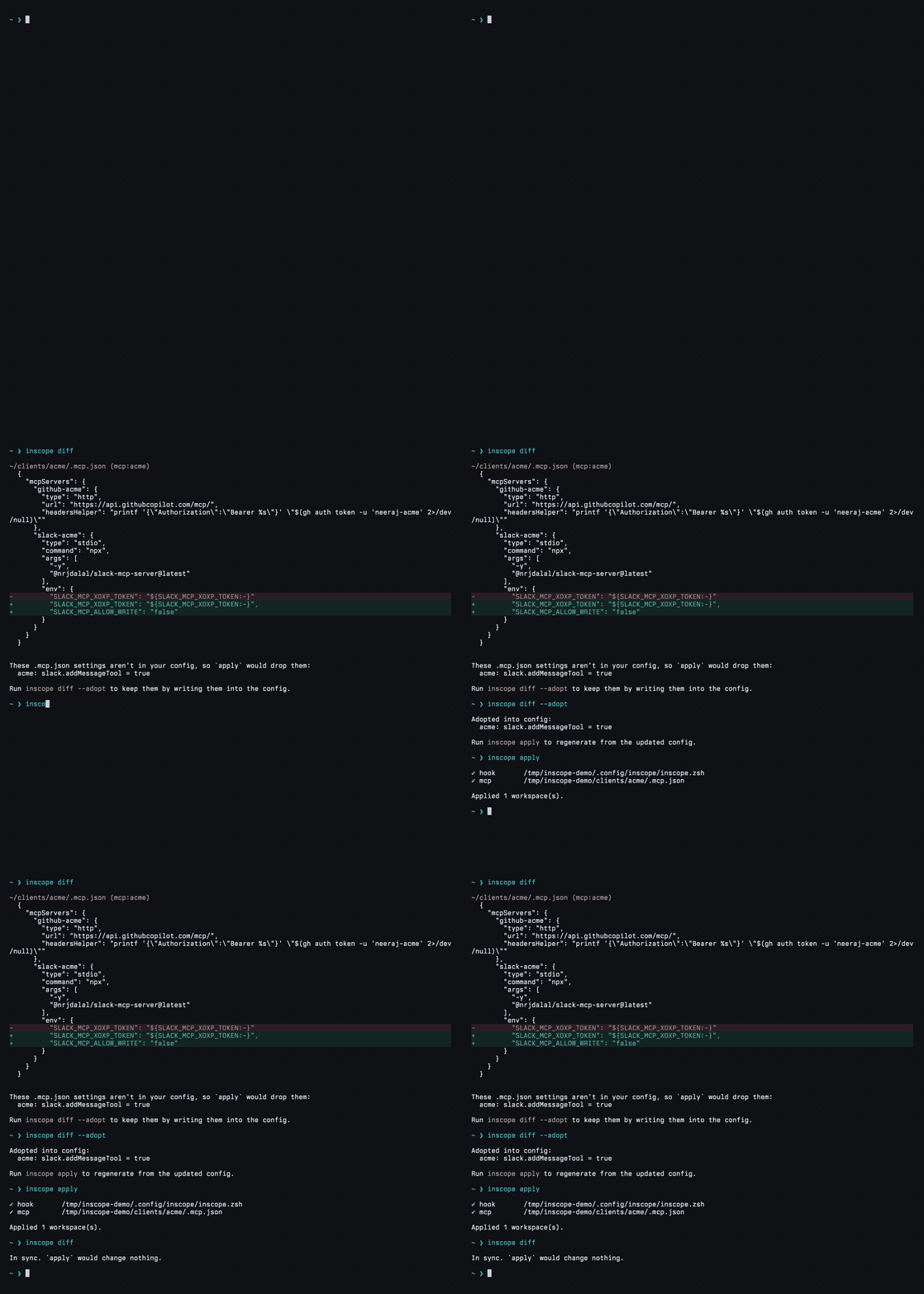 |
| apply | 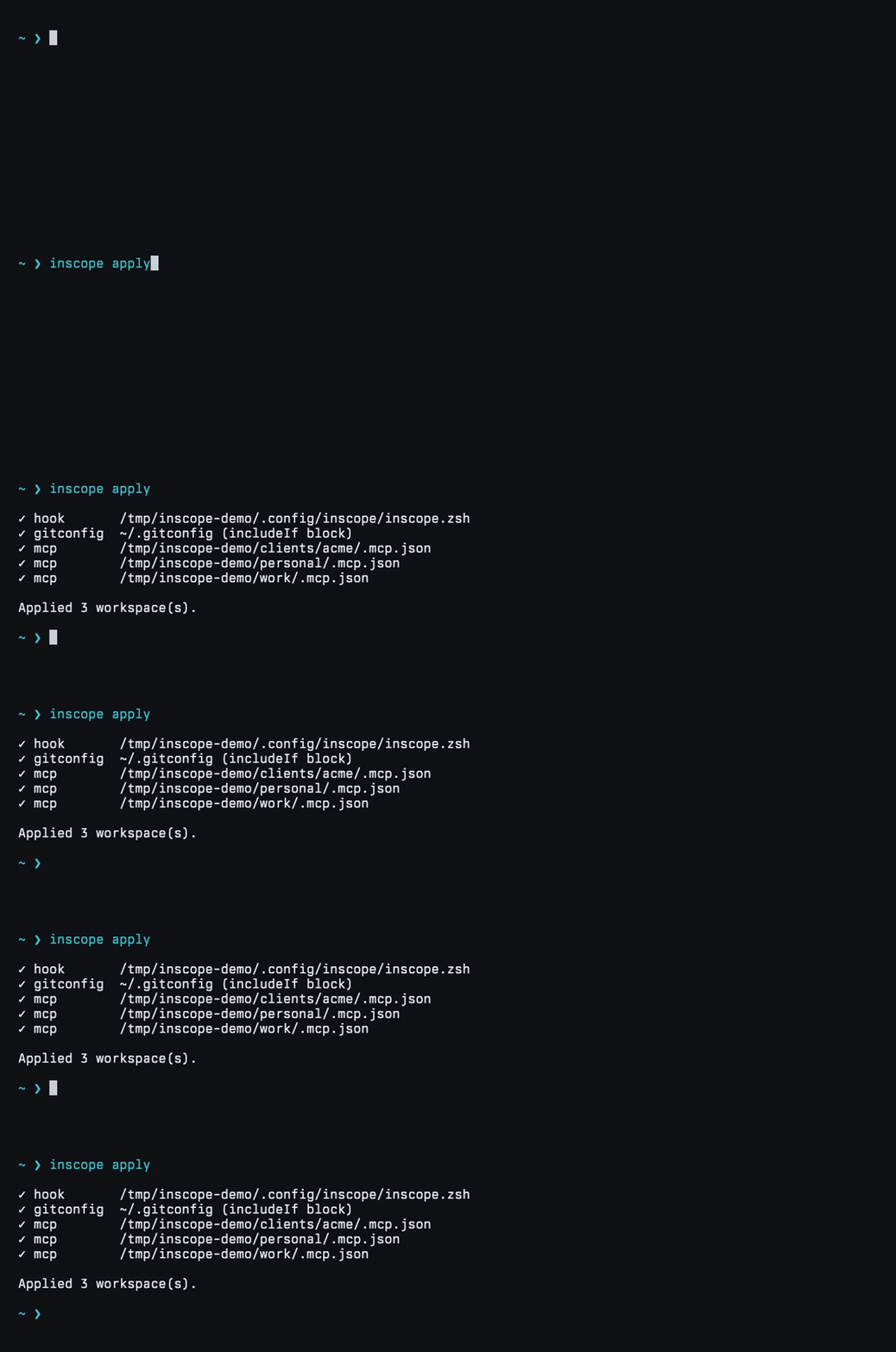 |
MCP servers
One .mcp.json per workspace, each server suffixed with the workspace label (github-work) so nothing collides. GitHub auth is fetched at connect time (gh auth token); Slack reads a Keychain token exported by the hook; the rest are OAuth.
github · atlassian · canva · clickup · hubspot · intercom · linear · monday · notion · plane · sentry · slack · stripe · vercel · webflow · xquik
Slack is opt-in (--seed-slack stores the xoxp token, --slack-message allows posting). OAuth connectors, including Xquik, authenticate in Claude Code at connect time. Claude Code asks you to trust a workspace's servers the first time you open claude there; approve once.
Skills
Give a workspace its own / menu. inscope skill add owner/repo#skills/the-skill clones once into a shared cache and symlinks it into your Claude skills dir, so it loads in every session under any launcher, no per-repo setup.
npx inscope skill add owner/repo         # pick from a repo's skills
npx inscope skill list                   # what this workspace has
npx inscope skill update                 # refresh floating git sources
Every workspace also gets the bundled inscope self-skill, so you can just ask Claude to "isolate this workspace" or "add a skill here." Install it anywhere with the skills CLI: npx skills add nrjdalal/inscope.
Config
One file, ~/.config/inscope/inscope.json. Edit it by hand and run inscope apply, or let the commands write it.
{
  "version": 1,
  "bypass": true, // skip permission prompts in isolated logins
  "workspaces": [
    {
      "isolate": true, // its own Claude login in ~/work/.inscope
      "name": "work",
      "path": "~/work",
      "gh": "neeraj-work",
      "git": { "email": "[email protected]" },
      "servers": { "github": true, "linear": true, "xquik": true },
    },
    {
      "isolate": true, // a client, its own login in ~/clients/acme/.inscope
      "name": "acme",
      "path": "~/clients/acme",
      "gh": "neeraj-acme",
      "git": { "email": "[email protected]" },
      "servers": { "github": true, "linear": true, "notion": true },
      "skills": ["owner/repo#skills/readme-audit"],
    },
    // a workspace without "isolate" shares your ~/.claude login (e.g. ~/personal)
  ],
}
inscope only edits the blocks it manages inside .zshrc, .gitconfig, and .mcp.json, and every write is atomic, so the rest of those files is left alone.
Requirements
macOS, zsh, and Claude Code. gh only for workspaces that scope a GitHub account.
Contributing
Issues and PRs welcome. bun test and bun run typecheck before opening one; see CONTRIBUTING.md.
More tools
gitpick · zerostarter · more at github.com/nrjdalal
License
Установить Inscope в Claude Desktop, Claude Code, Cursor
unyly install inscopeСтавит в Claude Desktop, Claude Code, Cursor и VS Code — сам разбирается с npx, uvx и сборкой из исходников.
Впервые? Поставь CLI: curl -fsSL https://unyly.org/install | sh
Или настроить вручную
Выполни в терминале:
claude mcp add inscope -- npx -y inscopeFAQ
Inscope MCP бесплатный?
Да, Inscope MCP бесплатный — установка в пару кликов через Unyly без оплаты.
Нужен ли API-ключ для Inscope?
Нет, Inscope работает без API-ключей и переменных окружения.
Inscope — hosted или self-hosted?
Self-hosted: сервер запускается локально на твоей машине командой из раздела установки.
Как установить Inscope в Claude Desktop, Claude Code или Cursor?
Открой Inscope на unyly.org, выбери вкладку своего клиента (Claude Desktop, Claude Code, Cursor) и нажми Install — конфиг сгенерируется автоматически, без правки JSON.
Похожие MCP
GitHub
PRs, issues, code search, CI status
 автор: GitHub
Filesystem
Secure file operations with configurable access controls.
Memory
Knowledge graph-based persistent memory system.
Template MCP Server
A CLI tool to create a new Model Context Protocol server project with TypeScript support, dual transport options, and an extensible structure
 автор: mcpdotdirect
Compare Inscope with
Не уверен что выбрать?
Найди свой стек за 60 секунд
Автор?
Embed-бейдж для README
Похожее
Все в категории development