
K-Dense-AI/claude-skills-mcp
БесплатноНе проверенIntelligent search capabilities to let every model and client use [Claude Agent Skills](https://www.anthropic.com/news/skills) like native.

Описание
Intelligent search capabilities to let every model and client use Claude Agent Skills like native.
README
This MCP server is no longer hosted or maintained. Agent Skills have been natively adopted by all major AI platforms — Cursor, Windsurf, Claude Code, Copilot, and others now support skills out of the box. There is no longer a need for an MCP bridge to deliver skills to your coding assistant. The final release (v1.1.0) remains installable from PyPI. Thank you to everyone who used and contributed to this project!
Tests Python 3.12 | 3.13 License Code style: ruff PyPI version
Use Claude's powerful Skills system with ANY AI model or coding assistant - including Cursor, Codex, GPT-5, Gemini, and more. This MCP server brings Anthropic's Agent Skills framework to the entire AI ecosystem through the Model Context Protocol.
A Model Context Protocol (MCP) server that provides intelligent search capabilities for discovering relevant Claude Agent Skills using vector embeddings and semantic similarity. This server implements the same progressive disclosure architecture that Anthropic describes in their Agent Skills engineering blog, making specialized skills available to any MCP-compatible AI application.
An open-source project by K-Dense - creators of autonomous AI scientists for scientific research.
This MCP server enables any MCP-compatible AI assistant to intelligently search and retrieve skills from our curated Scientific Agent Skills repository and other skill sources like the Official Claude Skills.
Demo
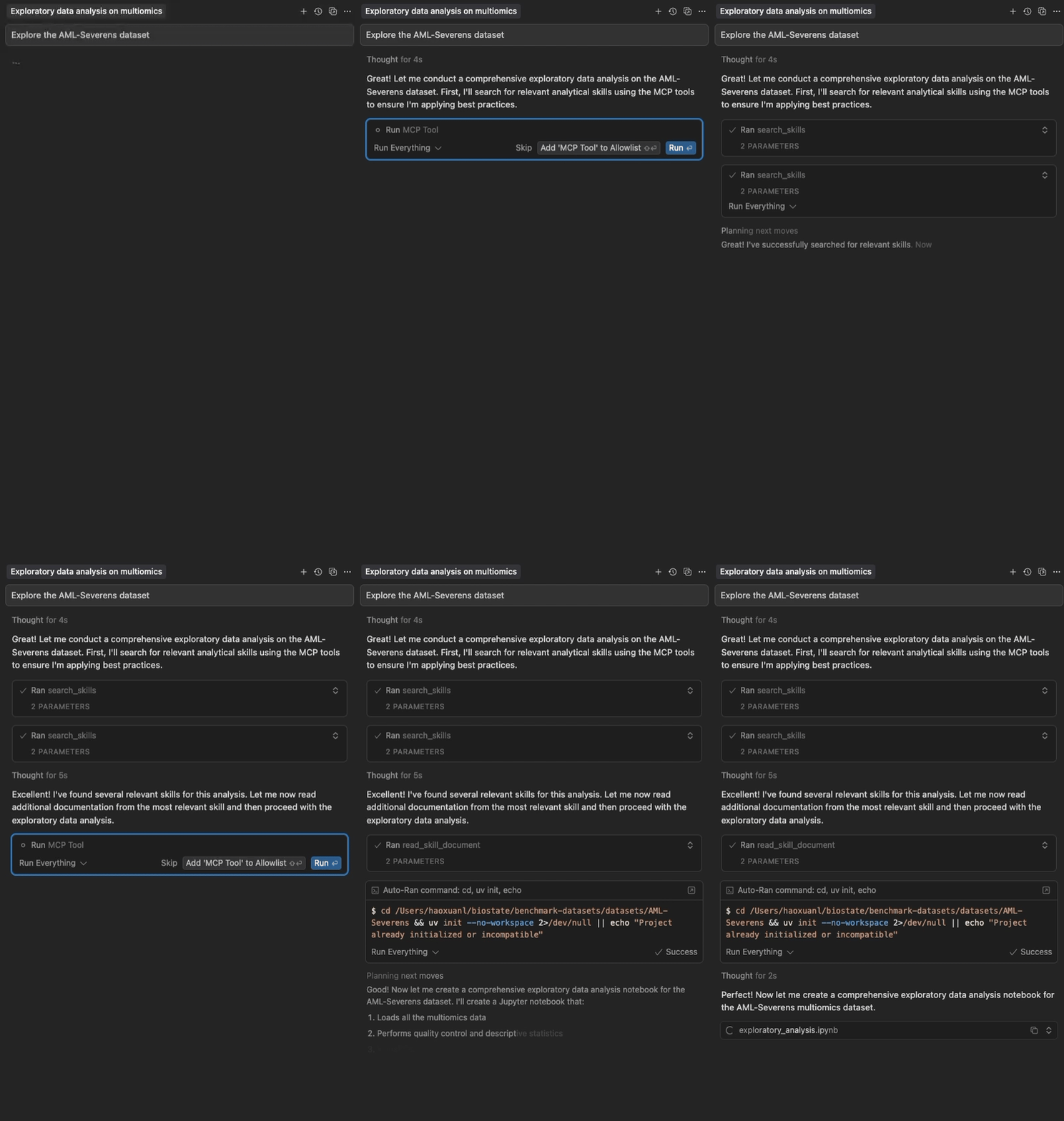
Semantic search and progressive loading of Claude Agent Skills in Cursor
Highlights
- Two-Package Architecture: Lightweight frontend (~15 MB) starts instantly; backend (~250 MB) downloads in background
- No Cursor Timeout: Frontend responds in <5 seconds, solving the timeout issue
- Semantic Search: Vector embeddings for intelligent skill discovery
- Progressive Disclosure: Multi-level skill loading (metadata → full content → files)
- Zero Configuration: Works out of the box with curated skills
- Multi-Source: Load from GitHub repositories and local directories
- Auto-Updating: Checks skill sources hourly and re-indexes when they change
- Fast & Local: No API keys needed, with automatic GitHub caching
- Configurable: Customize sources, models, and content limits
Quick Start
For Cursor Users
Add through the Cursor Directory, or add to your Cursor config (~/.cursor/mcp.json):
{
  "mcpServers": {
    "claude-skills": {
      "command": "uvx",
      "args": ["claude-skills-mcp"]
    }
  }
}
The frontend starts instantly and displays tools, automatically downloading and starting the backend in the background (~60-120s due to RAG dependencies, one-time). Subsequent uses are instant.
Using uvx (Standalone)
Run the server with default configuration:
uvx claude-skills-mcp
This starts the lightweight frontend which auto-downloads the backend and loads 160+ skills from Anthropic's official skills repository and K-Dense's Scientific Agent Skills collection.
With Custom Configuration
# 1. Print the default configuration
uvx claude-skills-mcp --example-config > config.json

# 2. Edit config.json to your needs

# 3. Run with your custom configuration
uvx claude-skills-mcp --config config.json
Documentation
- Getting Started - Installation, Cursor setup, CLI usage, and troubleshooting
- Architecture Guide - Two-package design, data flow, and components
- API Documentation - Tool parameters, examples, and best practices
- Usage Examples - Advanced configuration, real-world use cases, and custom skill creation
- Auto-Update Feature - Automatic hourly skill source refresh and change detection
- Testing Guide - Complete testing instructions, CI/CD, and coverage analysis
MCP Tools
The server provides three tools for working with Claude Agent Skills:
find_helpful_skills- Semantic search for relevant skills based on task descriptionread_skill_document- Retrieve specific files (scripts, data, references) from skillslist_skills- View complete inventory of all loaded skills (for exploration/debugging)
See API Documentation for detailed parameters, examples, and best practices.
Architecture
The system uses a two-package architecture for optimal performance:
Frontend (claude-skills-mcp): Lightweight proxy (~15 MB)
- Starts instantly (<5 seconds) ✅ No Cursor timeout!
- Auto-downloads backend on first use
- MCP server (stdio) for Cursor
Backend (claude-skills-mcp-backend): Heavy server (~250 MB)
- Vector search with PyTorch & sentence-transformers
- MCP server (streamable HTTP)
- Auto-installed by frontend OR deployable standalone
Benefits:
- ✅ Solves Cursor timeout issue (frontend starts instantly)
- ✅ Same simple user experience (
uvx claude-skills-mcp) - ✅ Backend downloads in background (doesn't block Cursor)
- ✅ Can connect to remote hosted backend (no local install needed)
See Architecture Guide for detailed design and data flow.
Skill Sources
Load skills from GitHub repositories (direct skills or Claude Code plugins) or local directories.
By default, loads from:
- Official Anthropic Skills - diverse skills for documents, presentations, web artifacts, and more
- K-Dense Scientific Agent Skills - 148+ specialized skills for bioinformatics, cheminformatics, and scientific analysis
- Local directory
~/.claude/skills(if it exists)
Contributing
As this project is no longer maintained, new issues and pull requests may not be reviewed. If you'd like to build on it, please fork the repository. For reference, the original workflow was:
- Report issues: Open an issue for bugs or feature requests
- Submit PRs: Fork, create a feature branch, ensure tests pass (
uv run pytest tests/), then submit - Code style: Run
uvx ruff check src/before committing - Add tests: New features should include tests
Development
Version Management: This monorepo uses a centralized version system:
- Edit the
VERSIONfile at the repo root to bump the version - Run
python3 scripts/sync-version.pyto sync all references (or use--checkto verify) - The
scripts/build-all.shscript automatically syncs versions before building
For questions, email [email protected]
Learn More
- Agent Skills Documentation - Official Anthropic documentation on the Skills format
- Agent Skills Blog Post - Announcement and overview
- Model Context Protocol - The protocol that makes cross-platform Skills possible
- Engineering Blog: Equipping Agents for the Real World - Technical deep-dive on the Skills architecture
License
This project is licensed under the Apache License 2.0.
Copyright 2025-2026 K-Dense (https://www.k-dense.ai)
Установка K-Dense-AI/claude-skills-mcp
У этого сервера нет опубликованного пакета — он собирается из исходников. Открой репозиторий и следуй инструкции в README.
▸ github.com/K-Dense-AI/claude-skills-mcpFAQ
K-Dense-AI/claude-skills-mcp MCP бесплатный?
Да, K-Dense-AI/claude-skills-mcp MCP бесплатный — установка в пару кликов через Unyly без оплаты.
Нужен ли API-ключ для K-Dense-AI/claude-skills-mcp?
Нет, K-Dense-AI/claude-skills-mcp работает без API-ключей и переменных окружения.
K-Dense-AI/claude-skills-mcp — hosted или self-hosted?
Self-hosted: сервер запускается локально на твоей машине командой из раздела установки.
Как установить K-Dense-AI/claude-skills-mcp в Claude Desktop, Claude Code или Cursor?
Открой K-Dense-AI/claude-skills-mcp на unyly.org, выбери вкладку своего клиента (Claude Desktop, Claude Code, Cursor) и нажми Install — конфиг сгенерируется автоматически, без правки JSON.
Похожие MCP
Fetch
Web content fetching and conversion for efficient LLM usage.
AWS KB Retrieval
Retrieval from AWS Knowledge Base using Bedrock Agent Runtime.
 автор: modelcontextprotocol
Spring AI MCP Server
Provides auto-configuration for setting up an MCP server in Spring Boot applications.
llm-analysis-assistant
A very streamlined mcp client that supports calling and monitoring stdio/sse/streamableHttp, and can also view request responses through the /logs page. It also
 автор: xuzexin-hz
Compare K-Dense-AI/claude-skills-mcp with
Не уверен что выбрать?
Найди свой стек за 60 секунд
Автор?
Embed-бейдж для README
Похожее
Все в категории ai