
Kanban Board
БесплатноНе проверенFull-stack kanban project management with drag-and-drop board, dashboard analytics, sub-tasks, labels, comments, and 13 MCP tools for AI agent integration.

Описание
Full-stack kanban project management with drag-and-drop board, dashboard analytics, sub-tasks, labels, comments, and 13 MCP tools for AI agent integration.
README
A full-featured Kanban board with integrated Model Context Protocol (MCP) server, allowing AI coding agents to manage projects and tasks programmatically.
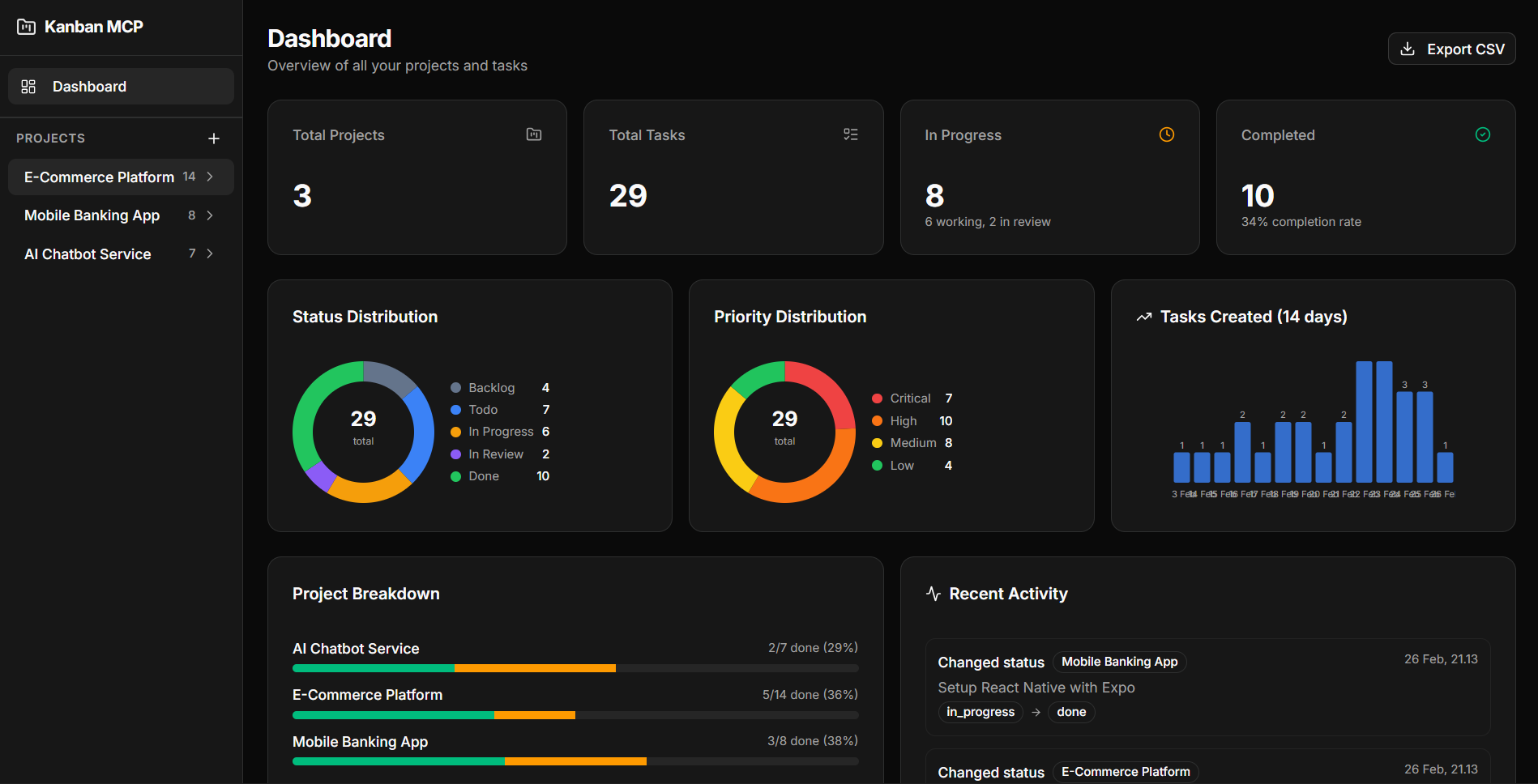
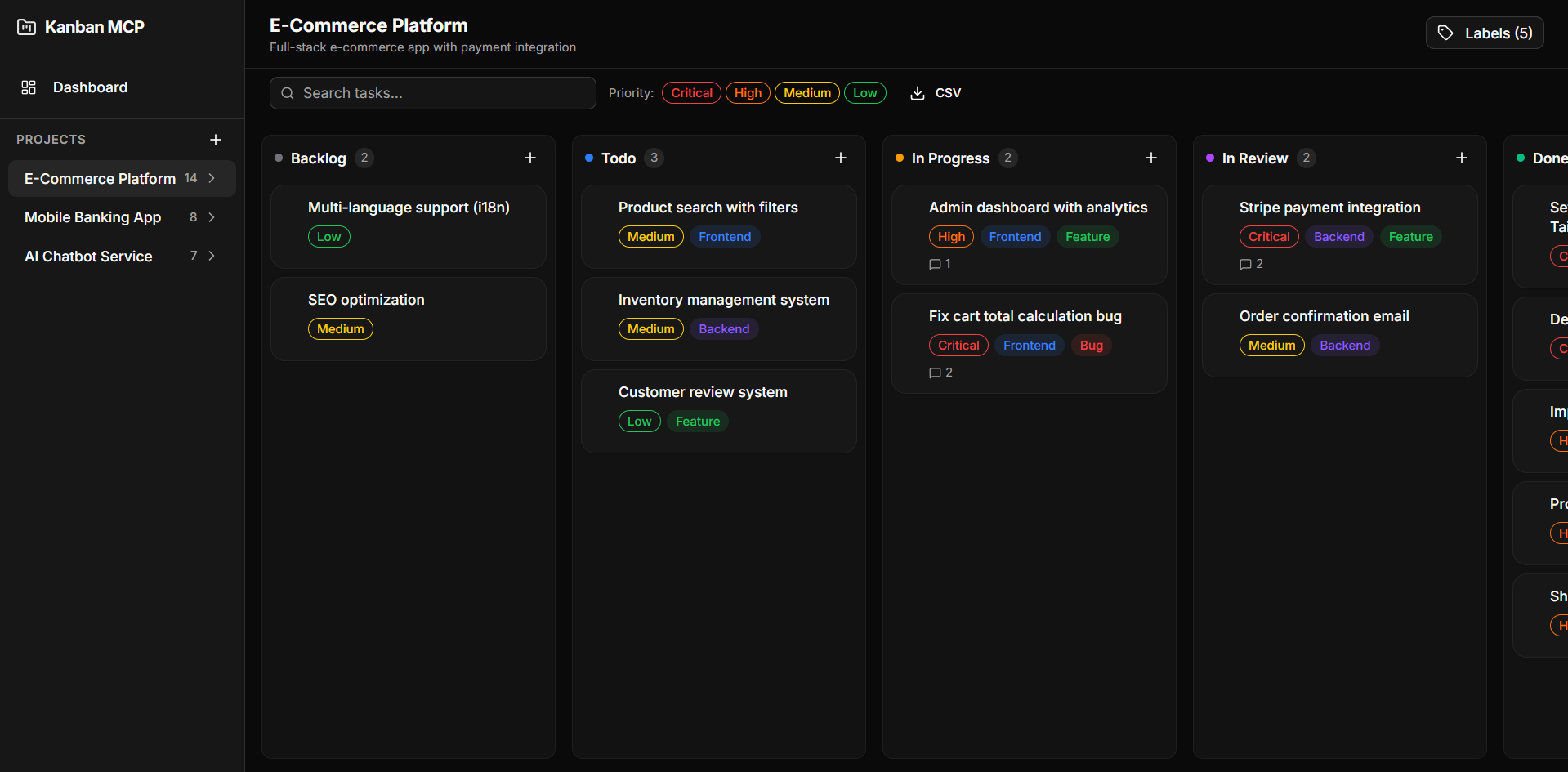
Table of Contents
- Tech Stack
- Features
- Getting Started
- MCP Server
- Scripts
- Project Structure
- AI Agent Integration
- License
Tech Stack
| Layer | Technology |
|---|---|
| Framework | Next.js 16 (App Router) |
| Language | TypeScript |
| Database | SQLite + Drizzle ORM |
| UI | shadcn/ui + Tailwind CSS v4 |
| State | Zustand |
| Drag & Drop | @dnd-kit |
| MCP | @modelcontextprotocol/sdk |
Features
- Kanban Board — Drag-and-drop tasks across Backlog, Todo, In Progress, In Review, Done
- Dashboard — Summary cards, donut charts (status/priority), 14-day trend bar chart, project breakdown
- Sub-tasks — Checklist-style sub-tasks with progress bar
- Labels — Custom color labels per project
- Comments — Timestamped comment threads on tasks
- Activity Log — Full history of task changes
- Search & Filter — Real-time search + priority filter on board
- CSV Export — Export all tasks or per-project
- Dark Mode — Enabled by default
- MCP Server — 13 tools + 4 resources for AI agent integration
Getting Started
Prerequisites
- Node.js 18+
- npm
Installation
git clone https://github.com/dzikrihilman/kanban-mcp.git
cd kanban-mcp
npm install
Database Setup
npm run db:generate
npm run db:migrate
Run Development Server
npm run dev
Open http://localhost:3000.
MCP Server
The MCP server exposes project and task management as tools for AI coding agents (Claude, Cursor, Windsurf, etc).
Available Tools
| Tool | Description |
|---|---|
list_projects |
List all projects with task counts |
get_project |
Get project details |
create_project |
Create new project |
update_project |
Update project fields |
delete_project |
Delete project and all tasks |
list_tasks |
List tasks (filter by status/priority) |
get_task |
Get task with comments |
create_task |
Create task with all fields |
update_task |
Update task with activity logging |
delete_task |
Delete task |
move_task |
Move task between columns |
add_comment |
Add comment to task |
search_tasks |
Search by keyword |
get_dashboard_summary |
Full dashboard statistics |
Available Resources
| URI | Description |
|---|---|
kanban://projects |
All projects |
kanban://project/{id} |
Project detail |
kanban://project/{id}/tasks |
Project tasks |
kanban://task/{id} |
Task with comments |
Run MCP Server Standalone
npm run mcp:start
Configure MCP Client
Add the following to your MCP client configuration:
Claude Desktop (claude_desktop_config.json):
{
  "mcpServers": {
    "kanban-mcp": {
      "command": "npx",
      "args": ["tsx", "/absolute/path/to/kanban-mcp/src/mcp-server/index.ts"]
    }
  }
}
Cursor / Windsurf / Antigravity (mcp_config.json):
{
  "mcpServers": {
    "kanban-mcp": {
      "command": "npx",
      "args": ["tsx", "/absolute/path/to/kanban-mcp/src/mcp-server/index.ts"]
    }
  }
}
Replace
/absolute/path/to/kanban-mcpwith the actual path to your project.
Usage Example
Once configured, your AI agent can:
"Create a new project called 'My App' and add 3 tasks to it"
"Move task X to in_progress"
"Show me the dashboard summary"
"Export all tasks as CSV"
Scripts
| Script | Description |
|---|---|
npm run dev |
Start Next.js dev server |
npm run build |
Production build |
npm run start |
Start production server |
npm run mcp:start |
Start MCP server (stdio) |
npm run db:generate |
Generate Drizzle migrations |
npm run db:migrate |
Run database migrations |
Project Structure
src/
├── app/
│   ├── api/              # API routes
│   │   ├── activity/     # Activity log
│   │   ├── analytics/    # Analytics data
│   │   ├── comments/     # Comments CRUD
│   │   ├── dashboard/    # Dashboard summary
│   │   ├── export/       # CSV export
│   │   ├── labels/       # Labels CRUD
│   │   ├── projects/     # Projects CRUD
│   │   ├── task-labels/  # Task-label junction
│   │   └── tasks/        # Tasks CRUD + reorder
│   ├── projects/[id]/    # Kanban board page
│   └── page.tsx          # Dashboard page
├── components/
│   ├── charts/           # DonutChart, MiniBarChart
│   ├── dashboard/        # DashboardView
│   ├── kanban/           # Board, Column, Card, FilterBar, etc.
│   ├── layout/           # AppSidebar
│   └── ui/               # shadcn/ui components
├── hooks/
│   └── useKanbanStore.ts # Zustand store
├── lib/db/
│   ├── schema.ts         # Drizzle schema
│   ├── index.ts          # DB client
│   └── migrate.ts        # Migration runner
├── mcp-server/
│   ├── index.ts          # MCP server (13 tools, 4 resources)
│   └── db-client.ts      # Standalone DB client for MCP
└── types/
    └── index.ts          # Shared types
AI Agent Integration
To make your AI agent automatically track every development task using Kanban MCP, you can add a system prompt and/or install it as a skill.
System Prompt
Add the system prompt from docs/SYSTEM_PROMPT.md to your AI agent configuration. This instructs the agent to:
- Automatically create tasks before starting any work
- Update task status as work progresses
- Add comments to document technical decisions
- Break complex work into sub-tasks
- Use consistent title formats (
[Feature],[Fix],[Refactor],[Docs],[Test])
See the file for setup instructions for Claude Desktop, Cursor, Windsurf, and Antigravity.
Skill (Antigravity)
Copy docs/SKILL.md to your Antigravity skills folder:
mkdir -p ~/.gemini/antigravity/skills/kanban-mcp
cp docs/SKILL.md ~/.gemini/antigravity/skills/kanban-mcp/SKILL.md
Once installed, the agent will automatically activate the skill when it detects keywords like task, project, kanban, track, progress, todo, or backlog.
See docs/SKILL.md for the full workflow reference and rules.
License
MIT
Установка Kanban Board
У этого сервера нет опубликованного пакета — он собирается из исходников. Открой репозиторий и следуй инструкции в README.
▸ github.com/dzikrihilman/kanban-mcpFAQ
Kanban Board MCP бесплатный?
Да, Kanban Board MCP бесплатный — установка в пару кликов через Unyly без оплаты.
Нужен ли API-ключ для Kanban Board?
Нет, Kanban Board работает без API-ключей и переменных окружения.
Kanban Board — hosted или self-hosted?
Self-hosted: сервер запускается локально на твоей машине командой из раздела установки.
Как установить Kanban Board в Claude Desktop, Claude Code или Cursor?
Открой Kanban Board на unyly.org, выбери вкладку своего клиента (Claude Desktop, Claude Code, Cursor) и нажми Install — конфиг сгенерируется автоматически, без правки JSON.
Похожие MCP
Fetch
Web content fetching and conversion for efficient LLM usage.
AWS KB Retrieval
Retrieval from AWS Knowledge Base using Bedrock Agent Runtime.
 автор: modelcontextprotocol
Spring AI MCP Server
Provides auto-configuration for setting up an MCP server in Spring Boot applications.
llm-analysis-assistant
A very streamlined mcp client that supports calling and monitoring stdio/sse/streamableHttp, and can also view request responses through the /logs page. It also
 автор: xuzexin-hz
Compare Kanban Board with
Не уверен что выбрать?
Найди свой стек за 60 секунд
Автор?
Embed-бейдж для README
Похожее
Все в категории ai