
KumoRFM Server
БесплатноНе проверенEnables AI assistants to query KumoRFM for predictive analytics on relational data, including graph management, natural language to PQL conversion, and training

Описание
Enables AI assistants to query KumoRFM for predictive analytics on relational data, including graph management, natural language to PQL conversion, and training-free predictions.
README

KumoRFM MCP Server
KumoRFM • Notebooks • Blog • Get an API key
PyPI - Python Version PyPI Status Slack
🔬 MCP server to query KumoRFM in your agentic flows
📖 Introduction
KumoRFM is a pre-trained Relational Foundation Model (RFM) that generates training-free predictions on any relational multi-table data by interpreting the data as a (temporal) heterogeneous graph. It can be queried via the Predictive Query Language (PQL).
This repository hosts a full-featured MCP (Model Context Protocol) server that empowers AI assistants with KumoRFM intelligence. This server enables:
- 🕸️ Build, manage, and visualize graphs directly from CSV or Parquet files
- 💬 Convert natural language into PQL queries for seamless interaction
- 🤖 Query, analyze, and evaluate predictions from KumoRFM (missing value imputation, temporal forecasting, etc) all without any training required
🚀 Installation
🐍 Traditional MCP Server
The KumoRFM MCP server is available for Python 3.10 and above. To install, simply run:
pip install kumo-rfm-mcp
Add to your MCP configuration file (e.g., Claude Desktop's mcp_config.json):
{
  "mcpServers": {
    "kumo-rfm": {
      "command": "python",
      "args": ["-m", "kumo_rfm_mcp.server"],
      "env": {
        "KUMO_API_KEY": "your_api_key_here"
      }
    }
  }
}
HTTP Transport
For HTTP-native MCP clients such as a Snowflake Native App, run the server with
streamable-http instead of stdio:
KUMO_API_KEY=<YOUR-KUMO-API-KEY> \
MCP_BEARER_TOKEN=<SHARED-MCP-TOKEN> \
python -m kumo_rfm_mcp.server \
  --transport streamable-http \
  --host 0.0.0.0 \
  --port 8000 \
  --path /mcp
Notes:
- Set
KUMO_API_KEYup front for headless deployments. This avoids the browser-based OAuth flow. - If your MCP client cannot inject environment variables, call the
authenticatetool with anapi_keyargument once at session start. - If
MCP_BEARER_TOKENis set, the HTTP endpoint requiresAuthorization: Bearer <SHARED-MCP-TOKEN>.
⚡ MCP Bundle
We provide a single-click installation via our MCP Bundle (MCPB) (e.g., for integration into Claude Desktop):
- Download the
dxtfile from here - Double click to install
The MCP Bundle supports Linux, macOS and Windows, but requires a Python executable to be found in order to create a separate new virtual environment.
Claude code
To include the server in claude code use:
claude mcp add --transport stdio kumo-rfm-mcp --env KUMO_API_KEY=<YOUR-API-KEY> -- python -m kumo_rfm_mcp.server --port 8000
🎬 Claude Desktop Demo
See here for the transcript.
https://github.com/user-attachments/assets/56192b0b-d9df-425f-9c10-8517c754420f
🔬 Agentic Workflows
You can use the KumoRFM MCP directly in your agentic workflows:
.svg)
[Example] |
|
|---|---|

[Example] |
|
|
[Example] |
|
|
|
|
Browse our examples to get started with agentic workflows powered by KumoRFM.
📚 Available Tools
I/O Operations
- 🔍
find_table_files- Searching for tabular files: Find all table-like files (e.g., CSV, Parquet) in a directory. - 🧐
inspect_table_files- Analyzing table structure: Inspect the first rows of table-like files.
Graph Management
- 🗂️
inspect_graph_metadata- Reviewing graph schema: Inspect the current graph metadata. - 🔄
update_graph_metadata- Updating graph schema: Partially update the current graph metadata. - 🖼️
get_mermaid- Creating graph diagram: Return the graph as a Mermaid entity relationship diagram. - 🕸️
materialize_graph- Assembling graph: Materialize the graph based on the current state of the graph metadata to make it available for inference operations. - 📂
lookup_table_rows- Retrieving table entries: Lookup rows in the raw data frame of a table for a list of primary keys.
Model Execution
- 🤖
predict- Running predictive query: Execute a predictive query and return model predictions. - 📊
evaluate- Evaluating predictive query: Evaluate a predictive query and return performance metrics which compares predictions against known ground-truth labels from historical examples. - 🧠
explain- Explaining prediction: Execute a predictive query and explain the model prediction.
🔧 Configuration
Environment Variables
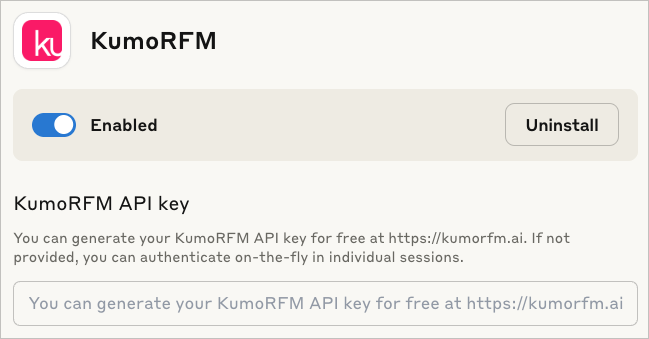
KUMO_API_KEY: Authentication is needed once before predicting or evaluating with the KumoRFM model. You can generate your KumoRFM API key for free here. If not set, you can also authenticate on-the-fly in individual session via an OAuth2 flow.
We love your feedback! :heart:
As you work with KumoRFM, if you encounter any problems or things that are confusing or don't work quite right, please open a new :octocat:issue. You can also submit general feedback and suggestions here. Join our Slack!
Установка KumoRFM Server
У этого сервера нет опубликованного пакета — он собирается из исходников. Открой репозиторий и следуй инструкции в README.
▸ github.com/kumo-ai/kumo-rfm-mcpFAQ
KumoRFM Server MCP бесплатный?
Да, KumoRFM Server MCP бесплатный — установка в пару кликов через Unyly без оплаты.
Нужен ли API-ключ для KumoRFM Server?
Нет, KumoRFM Server работает без API-ключей и переменных окружения.
KumoRFM Server — hosted или self-hosted?
Self-hosted: сервер запускается локально на твоей машине командой из раздела установки.
Как установить KumoRFM Server в Claude Desktop, Claude Code или Cursor?
Открой KumoRFM Server на unyly.org, выбери вкладку своего клиента (Claude Desktop, Claude Code, Cursor) и нажми Install — конфиг сгенерируется автоматически, без правки JSON.
Похожие MCP
Fetch
Web content fetching and conversion for efficient LLM usage.
AWS KB Retrieval
Retrieval from AWS Knowledge Base using Bedrock Agent Runtime.
 автор: modelcontextprotocol
Spring AI MCP Server
Provides auto-configuration for setting up an MCP server in Spring Boot applications.
llm-analysis-assistant
A very streamlined mcp client that supports calling and monitoring stdio/sse/streamableHttp, and can also view request responses through the /logs page. It also
 автор: xuzexin-hz
Compare KumoRFM Server with
Не уверен что выбрать?
Найди свой стек за 60 секунд
Автор?
Embed-бейдж для README
Похожее
Все в категории ai