
LinkedIn Scraper Server
БесплатноНе проверенEnables AI assistants to search, filter, and extract job listings from LinkedIn using an automated headless browser, returning structured data such as salary, s

Описание
Enables AI assistants to search, filter, and extract job listings from LinkedIn using an automated headless browser, returning structured data such as salary, skills, and applicant counts.
README
An automated, intelligent LinkedIn Job Scraper that runs as a Model Context Protocol (MCP) server. This allows AI assistants (like Claude) to actively search, filter, and extract job listings from LinkedIn using an automated headless browser.
🚀 Hosted Server URL
If you want to connect your AI directly to the hosted remote server, use this SSE endpoint:
✨ Features
- Playwright Automation: Safely navigates LinkedIn and loads dynamic content using a headless Chromium browser.
- Semantic AI Filtering: Integrates with Groq (
llama-3.3-70b-versatile) to semantically filter irrelevant job titles, enforcing strict requirements (e.g. keeping "Fresher" while rejecting "Senior" level). - Deduplication: Automatically cleans and removes duplicate job postings.
- Rich Job Details: Extracts deep metadata including Salary, Employment Type, Seniority, Applicant count, and Required Skills.
- Dual Connection Modes: Supports both SSE (for remote web clients) and Stdio (for the local Claude Desktop app).
- Dual-Purpose Architecture: Hosts both the MCP Server (at
/mcp) and a Next.js Web Dashboard (at/) simultaneously on port 7860.
🖥️ Web Dashboard (UI)
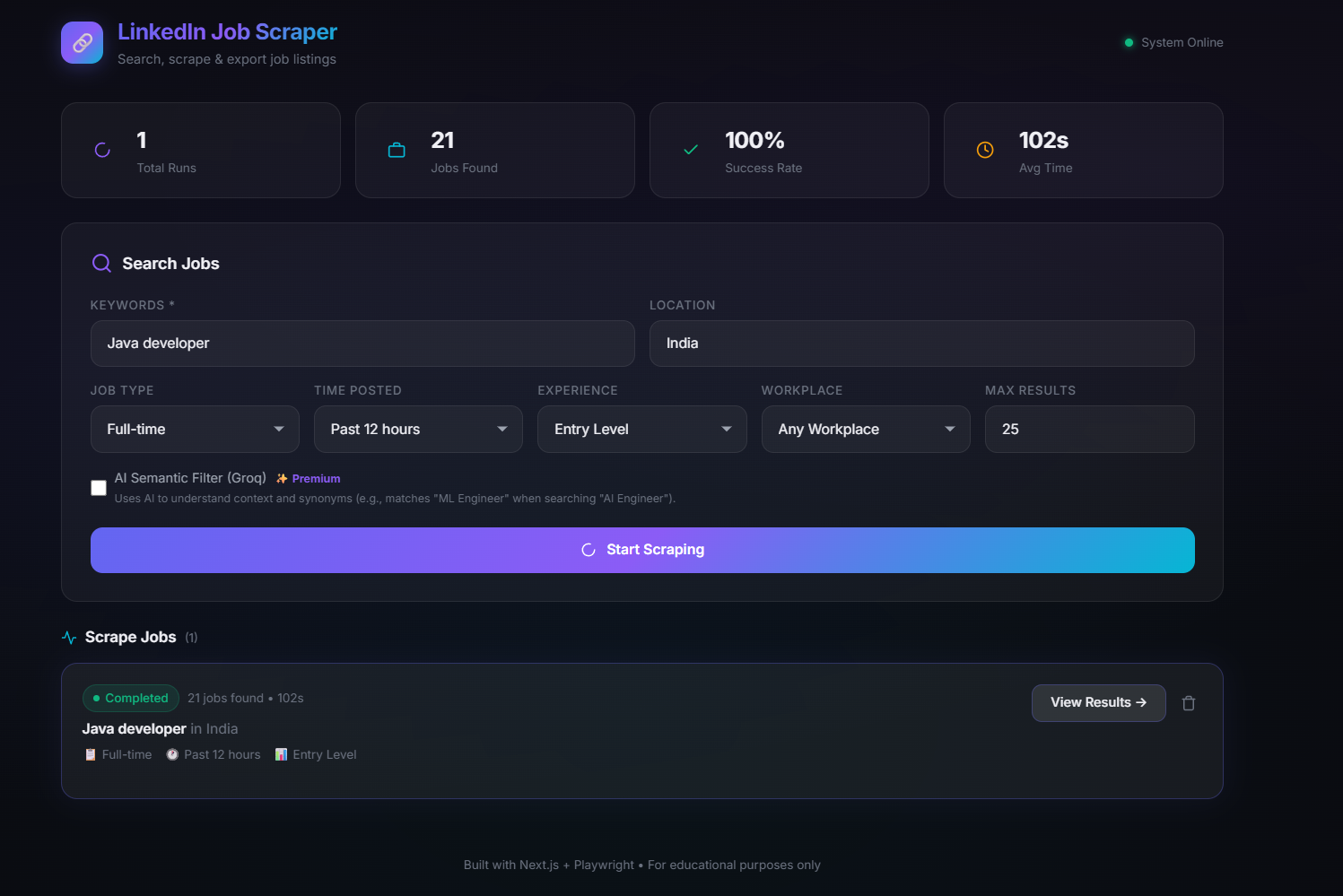
Because this project uses a custom Next.js server architecture, if you visit your live server's root URL:
👉 https://anjanii-linkedin-job-scraper.hf.space
(or http://localhost:7860 locally), you will see the Next.js web interface! You can use this to build a visual frontend dashboard to track jobs alongside your Claude integration.
🤔 Why use this instead of LinkedIn directly?
If you've ever searched for an entry-level or specific role on LinkedIn, you know the pain:
- Irrelevant "Promoted" Jobs: LinkedIn aggressively pushes promoted jobs that often have nothing to do with your search.
- Broken Seniority Filters: You search for "Intern" or "Junior", but half the results are for "Senior Manager" because the company mentioned "Junior" somewhere deep in the description. Our Groq LLM Semantic Filter fixes this by physically rejecting listings that don't match your true intent.
- Information Overload: To find the salary, required skills, or applicant count, you normally have to open 50 different tabs. This scraper pulls all of that deep metadata out for you at once.
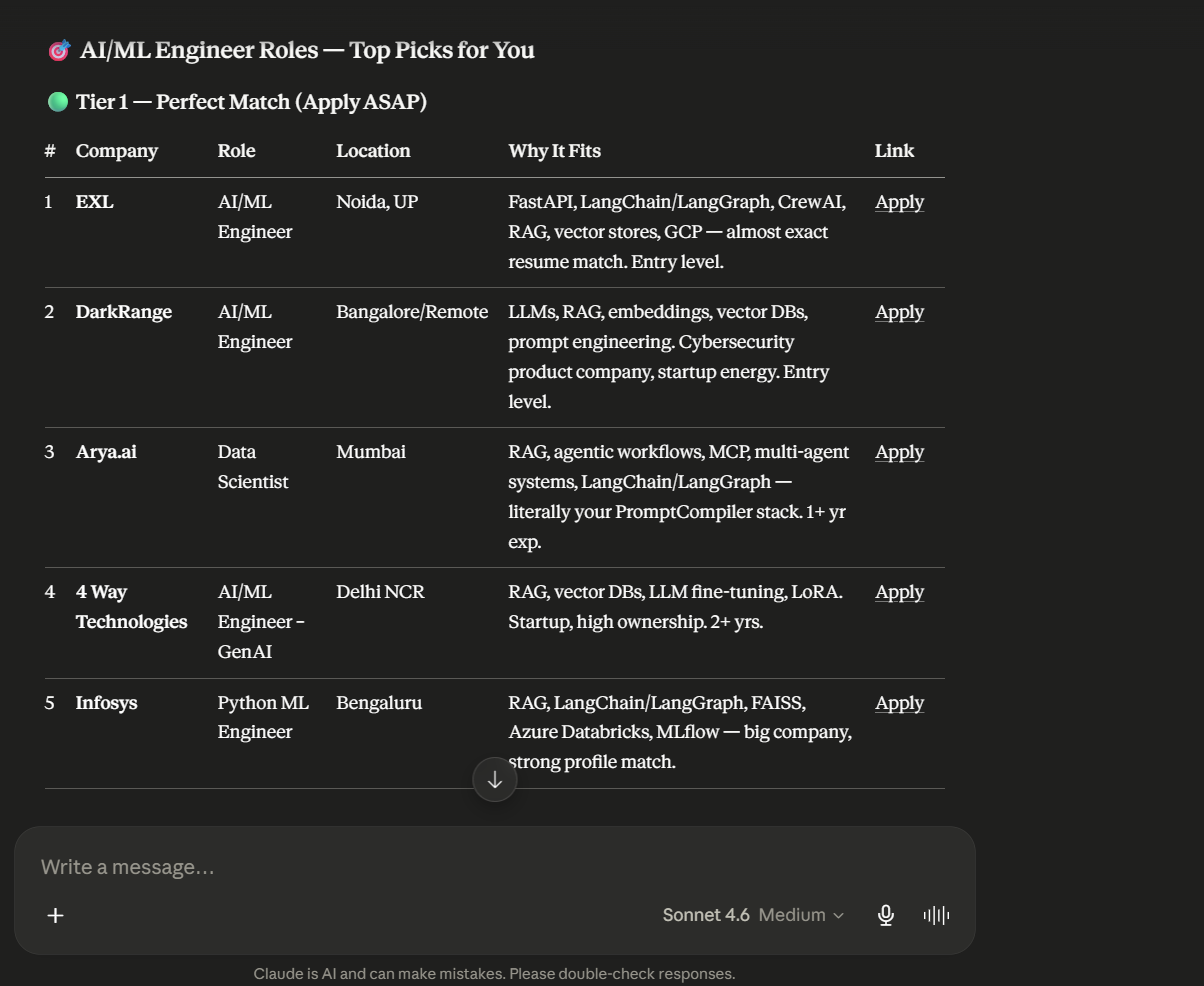
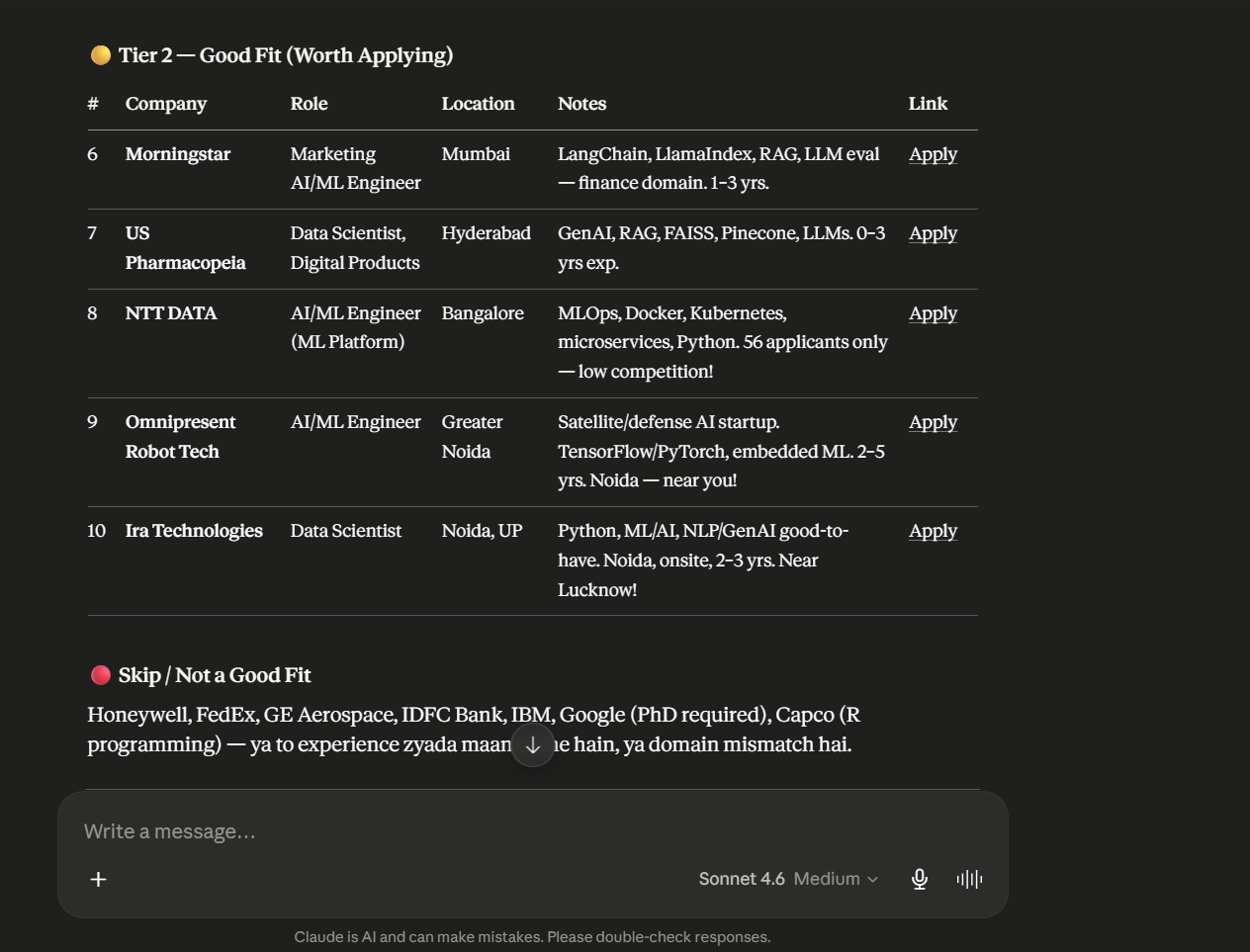
- AI-Ready Format: Because the data is returned as structured JSON directly to Claude, Claude can instantly read all 25+ jobs, summarize the market, pick the best matches for your resume, or even start drafting cover letters for them immediately!
💻 Connecting to Claude Desktop (Local)
To run this tool locally on your own machine alongside the Claude Desktop App:
- Clone this repository.
- Install dependencies and the browser:
npm install npx playwright install --with-deps chromium - Create a
.env.localfile in the root directory and add your Groq API key:GROQ_API_KEY=gsk_your_groq_api_key_here - Add the following to your Claude Desktop config file (
%APPDATA%\Claude\claude_desktop_config.json):{ "mcpServers": { "linkedin-scraper": { "command": "npx", "args": [ "tsx", "/absolute/path/to/repository/mcp-claude.ts" ] } } } - Restart the Claude Desktop app.
🌉 Connecting Claude Desktop to Hugging Face (Remote Bridge)
If you want to use the Claude Desktop App but run the actual scraper backend in the cloud on Hugging Face Spaces (so it doesn't use your computer's CPU or require local Playwright installation), you can use the mcp-remote bridge!
Add the following to your Claude Desktop config file (%APPDATA%\Claude\claude_desktop_config.json on Windows or ~/Library/Application Support/Claude/claude_desktop_config.json on Mac):
{
  "mcpServers": {
    "linkedin-scraper-remote": {
      "command": "npx",
      "args": [
        "-y",
        "mcp-remote",
        "https://anjanii-linkedin-job-scraper.hf.space/mcp"
      ]
    }
  }
}
This automatically bridges the cloud Server-Sent Events (SSE) stream into a local format that your Claude App can read!
🌐 Connecting to a Web MCP Client (Remote)
If you are hosting this on Hugging Face Spaces (or running the SSE server locally):
- Open your Web AI interface (like Claude for Enterprise, Cursor, etc).
- Add a new Custom MCP Connector or Integration.
- Select SSE (Server-Sent Events) as the connection type.
- Enter your live Hugging Face URL:
https://anjanii-linkedin-job-scraper.hf.space/mcp(Orhttp://localhost:7860/mcpif testing locally).
☁️ Deployment
A Dockerfile is included specifically for deploying this project to Hugging Face Spaces (Docker tier).
Simply upload the repository files to a new Docker Space, add your GROQ_API_KEY to the Space Settings -> Variables and secrets, and Hugging Face will automatically build the environment and host the MCP server for you.
itory files to a new Docker Space, add your GROQ_API_KEY to the Space Settings -> Variables and secrets, and Hugging Face will automatically build the environment and host the MCP server for you.
Установка LinkedIn Scraper Server
У этого сервера нет опубликованного пакета — он собирается из исходников. Открой репозиторий и следуй инструкции в README.
▸ github.com/Anjani27/Linkedin-Job-Scraper-MCP-ServerFAQ
LinkedIn Scraper Server MCP бесплатный?
Да, LinkedIn Scraper Server MCP бесплатный — установка в пару кликов через Unyly без оплаты.
Нужен ли API-ключ для LinkedIn Scraper Server?
Нет, LinkedIn Scraper Server работает без API-ключей и переменных окружения.
LinkedIn Scraper Server — hosted или self-hosted?
Self-hosted: сервер запускается локально на твоей машине командой из раздела установки.
Как установить LinkedIn Scraper Server в Claude Desktop, Claude Code или Cursor?
Открой LinkedIn Scraper Server на unyly.org, выбери вкладку своего клиента (Claude Desktop, Claude Code, Cursor) и нажми Install — конфиг сгенерируется автоматически, без правки JSON.
Похожие MCP
Playwright
Browser automation, scraping, screenshots
 автор: Microsoft
Puppeteer
Browser automation and web scraping.
 автор: modelcontextprotocol
opentabs-dev/opentabs
Plugin-based MCP server + Chrome extension that gives AI agents access to web applications through the user's authenticated browser session. 100+ plugins with a
 автор: opentabs-dev
robhunter/agentdeals
1,500+ developer infrastructure deals, free tiers, and startup programs across 54 categories. Search deals, compare vendors, plan stacks, and track pricing chan
 автор: robhunter
Compare LinkedIn Scraper Server with
Не уверен что выбрать?
Найди свой стек за 60 секунд
Автор?
Embed-бейдж для README
Похожее
Все в категории browse