
Living Ai Documentation
БесплатноНе проверенLocal Markdown documentation hub with a built-in MCP server — coding agents create ADRs, draw diagrams and detect drift while you code.

Описание
Local Markdown documentation hub with a built-in MCP server — coding agents create ADRs, draw diagrams and detect drift while you code.
README
A local workshop to generate, maintain, version, and automate your documentation.
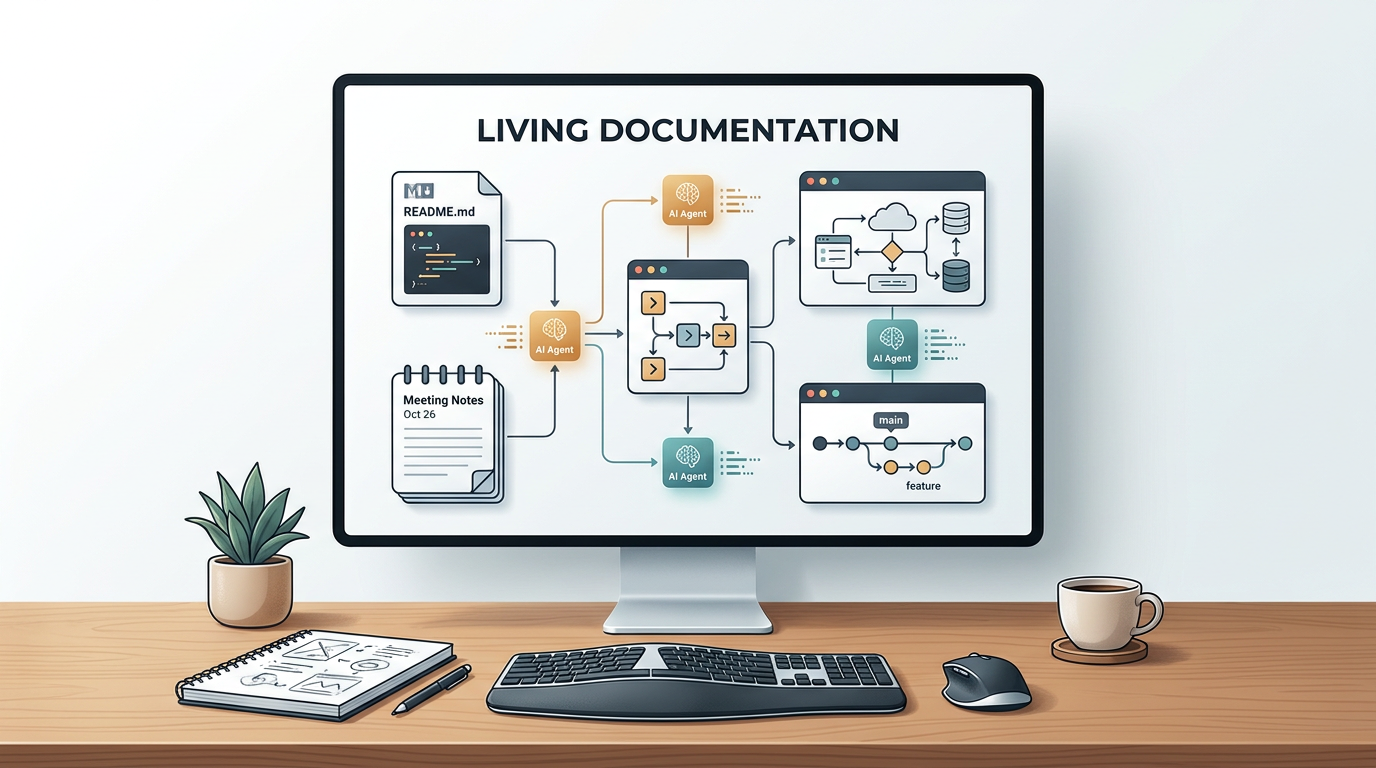
Living Documentation is not a code generation tool. It is a documentation production tool: local Markdown, notes, processes, ADRs, diagrams, Git, AI agents, LLM providers, generated images, MCP, and automations.
Everything stays in your files. You start the tool, open the browser, and document. Then you can connect Git, your agents, your LLMs, and your workflows.





npx living-ai-documentation@latest
Why use it?
Documentation often ends up scattered: README files, notes, tickets, screenshots, ADRs, prompts, exports, diagrams, AI conversations, and attachments. Living Documentation brings all of that back into one local space that is readable, versionable, and usable by agents.
| Need | What Living Documentation provides |
|---|---|
| Write fast | Markdown editor, snippets, tables, images, attachments, annotations. |
| Structure | Folders, categories, naming conventions, full-text search. |
| Version | Git integration, automatic commits, visual comparison, block-level restore. |
| Visualize | Diagram editor, images, exports, clickable links inside documents. |
| Automate | Workspace, LLM providers, reusable agents, internal MCP tools. |
| Stay in control | Local files, no imposed cloud, no proprietary database. |
Features that change the workflow
Local-first documentation
Your documents are simple Markdown files in a folder.
- readable in any editor
- versionable with Git
- usable by your LLMs
- portable from one project to another
- easy to back up
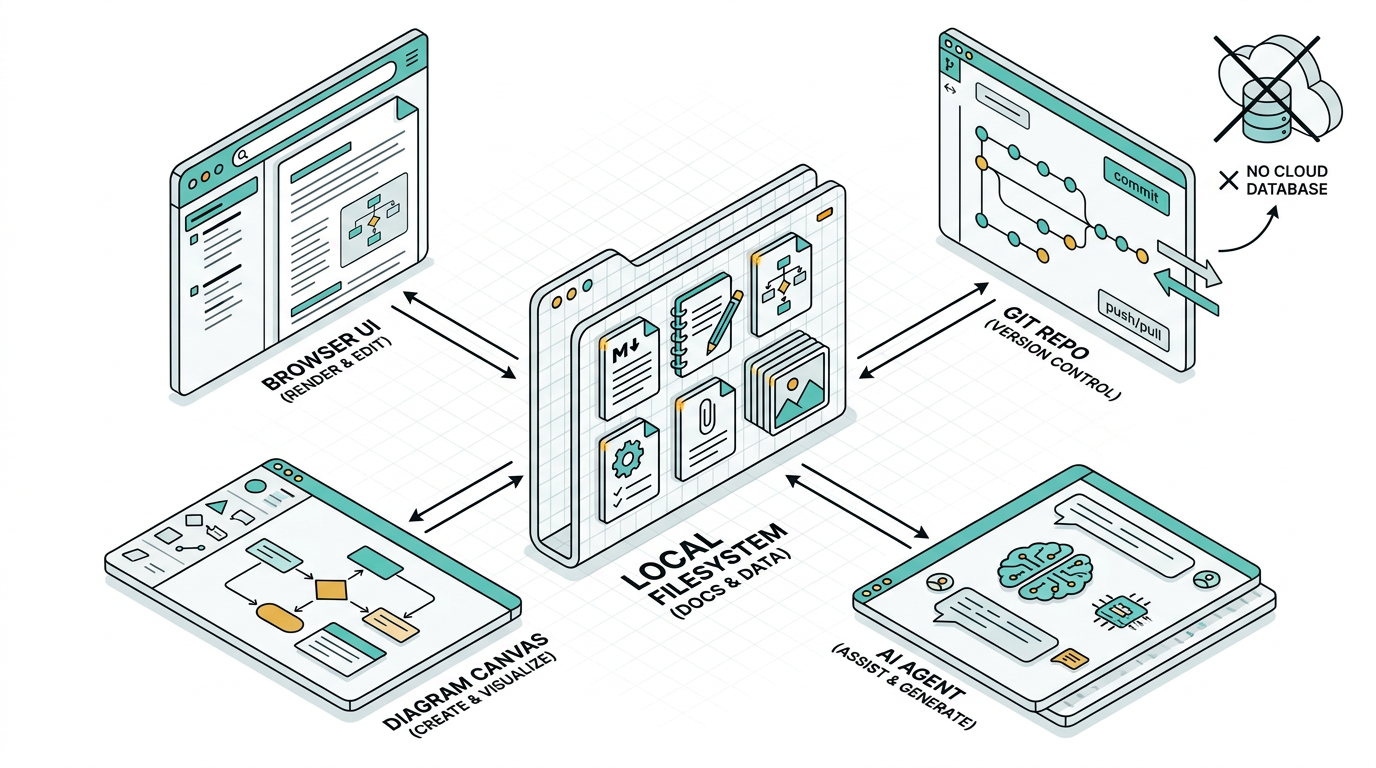
Built-in Git, versions, and restore
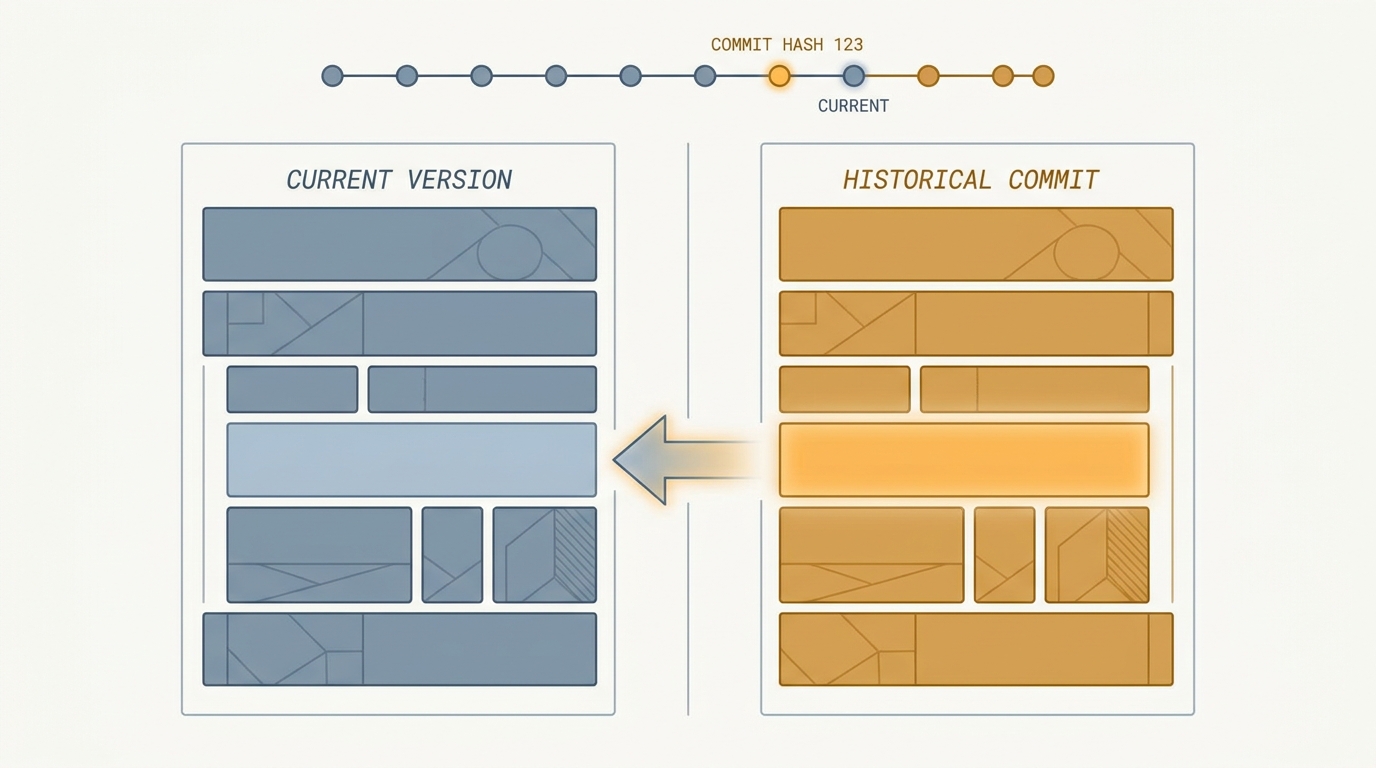
When Git integration is enabled, Living Documentation can create a commit after each documentation save. You can then open a document history, compare HEAD with an older commit, and restore precise blocks into the current document.
Workspace, LLMs, and agents
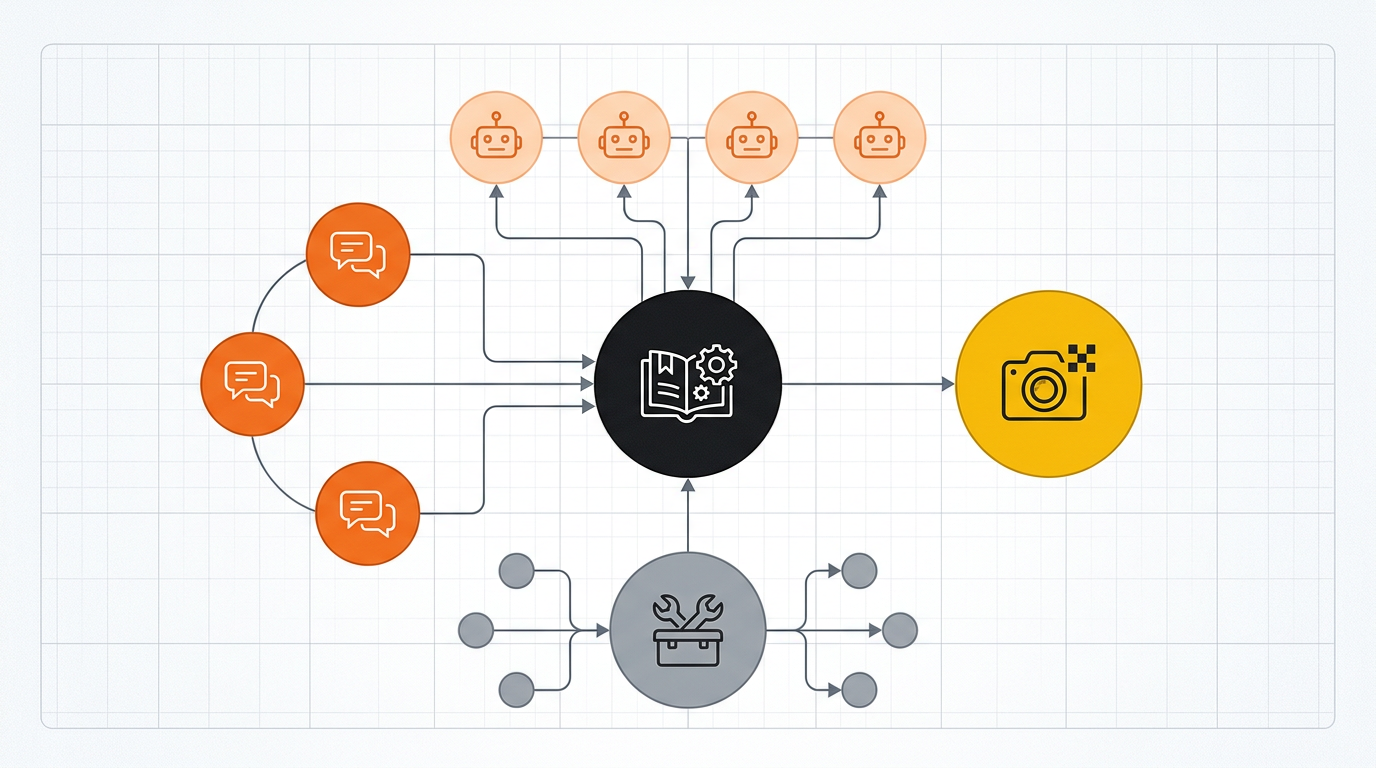
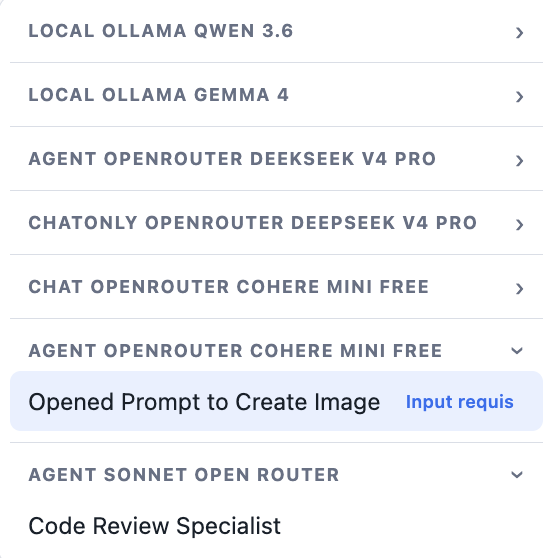
The Workspace lets you configure LLM providers and create documentation agents: translation, correction, summary, image generation, Markdown improvement, draft production, document audit.
Agents can work in Chat only mode or with Living Documentation MCP tools when the provider supports them.
Agents available from the whole app
Once created, agents are available from the Agents menu, no matter which page is open. Each execution produces a run document with status, input, response, and optional debug details.
Diagrams and sketches
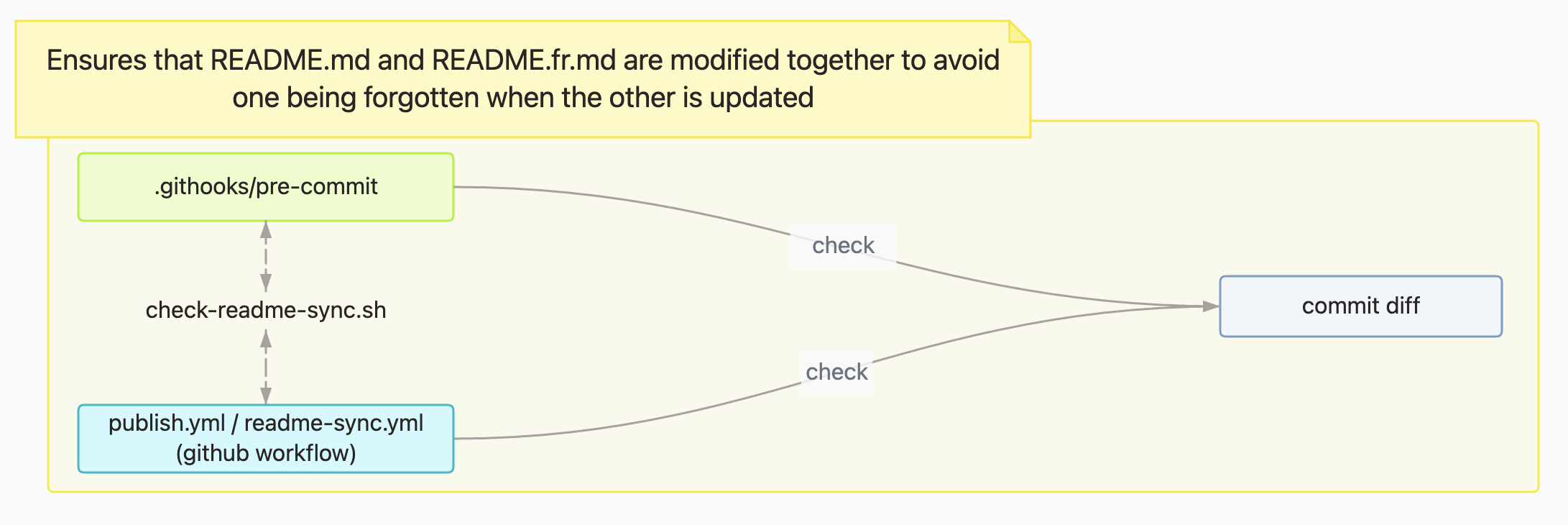
Living Documentation includes a built-in diagram editor. You can draw manually, link diagrams to Markdown documents, export them, or let an agent propose a first version from a document.
Agentic automation lab
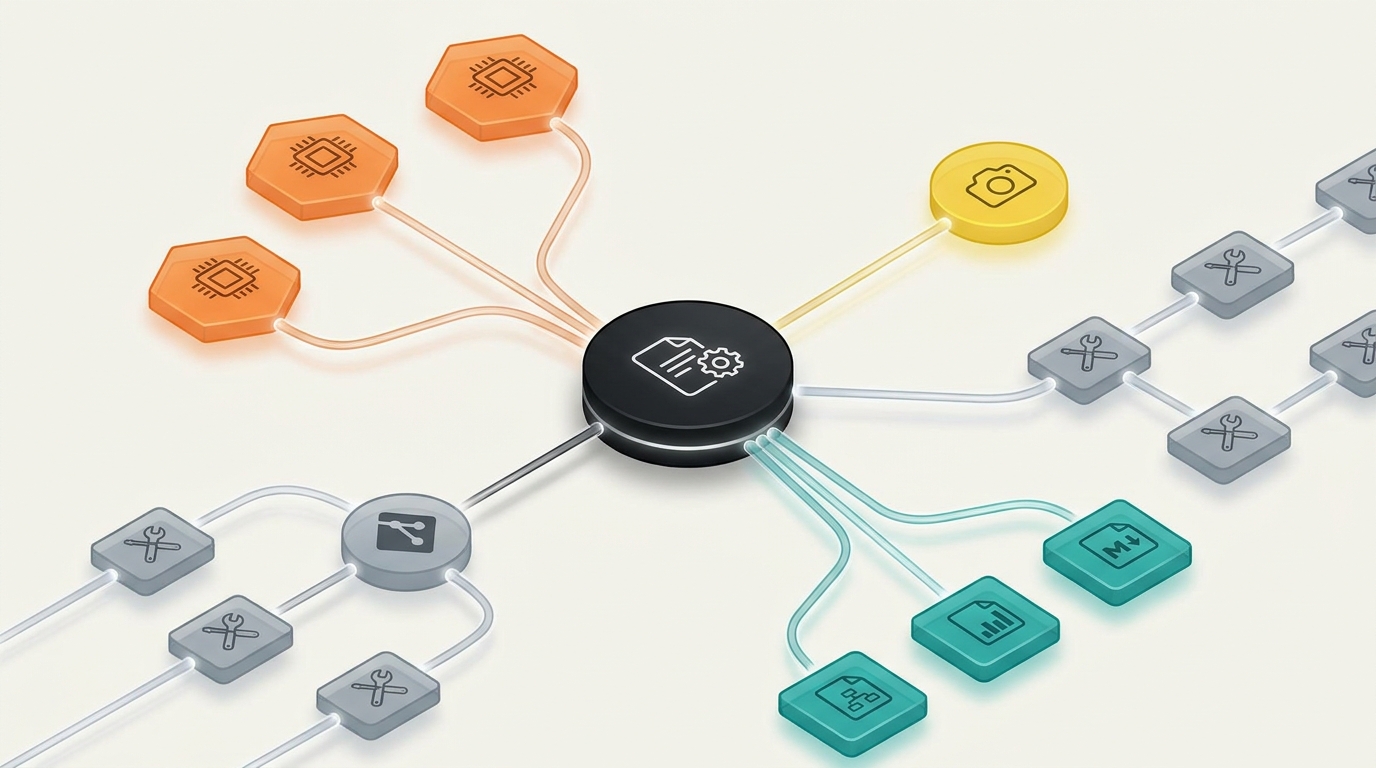
With Workspace, MCP, LLM providers, and internal tools, Living Documentation becomes an automation lab applied to documentation. You can create agents that read a document, transform it, generate an image, write meeting notes, or enrich your documentation base.
Quick start
Requires Node.js 20.19 or newer.
# Detect an existing project nearby or create an EN/FR starter
npx living-ai-documentation@latest

# Or serve an existing folder
npx living-ai-documentation@latest ./docs

# Explicit port
npx living-ai-documentation@latest ./docs --port 4000 --open
Then open:
- application: http://localhost:4321
- admin: http://localhost:4321/admin
- MCP: http://localhost:4321/mcp
Without a folder argument, the CLI first looks for .living-doc.json in the current folder, then one level below it. If it finds an existing Living Documentation project, it offers to launch it; otherwise it creates a complete documentation starter, in French or English, with built-in guides for Home, Markdown, Workspace, Agents, and Diagram.
When a folder argument is provided but that folder has no .living-doc.json yet, the CLI initializes that folder instead of serving it as an unconfigured project.
The folder passed to the CLI must be a relative path (
./docs,../documentation). Absolute paths and~are rejected to keep.living-doc.jsonportable.
What the app contains
| Surface | Usage |
|---|---|
| Home | Read, create, edit, search, and organize Markdown documents. |
| Workspace | Configure LLM providers, MCP, agents, and image providers. |
| Agents | Run agents from any page. |
| Diagram | Create and edit diagrams linked to documents. |
| Files | Browse attachments and documentation assets. |
| AI Context | Inspect AI context, rules, memory, and the MCP explorer. |
| Admin | Configure theme, language, Git, patterns, file security, agent debug. |
Writing in Living Documentation
The Home viewer is also a Markdown editor.
Useful features:
- inline editing with disk save
- Markdown snippets
- assisted tables
- ASCII trees
- collapsible blocks
- callouts
- images pasted from the clipboard
- attachments
- annotations
- automatic table of contents
- full-text search
Files are organized by real folders and by categories extracted from the file name:
PROCESS/2026_06_30_10_00_[GUIDE]_prepare_a_meeting.md
Here:
PROCESSis the folderGUIDEis the categoryprepare_a_meetingis the title
Git and versions
Git integration is optional, but strongly recommended.
It enables:
- automatic commits after saves
- push disabled or push every N commits
- warning when Git is not configured
- detection of changes outside the documentation folder
- Versions button on documents
- visual diff between HEAD and a selected commit
- block-level restore from an older version
Living Documentation only commits the configured documentation folder. Changes outside this folder are ignored and reported.
Agents and MCP
Living Documentation exposes a local MCP server at:
http://localhost:4321/mcp
MCP-compatible agents can use the internal tools to:
- list and read documents
- create or update a document
- manage metadata
- generate diagrams
- generate images through a configured image provider
- read the sourceRoot when necessary
- save an execution context
The GET /mcp endpoint returns the live schemas of available tools and prompts. This README intentionally does not duplicate that list: it evolves with the product.
Claude Code example
claude mcp add --transport http living-ai-documentation http://localhost:4321/mcp
Claude Desktop example
{
  "mcpServers": {
    "living-ai-documentation": {
      "type": "http",
      "url": "http://localhost:4321/mcp"
    }
  }
}
Use the same endpoint for Cursor, Continue, or any MCP client compatible with Streamable HTTP.
Configuration
Configuration is stored in .living-doc.json, inside the documentation folder.
Example:
{
  "filenamePattern": "YYYY_MM_DD_HH_mm_[Category]_title",
  "title": "Living Documentation",
  "theme": "system",
  "language": "en",
  "port": 4321,
  "sourceRoot": "..",
  "extraFiles": [],
  "gitIntegration": {
    "mode": "enabled",
    "pushMode": "never",
    "pushEveryCommits": 1,
    "commitMessage": "docs: update living documentation"
  }
}
Important points:
- paths are stored relatively when possible
sourceRootis used by source tools and agents[Category]is used to classify documents- Git can remain unconfigured, disabled, or explicitly enabled
- attachment extensions can be blocked in Admin
Exports
Living Documentation can export:
- a document as printable HTML / browser PDF
- an HTML bundle for Notion or Confluence
- a complete Markdown bundle
- diagrams as images or
.drawiodepending on the case
Local development
git clone https://github.com/craftskillz/living-documentation.git
cd living-documentation
npm install
npm run dev -- ./documentation
In development:
- Vite UI: http://localhost:5174
- Express backend: http://localhost:4321
- Vite proxy:
/api,/mcp,/images,/files
Useful commands:
npm run build
npm run test:e2e
npm run test:coverage
npm run setup-hooks
To test the package as it will be published:
npm run build
node dist/bin/cli.js ./documentation

npm pack
npx ./living-ai-documentation-*.tgz ./documentation
In production, there is no Vite server on
:5174. The CLI serves the UI, API, and MCP from Express, on the configured port.
Contributing
The repository enforces a bilingual README contract: if you modify README.md, you must also update README.fr.md, and vice versa.
Enable local hooks after cloning:
npm run setup-hooks
The same check runs in CI through .github/workflows/readme-sync.yml.
License
AGPL-3.0, © Youssef MEDAGHRI-ALAOUI.
Установить Living Ai Documentation в Claude Desktop, Claude Code, Cursor
unyly install living-ai-documentationСтавит в Claude Desktop, Claude Code, Cursor и VS Code — сам разбирается с npx, uvx и сборкой из исходников.
Впервые? Поставь CLI: curl -fsSL https://unyly.org/install | sh
Или настроить вручную
Выполни в терминале:
claude mcp add living-ai-documentation -- npx -y living-ai-documentationFAQ
Living Ai Documentation MCP бесплатный?
Да, Living Ai Documentation MCP бесплатный — установка в пару кликов через Unyly без оплаты.
Нужен ли API-ключ для Living Ai Documentation?
Нет, Living Ai Documentation работает без API-ключей и переменных окружения.
Living Ai Documentation — hosted или self-hosted?
Self-hosted: сервер запускается локально на твоей машине командой из раздела установки.
Как установить Living Ai Documentation в Claude Desktop, Claude Code или Cursor?
Открой Living Ai Documentation на unyly.org, выбери вкладку своего клиента (Claude Desktop, Claude Code, Cursor) и нажми Install — конфиг сгенерируется автоматически, без правки JSON.
Похожие MCP
GitHub
PRs, issues, code search, CI status
 автор: GitHub
Filesystem
Secure file operations with configurable access controls.
Memory
Knowledge graph-based persistent memory system.
Template MCP Server
A CLI tool to create a new Model Context Protocol server project with TypeScript support, dual transport options, and an extensible structure
 автор: mcpdotdirect
Compare Living Ai Documentation with
Не уверен что выбрать?
Найди свой стек за 60 секунд
Автор?
Embed-бейдж для README
Похожее
Все в категории development