
Authentication Demo
БесплатноНе проверенA template for building MCP servers with optional per-tool authentication using WorkOS AuthKit and Vercel MCP adapter.

Описание
A template for building MCP servers with optional per-tool authentication using WorkOS AuthKit and Vercel MCP adapter.
README
A production-ready template for building authenticated MCP servers using the Vercel MCP adapter and WorkOS AuthKit. Clone this repo, add your tools, and deploy instantly to Vercel with enterprise authentication built-in.
What This Demo Shows
Core insight: Individual tools decide if they need authentication. No global auth requirements, no complex middleware.
The Pattern
// Without auth: pure business logic
server.tool("publicData", {}, async () => {
  return getPublicData();
});

// With auth: same logic + one helper call
server.tool("userData", {}, async (args, extra) => {
  const user = ensureUserAuthenticated(extra.authInfo); // ← Just add this line
  return getUserData(user);
});
How It Works
- Wrap your handler with
experimental_withMcpAuth:
const authHandler = experimental_withMcpAuth(handler, verifyToken, {
  required: false // ← Tools decide individually
});
- Verify tokens with direct WorkOS calls:
const verifyToken = async (req: Request, bearerToken?: string) => {
  if (!bearerToken) return undefined; // Allow unauthenticated requests

  const { payload } = await jwtVerify(bearerToken, JWKS);        // WorkOS JWT
  const user = await workos.userManagement.getUser(payload.sub); // WorkOS User API

  return { token: bearerToken, clientId: user.id, extra: { user } };
};
- Tools get user context through our helper:
// lib/auth/helpers.ts
export const ensureUserAuthenticated = (authInfo: AuthInfo | undefined): User => {
  if (!authInfo?.extra?.user) {
    throw new Error('Authentication required for this tool');
  }
  return authInfo.extra.user; // WorkOS user object
};
That's it! Your MCP server now has enterprise authentication with zero global auth logic.
See the complete implementation
// app/mcp/route.ts - Complete authenticated MCP server
import { createMcpHandler, experimental_withMcpAuth } from "@vercel/mcp-adapter";
import { jwtVerify } from "jose";
import { ensureUserAuthenticated, isAuthenticated } from "../../lib/auth/helpers";

// Clean MCP handler - tools decide auth individually
const handler = createMcpHandler((server) => {
  // Public tool
  server.tool("ping", {}, async (args, extra) => {
    const authenticated = isAuthenticated(extra.authInfo);
    return {
      content: [{
        type: "text",
        text: authenticated ? "Hello authenticated user!" : "Hello world!"
      }]
    };
  });

  // Private tool - decides it needs auth
  server.tool("getUserProfile", {}, async (args, extra) => {
    const user = ensureUserAuthenticated(extra.authInfo); // Throws if not authenticated
    return {
      content: [{
        type: "text",
        text: `Profile: ${user.email} (${user.firstName} ${user.lastName})`
      }]
    };
  });
});

// WorkOS token verification
const verifyToken = async (req: Request, bearerToken?: string) => {
  if (!bearerToken) return undefined;

  try {
    const { payload } = await jwtVerify(bearerToken, JWKS);
    const user = await workos.userManagement.getUser(payload.sub);
    return { token: bearerToken, clientId: user.id, extra: { user, claims: payload } };
  } catch (error) {
    return undefined;
  }
};

// Authenticated handler
const authHandler = experimental_withMcpAuth(handler, verifyToken, { required: false });

export { authHandler as GET, authHandler as POST };
Result: Enterprise authentication with SSO support, automatic user context in tools, and zero-config Vercel deployment.
Ready-to-Deploy Template
This isn't just a demo—it's a complete template you can build on:
- Replace the example tools in
lib/business/examples.tswith your own business logic - Add new authenticated tools using the same pattern shown above
- Test everything locally with the built-in web interface and testing tools
- Deploy to Vercel in one command with enterprise auth already configured
Built-in Testing Interface
The template includes a complete testing interface so you can verify your tools work correctly:
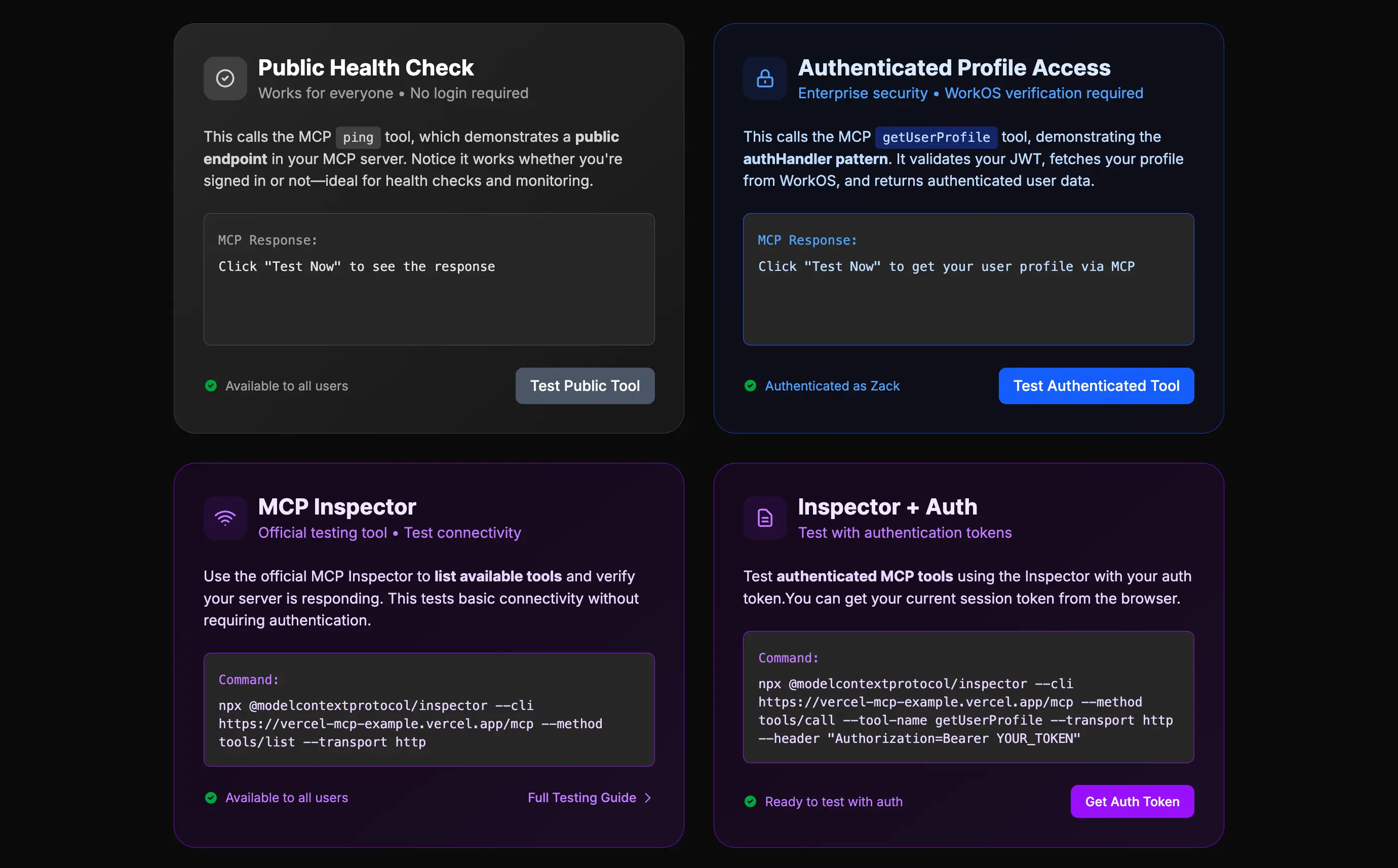
Test both public and authenticated tools directly from your browser, with automatic token management and clear response formatting.
Quick Start
1. Clone and Install
git clone https://github.com/workos/vercel-mcp-example.git
cd vercel-mcp-example
pnpm install
Note: We recommend using
pnpmas it handles React 19 peer dependency warnings gracefully. If using npm, add the--legacy-peer-depsflag.
2. Set Up WorkOS
- Create a WorkOS account (free)
- Create a new project
- Get your API Key and Client ID from the dashboard
- Add
http://localhost:3000/callbackas a redirect URI in AuthKit settings
3. Configure Environment
cp .env.example .env.local
Fill in your WorkOS credentials:
WORKOS_API_KEY=sk_test_your_api_key_here
WORKOS_CLIENT_ID=client_your_client_id_here
WORKOS_COOKIE_PASSWORD=your_32_character_secure_random_string
WORKOS_REDIRECT_URI=http://localhost:3000/callback
4. Start the Demo
npm run dev
Visit http://localhost:3000 to try the authenticated MCP server!
Testing the Demo
The template includes a complete web interface for testing your MCP tools:
- Test public tools - Try
pingwithout authentication - Login with WorkOS - Use the login button to authenticate
- Test authenticated tools - Try tools like
getUserProfilethat require user context
The interface handles token management automatically and displays responses in a clean, readable format. You can also test with any MCP client by configuring it to use your local server.
Architecture
graph LR
  A[MCP Client] --> B[authHandler Wrapper]
  B --> C[JWT Verification]
  C --> D[MCP Server Tools]
  B --> E[WorkOS API]

  style B fill:#ec4899,stroke:#db2777,stroke-width:2px,color:#ffffff
  style D fill:#f59e0b,stroke:#d97706,stroke-width:2px,color:#ffffff
Simple flow: Client → Auth wrapper → JWT verification → Tools decide if they need user context → WorkOS API (if needed).
Code Organization
This template follows a recommended structure for scalable MCP servers:
lib/
├── auth/
│   ├── helpers.ts        # ensureUserAuthenticated, isAuthenticated
│   └── types.ts          # User, WorkOSAuthInfo types
├── business/
│   ├── examples.ts       # Example business logic (replace with yours)
│   └── database.ts       # Database connection/queries
├── mcp/
│   ├── tools/
│   │   ├── public.ts     # Public tools (ping, status)
│   │   └── examples.ts   # Example authenticated tools
│   └── server.ts         # Main MCP server setup
└── utils/
    ├── validation.ts     # Zod schemas
    └── errors.ts         # Custom error classes
Key Files
app/mcp/route.ts- The main MCP server with authenticationlib/auth/helpers.ts- Authentication helper functionslib/business/examples.ts- Example business logic (replace with yours)lib/mcp/tools/- MCP tool definitions organized by categoryapp/components/TestingSection.tsx- Built-in testing interfacelib/with-authkit.ts- WorkOS AuthKit setup
Next Steps
- Explore the code - See how the authentication pattern works
- Build your tools - Replace
lib/business/examples.tswith your business logic - Test locally - Use the built-in testing interface to verify everything works
- Deploy to production - Run
vercel deploywith your environment variables - Add advanced features - Role-based access, organization filtering, etc.
Why This Stack?
- Vercel MCP adapter: Type-safe MCP development with zero-config deployment
- WorkOS AuthKit: Enterprise authentication (SSO, user management, compliance)
- Simple Pattern: Business logic stays clean, security is declarative
Perfect for building production AI tools that need real user authentication and enterprise features.
Contributing
We welcome contributions to this project! Here's how you can help:
Development Setup
- Fork the repository
- Clone your fork:
git clone https://github.com/YOUR_USERNAME/vercel-mcp-example.git - Install dependencies:
pnpm install(ornpm install --legacy-peer-deps) - Create a branch:
git checkout -b feature/your-feature-name - Make your changes and write tests
- Run the test suite:
pnpm run test - Run linting and formatting:
pnpm run lint && pnpm run prettier - Push to your fork and submit a pull request
Guidelines
- Write clear, concise commit messages
- Add tests for new functionality
- Ensure all tests pass before submitting
- Follow the existing code style and conventions
- Update documentation as needed
Reporting Issues
Please use the GitHub Issues page to report bugs or request features.
License
This project is licensed under the MIT License - see the LICENSE file for details.
Questions? Check the WorkOS MCP docs or Vercel MCP adapter docs.
Установка Authentication Demo
У этого сервера нет опубликованного пакета — он собирается из исходников. Открой репозиторий и следуй инструкции в README.
▸ github.com/workos/vercel-mcp-exampleFAQ
Authentication Demo MCP бесплатный?
Да, Authentication Demo MCP бесплатный — установка в пару кликов через Unyly без оплаты.
Нужен ли API-ключ для Authentication Demo?
Нет, Authentication Demo работает без API-ключей и переменных окружения.
Authentication Demo — hosted или self-hosted?
Доступен hosted-вариант: Unyly запускает сервер в облаке, локальная установка не обязательна.
Как установить Authentication Demo в Claude Desktop, Claude Code или Cursor?
Открой Authentication Demo на unyly.org, выбери вкладку своего клиента (Claude Desktop, Claude Code, Cursor) и нажми Install — конфиг сгенерируется автоматически, без правки JSON.
Похожие MCP
GitHub
PRs, issues, code search, CI status
 автор: GitHub
Filesystem
Secure file operations with configurable access controls.
Memory
Knowledge graph-based persistent memory system.
Template MCP Server
A CLI tool to create a new Model Context Protocol server project with TypeScript support, dual transport options, and an extensible structure
 автор: mcpdotdirect
Compare Authentication Demo with
Не уверен что выбрать?
Найди свой стек за 60 секунд
Автор?
Embed-бейдж для README
Похожее
Все в категории development