
Bun Server
БесплатноНе проверенProvides AI assistants with powerful tools to execute, optimize, and manage JavaScript/TypeScript projects using the Bun runtime.

Описание
Provides AI assistants with powerful tools to execute, optimize, and manage JavaScript/TypeScript projects using the Bun runtime.
README
Bun Version Node.js Version NPM Version
A comprehensive Model Context Protocol (MCP) server implementation optimized for the Bun JavaScript runtime. This server provides AI assistants with powerful tools to execute, optimize, and manage JavaScript/TypeScript projects using Bun's high-performance runtime.
🔄 Runtime Compatibility: The server requires bun to be installed in the environment the MCP server will run (Windows native, Windows WSL2, etc). See more installation details below.
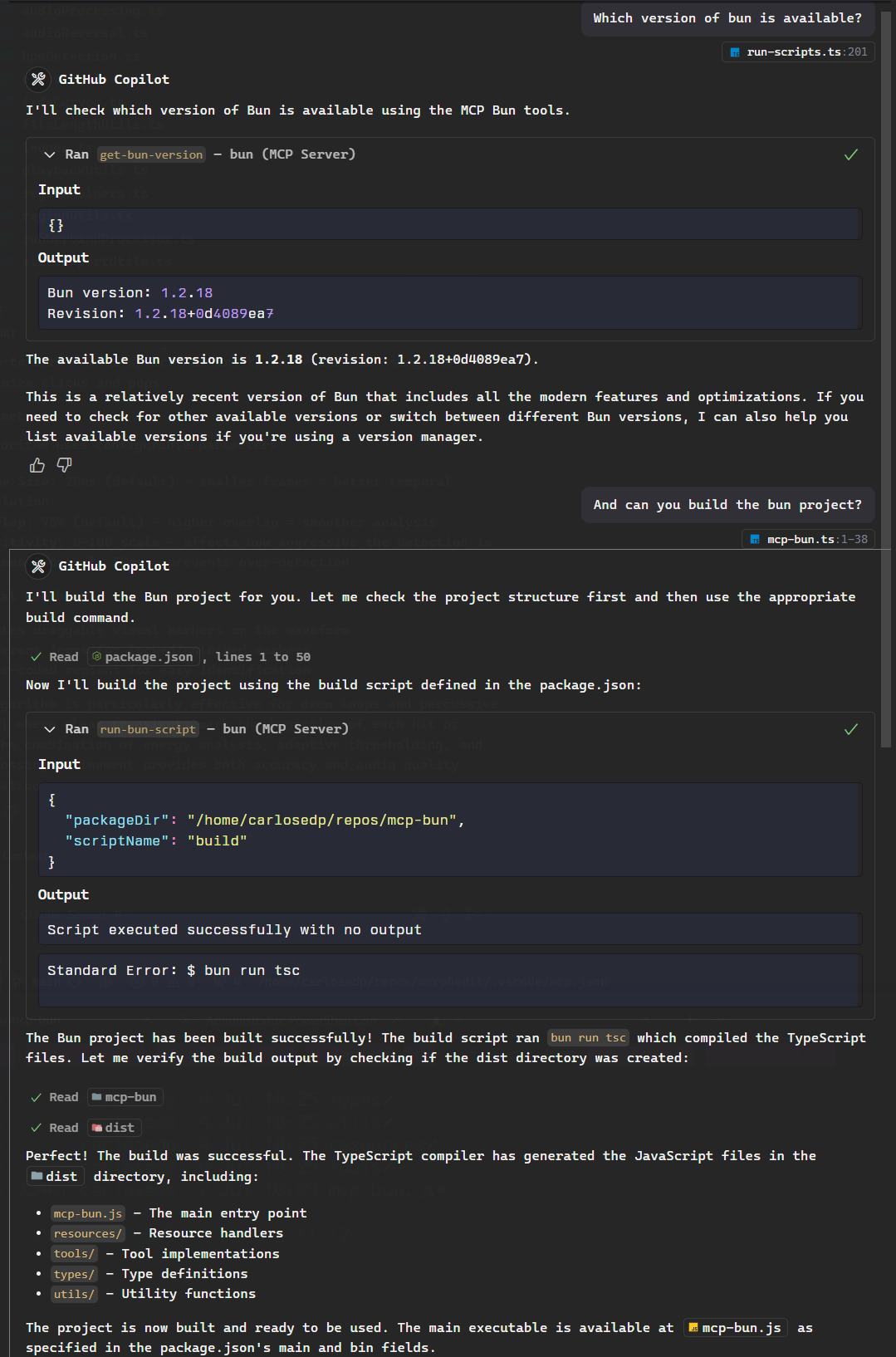
Features
🚀 Bun-Optimized Execution
- Fast Script Execution: Run JavaScript/TypeScript files with Bun's optimized runtime
- Built-in TypeScript Support: Execute TypeScript directly without compilation
- Memory Optimization: Use
--smolflag for memory-constrained environments - Hot Reloading: Development server with
--hotflag support
🔧 Development Tools
- Package Management: Install dependencies with
bun install - Script Runner: Execute package.json scripts with
bun run - Build System: Optimize projects with
bun buildincluding minification and bundling - Test Runner: Fast testing with
bun testand coverage reporting
📊 Performance Analytics
- Project Analysis: Analyze bundle sizes, dependencies, and runtime performance
- Benchmarking: Compare script performance with different optimization flags
- Optimization Suggestions: Get recommendations for Bun-specific optimizations
🖥️ Server Management
- Background Servers: Start and manage long-running Bun/Node.js servers
- Process Monitoring: Track server status, logs, and performance
- Hot Reloading Servers: Development servers with file watching capabilities
🔍 Resource Discovery
- Script Listing: Browse available npm/package.json scripts
- Project Structure: Understand project dependencies and configuration
Quick Start
Prerequisites
- Bun v1.0.0 or later (recommended)
- Node.js v18.0.0 or later (for compatibility)
For MacOS/Linux users, install Bun using the instructions on the Bun website.
For Windows, the installation depends if you develope with WSL2 or not:
- For native Windows development, install Bun using the Windows installer.
- If you develop with WSL2, install Bun in your WSL2 environment using the Linux installation instructions.
Configuration
On VSCode MCP Client
For quick installation, use one of the one-click install buttons below...
Install with UV in VS Code Install with UV in VS Code Insiders
Or use the configs below.
If using globally, add the following to your MCP client configuration on settings.json:
{
  ...
  "mcp": {
    "servers": {
      "bun": {
        "command": "bunx",
        "args": ["-y", "mcp-bun@latest"],
        "env": {
          "DISABLE_NOTIFICATIONS": "true"
        }
      }
    }
  }
}
On Windows, this doesn't work properly when using WSL2 if your project lives in the WSL2 filesystem and you run VSCode natively on Windows. This happens because the MCP server runs on Windows and the Bun commands are executed in the WSL2 environment, which can lead to path issues.
In this case, configure the MCP server in the project workspace configuration file which makes the MCP server run in the WSL2 environment and execute the Bun commands there.
Create a file named .vscode/mcp.json in your project root with the following content:
{
  "servers": {
    "bun": {
      "command": "bunx",
      "args": ["-y", "mcp-bun@latest"],
      "env": {
        "DISABLE_NOTIFICATIONS": "true"
      }
    }
On Claude Desktop
Configure your Claude Desktop MCP client with the following:
{
  "mcpServers": {
    "bun": {
      "command": "bunx",
      "args": ["-y", "mcp-bun@latest"],
      "env": {
        "DISABLE_NOTIFICATIONS": "true",  // Optional: disable permission prompts
      }
    }
  }
}
For Development/Local Installation
Clone the repository to your local machine, install dependencies, and build the project:
git clone https://github.com/carlosedp/mcp-bun.git
cd mcp-bun
bun install
bun run build
Then configure your MCP client to use the local build:
{
  "servers": {
    "bun-dev": {
      "command": "bun",
      "args": ["/home/user/mcp-bun/dist/mcp-bun.js"],
      "env": {
        "DISABLE_NOTIFICATIONS": "true"
      }
    },
  }
}
For testing there's also the MCP Inspector available, which allows you to run the server with Bun and inspect the commands being executed:
bun run dev
Available Tools
Core Execution Tools
run-bun-script-file
Execute JavaScript/TypeScript files with Bun runtime optimizations.
Parameters:
scriptPath: Path to the script filebunArgs: Optional Bun flags (e.g.,--smol,--hot)args: Arguments to pass to the scriptstdin: Optional standard inputcwd: Working directorytimeout: Execution timeout
run-bun-eval
Execute JavaScript/TypeScript code directly with Bun eval.
Parameters:
code: Code to executeevalDirectory: Execution directorybunArgs: Bun optimization flagsstdin: Standard inputtimeout: Execution timeout
Package Management
run-bun-install
Install dependencies using Bun's fast package manager.
Parameters:
packageDir: Directory containing package.jsondependency: Specific package to install (optional)
run-bun-script
Execute npm scripts using Bun.
Parameters:
packageDir: Directory containing package.jsonscriptName: Script name to runargs: Additional arguments
Build & Optimization
run-bun-build
Build and optimize projects with Bun's bundler.
Parameters:
entryPoint: Entry file to buildoutDir: Output directorytarget: Build target (browser,bun,node)minify: Enable minificationsourcemap: Generate source mapssplitting: Enable code splitting
run-bun-test
Execute tests with Bun's fast test runner.
Parameters:
testPath: Test file or directorycoverage: Enable code coveragewatch: Enable watch modebail: Stop after N failurestimeout: Test timeout
Performance Analysis
analyze-bun-performance
Comprehensive project performance analysis.
Parameters:
projectDir: Project directoryentryPoint: Entry point to analyzeoptions: Analysis options (bundle, dependencies, runtime)
benchmark-bun-script
Benchmark script performance with different optimization flags.
Parameters:
scriptPath: Script to benchmarkiterations: Number of test runswarmup: Warmup runs
Server Management
start-bun-server
Start optimized Bun servers with hot reloading and watch capabilities.
Parameters:
scriptPath: Server script pathcwd: Working directorybunArgs: Bun flagsoptimizations: Hot reload, watch, smol mode options
Additional Server Tools
start-node-server: Start Node.js servers for compatibilitylist-servers: List all running servers with status and logsstop-server: Stop running servers gracefully or forcefullyget-server-logs: Retrieve server logs with filtering options
Version Management
get-bun-version
Get current Bun version and revision information.
list-bun-versions
List available Bun installations.
select-bun-version
Select specific Bun version for execution.
Performance Optimization Tips
Memory Optimization
Use the --smol flag for memory-constrained environments:
bun --smol your-script.js
Security Considerations
- The server prompts for permission before executing any command
- Scripts run with the same permissions as the MCP server process
- Use environment variable
DISABLE_NOTIFICATIONS=truefor automation - Be cautious when running scripts from untrusted sources
Development
Building
bun run build        # Build with Bun
bun run build:node   # Build with Node.js/TypeScript
Development Mode
bun run dev          # Run with Bun + MCP Inspector
bun run dev:node     # Run with Node.js + MCP Inspector
Linting
bun run lint         # Check for issues
bun run lint:fix     # Fix auto-fixable issues
Contributing
- Fork the repository
- Create a feature branch
- Make your changes
- Add tests if applicable
- Submit a pull request
License
This project is licensed under the MIT License - see the LICENSE file for details.
Acknowledgments
- Built on the Model Context Protocol
- Optimized for Bun runtime
- Heavily inspired by the MCP Node.js server
Установка Bun Server
У этого сервера нет опубликованного пакета — он собирается из исходников. Открой репозиторий и следуй инструкции в README.
▸ github.com/carlosedp/mcp-bunFAQ
Bun Server MCP бесплатный?
Да, Bun Server MCP бесплатный — установка в пару кликов через Unyly без оплаты.
Нужен ли API-ключ для Bun Server?
Нет, Bun Server работает без API-ключей и переменных окружения.
Bun Server — hosted или self-hosted?
Self-hosted: сервер запускается локально на твоей машине командой из раздела установки.
Как установить Bun Server в Claude Desktop, Claude Code или Cursor?
Открой Bun Server на unyly.org, выбери вкладку своего клиента (Claude Desktop, Claude Code, Cursor) и нажми Install — конфиг сгенерируется автоматически, без правки JSON.
Похожие MCP
Fetch
Web content fetching and conversion for efficient LLM usage.
AWS KB Retrieval
Retrieval from AWS Knowledge Base using Bedrock Agent Runtime.
 автор: modelcontextprotocol
Spring AI MCP Server
Provides auto-configuration for setting up an MCP server in Spring Boot applications.
llm-analysis-assistant
A very streamlined mcp client that supports calling and monitoring stdio/sse/streamableHttp, and can also view request responses through the /logs page. It also
 автор: xuzexin-hz
Compare Bun Server with
Не уверен что выбрать?
Найди свой стек за 60 секунд
Автор?
Embed-бейдж для README
Похожее
Все в категории ai