
Database Bridge
БесплатноНе проверенA secure, read-only MCP server that empowers Claude Desktop and AI agents to safely query and inspect local SQLite databases.

Описание
A secure, read-only MCP server that empowers Claude Desktop and AI agents to safely query and inspect local SQLite databases.
README

DB / BRIDGE
A secure, read-only Model Context Protocol (MCP) server that empowers Claude Desktop and other AI agents to safely query and inspect local SQLite databases.




Demo Video
Click the preview below to watch the MCP Database Bridge project demonstration on YouTube.
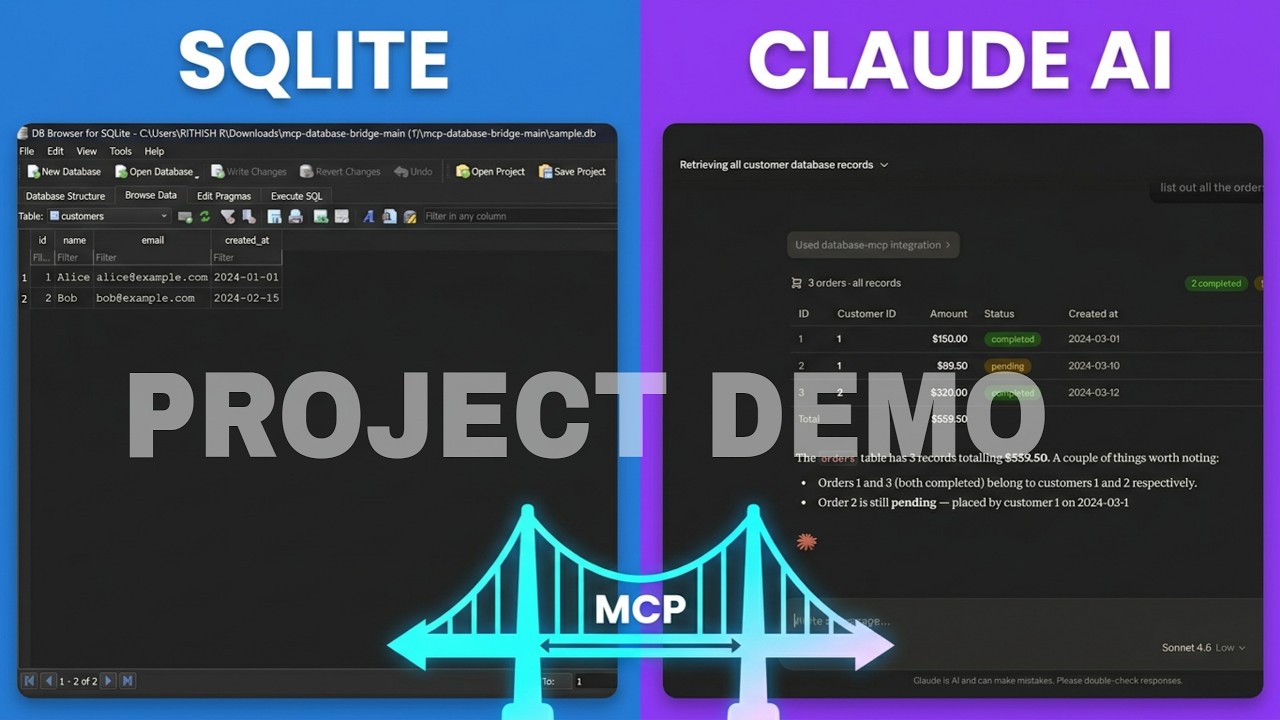
Watch the Demo Video on YouTube
✨ Features
- 🛡️ Read-Only Safeties: Strict regex filtering intercepts and rejects destructive operations like
INSERT,UPDATE,DROP, andALTER. The AI can look, but it can't touch. - 🔍 Introspection: AI can autonomously list tables and read schemas (
PRAGMA table_info) directly to understand your data structure before writing queries. - 🚀 Claude Desktop Ready: Comes with one-click automated setup scripts for both macOS/Linux and Windows that instantly wire it up to your Claude Desktop config.
- 📊 Query Analysis: Includes
explain_querycapabilities to help AI debug complex data retrieval.
Quick Start
The setup scripts create a Python virtual environment, install dependencies, and register database-mcp in Claude Desktop.
Hosted Custom Client
Run the ChatGPT-inspired DB/BRIDGE client locally:
export GROQ_API_KEY=your_groq_api_key
uvicorn client.api.app:app --reload
Open http://127.0.0.1:8000 to select a Groq model, manage temporary SQLite
databases, ask questions, and inspect the MCP tool activity used for each answer.
Vercel Deployment
The hosted client is configured through vercel.json. Add these environment
variables in Vercel before deploying:
GROQ_API_KEY=your_groq_api_key
GROQ_MODELS=llama-3.3-70b-versatile,llama-3.1-8b-instant,openai/gpt-oss-120b
ALLOWED_ORIGINS=https://your-docs-domain.example,https://your-vercel-app.vercel.app
Uploaded databases are isolated by anonymous browser session but remain temporary because Vercel's function filesystem is not durable.
Prerequisites
- Python 3.11 or newer
- Git
- Claude Desktop
1. Clone the Repository
git clone https://github.com/buvaneswaraneb/mcp-database-bridge.git
cd mcp-database-bridge
2. Run the Setup Script
Choose the instructions for your operating system.
macOS / Linux
Run:
chmod +x setup.sh
./setup.sh
After setup completes:
- Completely quit Claude Desktop.
- On macOS, press
Cmd + Q. - On Linux, quit Claude from the application menu.
- On macOS, press
- Reopen Claude Desktop.
- Open a new chat and confirm that
database-mcpappears in the available tools.
Windows
Run setup.bat from Command Prompt:
setup.bat
You can also double-click setup.bat from File Explorer.
Completely Restart Claude Desktop on Windows
Closing the Claude window may leave it running in the background. Fully stop it before reopening:
- Press
Ctrl + Shift + Escto open Task Manager. - Select the Processes tab.
- Find Claude under Apps or Background processes.
- Select each Claude process and click End task.
- Wait a few seconds, then reopen Claude Desktop.
If Claude does not appear under Processes, open the Details tab and end any Claude.exe processes.
3. Verify the Connection
In Claude Desktop:
- Open a new chat.
- Open the tools or integrations menu.
- Confirm that
database-mcpis connected. - Ask:
What databases are available?
If the server is not listed, completely stop Claude Desktop again and reopen it.
🛠️ Manual Setup (Claude Code / Custom Agents)
If you prefer to configure things manually or use Claude Code in your terminal:
Create Virtual Environment & Install Dependencies:
python3 -m venv .venv
source .venv/bin/activate
pip install -r requirements.txt
cp .env.example .env
Add to Claude Code:
claude mcp add database-mcp .venv/bin/python mcp/src/server.py
🧪 Running Tests
Ensure everything is working correctly by running the comprehensive test suite:
pytest mcp/tests/ -v
🏗️ Architecture & Internals
graph TD
    A[🤖 Claude Desktop / AI Agents] <-->|stdio JSON-RPC| B{MCP Bridge Router}

    subgraph Database MCP Server
        B -->|tools/call: list_tables| C[📋 list_tables]
        B -->|tools/call: get_schema| D[🔍 get_schema]
        B -->|tools/call: explain_query| E[📊 explain_query]
        B -->|tools/call: run_select| F[▶️ run_select]

        F --> G{🛡️ Read-Only Safeties}
        G -. Block UPDATE/DROP/INSERT .-> H[❌ Reject]
        G -- Allow SELECT --> I[✅ Execute]
    end

    C & D & E & I --> J[(🗄️ SQLite Database)]

    style A fill:#4B32C3,stroke:#fff,stroke-width:2px,color:#fff
    style B fill:#2D3748,stroke:#4B32C3,stroke-width:2px,color:#fff
    style G fill:#9B2C2C,stroke:#FC8181,stroke-width:2px,color:#fff
    style J fill:#276749,stroke:#68D391,stroke-width:2px,color:#fff
    style H fill:#E53E3E,stroke:#fff,stroke-width:1px,color:#fff
    style C fill:#2A4365,stroke:#63B3ED,color:#fff
    style D fill:#2A4365,stroke:#63B3ED,color:#fff
    style E fill:#2A4365,stroke:#63B3ED,color:#fff
    style F fill:#2A4365,stroke:#63B3ED,color:#fff
    style I fill:#38A169,stroke:#fff,color:#fff
Curious how it works under the hood?
- Read documentation/docs/structure.md for a detailed walkthrough of the file architecture and the JSON-RPC execution flow.
- Read documentation/docs/ai_usage_note.md for notes on how AI was leveraged to build this project.
Infinite Inovators
PROJECT TEAM
Buvaneswaran E | P Vishal Kanna | S.B. Jaisree | Rithish R
Built with care for controlled, agent-readable data access.Установка Database Bridge
У этого сервера нет опубликованного пакета — он собирается из исходников. Открой репозиторий и следуй инструкции в README.
▸ github.com/buvaneswaraneb/mcp-database-bridgeFAQ
Database Bridge MCP бесплатный?
Да, Database Bridge MCP бесплатный — установка в пару кликов через Unyly без оплаты.
Нужен ли API-ключ для Database Bridge?
Нет, Database Bridge работает без API-ключей и переменных окружения.
Database Bridge — hosted или self-hosted?
Self-hosted: сервер запускается локально на твоей машине командой из раздела установки.
Как установить Database Bridge в Claude Desktop, Claude Code или Cursor?
Открой Database Bridge на unyly.org, выбери вкладку своего клиента (Claude Desktop, Claude Code, Cursor) и нажми Install — конфиг сгенерируется автоматически, без правки JSON.
Похожие MCP
wenb1n-dev/SmartDB_MCP
A universal database MCP server supporting simultaneous connections to multiple databases. It provides tools for database operations, health analysis, SQL optim
 автор: wenb1n-dev
Postgres Server
This server enables interaction with PostgreSQL databases through the Model Context Protocol, optimized for the AWS Bedrock AgentCore Runtime. It provides tools
 автор: madhurprash
Postgres
Query your database in natural language
 автор: Anthropic
PostgreSQL
Read-only database access with schema inspection.
автор: modelcontextprotocolCompare Database Bridge with
Не уверен что выбрать?
Найди свой стек за 60 секунд
Автор?
Embed-бейдж для README
Похожее
Все в категории data