
Kanban
БесплатноНе проверенA local-first Kanban board for AI agents that enables ticket management via MCP tools, with a real-time web UI.

Описание
A local-first Kanban board for AI agents that enables ticket management via MCP tools, with a real-time web UI.
README
A local-first Kanban board for AI agents, powered by the Model Context Protocol (MCP).

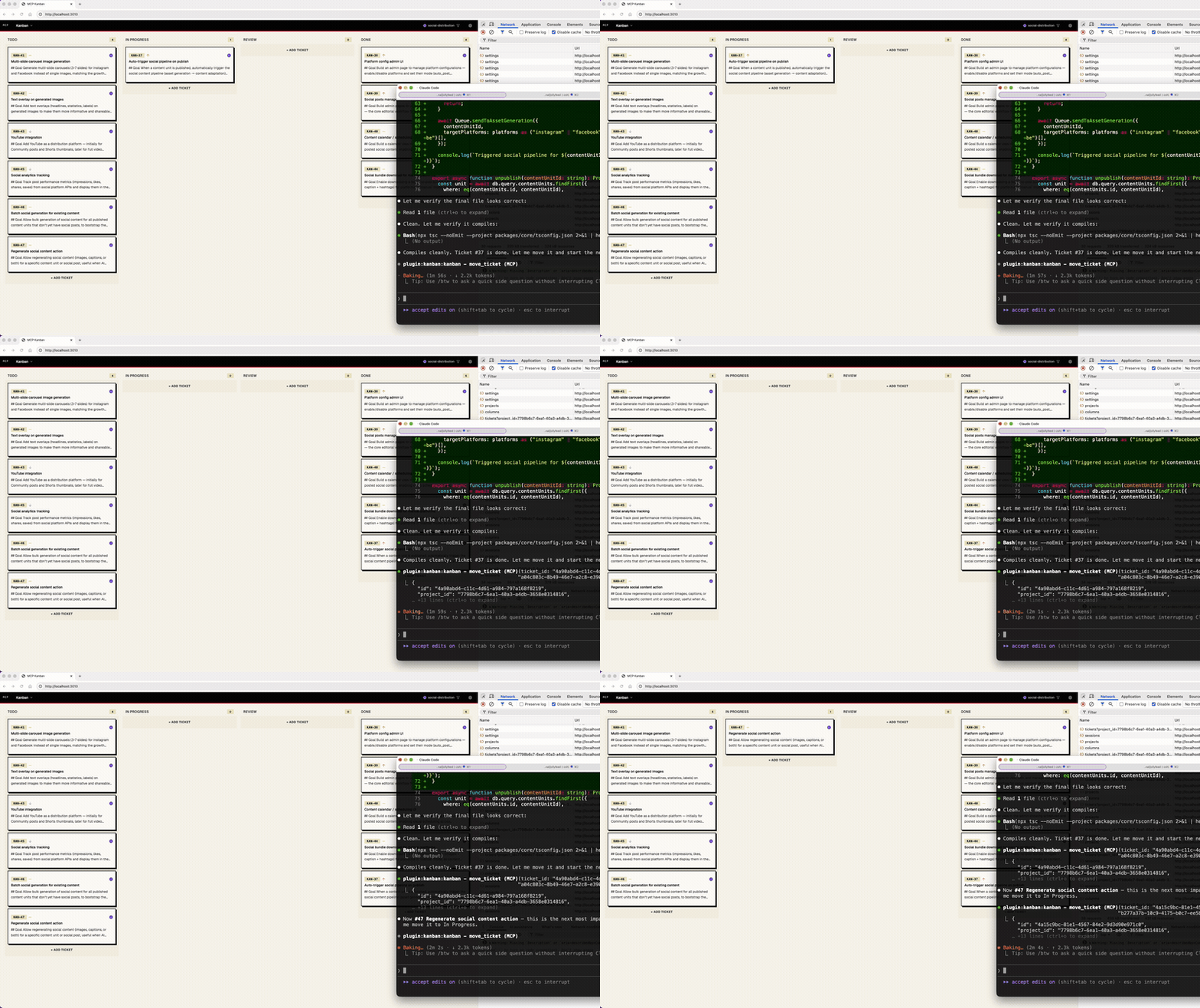
Table of Contents
- What is mcp-kanban?
- Quick Start (Claude Code)
- Other Agents
- Skills
- CLI Reference
- MCP Tools Reference
- How It Works
- Concepts
- Configuration
- Tech Stack
- Themes
What is mcp-kanban?
Most AI kanban tools try to be the orchestrator — spawning agents, managing worktrees, controlling execution. mcp-kanban doesn't. Your agent (Claude Code, Codex, Cursor) stays in control. mcp-kanban is just a board — agents report what they're doing through MCP tools, and you watch it happen in a real-time web UI. It fits into your existing workflow instead of replacing it.
Everything runs locally with SQLite, requires zero configuration, and launches with a single npx command.
Quick Start (Claude Code)
# In Claude Code, install the plugin
/plugin marketplace add gablabelle/claude-plugins
/plugin install kanban@gablabelle-plugins
Restart Claude Code, then try /kanban-plan to plan work. The board starts automatically.
What's included:
| Component | What it does |
|---|---|
| MCP server | Connects Claude to the kanban board (create/move/update tickets) |
/kanban-plan |
Breaks work into stories and subtasks, opens the board so you can watch |
/kanban-start |
Starts the web UI server and opens the board |
/kanban-work |
Works through planned tickets, moving them through columns as it goes |
/kanban-stop |
Stops the web UI server |
| Stop hook | Reminds Claude to update ticket status when it forgets |
Using Cursor, Codex, or another agent? See Other Agents below.
Other Agents
Claude Code (Manual)
If you prefer not to use the plugin system, you can set things up manually.
1. Connect the MCP server:
npx mcp-kanban provider add claude-code
2. Install skills and hook:
From your project root:
bash <(curl -s https://raw.githubusercontent.com/gablabelle/mcp-kanban/main/scripts/claude-install-remote.sh)
Or from a local clone:
bash /path/to/mcp-kanban/scripts/claude-install-plugin.sh
This copies skills to .claude/skills/ and adds the Stop hook to .claude/settings.json.
Cursor
1. Connect the MCP server:
npx mcp-kanban provider add cursor
This adds mcp-kanban to ~/.cursor/mcp.json.
2. Install skills (optional):
Cursor supports skills via .cursor/skills/ or .agents/skills/. Copy the skill files manually:
mkdir -p .cursor/skills/kanban-plan .cursor/skills/kanban-start .cursor/skills/kanban-work .cursor/skills/kanban-stop
curl -s https://raw.githubusercontent.com/gablabelle/mcp-kanban/main/plugin/skills/kanban-plan/SKILL.md -o .cursor/skills/kanban-plan/SKILL.md
curl -s https://raw.githubusercontent.com/gablabelle/mcp-kanban/main/plugin/skills/kanban-start/SKILL.md -o .cursor/skills/kanban-start/SKILL.md
curl -s https://raw.githubusercontent.com/gablabelle/mcp-kanban/main/plugin/skills/kanban-work/SKILL.md -o .cursor/skills/kanban-work/SKILL.md
curl -s https://raw.githubusercontent.com/gablabelle/mcp-kanban/main/plugin/skills/kanban-stop/SKILL.md -o .cursor/skills/kanban-stop/SKILL.md
3. Install hooks (optional):
Cursor supports hooks via .cursor/hooks.json. Create or merge the following:
{
  "version": 1,
  "hooks": {
    "stop": [
      {
        "command": "echo '{\"permission\": \"allow\", \"agent_message\": \"Check if you updated your mcp-kanban tickets. If you were working on kanban tickets, move completed ones to Done and update their descriptions.\"}'"
      }
    ]
  }
}
Codex
1. Connect the MCP server:
Add to ~/.codex/config.toml:
[mcp_servers.mcp-kanban]
command = "npx"
args = ["-y", "mcp-kanban", "mcp-server"]
Or use the CLI:
codex mcp add mcp-kanban -- npx -y mcp-kanban mcp-server
2. Install skills (optional):
Codex supports skills via .agents/skills/:
mkdir -p .agents/skills/kanban-plan .agents/skills/kanban-start .agents/skills/kanban-work .agents/skills/kanban-stop
curl -s https://raw.githubusercontent.com/gablabelle/mcp-kanban/main/plugin/skills/kanban-plan/SKILL.md -o .agents/skills/kanban-plan/SKILL.md
curl -s https://raw.githubusercontent.com/gablabelle/mcp-kanban/main/plugin/skills/kanban-start/SKILL.md -o .agents/skills/kanban-start/SKILL.md
curl -s https://raw.githubusercontent.com/gablabelle/mcp-kanban/main/plugin/skills/kanban-work/SKILL.md -o .agents/skills/kanban-work/SKILL.md
curl -s https://raw.githubusercontent.com/gablabelle/mcp-kanban/main/plugin/skills/kanban-stop/SKILL.md -o .agents/skills/kanban-stop/SKILL.md
Note: Codex does not support hooks. The agent will still use the MCP tools, but won't get automatic reminders to update tickets.
Other MCP-Compatible Agents
For any agent that supports MCP, configure it to run mcp-kanban in stdio mode:
{
  "mcpServers": {
    "mcp-kanban": {
      "command": "npx",
      "args": ["-y", "mcp-kanban", "mcp-server"]
    }
  }
}
Skills
Skills teach your agent how to use the board effectively. They work with Claude Code, Cursor, and Codex.
/kanban-plan
Tell your agent what you want to build, and it breaks the work into stories and subtasks on the board. Starts the web UI and opens the browser so you can watch tickets appear in real-time. After planning, it asks if you want to start working.
/kanban-plan Add dark mode support with theme persistence
/kanban-start
Starts the web UI server and opens the board in the browser.
/kanban-start
/kanban-work
Works through planned tickets in priority order. For each subtask: moves it to In Progress, does the work, updates the ticket description with what was done, and marks it complete. Asks before moving to the next story.
/kanban-work
/kanban-stop
Stops the web UI server.
/kanban-stop
CLI Reference
| Command | Description |
|---|---|
mcp-kanban start (default) |
Start the server and open the web UI |
mcp-kanban dev |
Start the API server and Vite dev server with hot reload |
mcp-kanban mcp-server |
Start MCP server in stdio mode (for agent integration) |
mcp-kanban provider list |
List available providers and their status |
mcp-kanban provider add <name> |
Install a provider integration |
mcp-kanban provider remove <name> |
Remove a provider integration |
mcp-kanban reset |
Reset configuration and database |
Flags
| Flag | Command | Description |
|---|---|---|
-p, --port <port> |
start, dev |
Port to run the API server on (default: 3010) |
--no-open |
start |
Don't open the browser automatically |
-y, --yes |
reset |
Skip confirmation prompt |
MCP Tools Reference
Ticket Management
create_ticket
Create a new ticket on the Kanban board.
| Parameter | Type | Required | Description |
|---|---|---|---|
title |
string | Yes | Ticket title |
description |
string | No | Ticket description (Markdown supported) |
project_id |
string | No | Project ID (uses default project if omitted) |
session_id |
string | No | Session ID to assign (auto-detected from git branch if omitted) |
priority |
string | No | urgent, high, medium, or low |
column_id |
string | No | Column ID (defaults to Backlog) |
update_ticket
Update an existing ticket's fields.
| Parameter | Type | Required | Description |
|---|---|---|---|
ticket_id |
string | Yes | Ticket ID to update |
title |
string | No | New title |
description |
string | No | New description |
priority |
string | No | urgent, high, medium, or low |
session_id |
string | No | New session ID |
move_ticket
Move a ticket to a different column.
| Parameter | Type | Required | Description |
|---|---|---|---|
ticket_id |
string | Yes | Ticket ID to move |
column_id |
string | Yes | Target column ID |
order |
number | No | Position in the column |
delete_ticket
Delete a ticket.
| Parameter | Type | Required | Description |
|---|---|---|---|
ticket_id |
string | Yes | Ticket ID to delete |
Subtask Management
create_subtask
Create a subtask under a parent ticket.
| Parameter | Type | Required | Description |
|---|---|---|---|
parent_ticket_id |
string | Yes | Parent ticket ID |
title |
string | Yes | Subtask title |
description |
string | No | Subtask description |
priority |
string | No | urgent, high, medium, or low |
complete_subtask
Mark a subtask as complete by moving it to Done.
| Parameter | Type | Required | Description |
|---|---|---|---|
ticket_id |
string | Yes | Subtask ticket ID to complete |
Query Tools
list_tickets
List tickets with optional filters.
| Parameter | Type | Required | Description |
|---|---|---|---|
project_id |
string | No | Filter by project ID |
column_id |
string | No | Filter by column ID |
session_id |
string | No | Filter by session ID |
parent_ticket_id |
string | No | Filter by parent ticket ID |
get_ticket
Get a ticket with its subtasks, attachments, and dependencies.
| Parameter | Type | Required | Description |
|---|---|---|---|
ticket_id |
string | Yes | Ticket ID |
list_columns
List all columns for a project.
| Parameter | Type | Required | Description |
|---|---|---|---|
project_id |
string | No | Project ID (uses default project if omitted) |
Board Management
open_board
Start the web UI server if not already running. Returns the board URL.
No parameters.
stop_board
Stop the web UI server.
No parameters.
Session Management
create_session
Create a new AI agent session.
| Parameter | Type | Required | Description |
|---|---|---|---|
name |
string | Yes | Session name |
color |
string | No | Session color (hex, auto-assigned if omitted) |
delete_session
Delete an AI agent session. Tickets are preserved but unlinked.
| Parameter | Type | Required | Description |
|---|---|---|---|
session_id |
string | Yes | Session ID to delete |
list_sessions
List all AI agent sessions. No parameters.
How It Works
Repository ──> Project ──> Sessions (parallel agent runs)
                              |
                              └──> Tickets (assigned to sessions)
                                      |
                                      └──> Subtasks
1 Project = 1 Repository. Each project on the board corresponds to a codebase. A default project is created on first run.
Sessions = Agent Runs. Each session represents an individual AI agent execution. Sessions are automatically created from the git branch the agent is running in — if the agent runs on fix/login-bug, a session named "fix-login-bug" appears on the board. When using worktrees (e.g., claude --worktree feat/auth), the worktree's branch is detected the same way. All tickets the agent creates are tagged with its session and color-coded in the UI.
If the agent runs on the same branch again later, the existing session is reused — same color, same ticket history.
Typical agent workflow:
- Agent starts — session auto-created from git branch
- Creates tickets for its plan (auto-tagged with session)
- Moves tickets through columns as it works (Backlog → Todo → In Progress → Review → Done)
- Breaks stories into subtasks, completes them as it goes
- Parent tickets show progress bars based on subtask completion
Multiple agents can work in parallel on different branches or worktrees, each with their own session. The board shows all sessions at once, color-coded so you can visually track which agent is doing what.
Concepts
- Projects — Separate boards, typically one per repository. A default project is created on first run.
- Columns — Workflow stages: Backlog → Todo → In Progress → Review → Done.
- Tickets — Tasks with title, description (Markdown), priority, and session assignment.
- Subtasks — Full tickets nested under a parent. Parent tickets show a progress bar based on subtask completion.
- Sessions — AI execution contexts, auto-created from the git branch. One session per branch or worktree. Reused across agent runs on the same branch. Tickets are color-coded by session. Sessions with branch metadata show a git branch icon in the UI. You can also create sessions manually via the UI or
create_sessiontool. - Priority —
urgent,high,medium,low.
Configuration
| Setting | Location |
|---|---|
| Config file | ~/.mcp-kanban/config.json |
| Database | ~/.mcp-kanban/kanban.db |
| Default port | 3010 |
Tech Stack
TypeScript, Hono, React, Vite, Tailwind CSS, dnd-kit, Drizzle ORM, better-sqlite3, MCP SDK
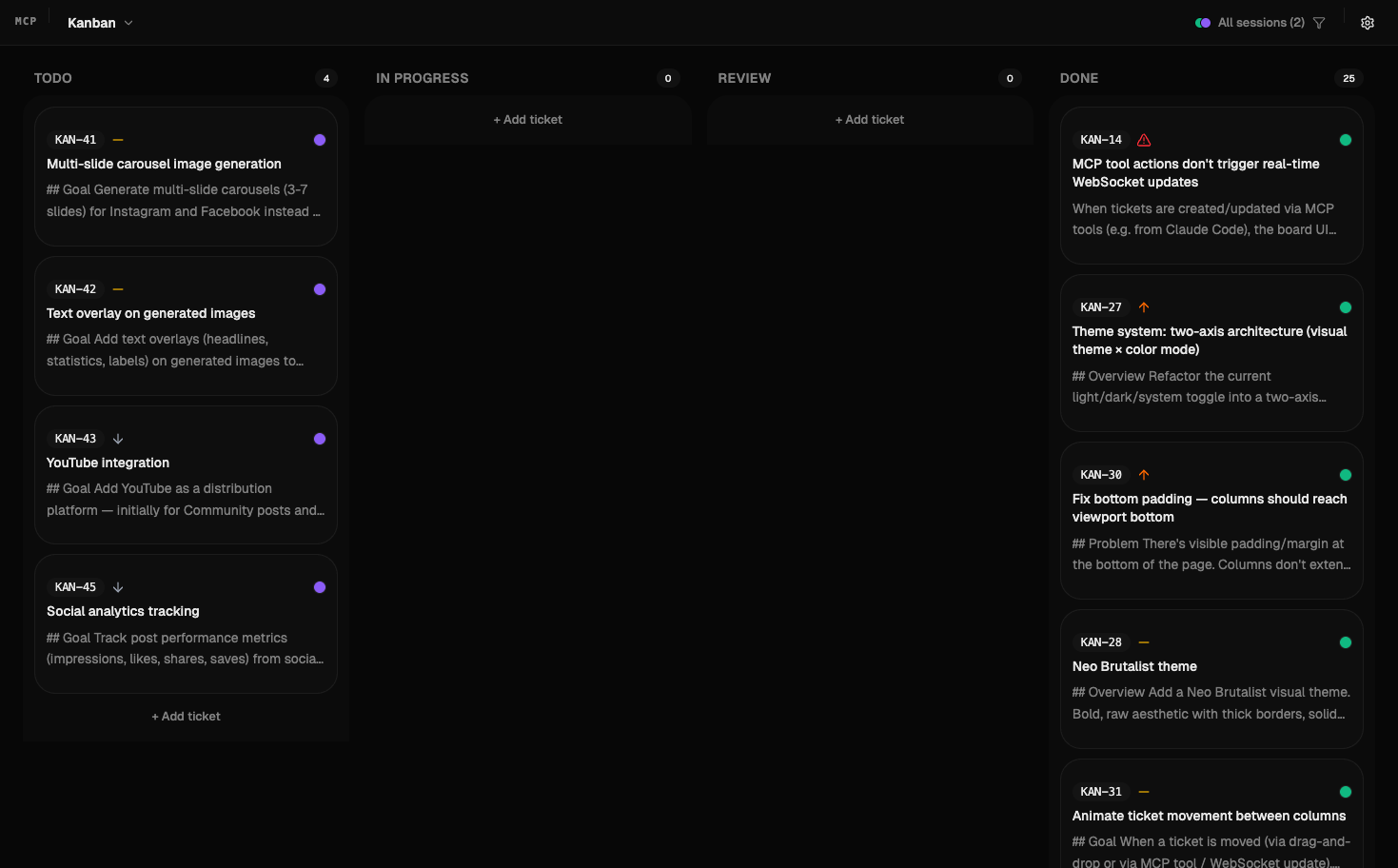
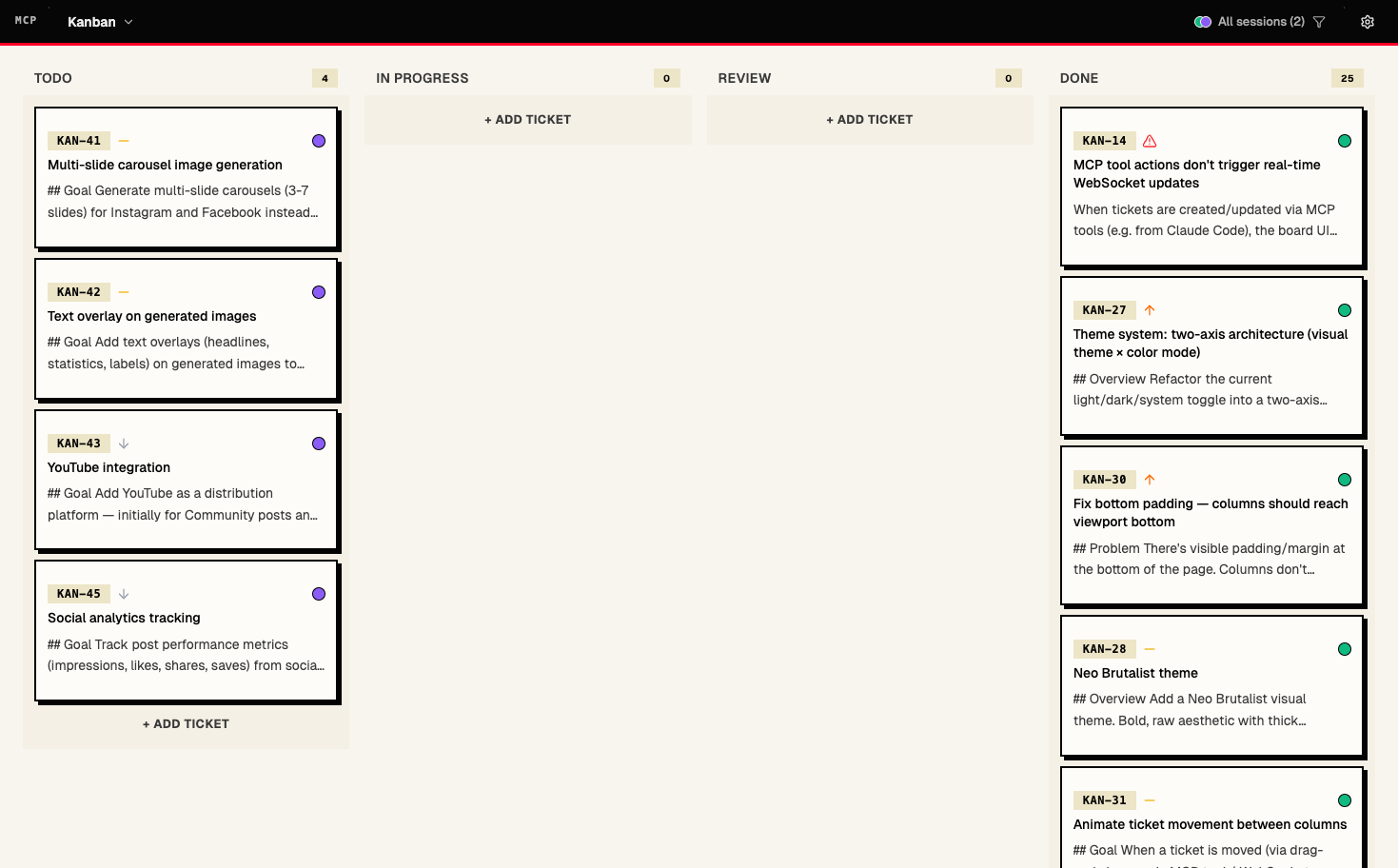
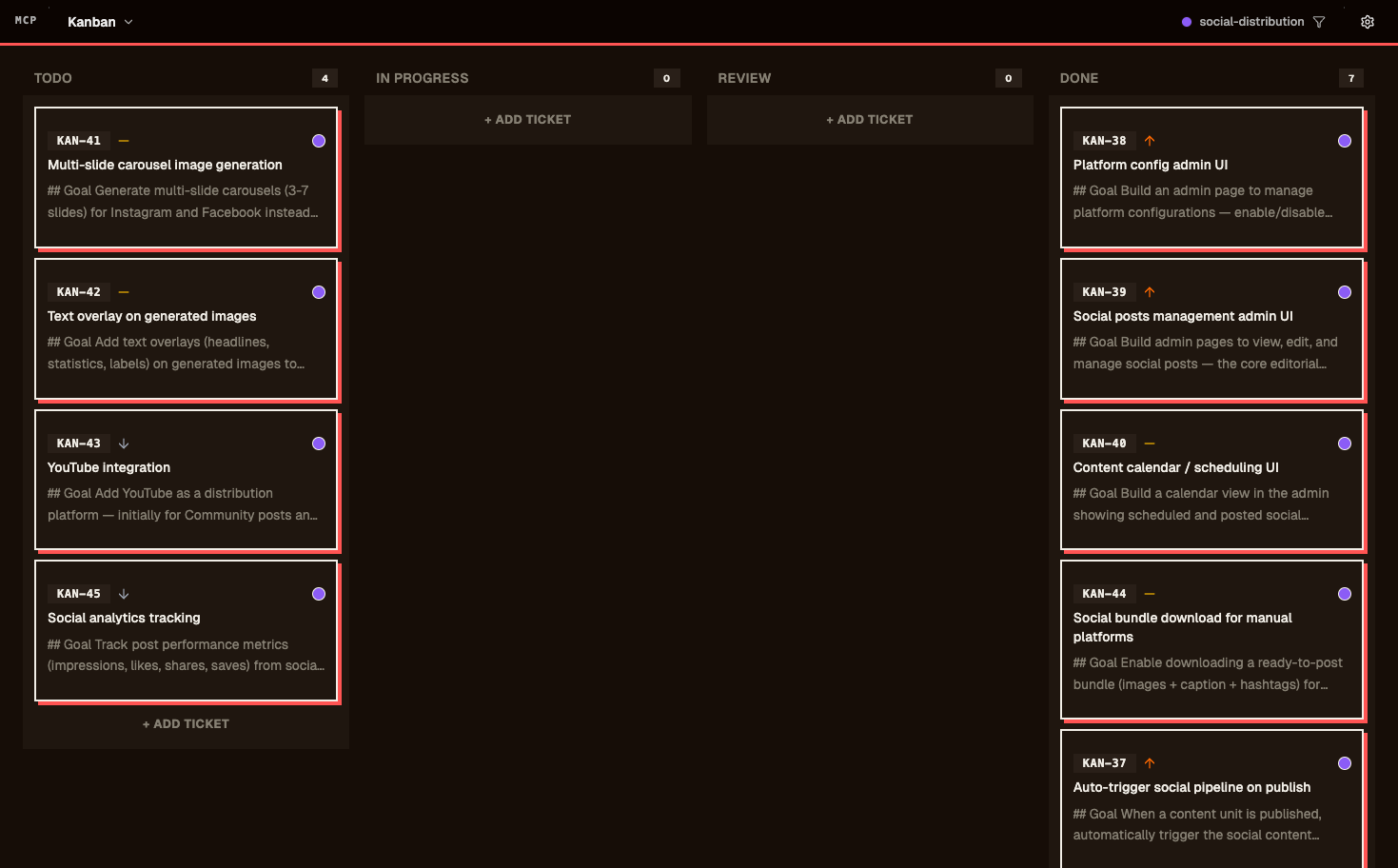
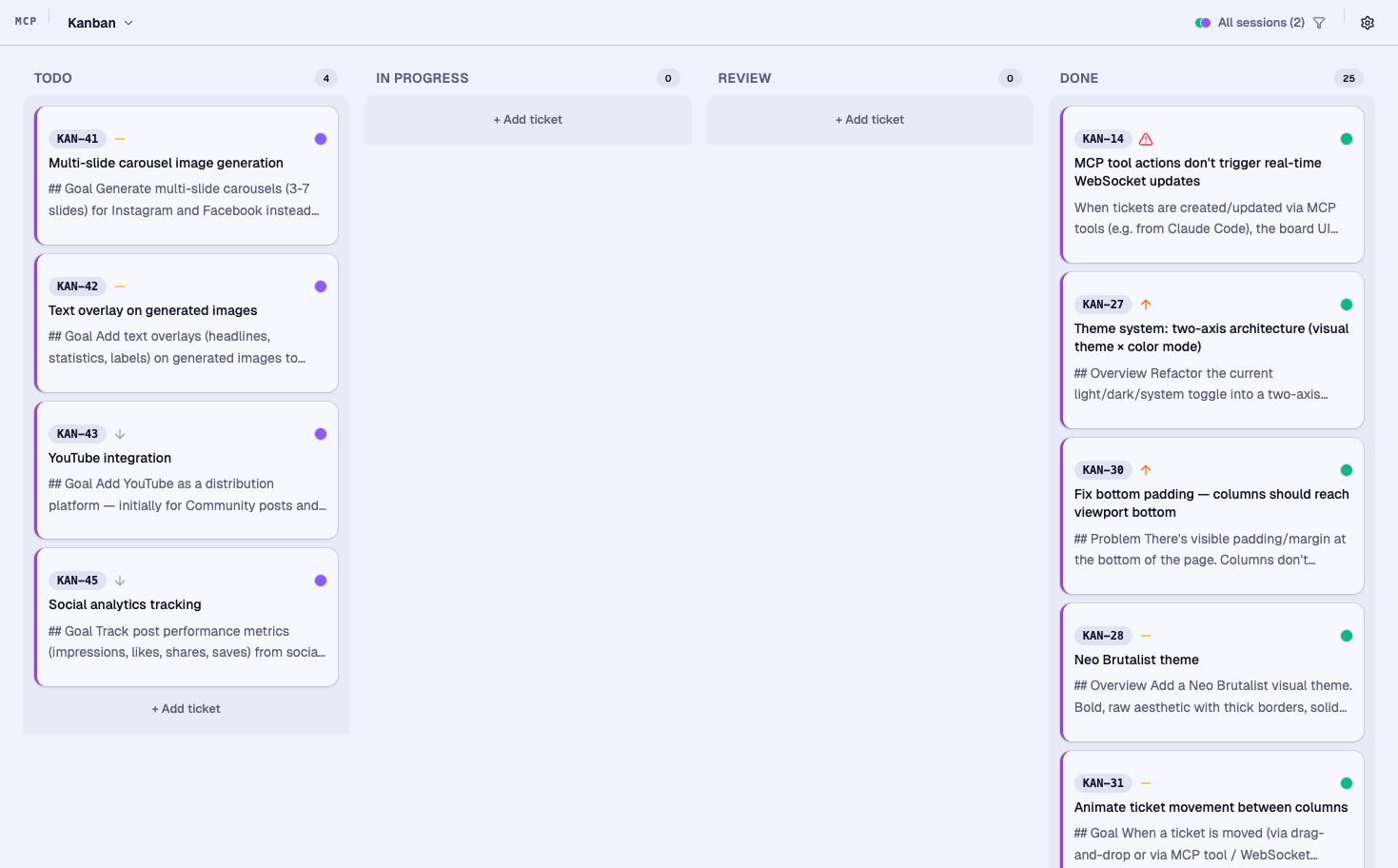
Themes
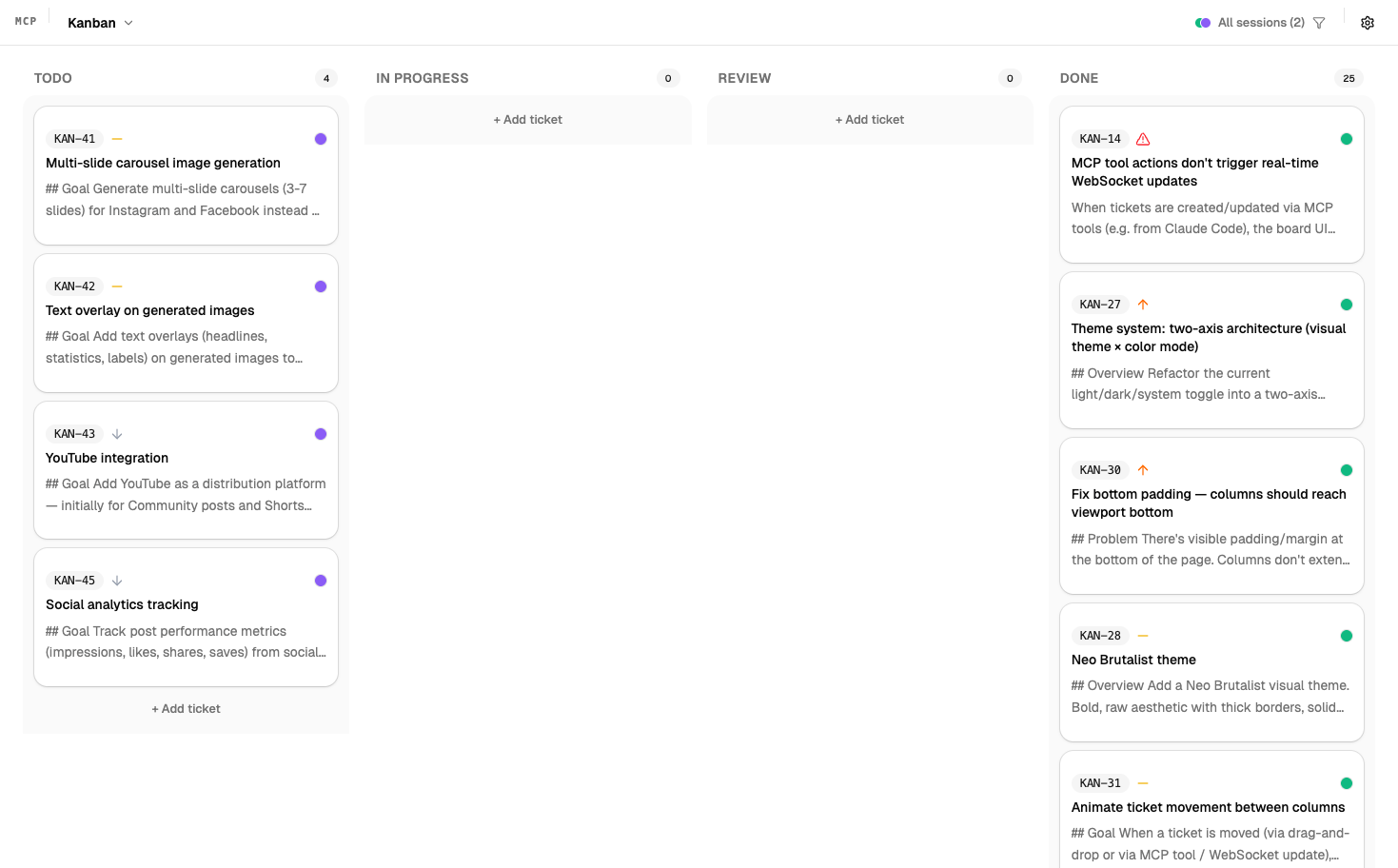
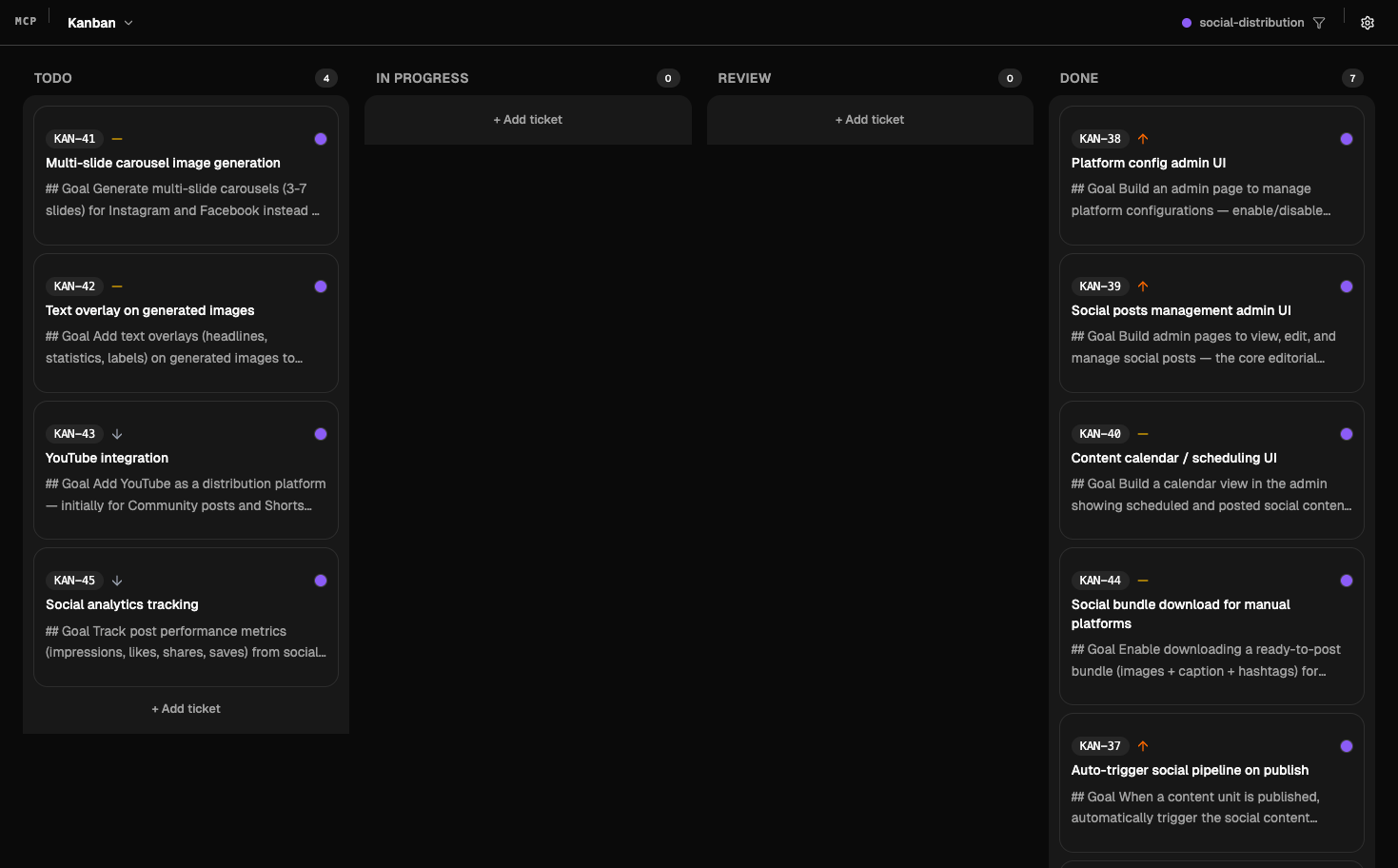
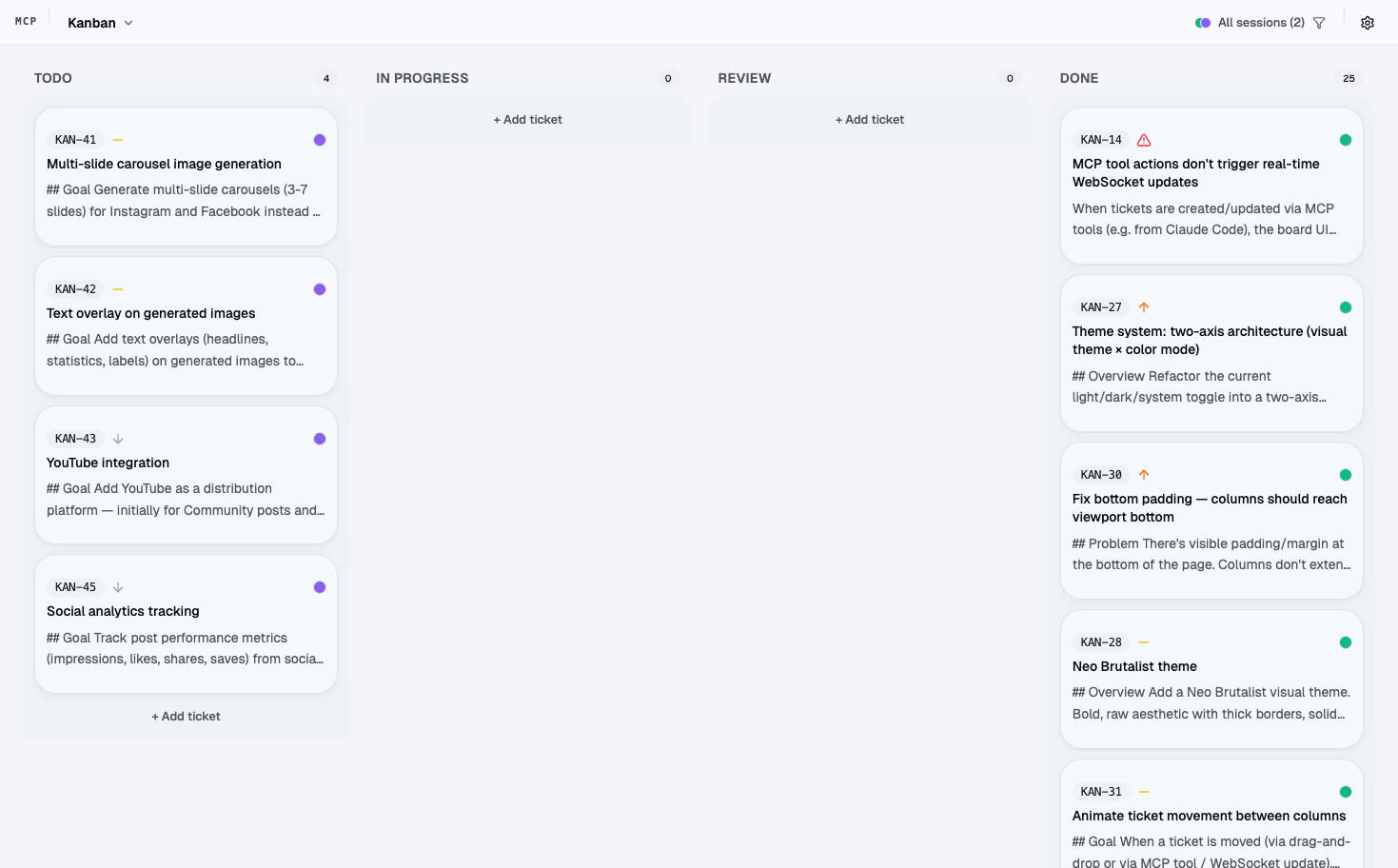
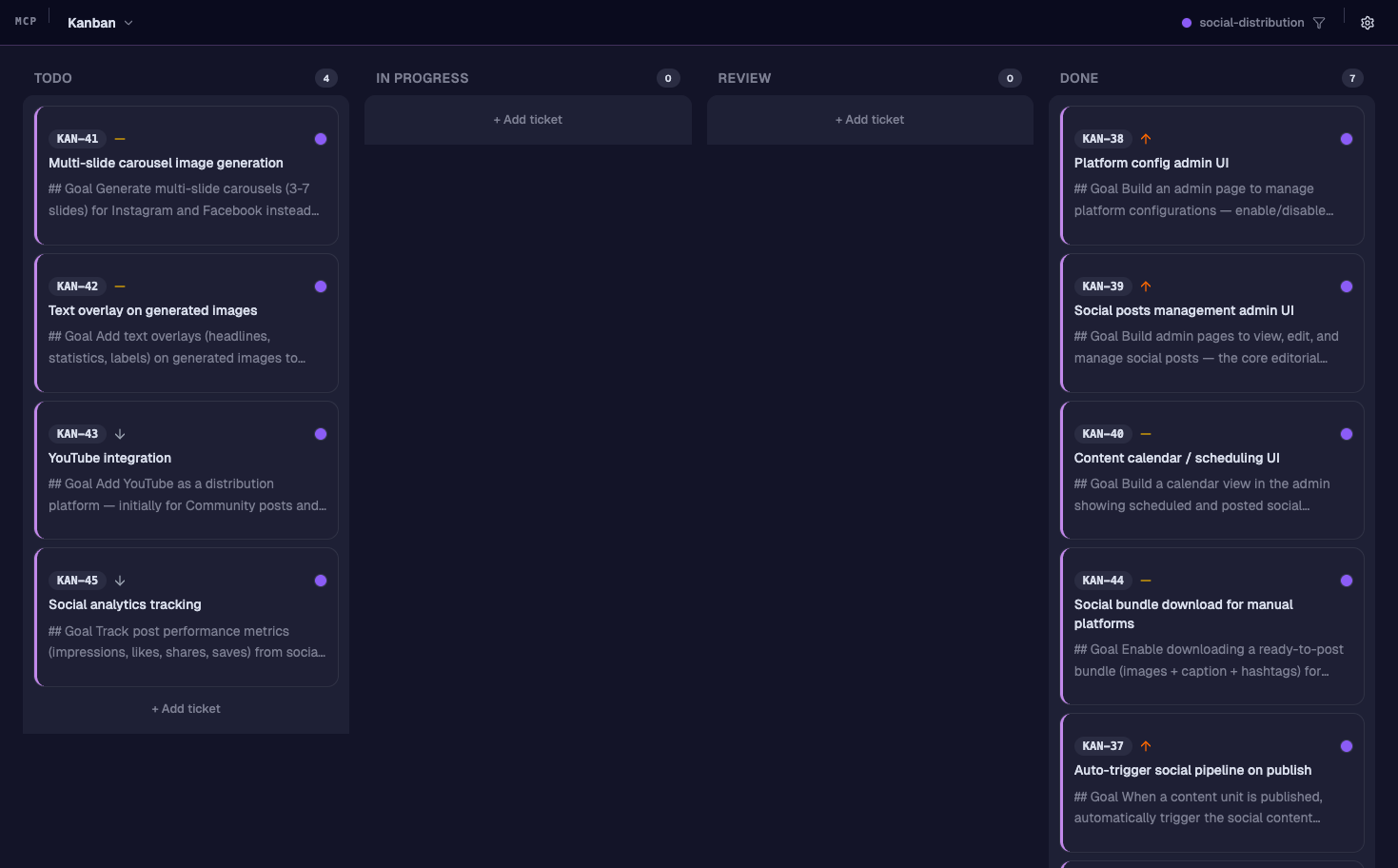
A few themes are provided, each with light and dark mode. They need refinement. This is work in progress. ;-)
Default
| Light | Dark |
|---|---|
 |
 |
Glass
| Light | Dark |
|---|---|
 |
 |
Brutalist
| Light | Dark |
|---|---|
 |
 |
Softnight
| Light | Dark |
|---|---|
 |
 |
License
MIT
Установка Kanban
У этого сервера нет опубликованного пакета — он собирается из исходников. Открой репозиторий и следуй инструкции в README.
▸ github.com/gablabelle/mcp-kanbanFAQ
Kanban MCP бесплатный?
Да, Kanban MCP бесплатный — установка в пару кликов через Unyly без оплаты.
Нужен ли API-ключ для Kanban?
Нет, Kanban работает без API-ключей и переменных окружения.
Kanban — hosted или self-hosted?
Self-hosted: сервер запускается локально на твоей машине командой из раздела установки.
Как установить Kanban в Claude Desktop, Claude Code или Cursor?
Открой Kanban на unyly.org, выбери вкладку своего клиента (Claude Desktop, Claude Code, Cursor) и нажми Install — конфиг сгенерируется автоматически, без правки JSON.
Похожие MCP
LibreOffice Tools
Enables AI agents to read, write, and edit Office documents via LibreOffice with token-efficient design. Supports multiple formats including DOCX, XLSX, PPTX, a
 автор: passerbyflutter
dannote/figma-use
Full Figma control: create shapes, text, components, set styles, auto-layout, variables, export. 80+ tools.
 автор: dannote
Logo.dev
Search and retrieve company logos by brand or domain. Customize size, format, and theme to match your design needs. Accelerate design, prototyping, and content
 автор: NOVA-3951
PIX4Dmatic
Enables GUI automation for controlling PIX4Dmatic on Windows through MCP. Supports launching, focusing, capturing screenshots, sending hotkeys, clicking UI elem
 автор: jangjo123
Compare Kanban with
Не уверен что выбрать?
Найди свой стек за 60 секунд
Автор?
Embed-бейдж для README
Похожее
Все в категории design