
Odoo Fintech
БесплатноНе проверенConnects Claude Desktop to Odoo ERP via JSON-2 API for searching invoices, creating sales orders, checking customer balances, and managing webhooks.

Описание
Connects Claude Desktop to Odoo ERP via JSON-2 API for searching invoices, creating sales orders, checking customer balances, and managing webhooks.
README
TypeScript MCP server that connects Claude Desktop to Odoo ERP via the modern JSON-RPC 2.0 API (the XML-RPC era is over). Ships with a dark Web Inspector UI so you can test every tool interactively — no Claude Desktop required.
CI Coverage TypeScript License: MIT
Web Inspector UI
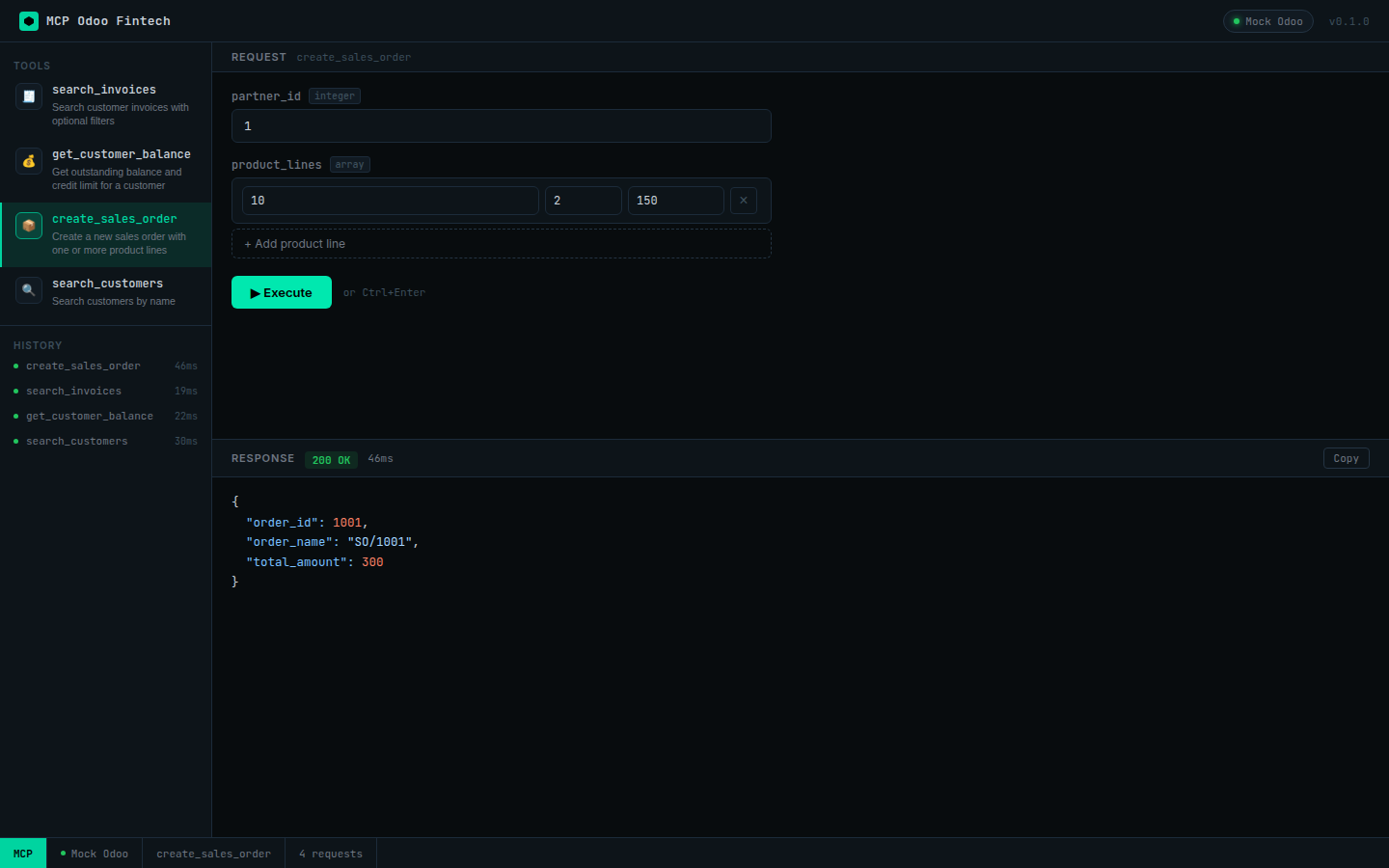
The server includes an interactive browser-based inspector at http://localhost:3001.
Execute any MCP tool with real (or mock) Odoo data, inspect JSON responses with syntax highlighting, and track request history — all without leaving the browser.
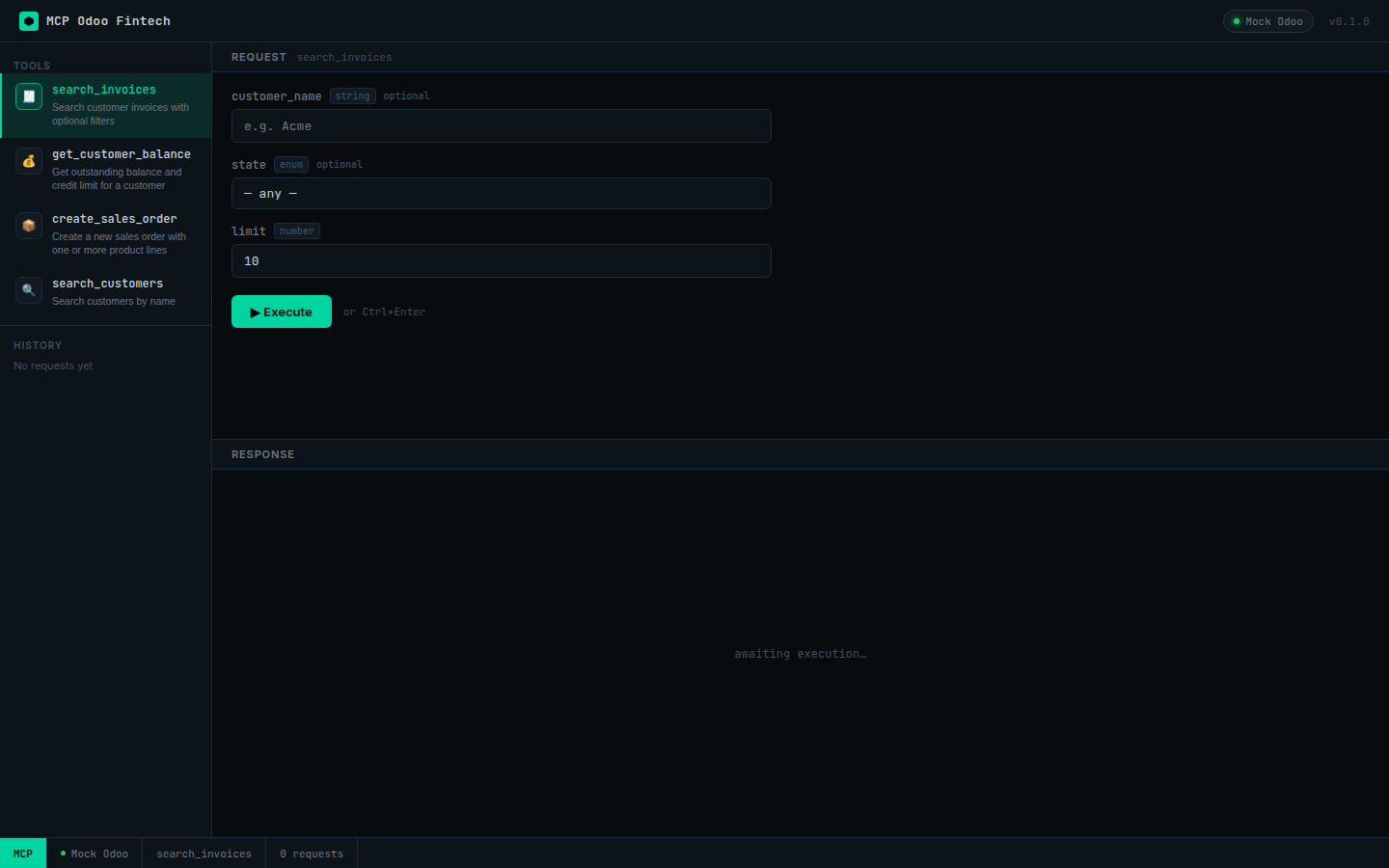
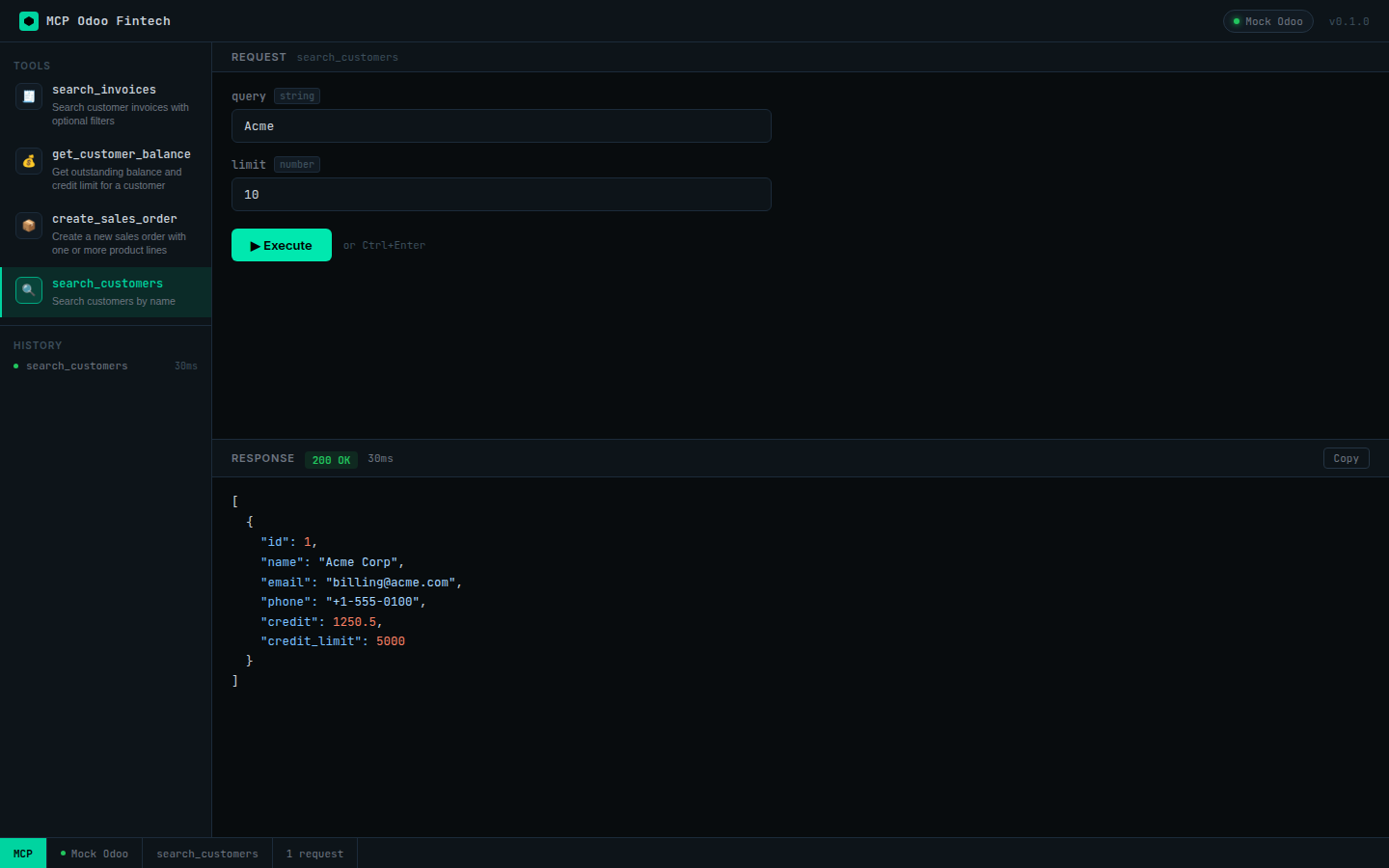
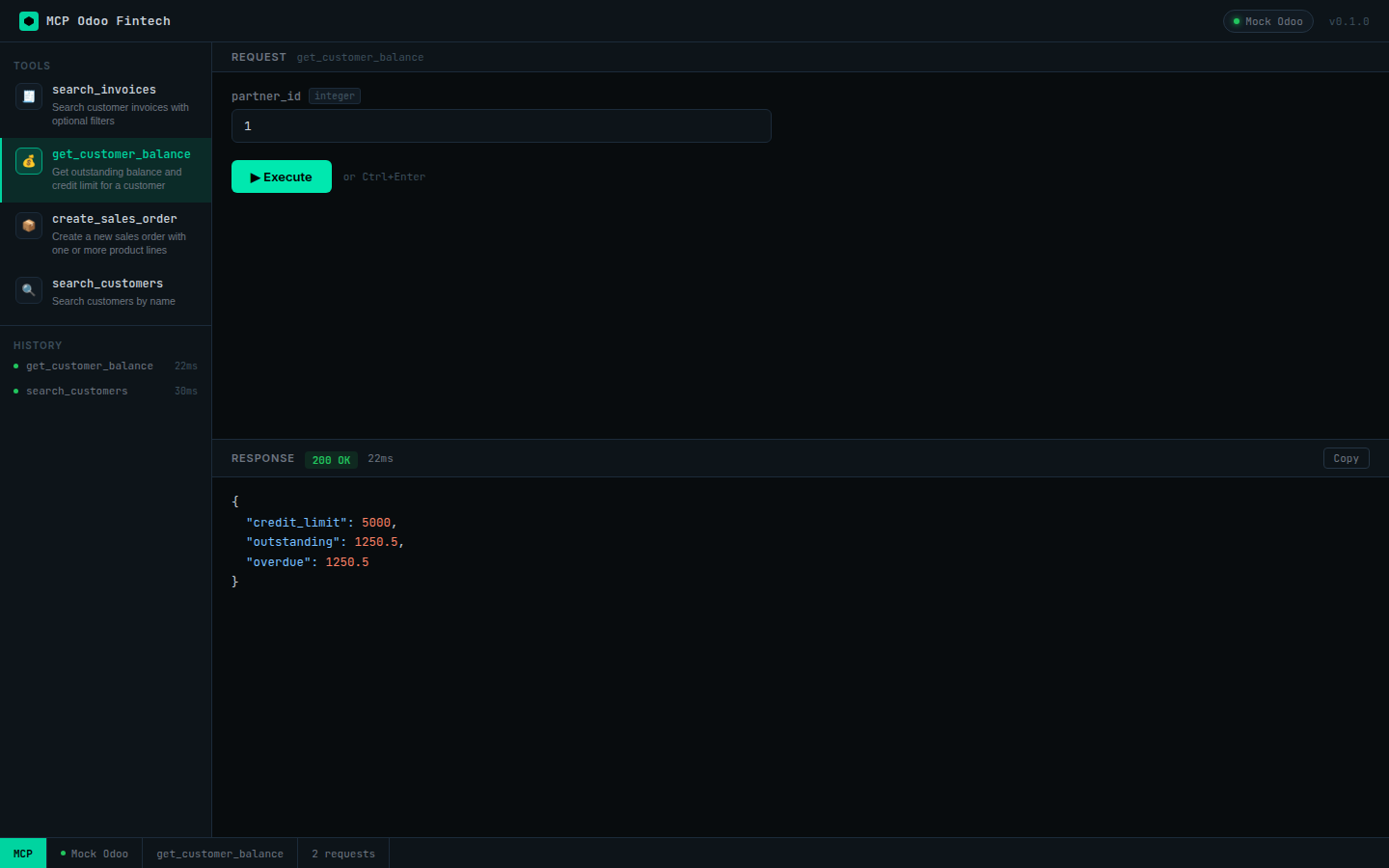
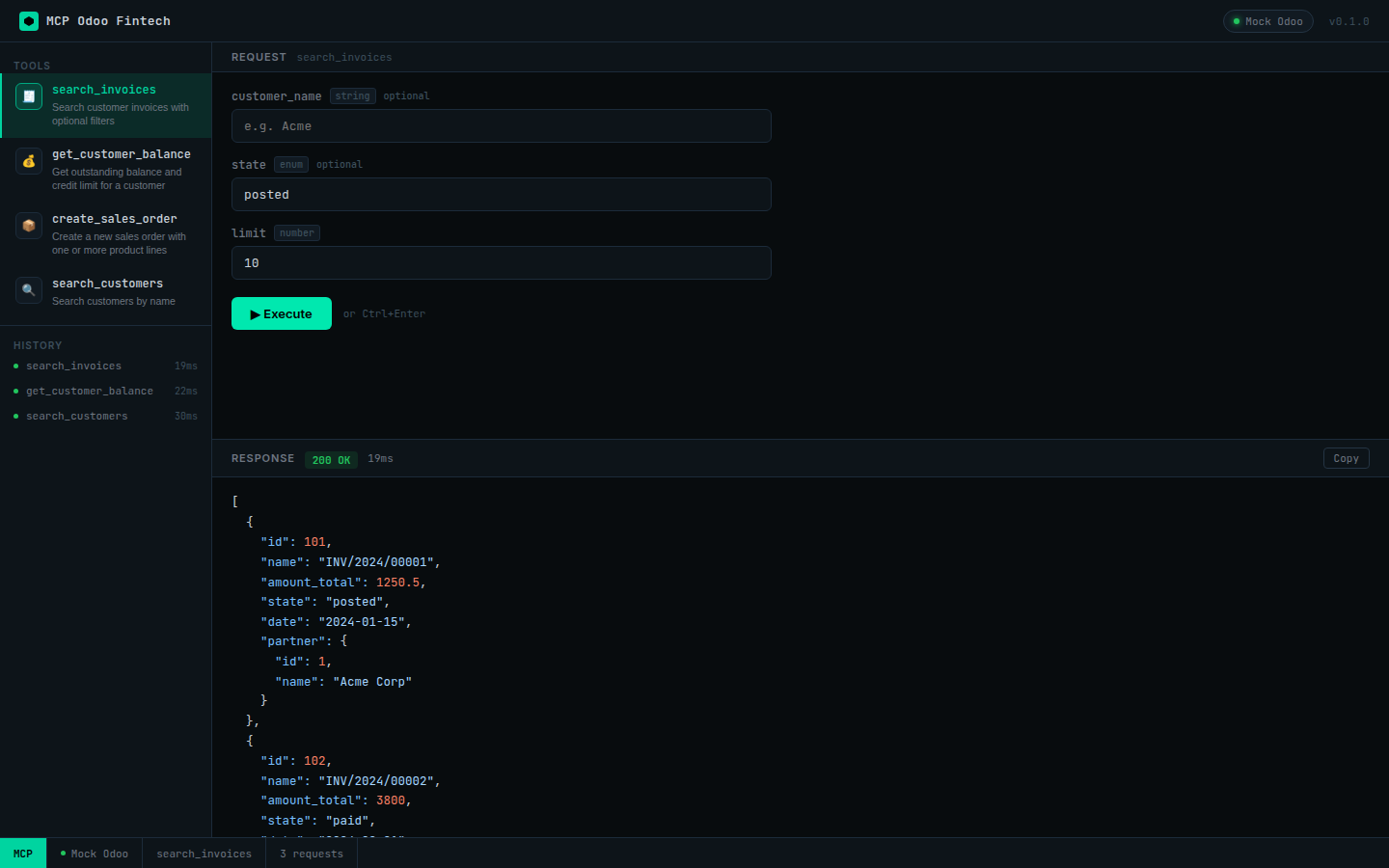
Architecture
Claude Desktop ──stdio──► MCP Server ──JSON-RPC 2.0──► Odoo 17+
                               │
                               ├─ Redis Cache (optional)
                               ├─ Express :3001
                               │    ├─ /            Web Inspector UI
                               │    └─ /webhook     HMAC-verified events
                               └─ Mock Odoo (auto-enabled when MOCK_ODOO=true)
MCP Tools
| Tool | Odoo model | Description |
|---|---|---|
search_invoices |
account.move |
Filter by customer, state, date range |
create_sales_order |
sale.order |
Create order with multiple product lines |
get_customer_balance |
res.partner |
Credit limit, outstanding balance, overdue total |
search_customers |
res.partner |
Find customers by partial name |
Quick Start
Zero-config demo (mock Odoo, no real ERP needed)
npm install
npm run dev          # starts mock Odoo on :8069 + inspector on :3001
Open http://localhost:3001 and start executing tools.
Real Odoo instance
cp .env.example .env
# Fill in ODOO_URL, ODOO_DB, ODOO_API_KEY
npm run dev
Claude Desktop integration
Add to claude_desktop_config.json:
{
  "mcpServers": {
    "odoo-fintech": {
      "command": "node",
      "args": ["/path/to/mcp-odoo-fintech/dist/index.js"],
      "env": {
        "ODOO_URL": "https://your-odoo.example.com",
        "ODOO_DB": "prod",
        "ODOO_API_KEY": "your-api-key"
      }
    }
  }
}
Security
- HMAC-SHA256 webhook verification with timing-safe comparison (
timingSafeEqual+ length guard) - Bearer token auth — API keys via
.envonly, never committed - Redis sliding-window rate limiting per tool (optional, skipped gracefully when
REDIS_URLis absent) - Zod input validation on every tool call before Odoo is touched
Testing
npm test                 # run 33 tests
npm run test:coverage    # 93% coverage report
Test suite covers: Odoo client (JSON-RPC 2.0 envelope, error types), HMAC verification (valid/tampered/empty), all 4 tools against a mock Odoo server.
Project Structure
src/
├── client/       # Odoo JSON-RPC 2.0 HTTP client
├── tools/        # MCP tool implementations (customers, invoices, sales)
├── mock/         # Mock Odoo JSON-RPC 2.0 server for offline testing
├── security/     # HMAC-SHA256 webhook verification
├── webhook/      # Express webhook receiver
├── inspector/    # Web Inspector UI (server + static HTML/CSS/JS)
└── index.ts      # MCP stdio entry point + HTTP server bootstrap
tests/            # Vitest integration tests
Environment Variables
| Variable | Default | Description |
|---|---|---|
ODOO_URL |
http://localhost:8069 |
Odoo base URL |
ODOO_DB |
odoo |
Odoo database name |
ODOO_API_KEY |
— | Odoo API key (required for production) |
WEBHOOK_SECRET |
— | HMAC secret for incoming Odoo webhooks |
REDIS_URL |
— | Redis connection URL (rate-limiting, optional) |
PORT |
3001 |
HTTP server port (inspector + webhook) |
MOCK_ODOO |
false |
Start built-in mock Odoo server |
License
MIT © Isli Basha
Установка Odoo Fintech
У этого сервера нет опубликованного пакета — он собирается из исходников. Открой репозиторий и следуй инструкции в README.
▸ github.com/IsliBasha/mcp-odoo-fintechFAQ
Odoo Fintech MCP бесплатный?
Да, Odoo Fintech MCP бесплатный — установка в пару кликов через Unyly без оплаты.
Нужен ли API-ключ для Odoo Fintech?
Нет, Odoo Fintech работает без API-ключей и переменных окружения.
Odoo Fintech — hosted или self-hosted?
Self-hosted: сервер запускается локально на твоей машине командой из раздела установки.
Как установить Odoo Fintech в Claude Desktop, Claude Code или Cursor?
Открой Odoo Fintech на unyly.org, выбери вкладку своего клиента (Claude Desktop, Claude Code, Cursor) и нажми Install — конфиг сгенерируется автоматически, без правки JSON.
Похожие MCP
Fetch
Web content fetching and conversion for efficient LLM usage.
AWS KB Retrieval
Retrieval from AWS Knowledge Base using Bedrock Agent Runtime.
 автор: modelcontextprotocol
Spring AI MCP Server
Provides auto-configuration for setting up an MCP server in Spring Boot applications.
llm-analysis-assistant
A very streamlined mcp client that supports calling and monitoring stdio/sse/streamableHttp, and can also view request responses through the /logs page. It also
 автор: xuzexin-hz
Compare Odoo Fintech with
Не уверен что выбрать?
Найди свой стек за 60 секунд
Автор?
Embed-бейдж для README
Похожее
Все в категории ai