
Openai Images Audio
БесплатноНе проверенExposes OpenAI's gpt-image-2 and gpt-image-1.5 to Claude Code as a single tool for generating, editing, or composing images with automatic model selection.

Описание
Exposes OpenAI's gpt-image-2 and gpt-image-1.5 to Claude Code as a single tool for generating, editing, or composing images with automatic model selection.
README
MCP server that exposes OpenAI's gpt-image-2 and gpt-image-1.5 to Claude Code as a single tool. Generate, edit, or compose images straight from a chat. Files are written to disk; the model never returns base64 to your context.
This isn't a wrapper for everything OpenAI does. It's one tool: image. That's intentional.
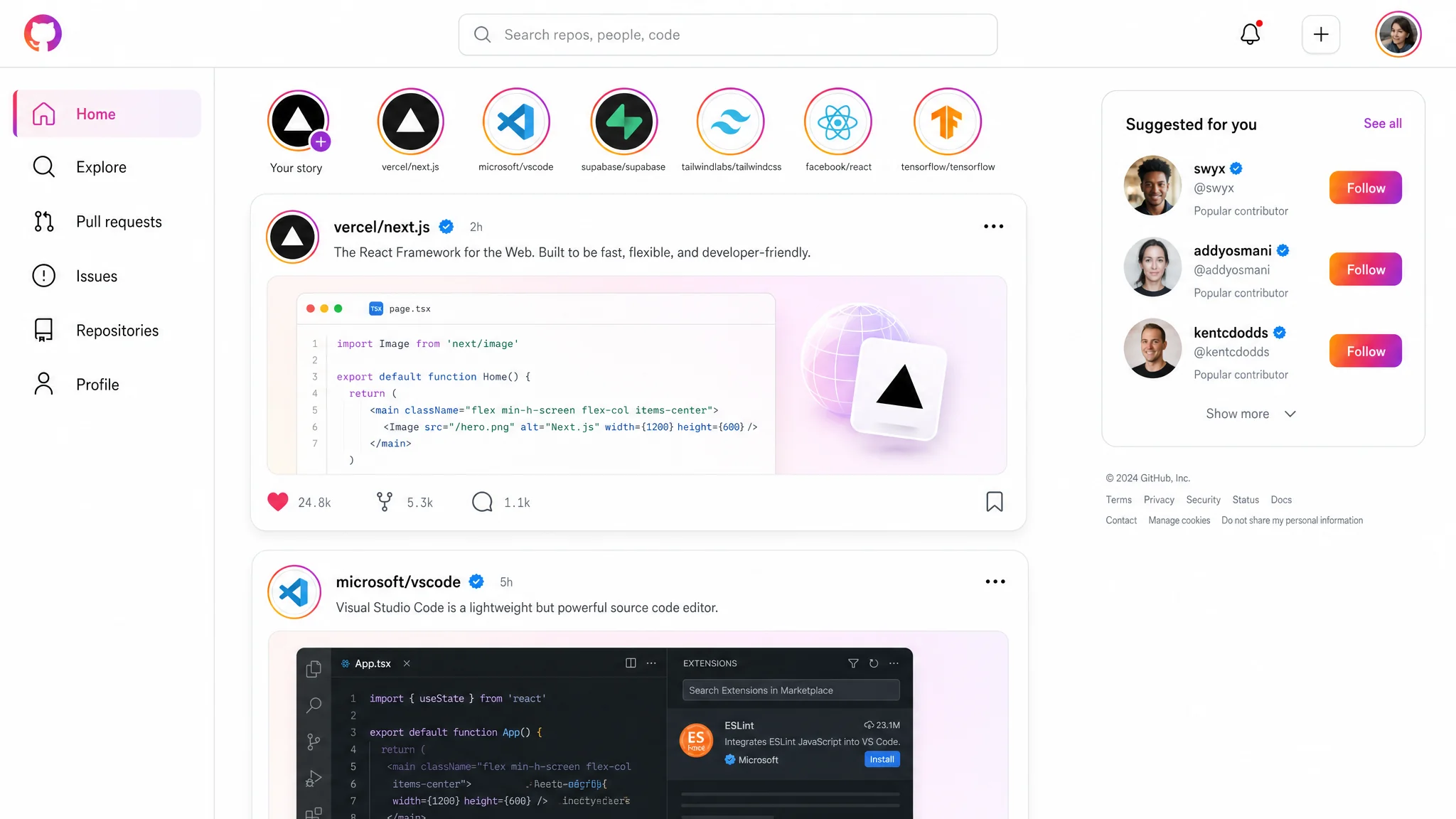
One call, size: 2048x1152, quality: high, no references — produced this UI mockup. Real readable typography, real-looking code preview, accurate Instagram visual language. That's the level you should expect.
Install
pip install mcp-openai-images-audio
Or run directly without installing:
uvx mcp-openai-images-audio
Connect to Claude Code
claude mcp add openai-images \
  --scope user \
  -e OPENAI_API_KEY=sk-... \
  -- uvx mcp-openai-images-audio
Important:
- Organization verification is mandatory for
gpt-image-2. Verify at https://platform.openai.com/settings/organization/general. Takes a few minutes, propagates within 15 minutes. - The API key needs billing credit. Without it you get a 400 with
billing_hard_limit_reached. - The server runs over stdio. No HTTP, no separate process to keep alive — Claude Code starts and stops it for you.
How the tool works
One tool, three modes selected by references_paths:
- empty / not passed →
/v1/images/generations(text → new image) - 1 path →
/v1/images/edits(modify that image) - 2..16 paths →
/v1/images/edits(compose with labeled references)
The server picks the model on its own:
background='transparent'→gpt-image-1.5(gpt-image-2 currently rejects alpha — confirmed regression in OpenAI's docs)- everything else →
gpt-image-2
The actual model used is reported in the response.
Parameters
| Param | Required | Notes |
|---|---|---|
prompt |
yes | English. Structure matters — see the prompting guide. |
output_path |
yes | Absolute path. Parent must exist. File must NOT exist. Extension picks format: .png / .jpg / .jpeg / .webp. |
size |
yes | One of: 1024x1024, 1536x1024, 1024x1536, 2048x2048, 2048x1152, 1152x2048, 3840x2160, 2160x3840. No default — pick deliberately. |
references_paths |
no | List of absolute paths, up to 16 files, each ≤50 MB. |
quality |
no | low / medium / high. Omit for default (auto). |
input_fidelity |
no | low / high. Pass high for face-preserving edits. |
background |
no | auto (default) / opaque / transparent. |
The server hard-codes moderation=low, n=1, output_compression=100. Not configurable.
Prompting guide
Before the first call, Claude reads the resource image-guide://full. It covers:
- prompt structure (medium → subject → scene → composition → lighting → texture → constraints)
- photorealism rules (camera language, anti-words like "8K", "masterpiece")
- text rendering inside images
- edit/compose modes with role labeling
sizeselection per use case- when to set
qualityandinput_fidelity - the transparent-background trap — if you write "transparent background" in the prompt instead of passing
background='transparent', the model paints the editor checkerboard pattern into RGB. The image looks transparent in a thumbnail but isn't.
The server detects the checkerboard trap after writing the file and returns alpha_appears_baked: true. Don't trust the visual preview without checking that flag.
Response
{
  "path": "/abs/path.png",
  "bytes": 1219063,
  "size": "1024x1024",
  "model": "gpt-image-2",
  "mode": "generate",
  "has_alpha": false,
  "alpha_used": null,
  "tokens_used": 289,
  "estimated_cost_usd": 0.0117
}
If transparency was requested, alpha_appears_baked is also included. If anything looks wrong, a warnings array is added with human-readable text.
Logs
Each call appends one JSON line to ~/.cache/mcp-openai-images-audio/log.jsonl. The log rotates at 10 MB; one previous file is kept as log.jsonl.1.
tail -f ~/.cache/mcp-openai-images-audio/log.jsonl
Recommendations
- For UI mockups with readable text, use
size: 3840x2160andquality: high. Smaller sizes blur small fonts. - For logos / icons that need transparency, set
background: 'transparent'— the server will route togpt-image-1.5automatically. Don't try to ask for transparency in the prompt. - For portrait edits, pass
input_fidelity: 'high'. Otherwise the face drifts across iterations. - For drafts, use
quality: 'low'(~$0.006/image). Promote tohighonly when the result has to be final. - Don't pass
qualityat all for most cases. The default is good enough. - The model gives most weight to the first ~50 words of the prompt. Put the medium and subject up front.
Pricing notes
Cost depends on size and quality. Typical 1024×1024 cases:
quality: low→ ~$0.006quality: medium→ ~$0.05quality: high→ ~$0.21
4K is roughly 4× the price of 2048×1152. The tool reports estimated_cost_usd per call; treat it as approximate — it tracks OpenAI's published per-token rates.
Build from source
git clone https://github.com/eduard256/mcp-openai-images-audio.git
cd mcp-openai-images-audio
uv sync
uv run mcp-openai-images-audio
Tests:
uv run --extra dev pytest
Known limitations
gpt-image-2does not supportbackground: transparent. The server falls back togpt-image-1.5automatically. Quality on transparent calls is thereforegpt-image-1.5quality, not the flagship.nis hard-coded to 1. To get multiple variants, call the tool multiple times in parallel.- No
tts/audiotool yet despite the package name. Coming in a later version. - No streaming partial images. The tool returns when the file is fully written.
License
MIT
Установка Openai Images Audio
У этого сервера нет опубликованного пакета — он собирается из исходников. Открой репозиторий и следуй инструкции в README.
▸ github.com/eduard256/mcp-openai-images-audioFAQ
Openai Images Audio MCP бесплатный?
Да, Openai Images Audio MCP бесплатный — установка в пару кликов через Unyly без оплаты.
Нужен ли API-ключ для Openai Images Audio?
Нет, Openai Images Audio работает без API-ключей и переменных окружения.
Openai Images Audio — hosted или self-hosted?
Self-hosted: сервер запускается локально на твоей машине командой из раздела установки.
Как установить Openai Images Audio в Claude Desktop, Claude Code или Cursor?
Открой Openai Images Audio на unyly.org, выбери вкладку своего клиента (Claude Desktop, Claude Code, Cursor) и нажми Install — конфиг сгенерируется автоматически, без правки JSON.
Похожие MCP
GitHub
PRs, issues, code search, CI status
 автор: GitHub
Filesystem
Secure file operations with configurable access controls.
Memory
Knowledge graph-based persistent memory system.
Template MCP Server
A CLI tool to create a new Model Context Protocol server project with TypeScript support, dual transport options, and an extensible structure
 автор: mcpdotdirect
Compare Openai Images Audio with
Не уверен что выбрать?
Найди свой стек за 60 секунд
Автор?
Embed-бейдж для README
Похожее
Все в категории development